






How to Equip & Change Quick Hacks in CyberPunk 2077
How to Equip & Change Quick Hacks in Cyberpunk 2077
Quick hacks are one of the most powerful tools in your arsenal as a netrunner in Cyberpunk 2077. Learning how to properly equip and change your quick hacks will give you more flexibility in combat and allow you to adapt to different situations. This guide walks you through two simple methods to manage your quick hacks directly from your inventory.
Method 1: Access Quick Hacks Through Cyberware
The first method to equip and change quick hacks is through your cyberware section. Start by opening your inventory screen.
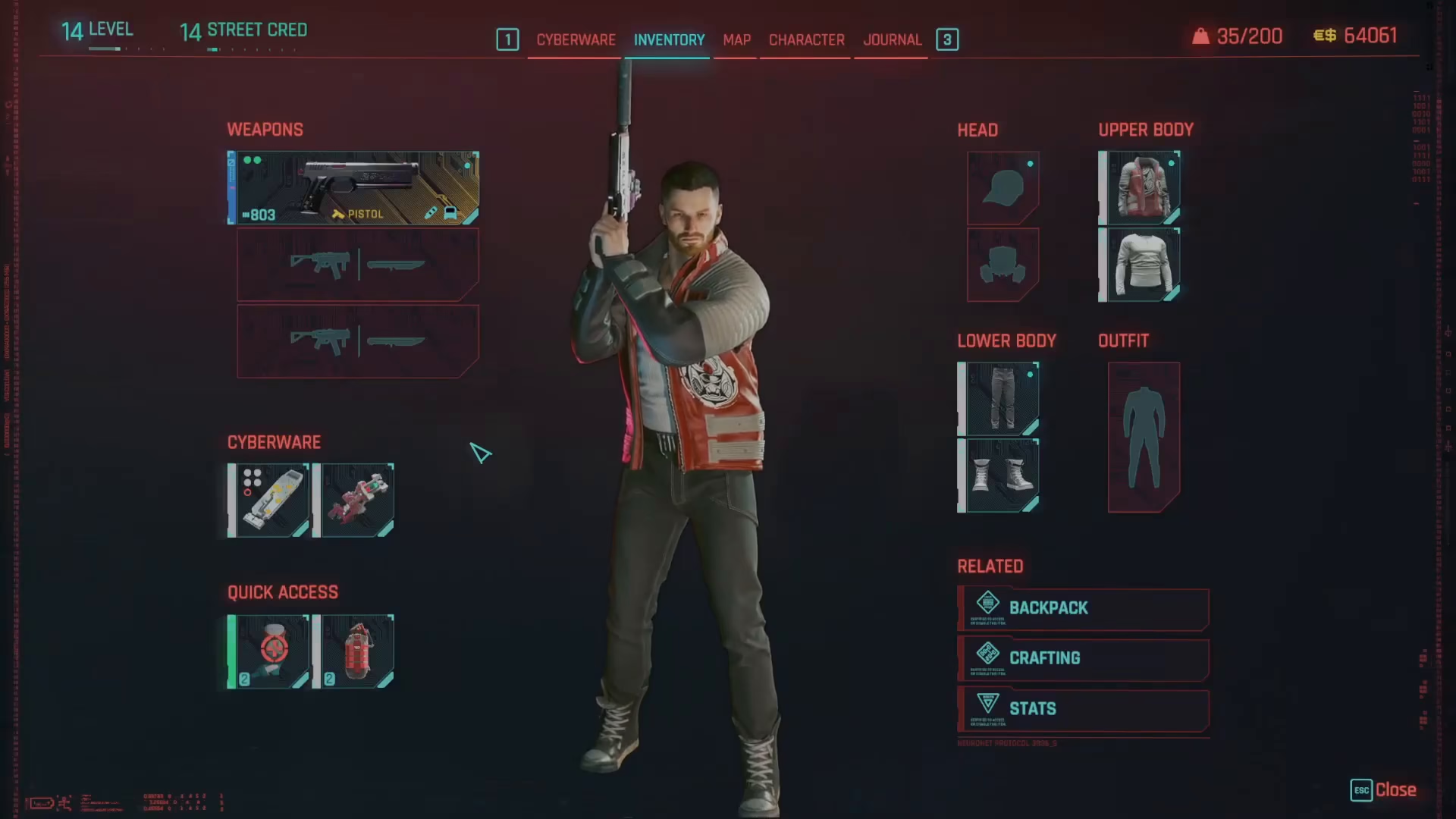
On the left-hand side of your inventory, you’ll see the cyberware option. Click on it to access your installed cyberware.
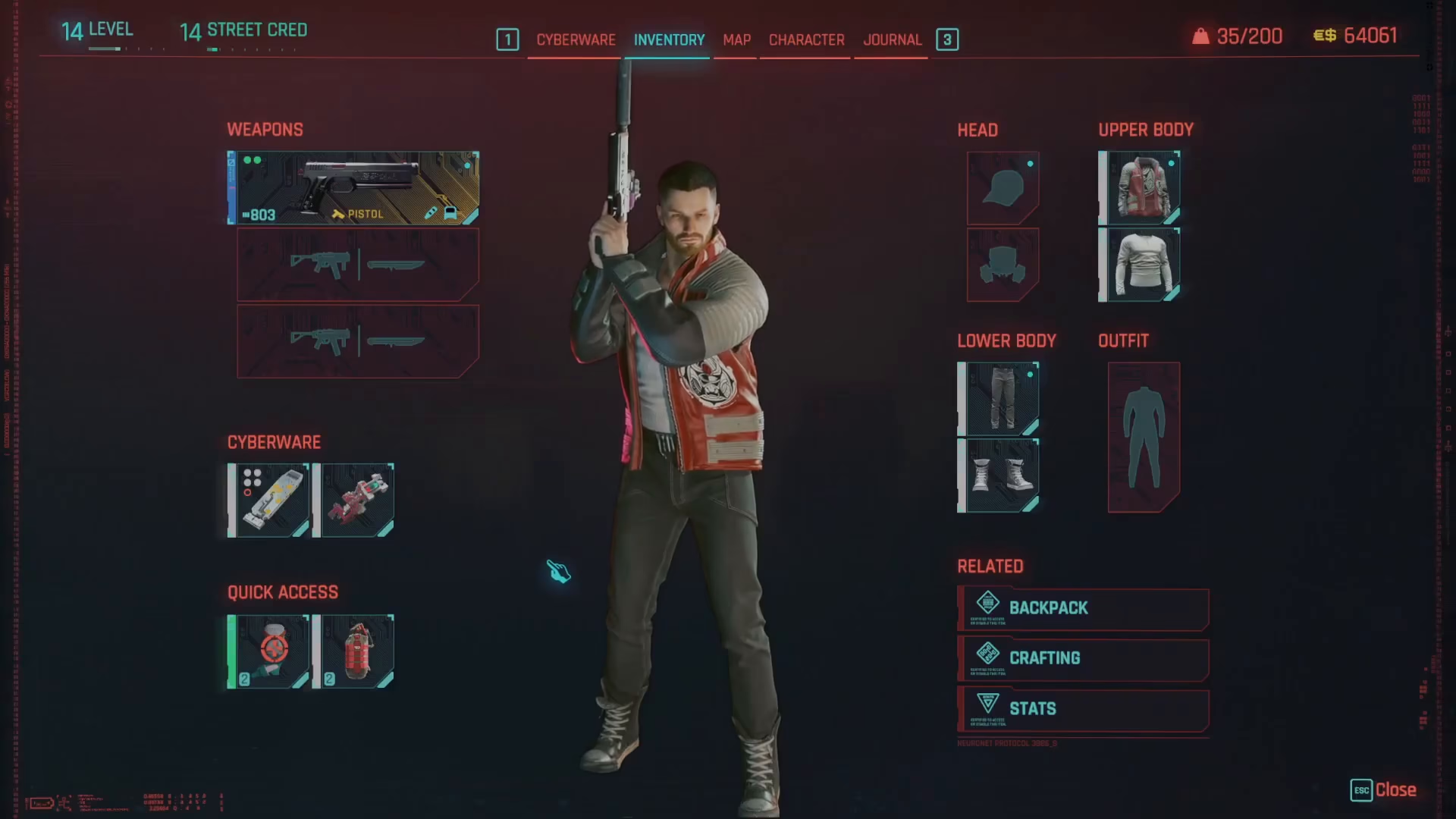
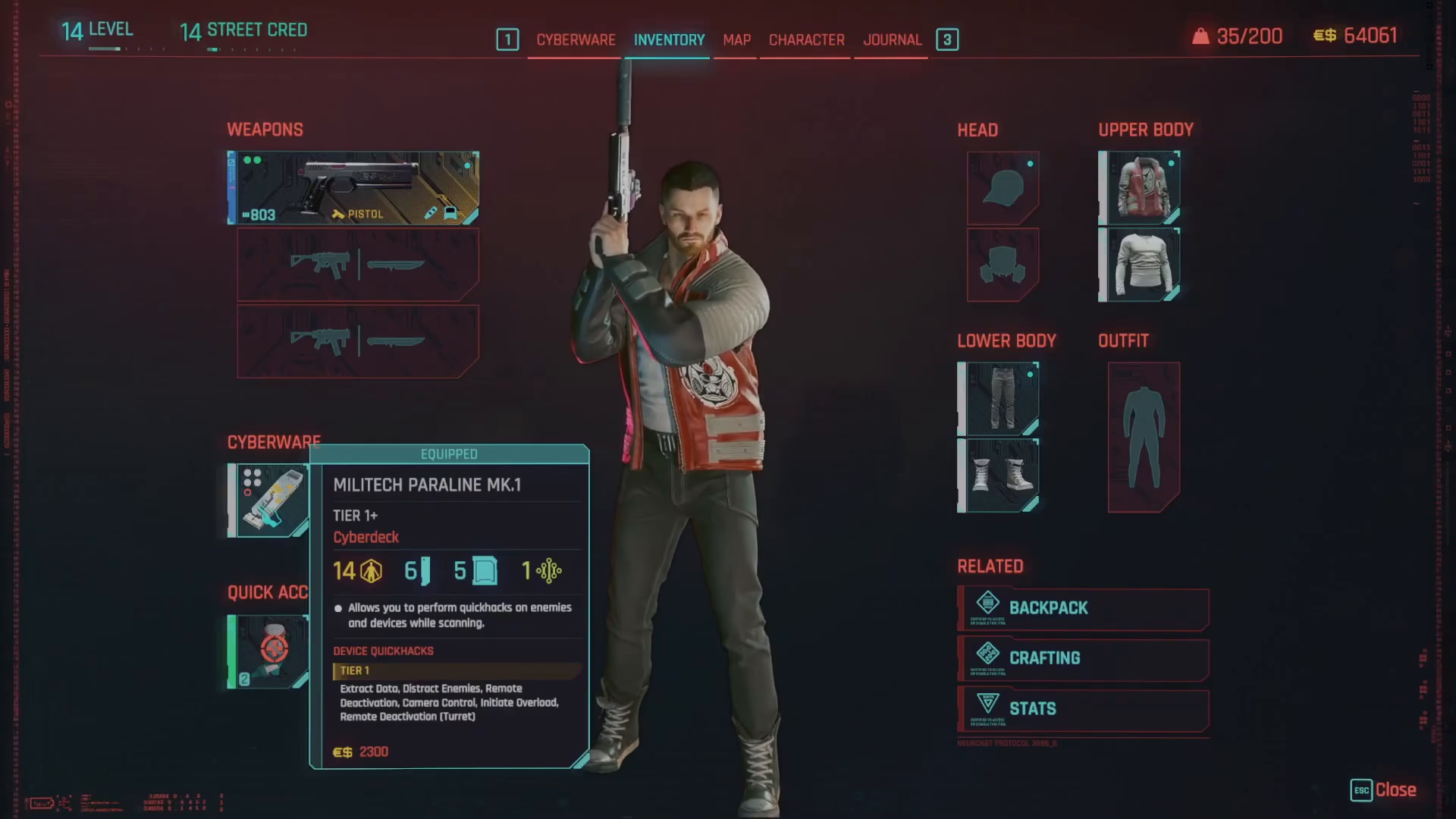
Understanding Your Operating System
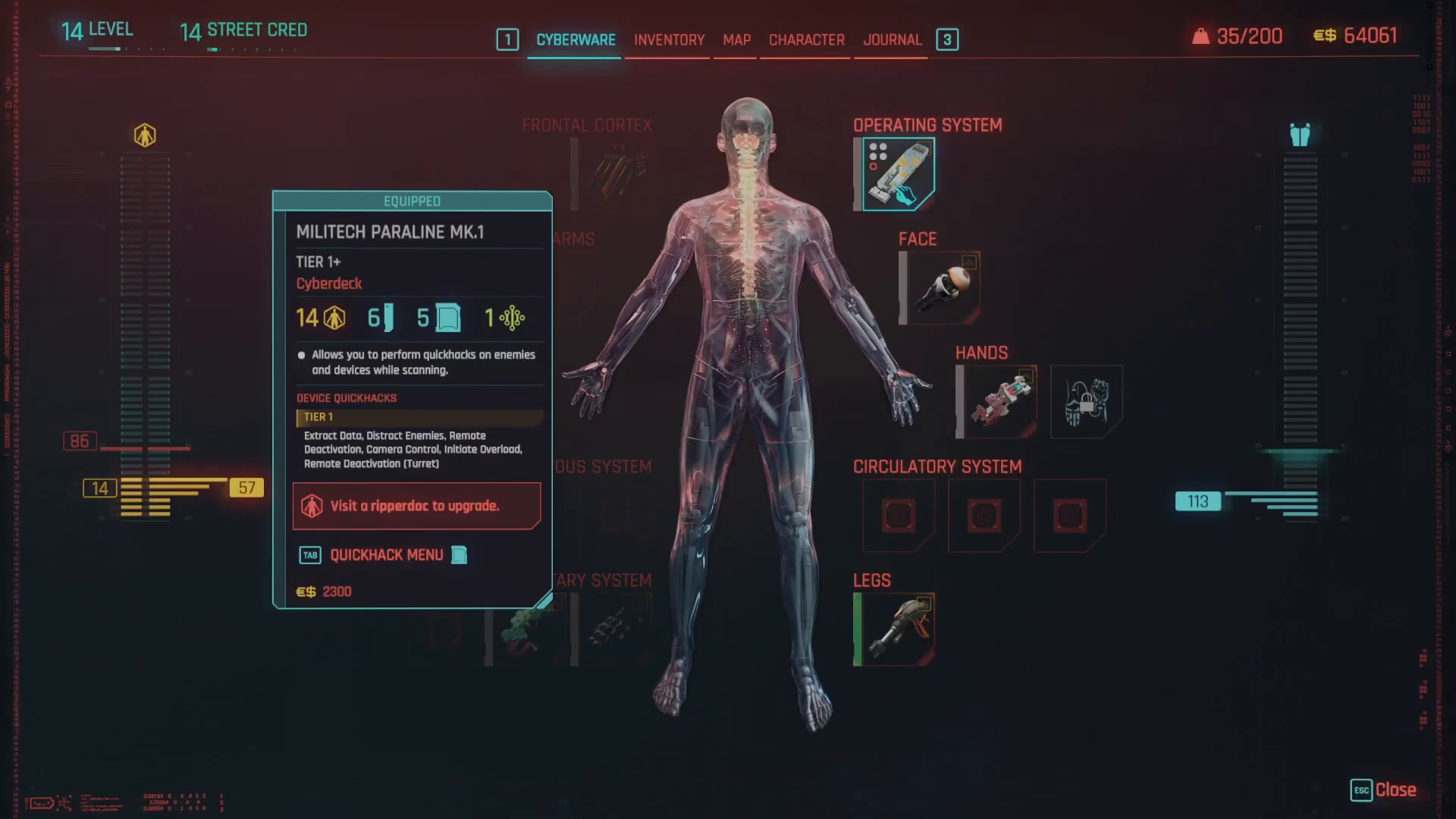
When you enter the cyberware menu, you’ll see your operating system. This is the core component that determines how many quick hack slots you have available. For example, the Militech Paralline Mark 1 operating system provides 6 RAM and 5 quick hack slots, meaning you can equip up to 5 different quick hacks at once.
Selecting Your Quick Hacks
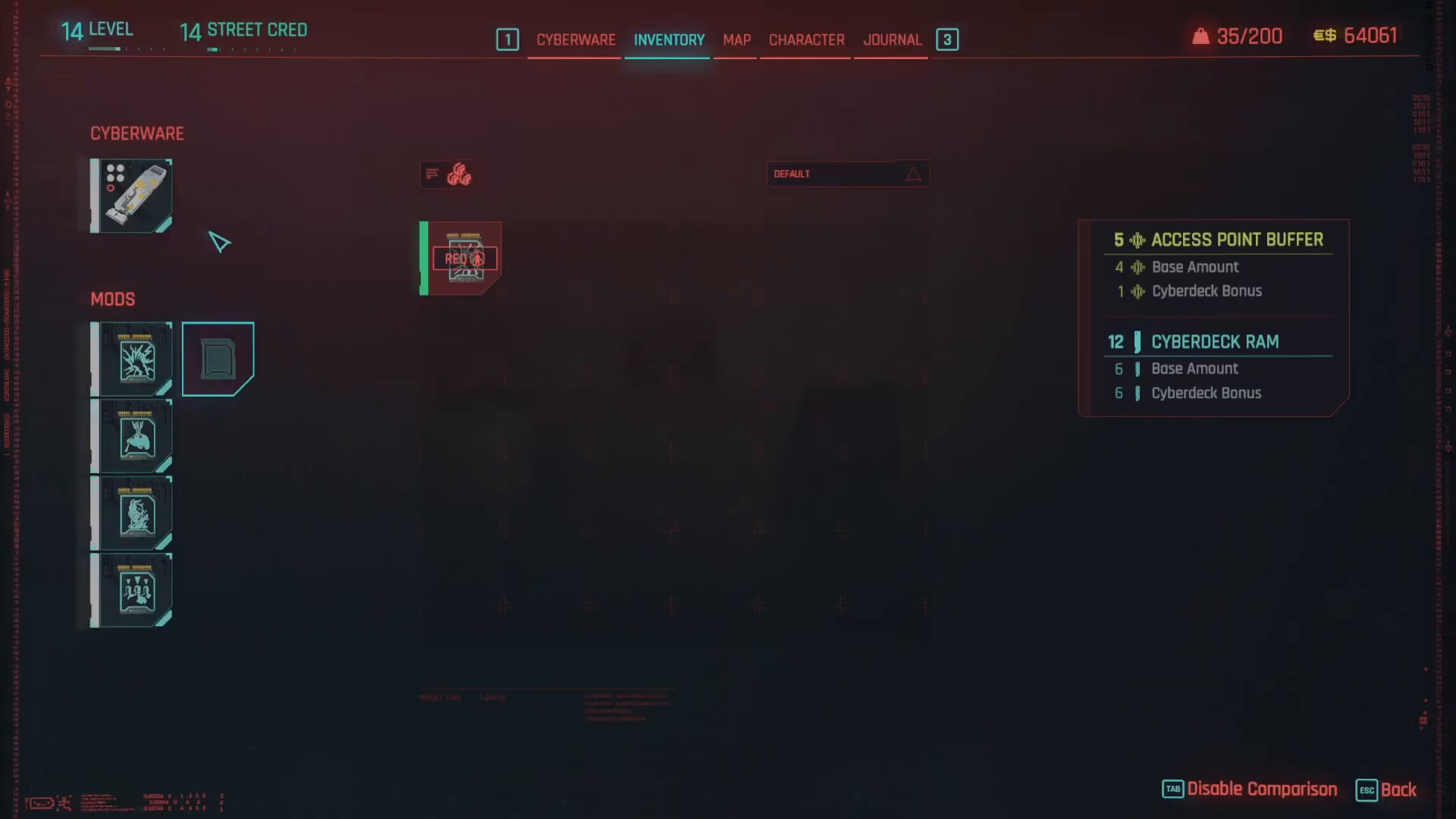
Click on your operating system to bring up the quick hack selection screen. Here you’ll see all your currently equipped quick hacks on the left side, plus any spare slots. On the right side, you’ll see the quick hacks available in your inventory that you can equip.
Important Tier Requirements
Keep in mind that a mod cannot be installed in an item of a lower tier than itself. For instance, if you want to equip the Short Circuit Tier 2 combat quick hack, you’ll need a Tier 2 operating system for your cyberdeck. If you lack the required operating system tier, you won’t be able to equip that quick hack until you upgrade.
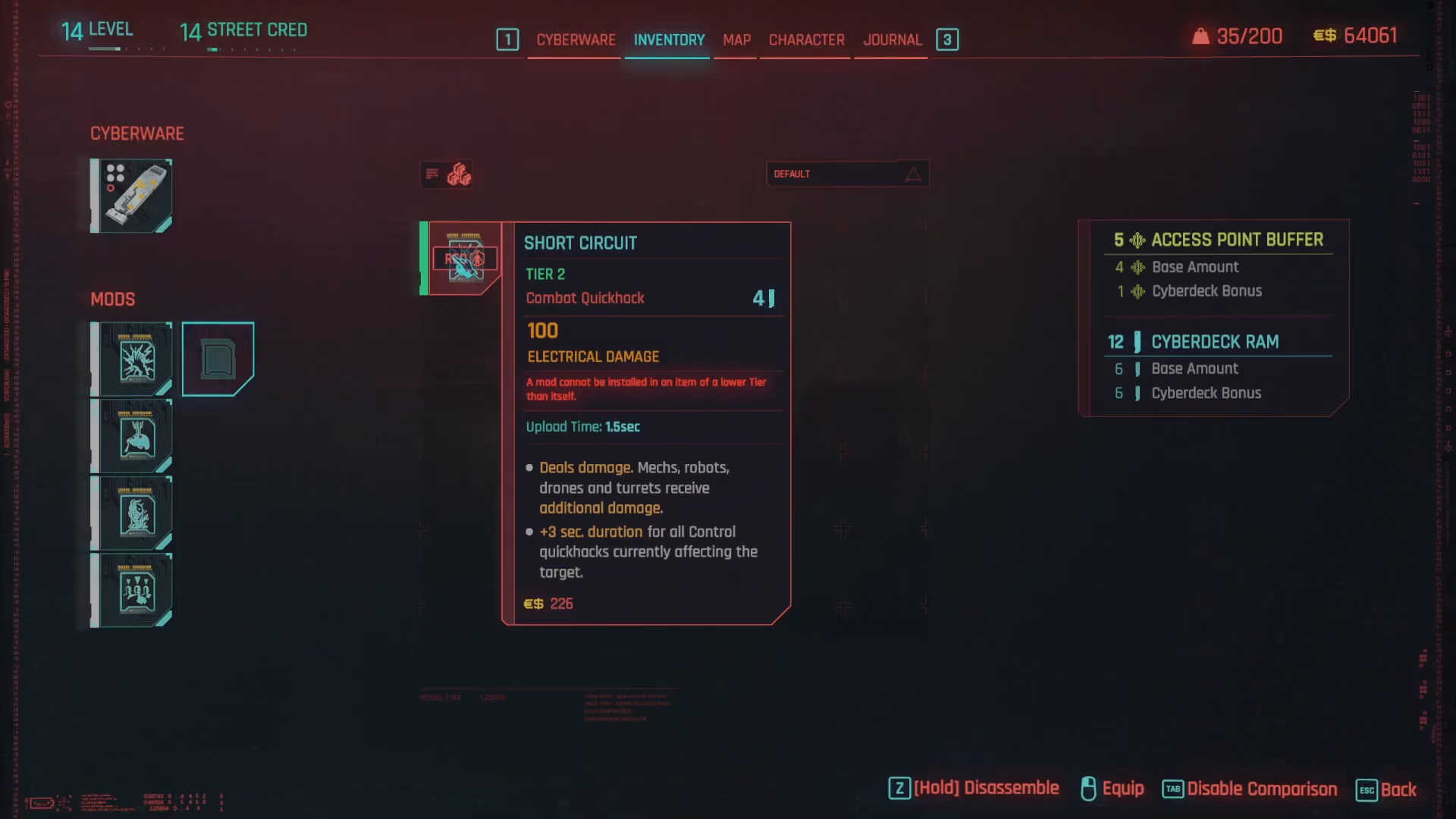
Simply click on any quick hack in your inventory to swap it with one of your currently equipped quick hacks, or place it in an empty slot.
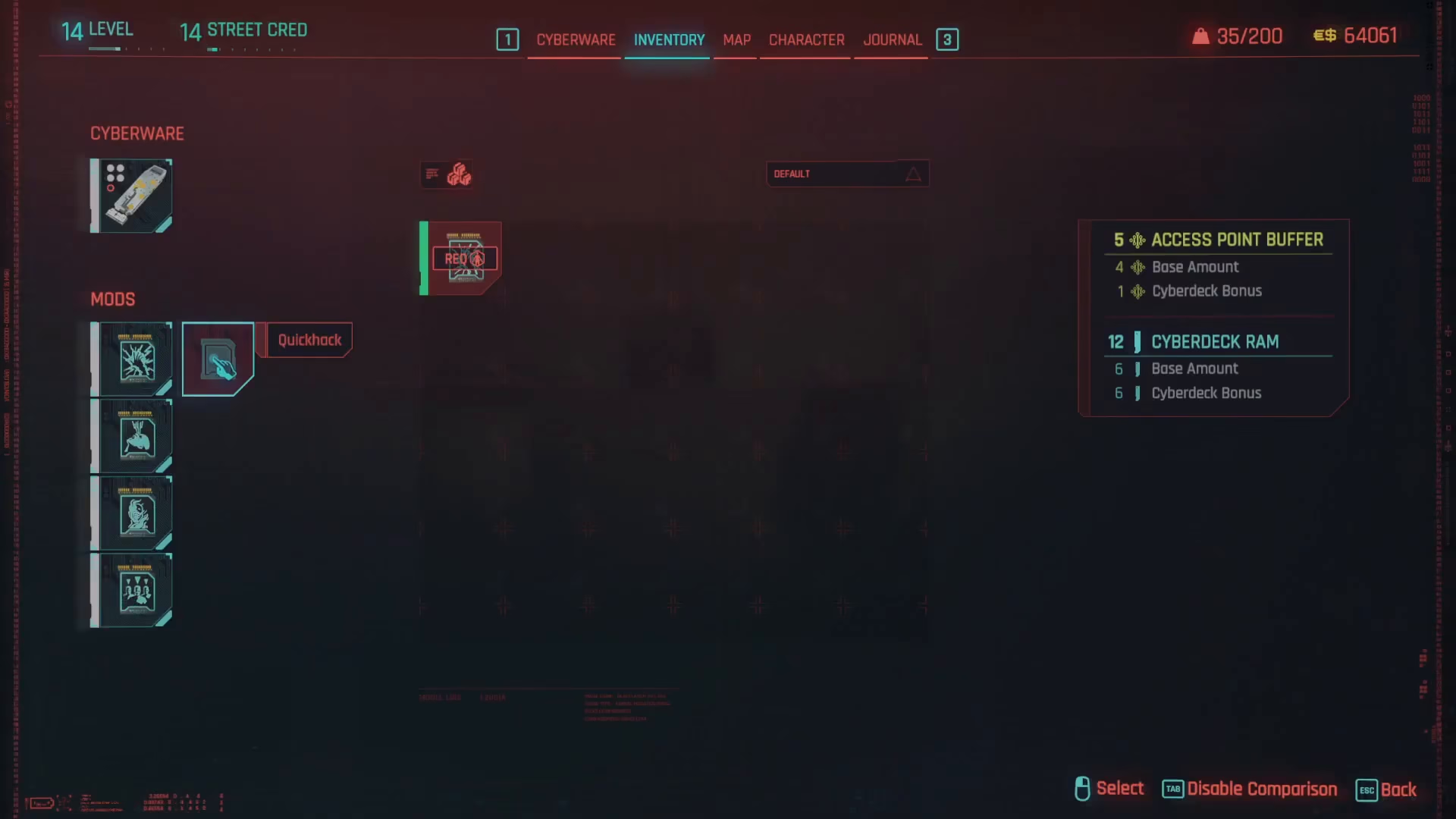
Method 2: Access Quick Hacks Through Operating System Menu
There’s a second, even faster way to access your quick hack management screen. From your inventory, navigate to cyberware and then select the operating system option directly.
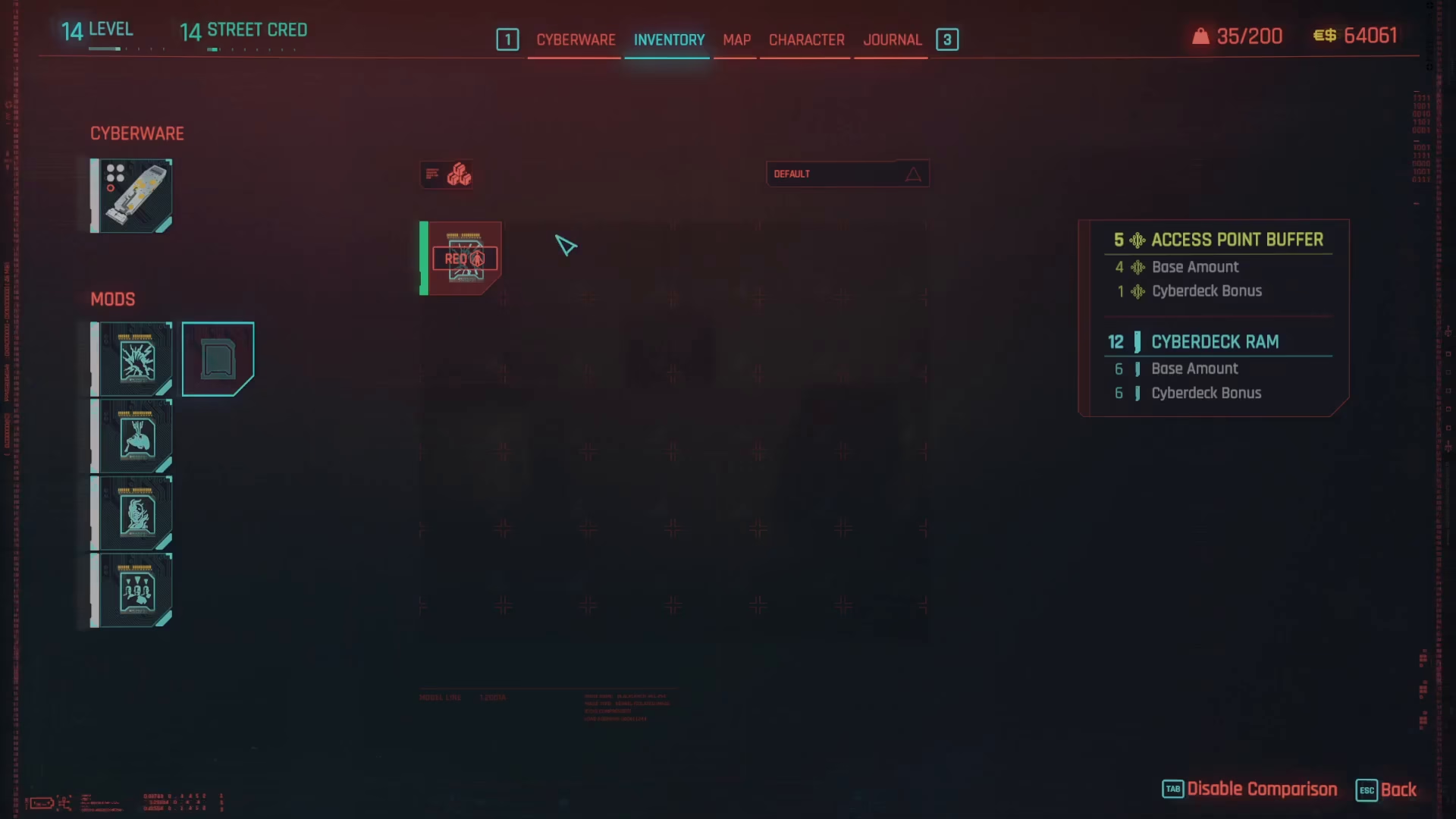
Once you’ve selected your operating system, simply press Tab on your keyboard, and it will take you straight to the same quick hack selection screen as Method 1.
Summary
Equipping and changing quick hacks in Cyberpunk 2077 is straightforward once you know where to look. Whether you choose to navigate through cyberware or go directly to your operating system, both methods lead you to the same quick hack management screen. Remember to check the tier requirements of your quick hacks and ensure your operating system is high enough to support them. With these two methods in your toolkit, you’ll be able to quickly adapt your quick hack loadout to any situation you encounter in Night City.
— Want to Support? —
If you would like to help us continue making these guides – please consider joining our patreon here – https://www.patreon.com/c/JaviHeals
Alternatively – you can join our discord here – https://discord.gg/zD7Gjt6MHF