





How To Send Resources In Age of Empires 4
How To Send Resources In Age of Empires 4
Sharing resources with your allies is a strategic feature in Age of Empires 4 that can turn the tide of battle. This guide walks you through the simple steps needed to send resources to your teammates and strengthen your alliance.
Prerequisites for Sending Resources
Build a Market
The first requirement is constructing a Market building. Markets become available once you advance to the Feudal Age, so you must reach Feudal Age before you can send any resources to allies.

Have an Allied Player
You need at least one ally to send resources to. This can be another human player or an AI player (such as AI3) that you’ve established an alliance with during the game setup or through diplomacy.
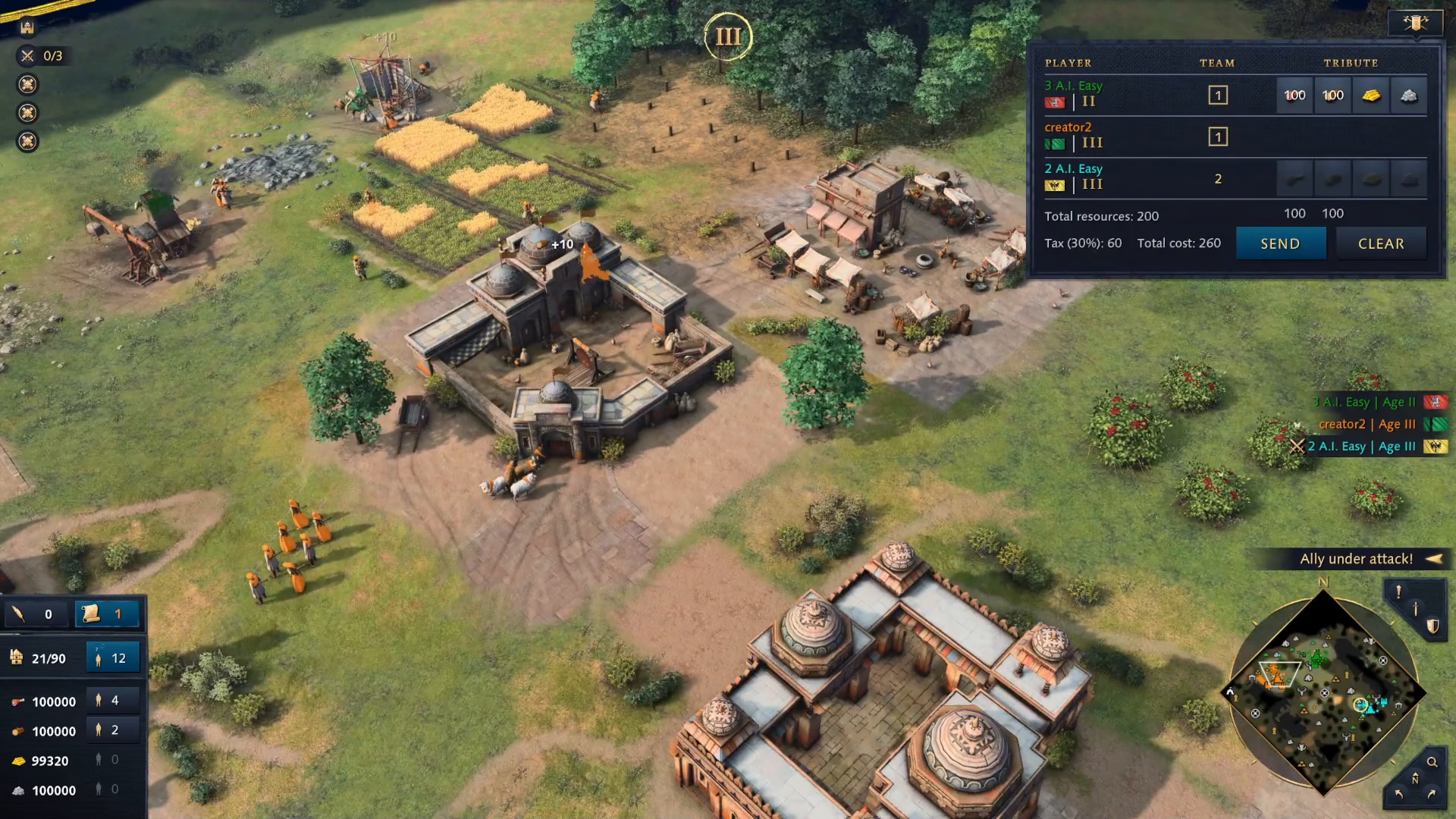
How to Send Resources
Once you have a Market and an ally in your game, sending resources is straightforward:
Open the player menu and navigate to the Tribute option
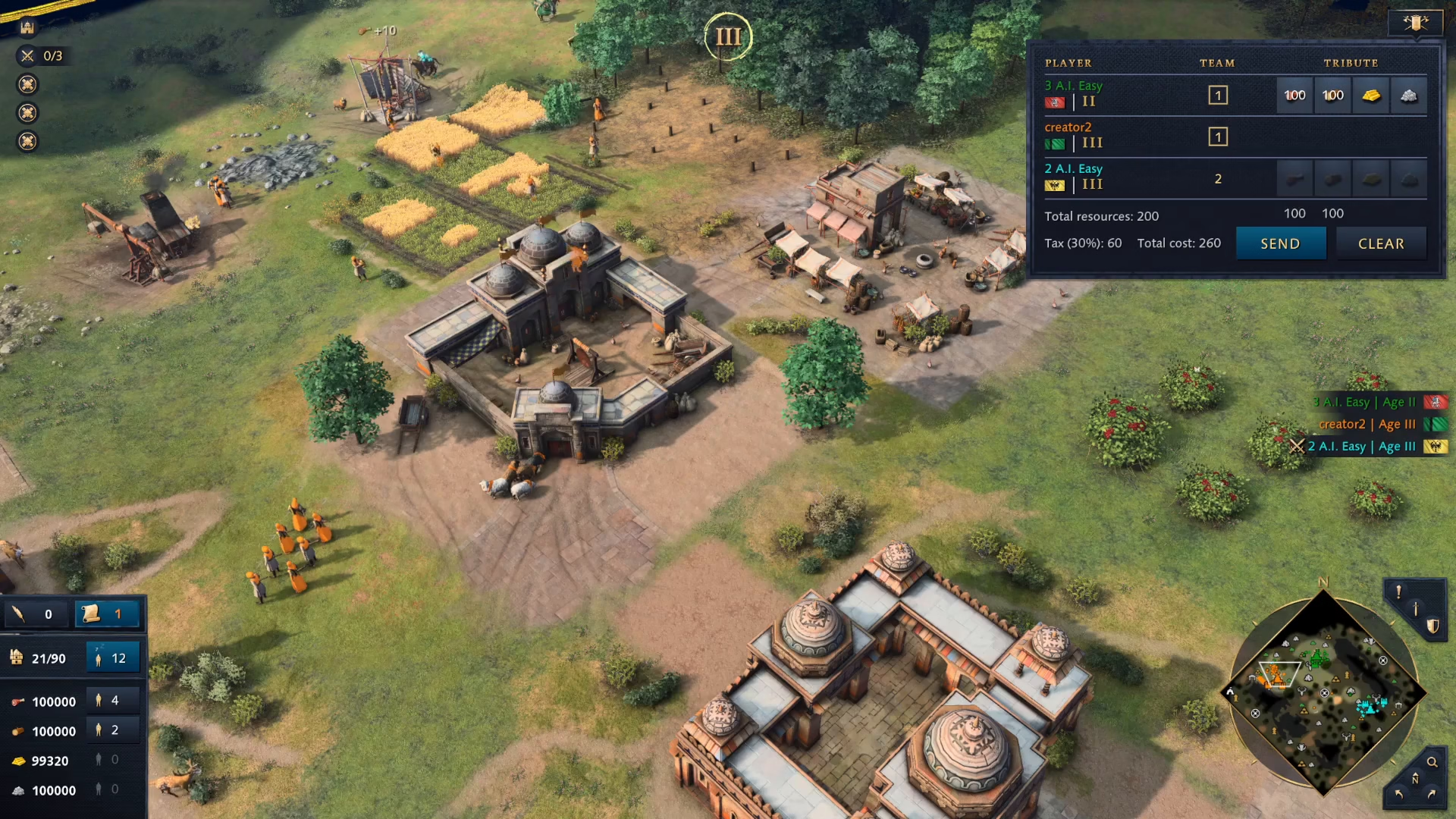
Click on the specific resources you want to send to your ally
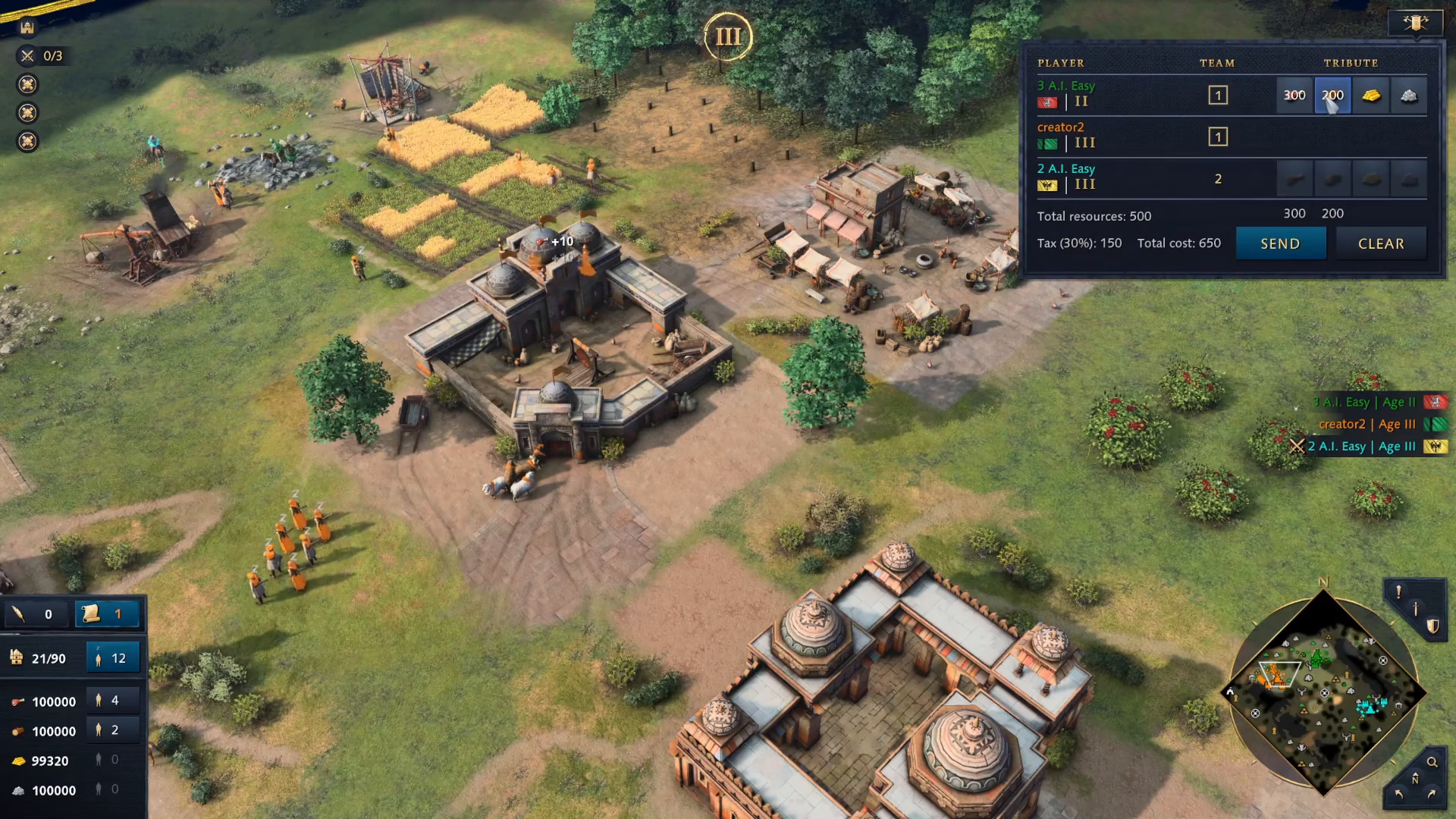
Enter the amount or confirm your selection
Click the Send button to complete the transaction

Summary
Sending resources in Age of Empires 4 is a quick and essential cooperative mechanic. Simply ensure you’ve reached Feudal Age with a Market built, confirm you have an ally, access the Tribute menu, select your resources, and send them. This feature is vital for supporting your teammates during critical moments in multiplayer matches.
Want to Support?
If you would like to help us continue making these guides – please consider joining our patreon here – https://www.patreon.com/c/JaviHeals
Alternatively – you can join our discord here – https://discord.gg/zD7Gjt6MHF