






How To Automate Scout in Civ 6
How To Automate Scout in Civilization 6
Automating your Scout unit in Civilization 6 is one of the quickest ways to speed up early-game exploration without micromanaging every movement. This straightforward feature lets your Scout explore the map independently while you focus on other aspects of your civilization. In this guide, we’ll walk you through the simple steps to get your Scout on autopilot.
Getting Started with Scout Automation
To automate your Scout in Civilization 6, start by clicking on any Scout unit you have on the map.
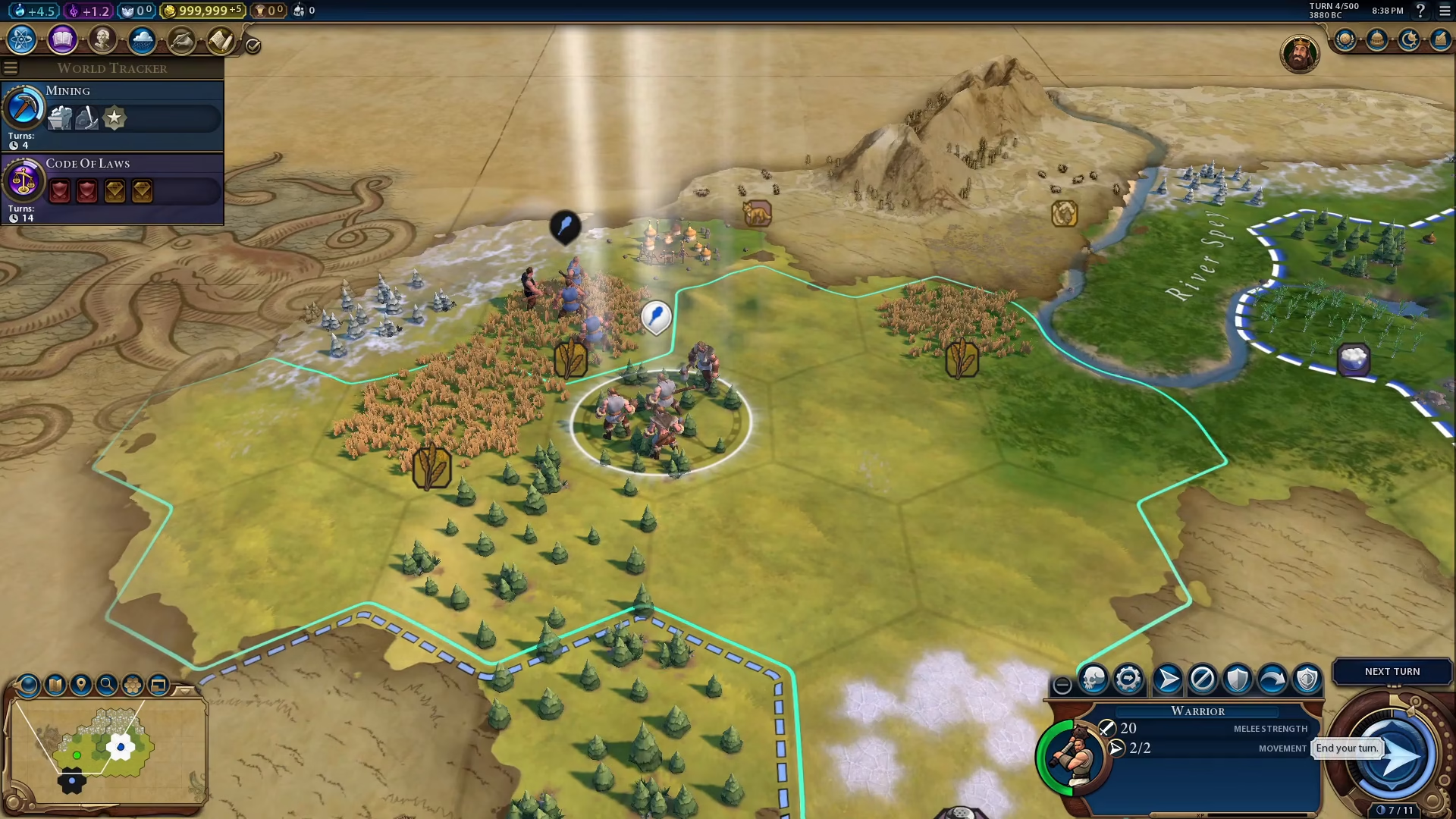
Accessing the Automate Exploration Option
Once you’ve selected your Scout unit, look at the bottom right corner of your screen. You’ll see a plus sign icon. Click on this icon to reveal automation options.
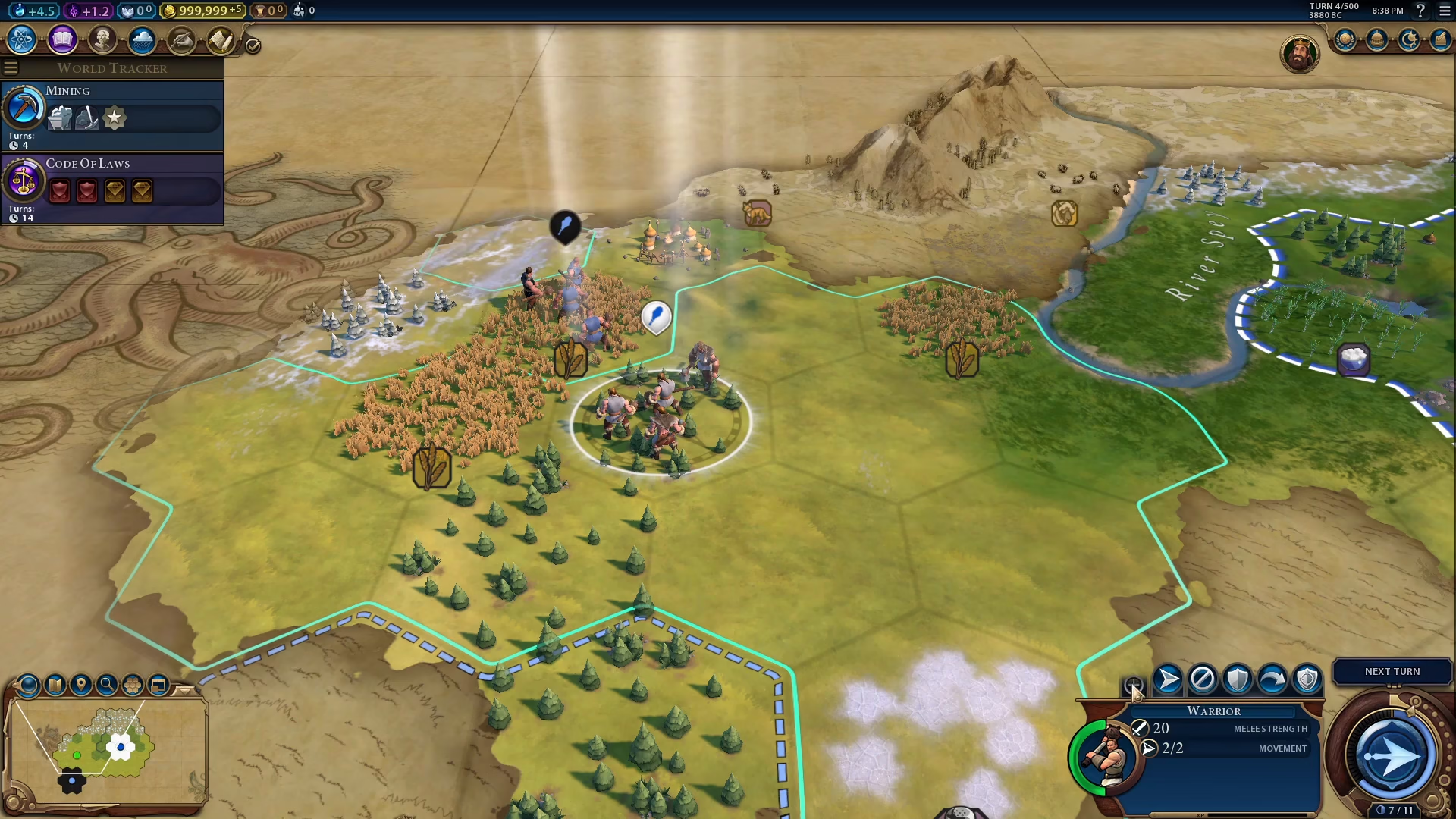
Enabling Automate Exploration
After clicking the plus sign, you’ll see the Automate Exploration option appear. Simply click on it to enable auto-scout mode. Your unit will now automatically explore the map on its own.
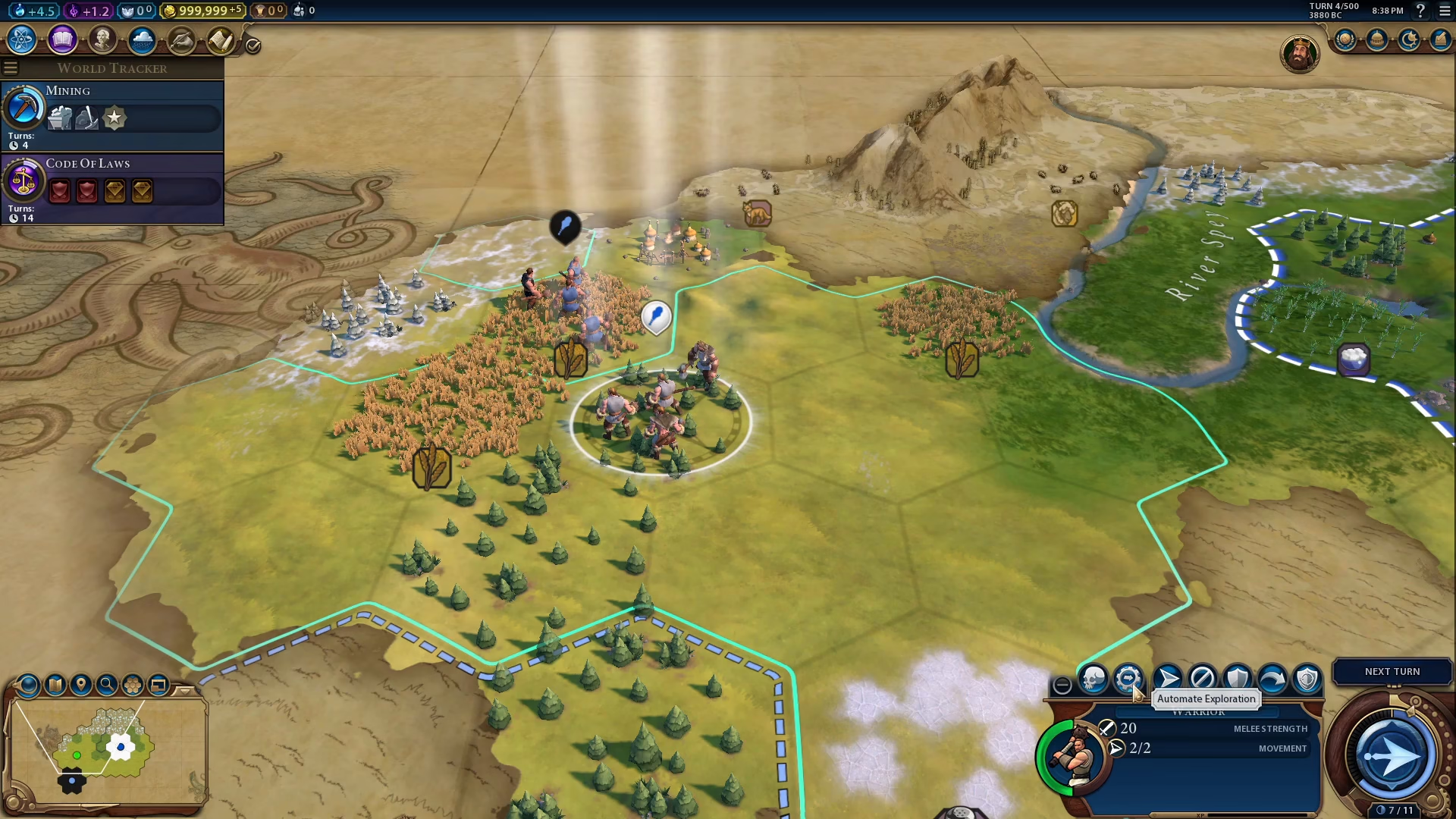
Summary
That’s all there is to automating your Scout in Civilization 6! By enabling the Automate Exploration feature, your Scout will systematically explore fog-of-war tiles without requiring your direct input. This gives you more time to manage other aspects of your civilization’s development. Happy exploring!
— Want to Support? —
If you would like to help us continue making these guides – please consider joining our patreon here – https://www.patreon.com/c/JaviHeals
Alternatively – you can join our discord here – https://discord.gg/zD7Gjt6MHF