





How To Change Your City Name in Civ 6
How To Change Your City Name in Civilization 6
Renaming your cities in Civilization 6 is a quick and easy way to personalize your gameplay experience. Whether you want to create a themed empire or simply prefer different names for your settlements, this guide will walk you through the simple process of changing city names in just a few clicks.
Accessing City Details
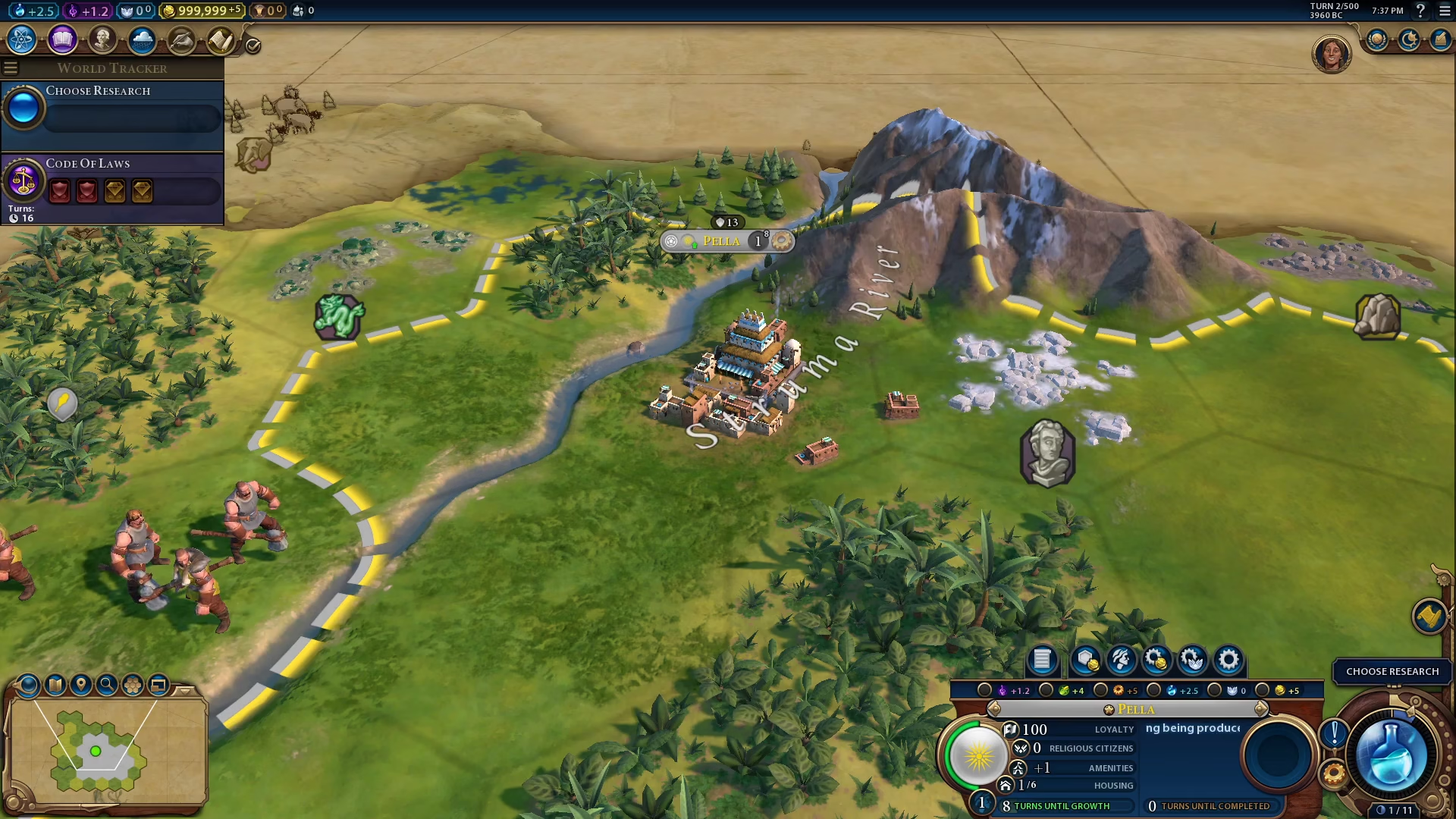
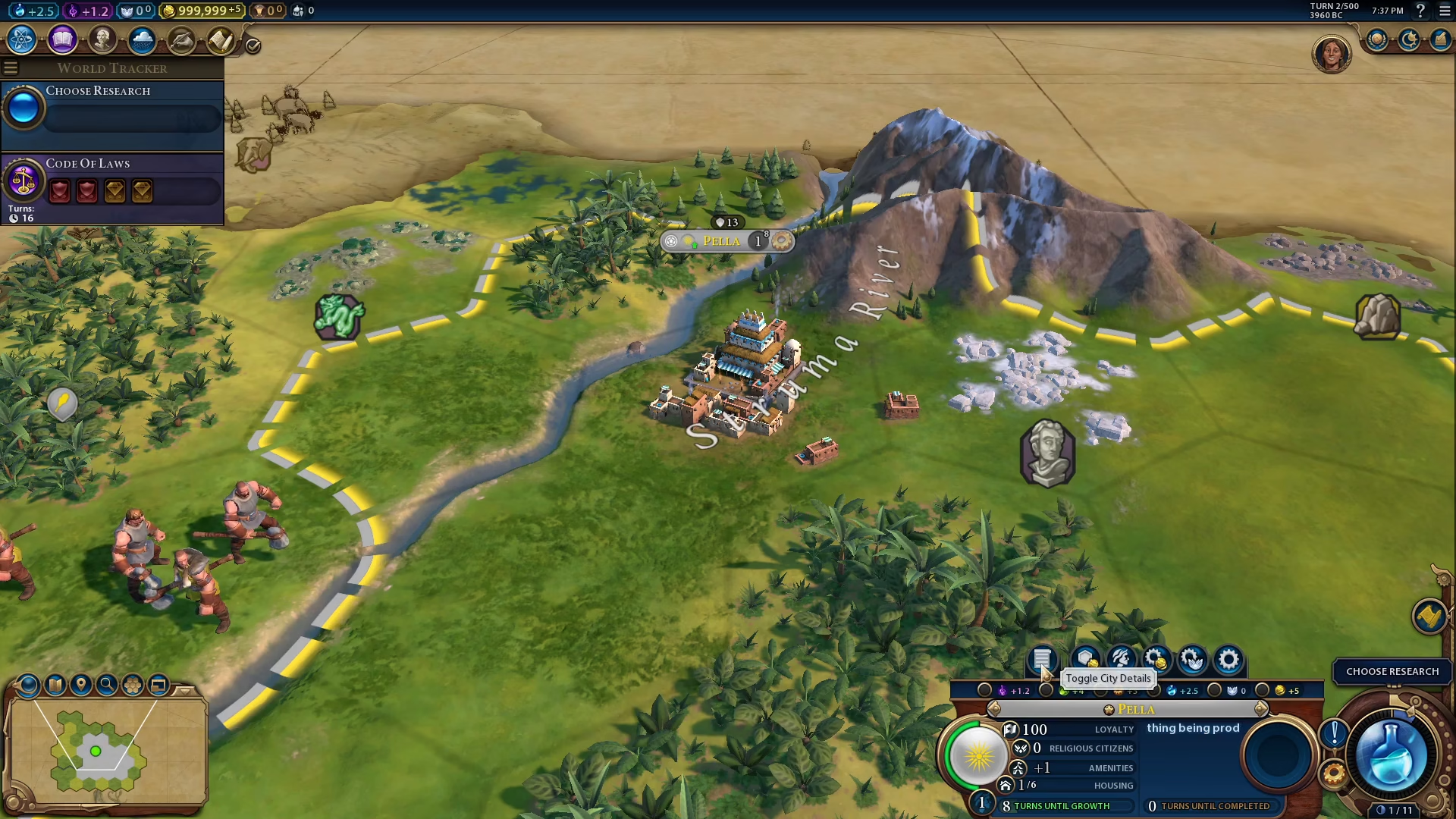
To begin renaming your city, you’ll need to access the city details panel. Look toward the bottom right of your screen where you’ll find the city details toggle button. Click on it to open the city information panel.
Renaming Your City
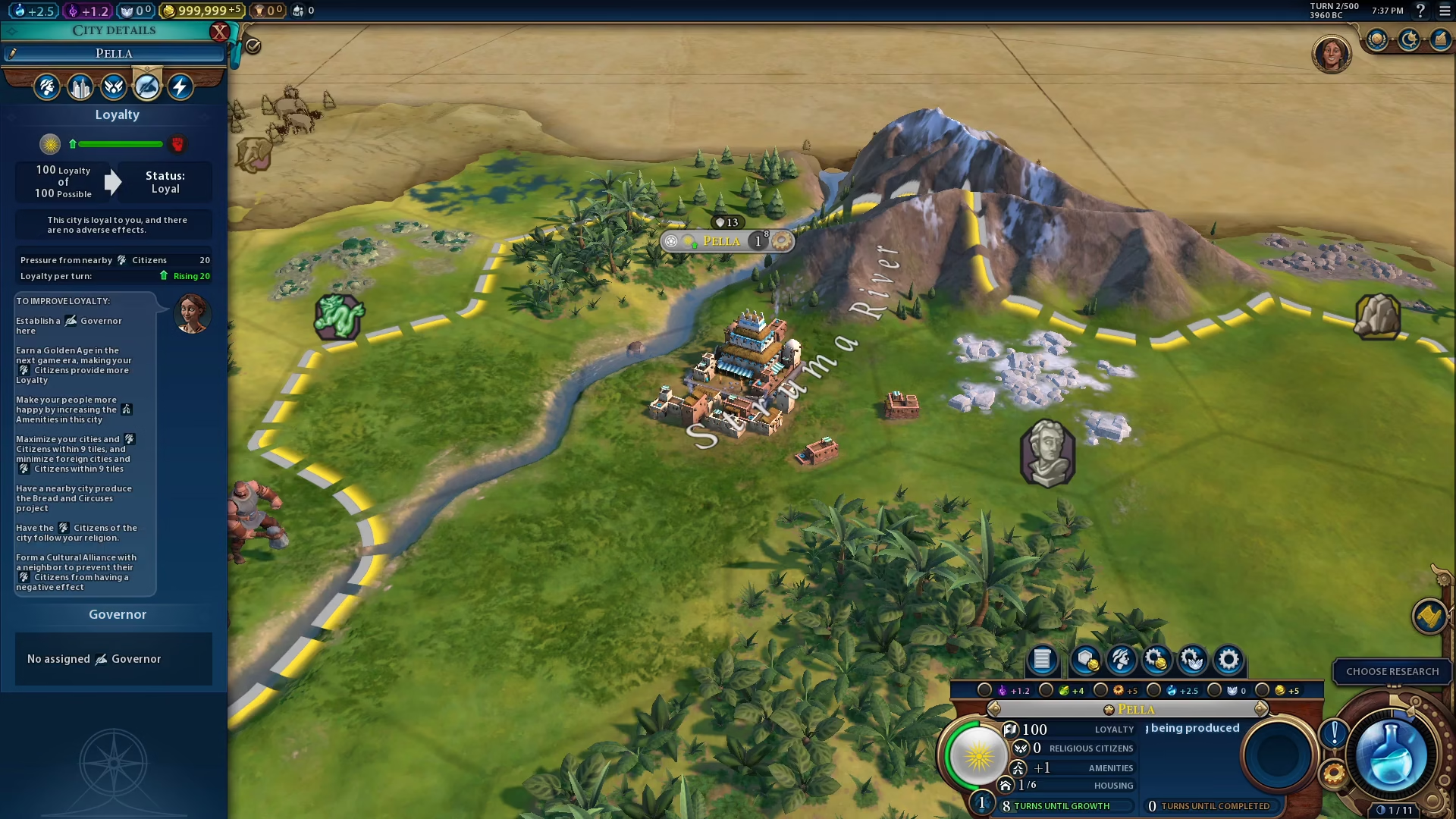
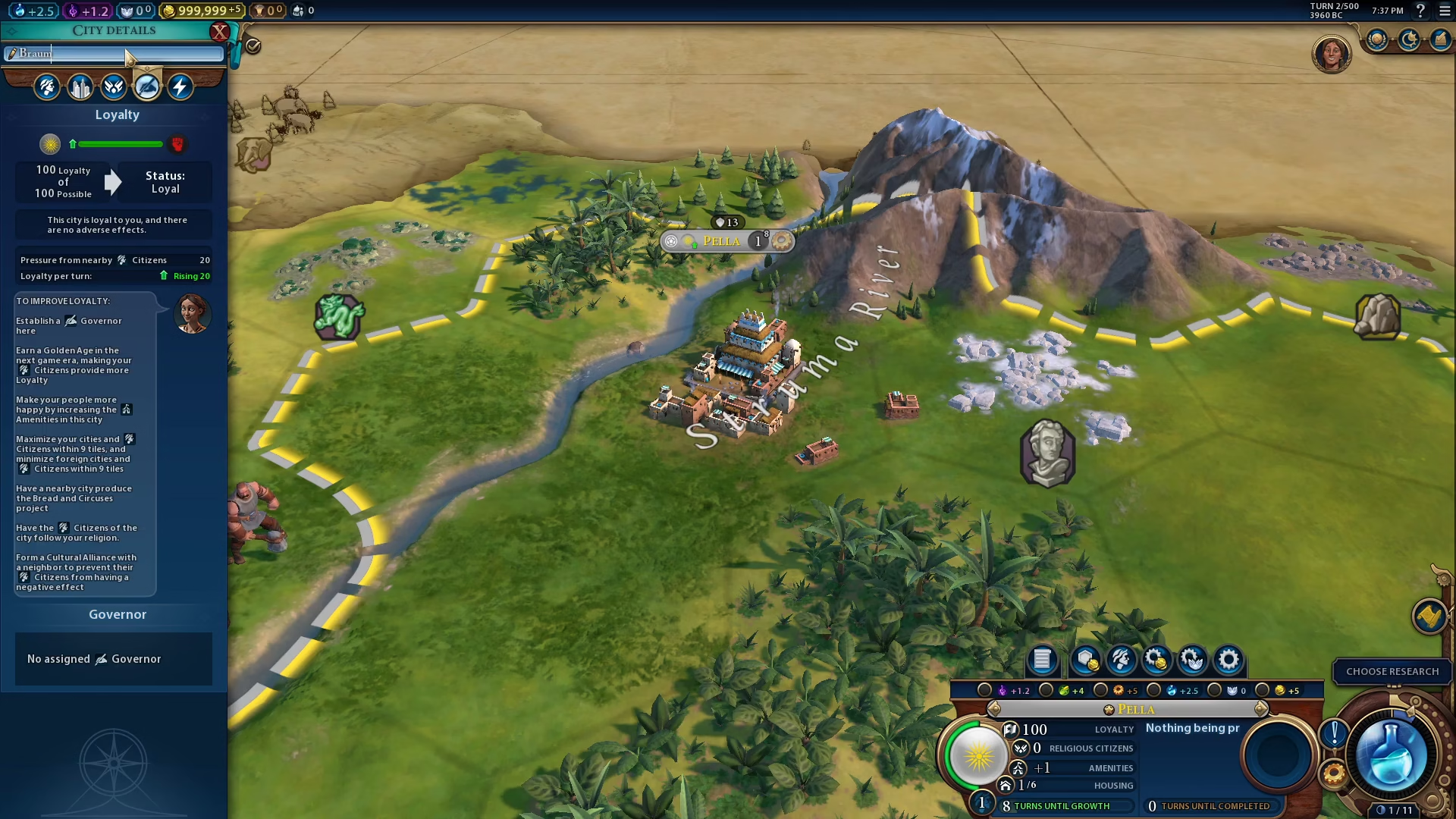
Once the city details panel is open, you’ll see the city name displayed on the left side of the panel. Click directly on the city name field to select it for editing. The text should become highlighted and ready for input.
Type in your desired city name to replace the current one. You can name it whatever you want—be creative and make your empire uniquely yours.
After you’ve entered your new city name, simply press Enter to confirm the change. Your city will now display its new name throughout the game.
Conclusion
That’s all there is to it! Changing city names in Civilization 6 is a straightforward process that takes only seconds. Now you can build your empire with cities named exactly how you want them. This simple customization feature adds a personal touch to your Civ 6 experience and makes your playthrough feel more unique.
— Want to Support? —
If you would like to help us continue making these guides – please consider joining our patreon here – https://www.patreon.com/c/JaviHeals
Alternatively – you can join our discord here – https://discord.gg/zD7Gjt6MHF