





How To Dismiss Emergency Services In Prison Architect
How to Dismiss Emergency Services in Prison Architect
Emergency services in Prison Architect can be called quickly when you need them, but sometimes you’ll want to cancel them if the situation has been resolved or if you’ve made a mistake. This guide will walk you through the simple process of dismissing firefighters, fire engines, and other emergency responders from your prison.
Accessing the Emergency Services Panel
First, you’ll need to have already called emergency services. This typically happens when you click on the emergencies menu and request firefighters or a fire engine to respond to an incident in your prison.
Dismissing Emergency Services
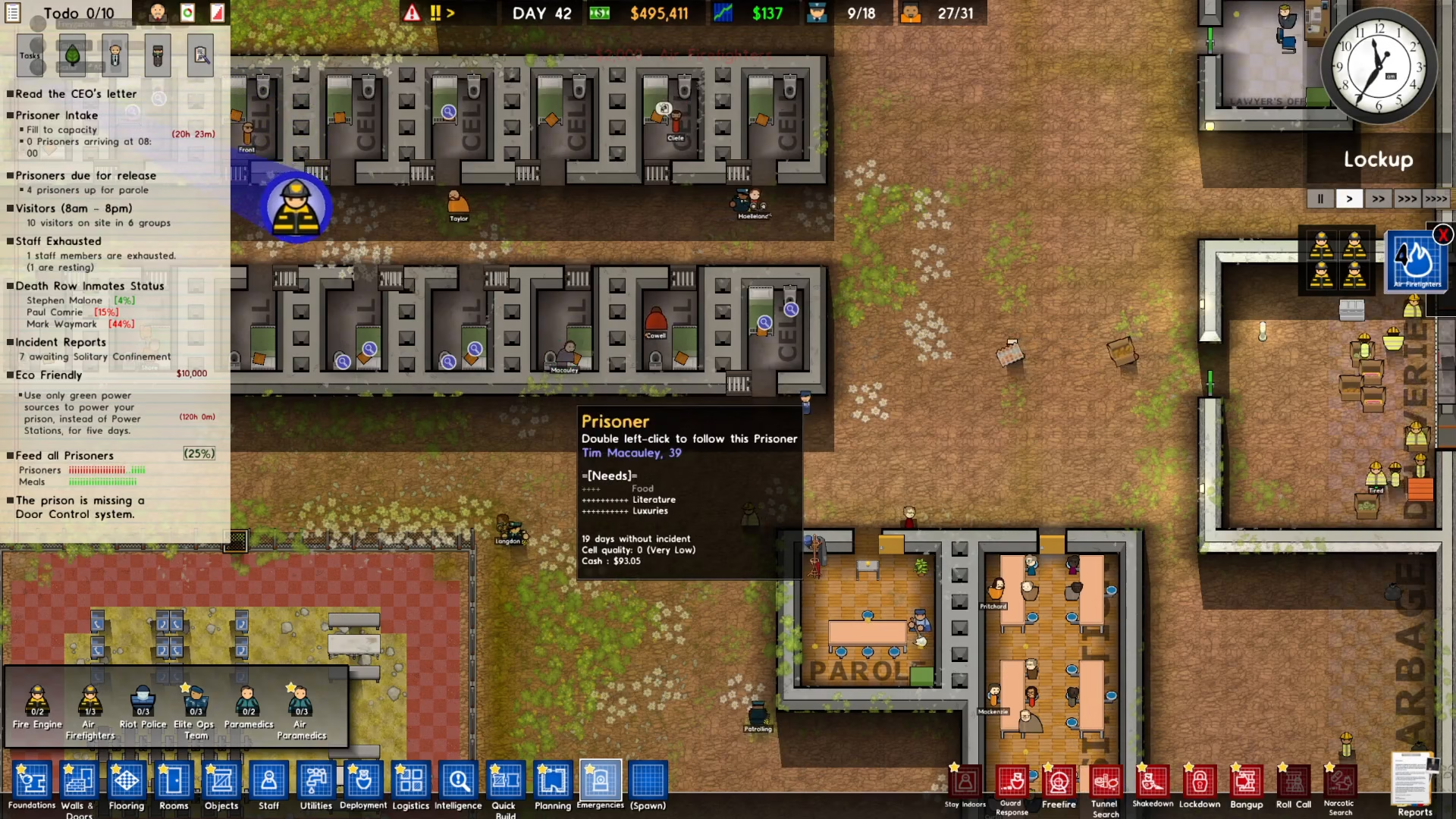
To dismiss the emergency services you’ve called, locate the right side of your screen. You’ll see the active emergency responders listed under the clock in a panel. Look for the X button next to the emergency service you want to dismiss.
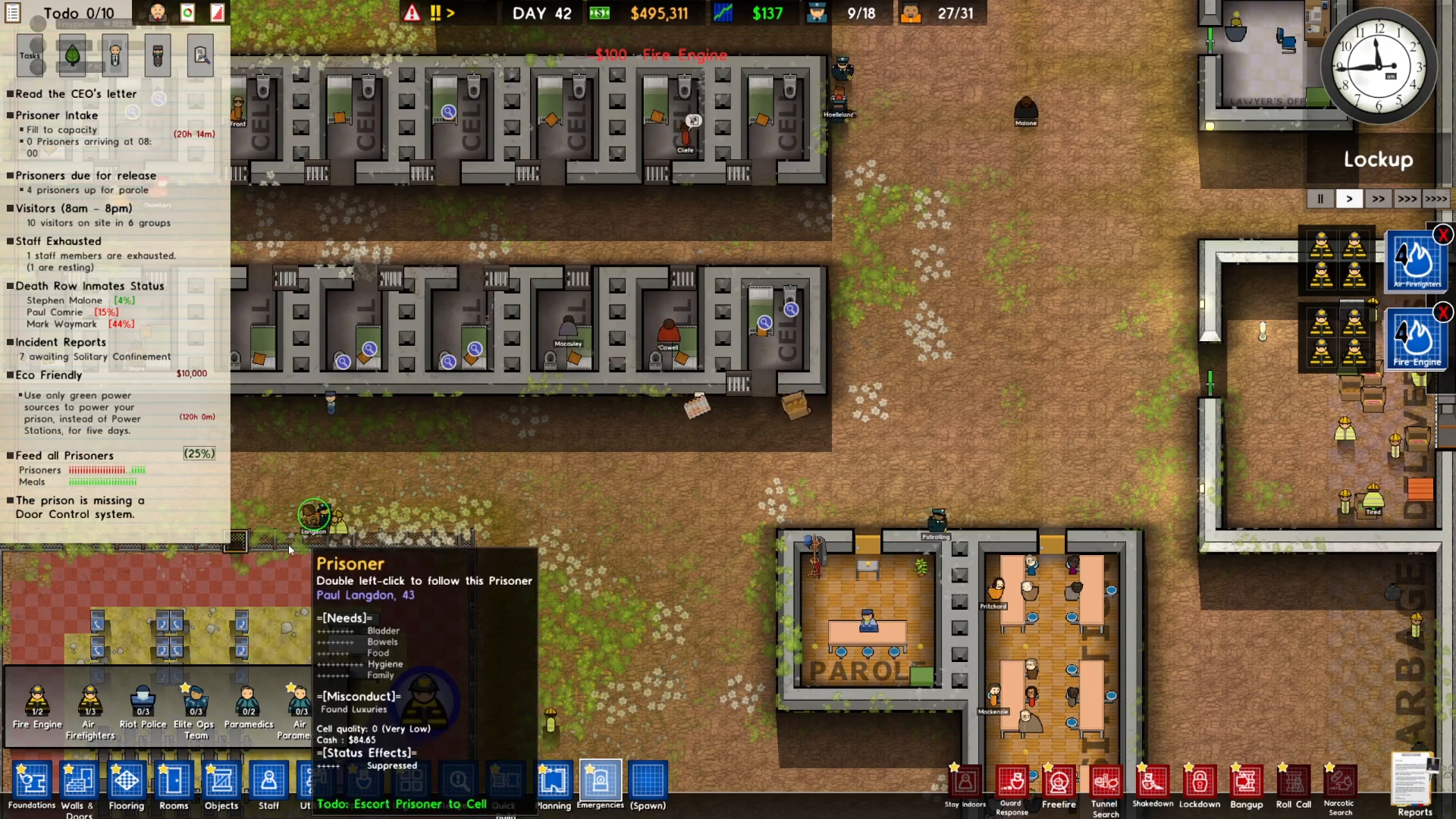
Simply click on the X button to immediately dismiss the firefighters, fire engine, or any other emergency service that is currently responding to your prison.
Summary
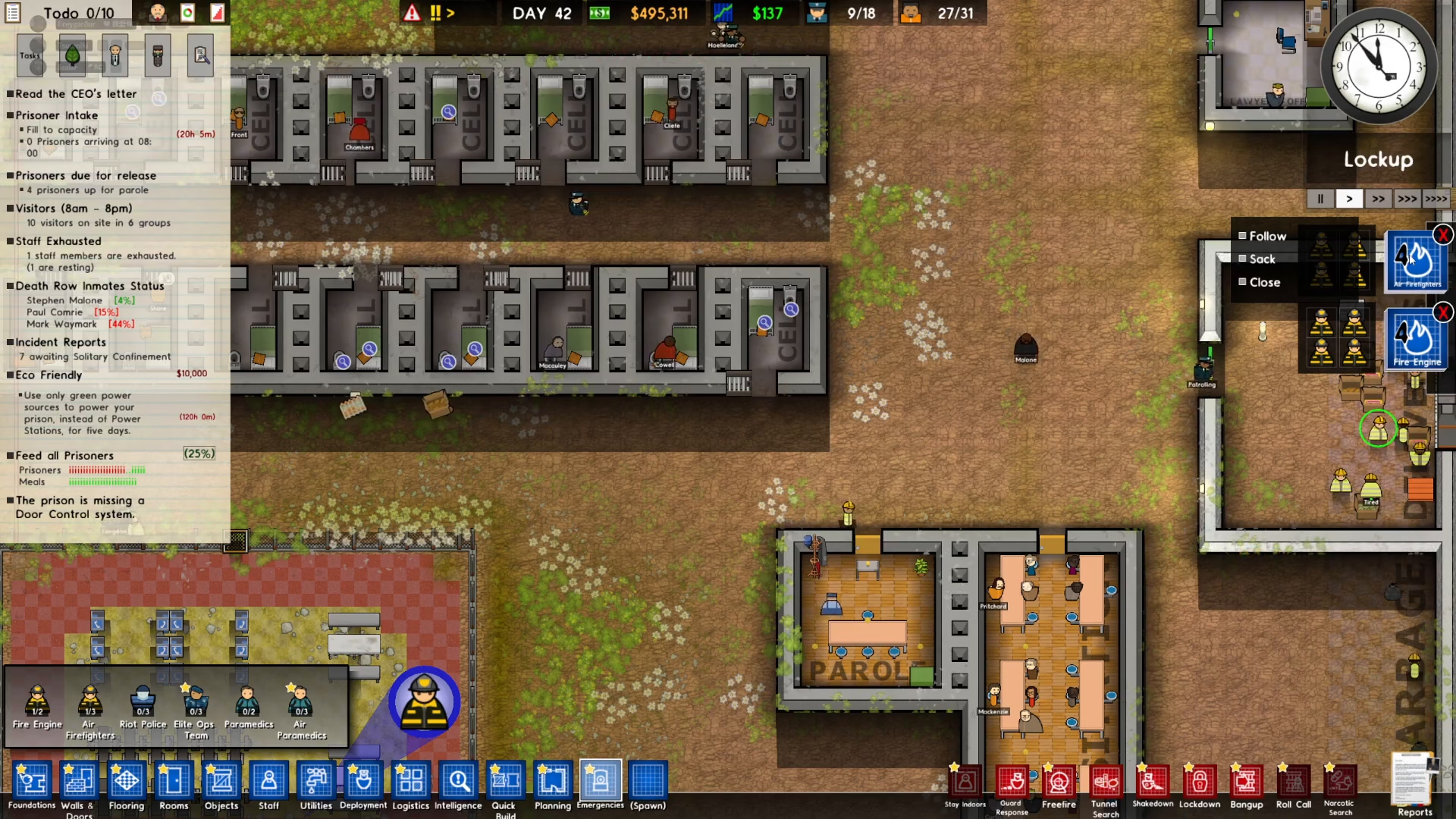
Dismissing emergency services in Prison Architect is straightforward: access the emergency panel on the right side of your screen near the clock, and click the X button next to the service you wish to remove. This quick process allows you to maintain better control over your prison’s resources and respond efficiently to changing situations.
Want to Support?
If you would like to help us continue making these guides – please consider joining our patreon here – https://www.patreon.com/c/JaviHeals
Alternatively – you can join our discord here – https://discord.gg/zD7Gjt6MHF