





How To Add Friends In Bloons TD6
“`html
How To Add Friends In Bloons TD6
Adding friends in Bloons TD6 is a straightforward process that allows you to connect with other players and enjoy multiplayer experiences together. Whether you prefer using friend codes or connecting through Discord, this guide will walk you through both methods.
Accessing the Friends Menu
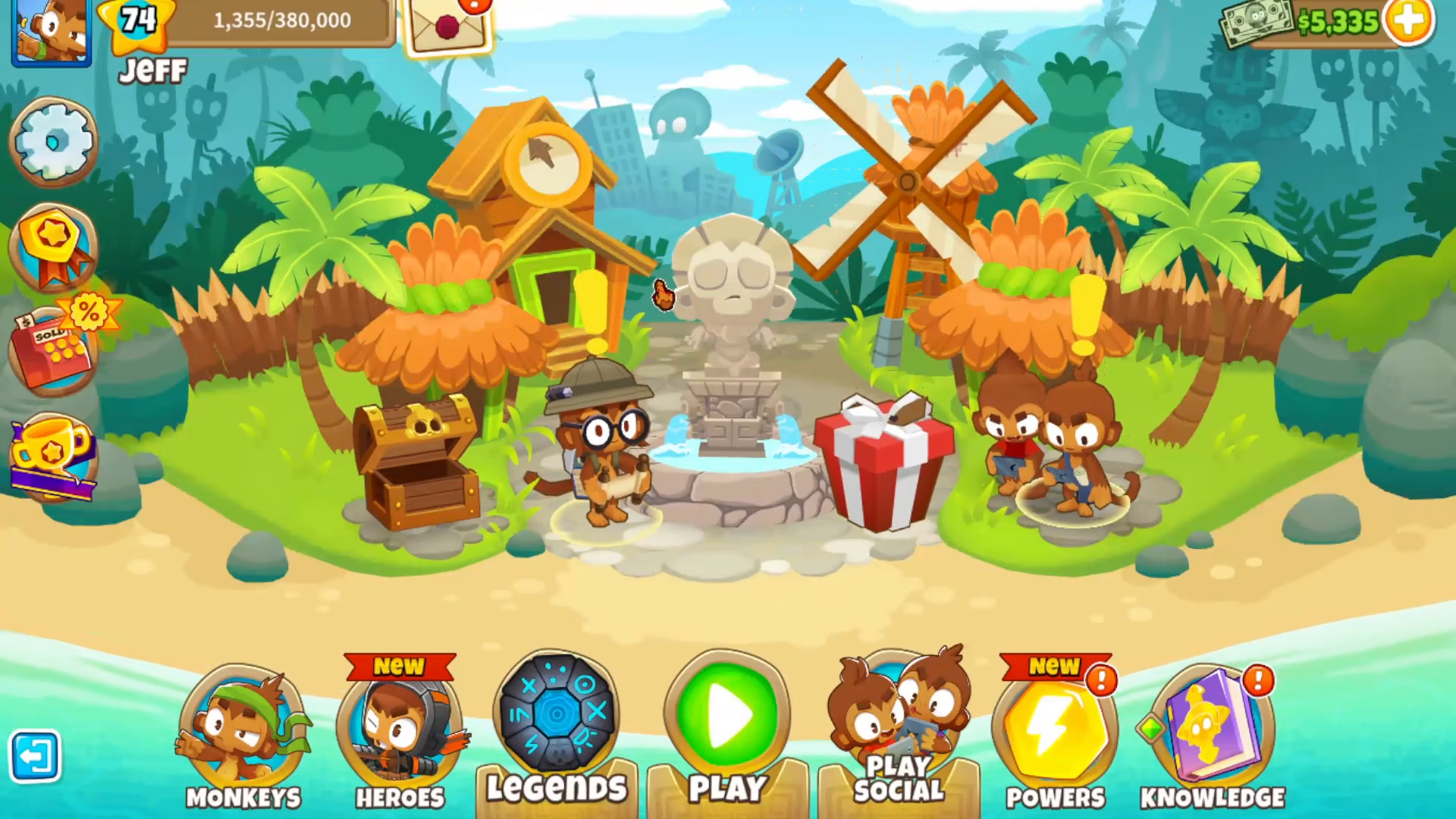
To get started, navigate to the Play Social menu in Bloons TD6. Once you’re in the Social menu, locate and click on the Friends option.
Adding Friends
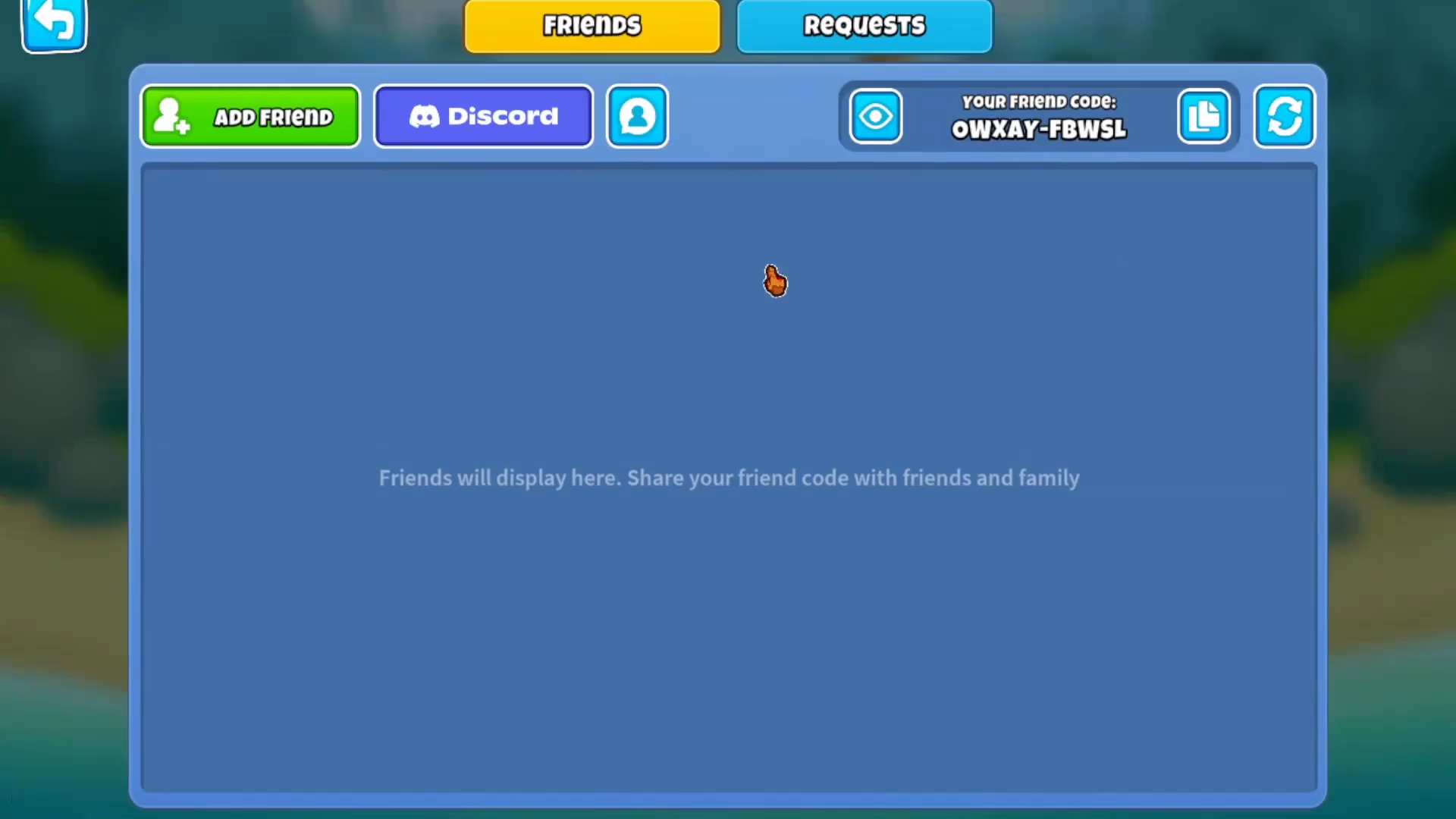
From the Friends menu, you’ll see the option to click “Add Friend.” This opens up two different ways to add friends to your account:
- Friend Code Method: Enter your friend’s unique friend code to send them a friend request.
- Discord Integration: Connect your Discord account to easily add friends who are already in your Discord server or contacts.
Summary
Adding friends in Bloons TD6 is simple and flexible. Whether you choose to use friend codes for direct connections or leverage your Discord account for seamless integration, you’ll be able to team up with other players in no time. Choose the method that works best for you and start enjoying multiplayer gameplay today.
— Want to Support? —
If you would like to help us continue making these guides – please consider joining our patreon here – https://www.patreon.com/c/JaviHeals
Alternatively – you can join our discord here – https://discord.gg/zD7Gjt6MHF
“`



