








How To Join A Friends Game In Among Us
How To Join A Friends Game In Among Us
Want to play Among Us with your friends? Joining their game is quick and easy once you know the steps. In this guide, we’ll walk you through the process of entering your friend’s game using their game code.
Getting Started
To begin, make sure you’re connected online and ready to join a multiplayer session.
Joining Your Friend’s Game
Step 1: Navigate to the Online Menu
First, go online to access the multiplayer options in Among Us.
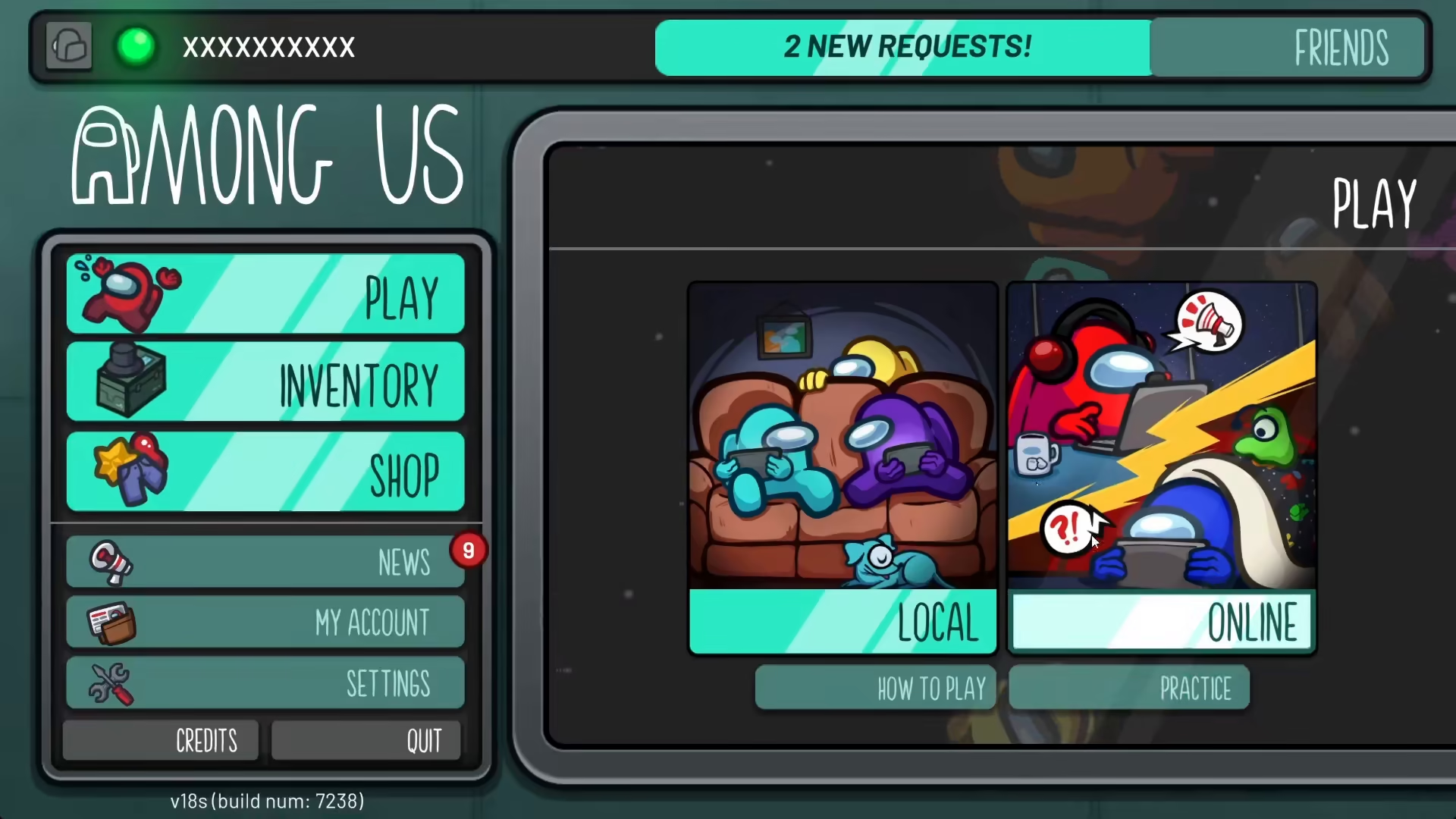
Step 2: Click the Enter Code Icon
Look for the icon labeled “Enter Code Here” and click on it. This is where you’ll input your friend’s game code.
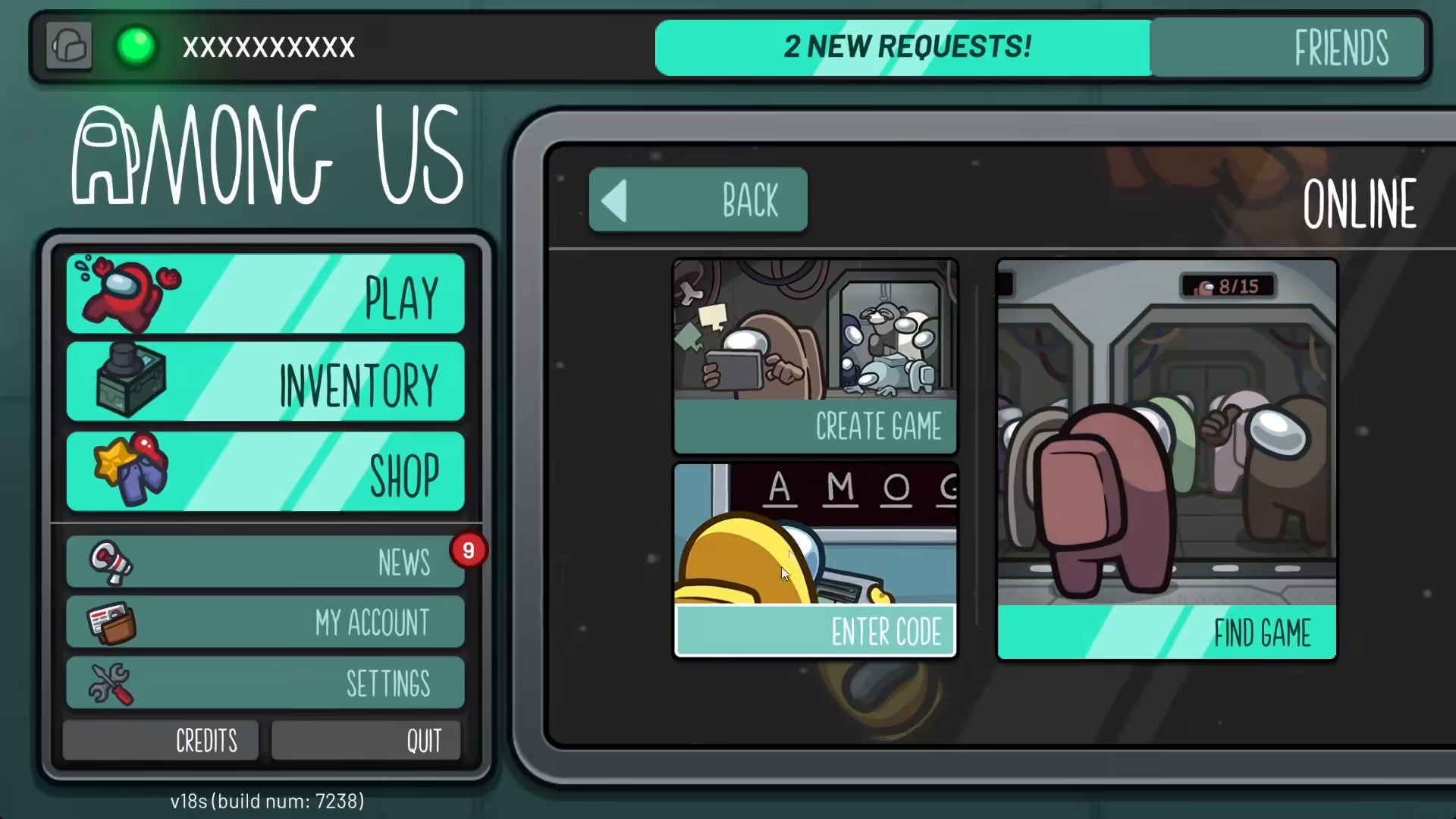
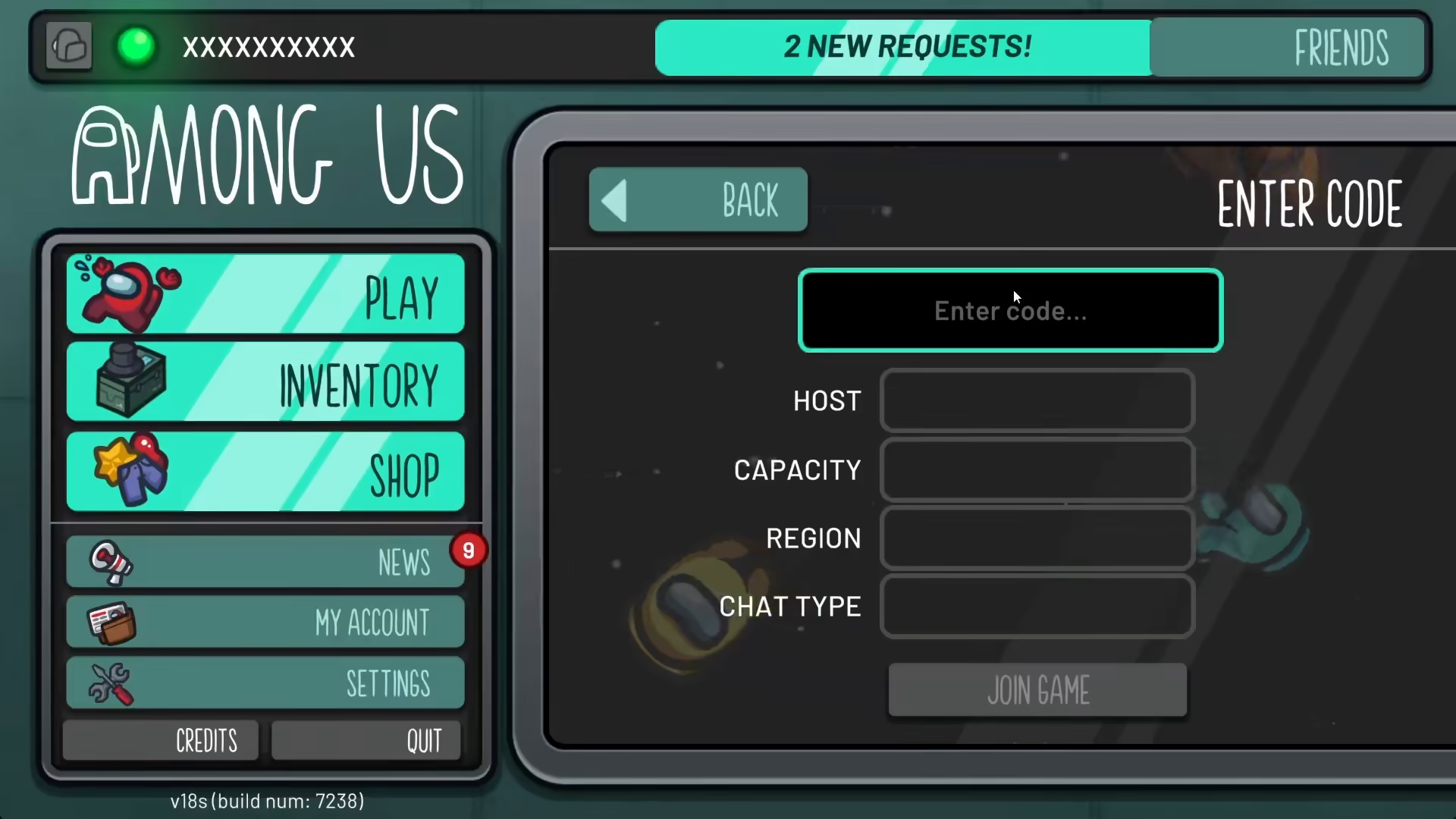
Step 3: Enter Your Friend’s Game Code
Type in the game code that your friend has provided to you. The code can be any combination of characters—simply enter what they’ve given you. Once you’ve entered the code, the system will search for and locate the specific game.
Summary
That’s all there is to it! By following these simple steps—going online, clicking the enter code icon, and typing in your friend’s game code—you’ll successfully join their Among Us game and be ready to play together.
— Want to Support? —
If you would like to help us continue making these guides – please consider joining our patreon here – https://www.patreon.com/c/JaviHeals
Alternatively – you can join our discord here – https://discord.gg/zD7Gjt6MHF



