





How to Get to The Practice Range in ARC Raiders
How to Get to The Practice Range in ARC Raiders
Learning how to access the Practice Range in ARC Raiders is essential for new players looking to hone their skills before jumping into competitive matches. This guide walks you through the simple steps to unlock and reach the Practice Range, including the initial requirement you need to know about.
Accessing the Practice Range
Navigate to the Play Menu
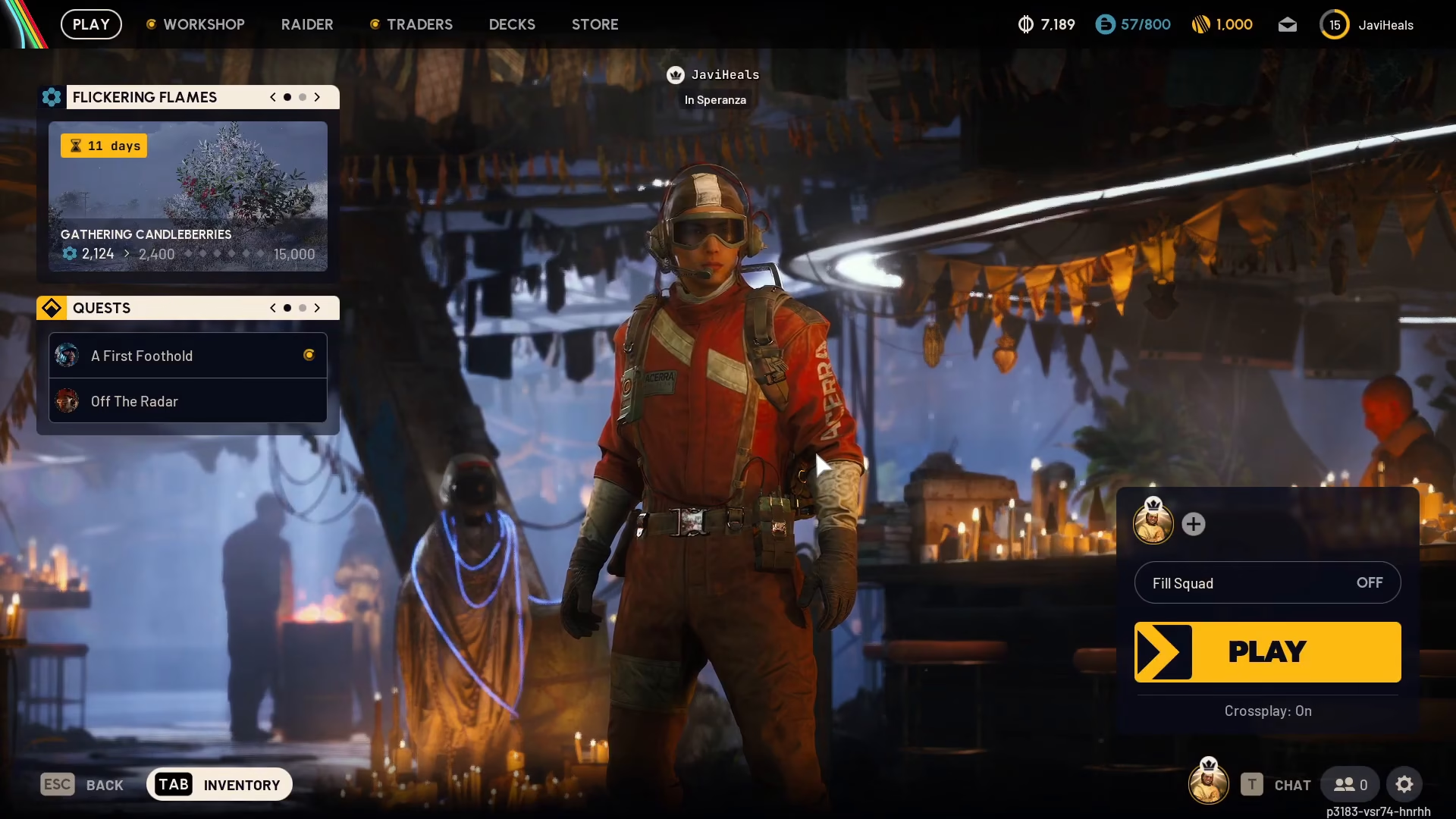
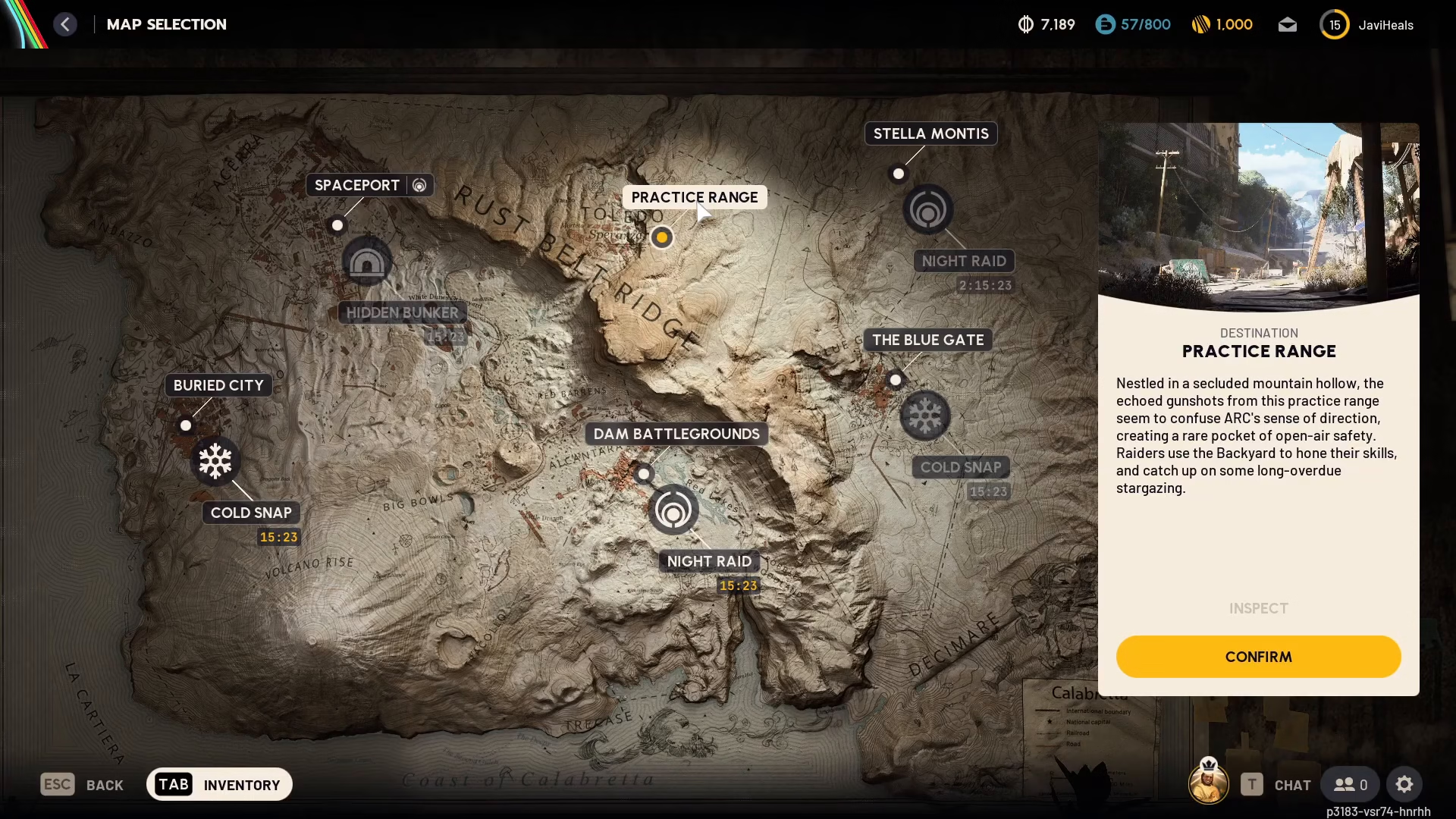
Begin by opening the main menu and selecting Play. Once you’re in the Play section, look to the bottom right of the screen and select Play again to access the map selection screen.
Locate the Practice Range on the Map
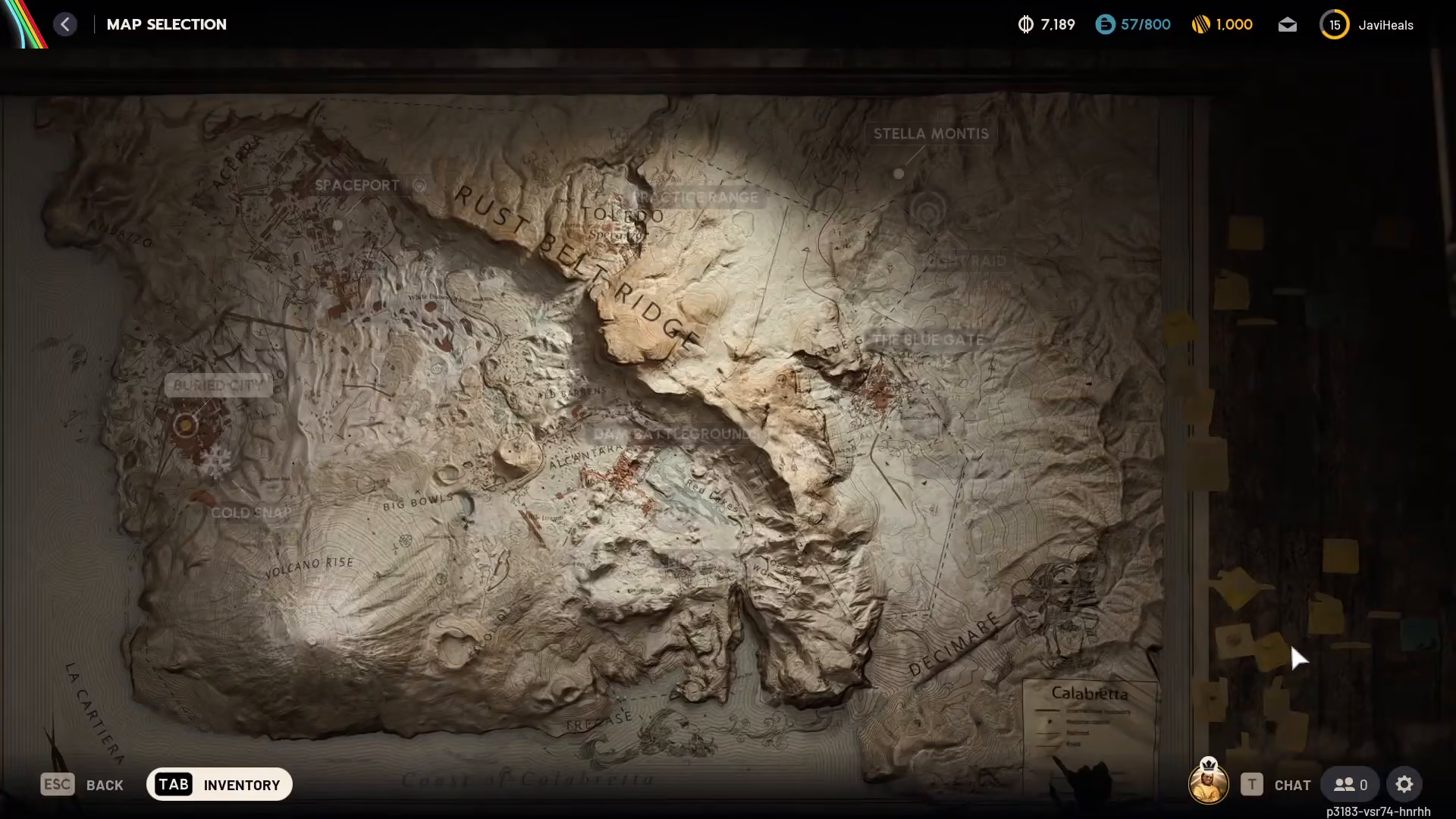
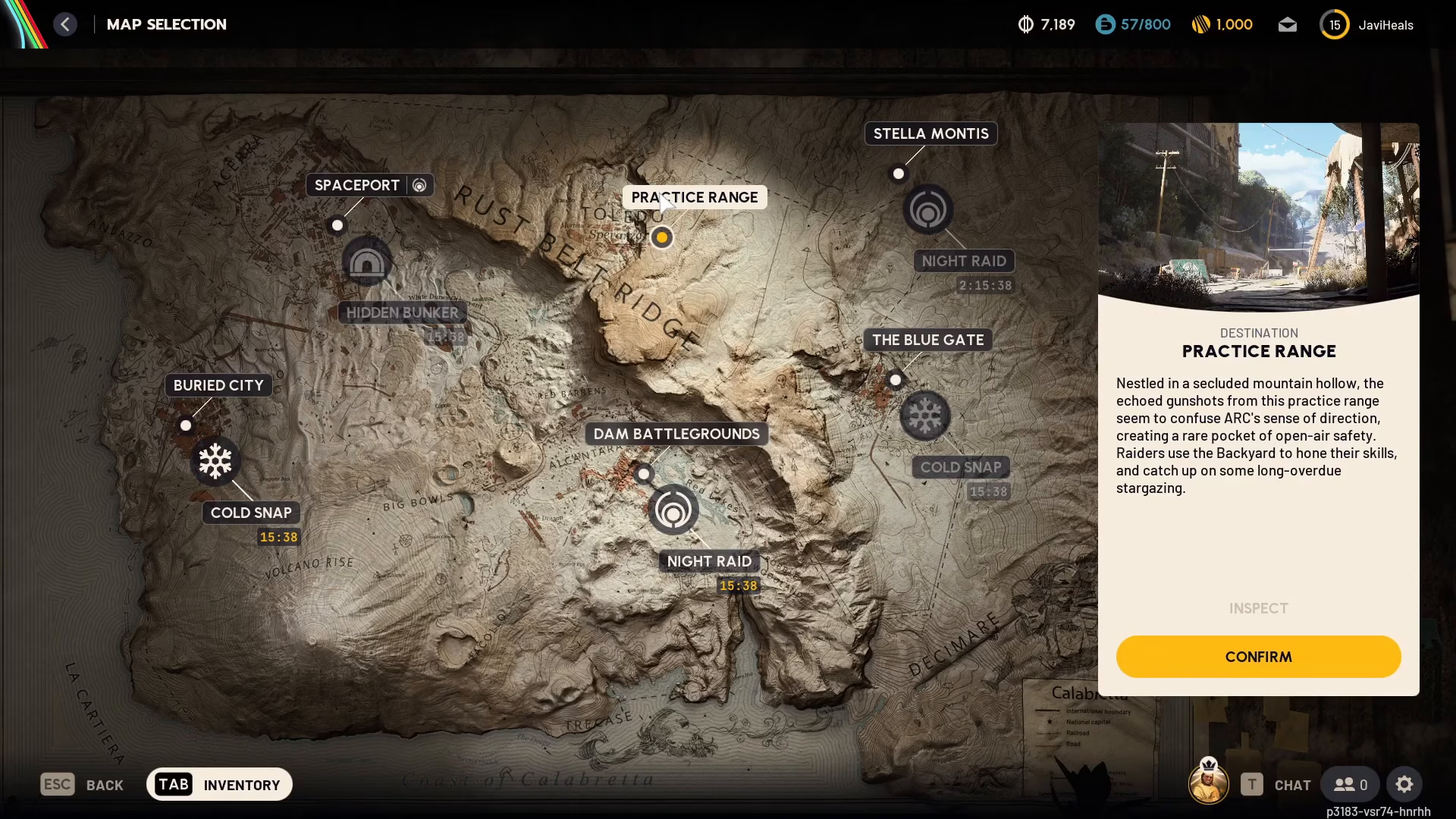
On the map screen, you’ll notice at the top of the display it clearly shows “Practice Range” as an available option.
Understanding the Unlock Requirement
If you’re just starting ARC Raiders, you may find that the Practice Range isn’t immediately available. This is because the game requires you to complete four battlegrounds before you can unlock the Practice Range. While this might seem counterintuitive for new players wanting to practice first, it’s an intentional game design choice.
Once you’ve completed those four initial rounds, the Practice Range will become available for you to access at any time.
Selecting Your Loadout
After navigating to the Practice Range, you’ll be prompted to confirm your selection and choose your loadout. Don’t worry about losing equipment—since this is a practice environment, your gear is completely safe. Select whatever loadout you prefer and proceed into the Practice Range.
Summary
Getting to the Practice Range in ARC Raiders is straightforward once you’ve unlocked it. Simply go to Play, select Play again, and choose Practice Range from the map. Remember that you’ll need to complete four battlegrounds first if you’re a new player. Once unlocked, the Practice Range is the perfect place to refine your skills without any risk to your equipment or progression.
— Want to Support? —
If you would like to help us continue making these guides – please consider joining our patreon here – https://www.patreon.com/c/JaviHeals
Alternatively – you can join our discord here – https://discord.gg/zD7Gjt6MHF

