





How to Track Items in ARC Raiders
“`html
How to Track Items in ARC Raiders
Tracking items in ARC Raiders is a useful feature that helps you keep tabs on specific resources and materials you need for your expeditions, projects, and workshop upgrades. This guide will show you exactly how to track items and identify which resources you’re currently monitoring.
What is Item Tracking?
Item tracking in ARC Raiders allows you to mark specific materials and resources that you’re actively searching for or need to preserve. When you track an item, it becomes easier to remember which materials are important and which ones you can safely sell or ignore during your gameplay sessions.
How to Track Resources
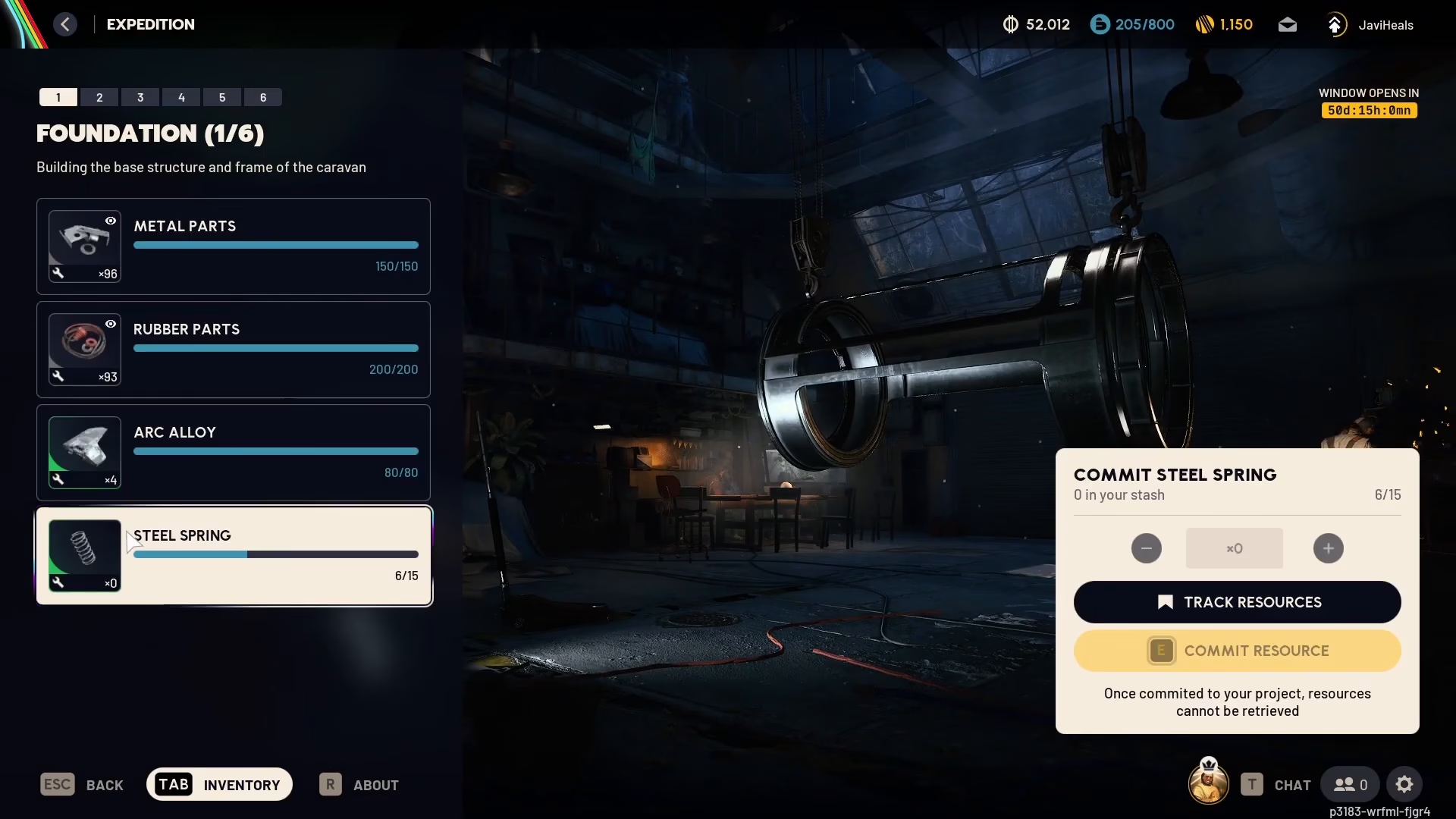
To begin tracking items, open your inventory or resource list. For example, if you’re working on an expedition and need steel springs, you can navigate to that resource and select the “track resources” option. This marks the item for your reference throughout your gameplay.
Identifying Tracked Items
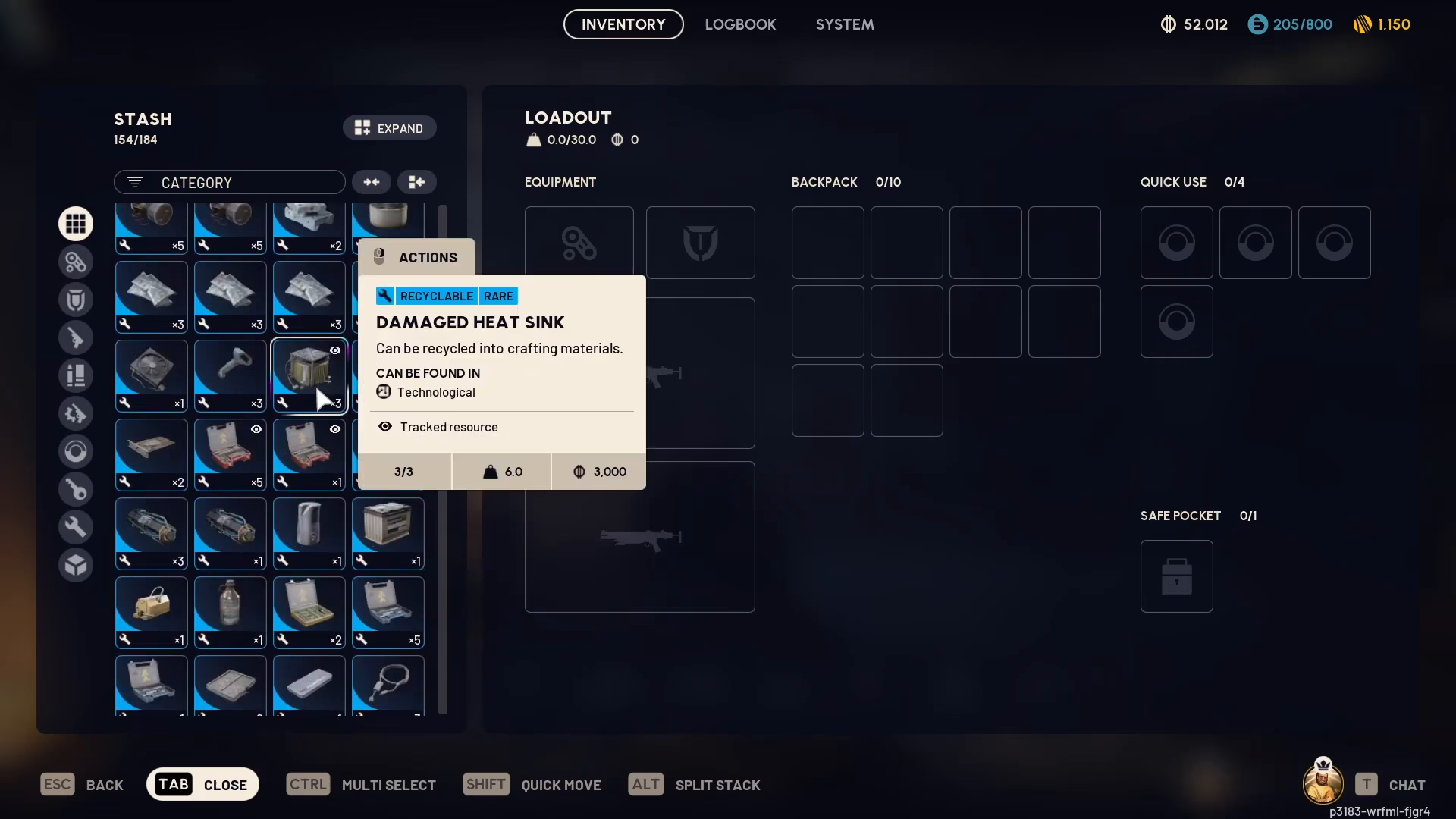
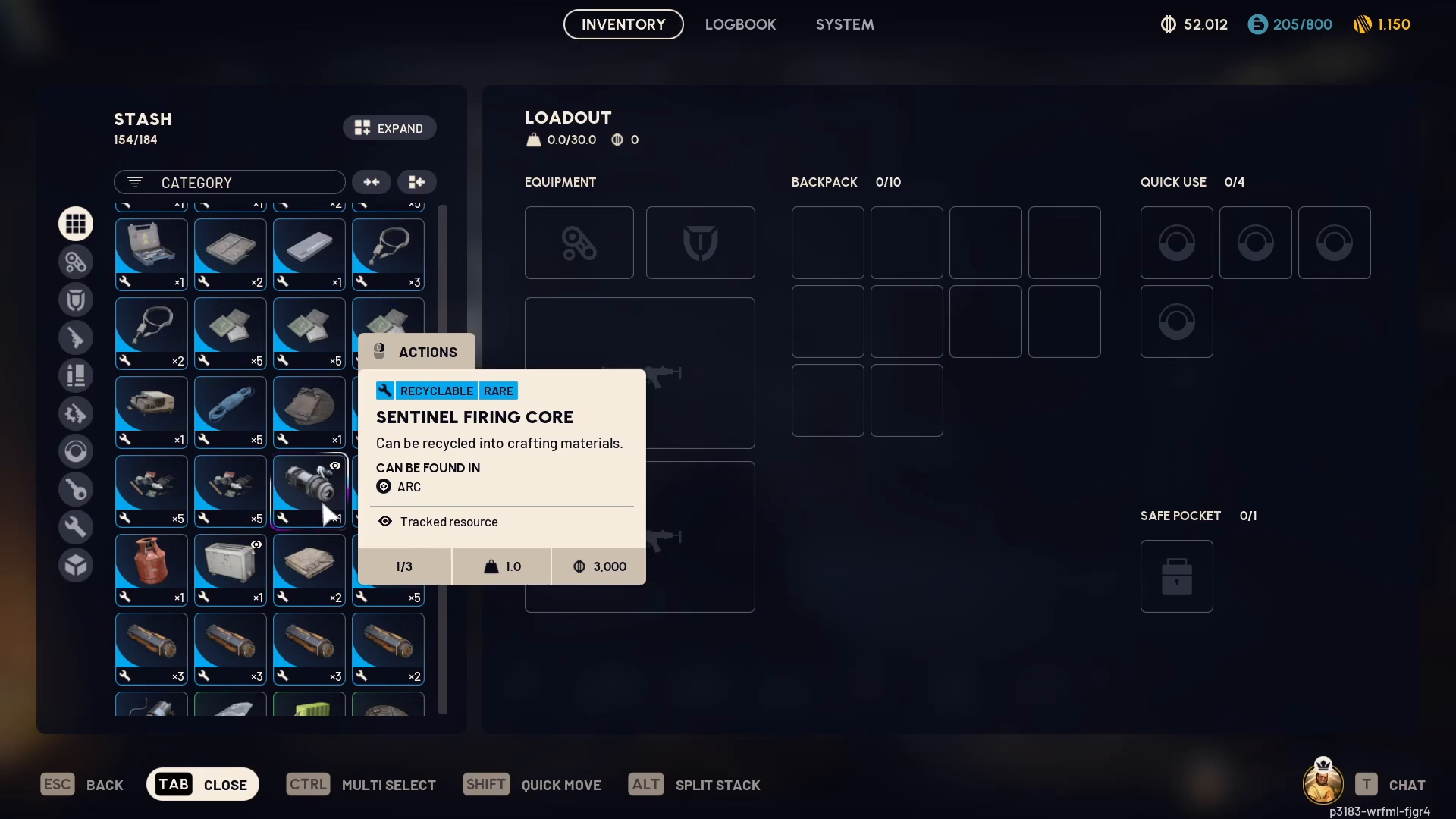
Once you’ve tracked a resource, how do you know which items are being tracked? ARC Raiders displays a small eye icon on top of any tracked resource. For instance, if you’re tracking Damaged Heat Sinks, you’ll notice the eye icon appearing above that item in your inventory or loot list.
Using Tracked Items When Selling Gear
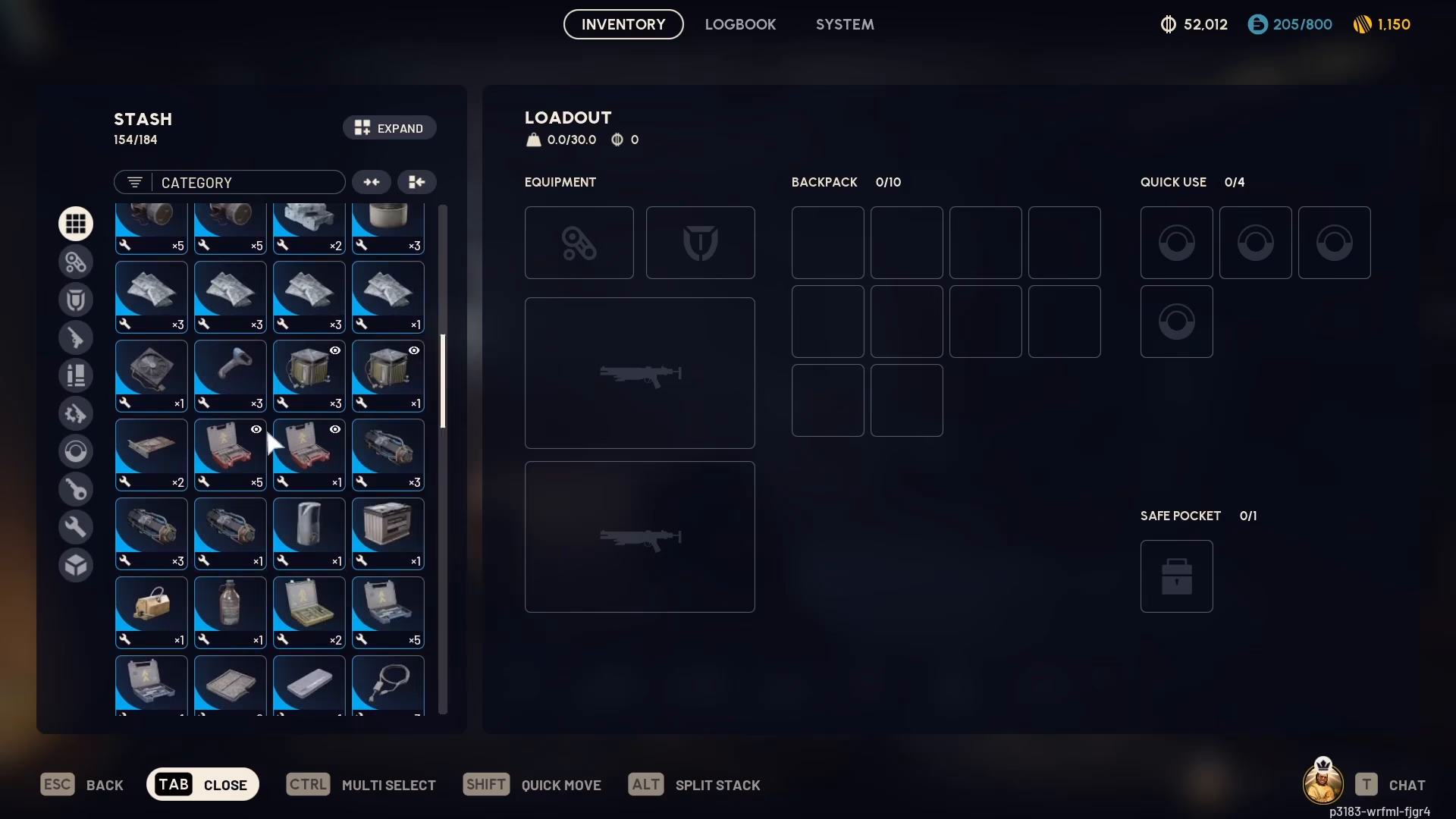
When you’re preparing to sell your gear or managing your inventory, the eye icon becomes invaluable. If you’re looking at a Digital Firing Core or any other item with an eye icon, you’ll know immediately that you’re tracking it for a specific reason—whether it’s needed for a workshop upgrade or another project. This prevents you from accidentally selling materials you actually need.
Using Tracked Items While Looting
While looting in-game, you don’t have to memorize everything you’re tracking. Simply glance at the items you find and look for the eye icon. If an item displays that icon, you know it’s a resource you’ve marked as important and should hold onto it rather than leaving it behind.
Summary
Tracking items in ARC Raiders is a straightforward yet powerful tool for managing your inventory and resources. By using the track resources feature and watching for the eye icon indicator, you can easily identify which materials matter most to your current goals—without having to keep mental notes. This system works seamlessly whether you’re managing your gear for sales or looting new items during expeditions.
Want to Support?
If you would like to help us continue making these guides – please consider joining our patreon here – https://www.patreon.com/c/JaviHeals
Alternatively – you can join our discord here – https://discord.gg/zD7Gjt6MHF
“`

