





How To Spawn Any Item in Valheim
How To Spawn Any Item in Valheim
Learn how to spawn any item you want in Valheim using the developer console. This guide walks you through enabling console commands and using the spawn function to quickly generate materials and items for your building projects.
Enable Developer Console in Steam
To start spawning items, you first need to enable the developer console in Valheim through Steam.
Navigate to Valheim in your Steam library. Right-click on the game and select Properties.

In the properties window, find the General tab. Locate the launch options field and type the following command: -console
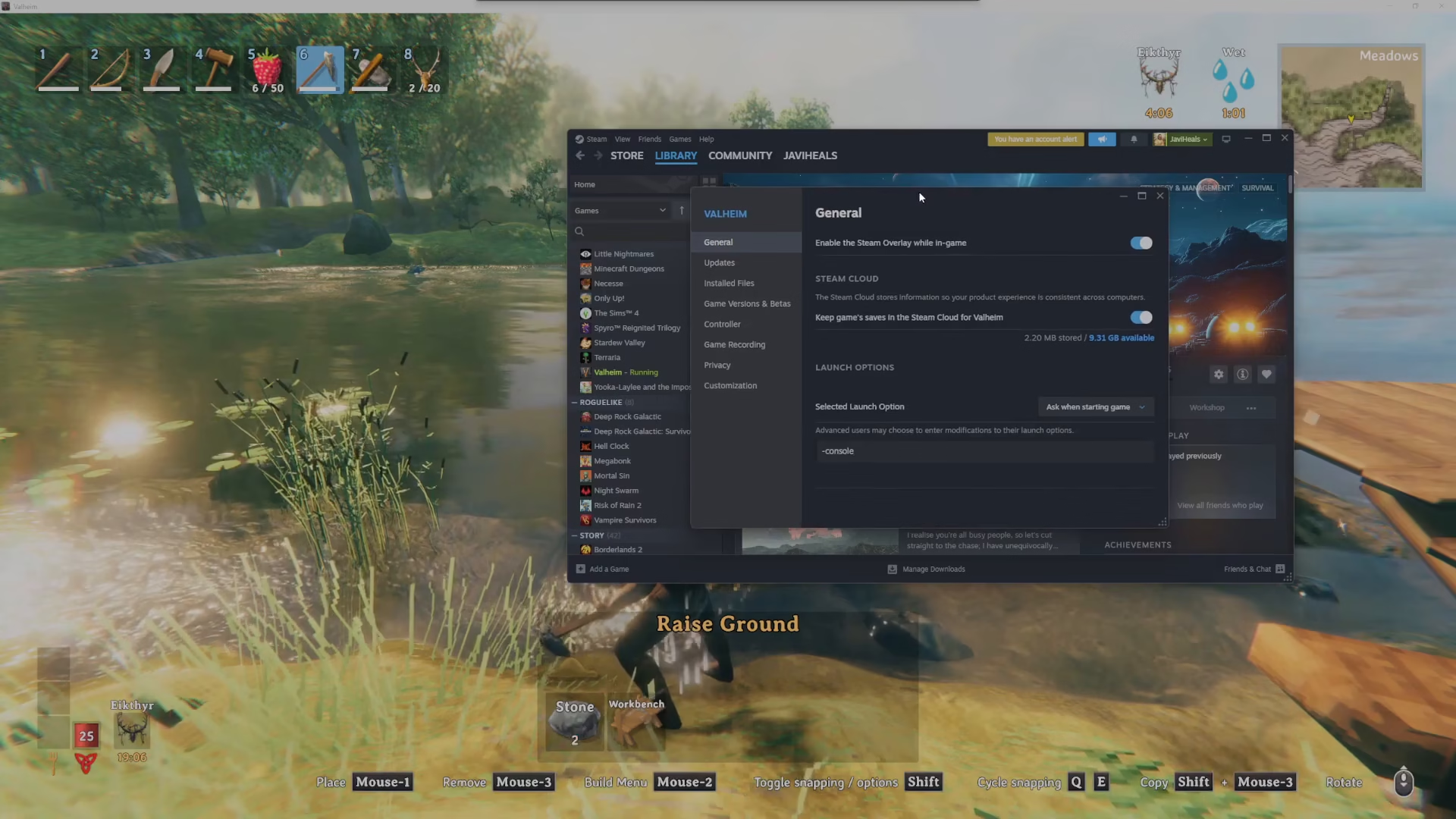
Close the properties window and launch Valheim.

Activate Developer Commands
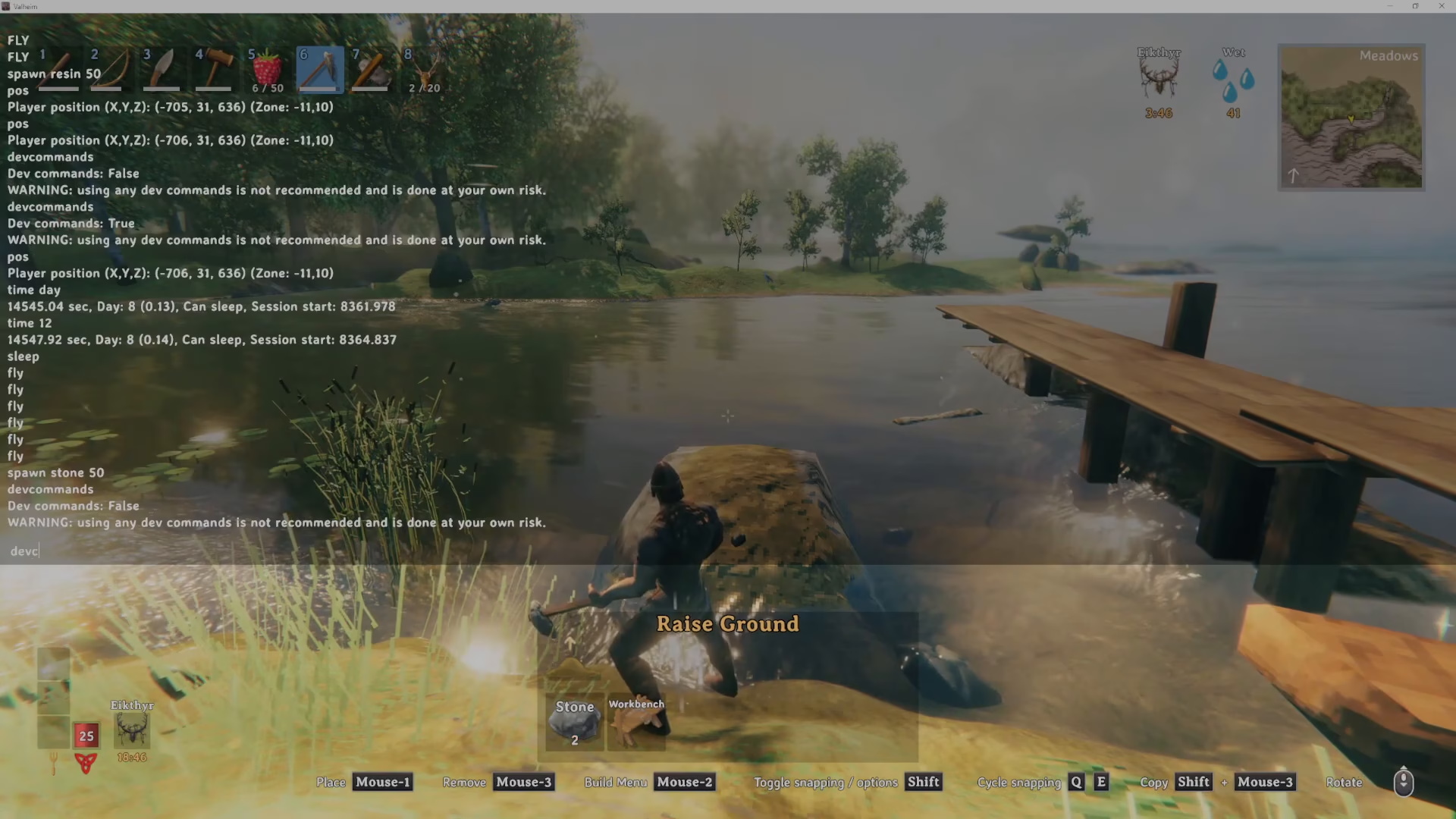
Once you’re in the game, open the developer console by pressing F5.

Type dev_commands into the console. Press Enter and it will toggle to true, activating all developer commands for your session.
Spawn Items Using the Spawn Command
Now that developer commands are active, you can spawn any item you want using the spawn function.
The basic syntax is: spawn [item_name] [quantity]
For example, to spawn 50 stone, type: spawn stone 50
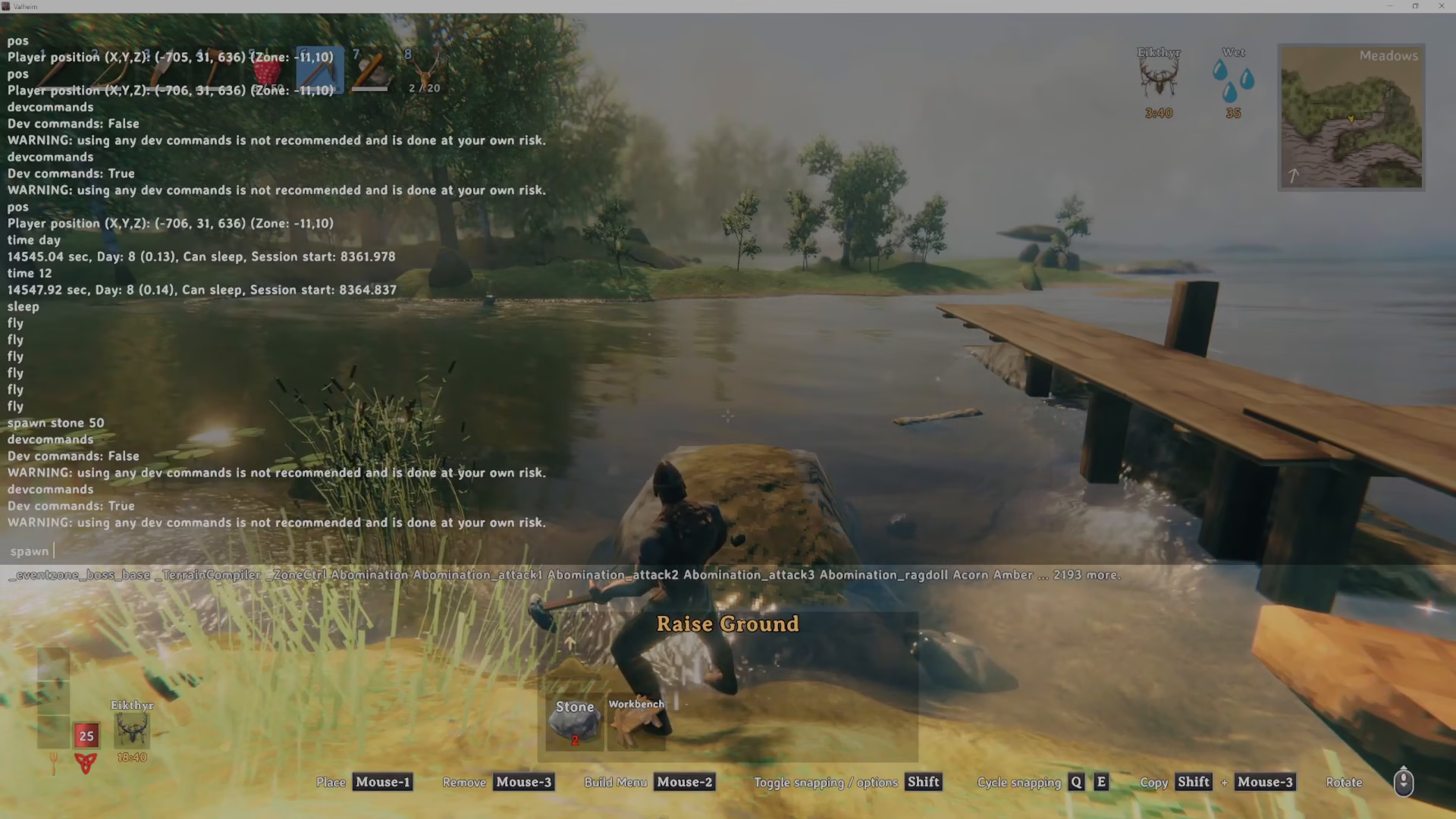
Press Enter and the specified quantity of items will immediately appear in your inventory or at your location. In this example, 50 stone will be spawned, giving you plenty of materials for building projects like raising terrain for a river.

Summary
Spawning items in Valheim is straightforward once you enable the developer console. Simply add -console to your Steam launch options, press F5 in-game, activate dev commands with dev_commands, and use the spawn [item] [quantity] command to generate any materials you need. This is perfect for creative building or testing without farming.
— Want to Support? —
If you would like to help us continue making these guides – please consider joining our patreon here – https://www.patreon.com/c/JaviHeals
Alternatively – you can join our discord here – https://discord.gg/zD7Gjt6MHF