






How to Repair Items In Palworld
How to Repair Items in Palworld
After spending time gathering resources and working hard in Palworld, your tools and equipment will eventually need repair. Fortunately, the repair process is straightforward once you know where to look. This guide walks you through building a repair station and repairing your damaged items.
Understanding Item Durability
As you use your tools and items throughout your adventure in Palworld, they will gradually lose durability. Once fully depleted, you’ll need to restore them before they can be used again. This is where the repair station comes in handy.
Building a Repair Station
To get started, you’ll need to construct a Repair Bench. This is a production building that you can unlock at Level 2. Navigate to your build menu and select the Production category, then choose Repair Bench from the available options.
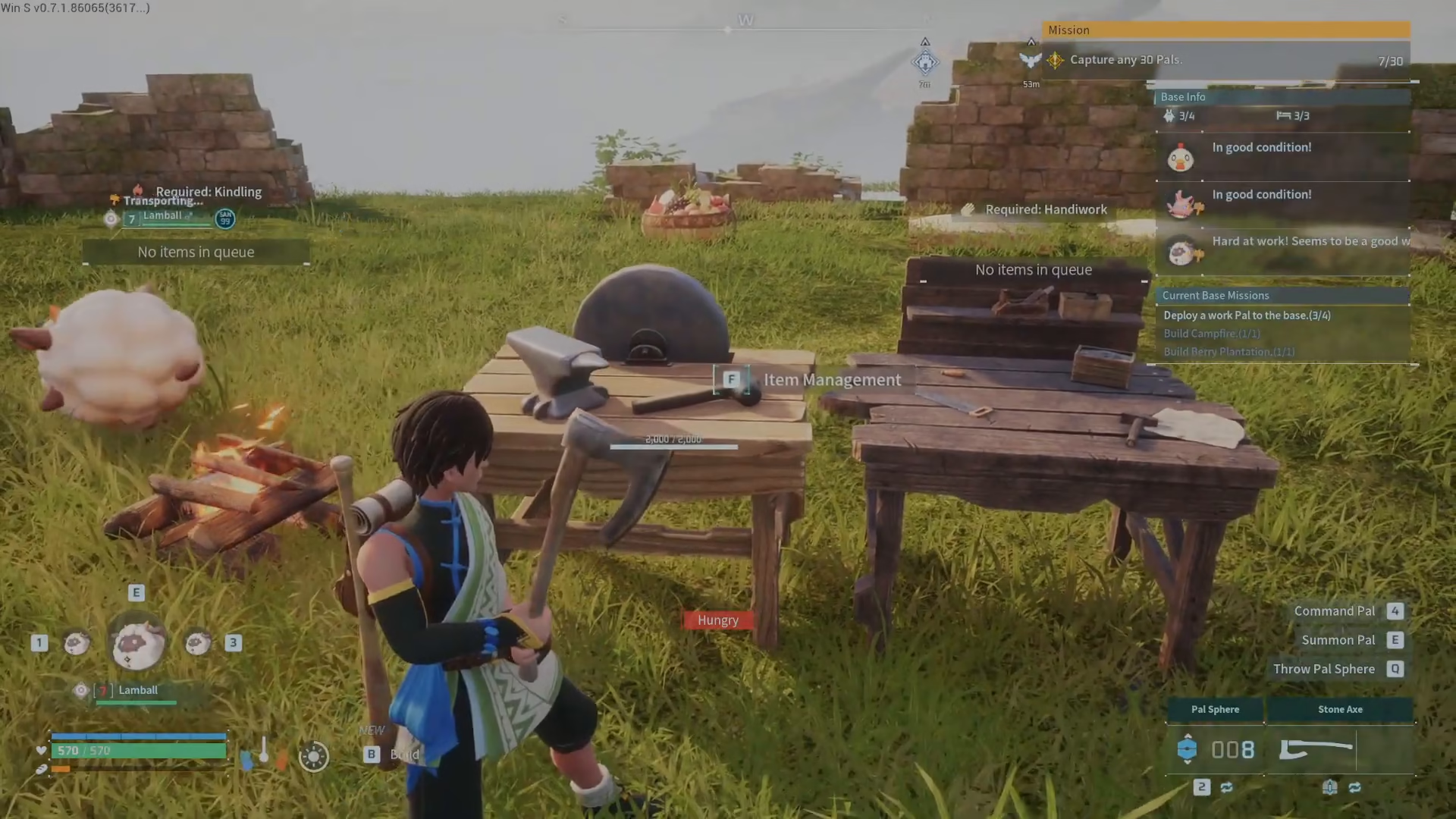
Once you’ve placed the Repair Bench in your base, interact with it to open its menu.
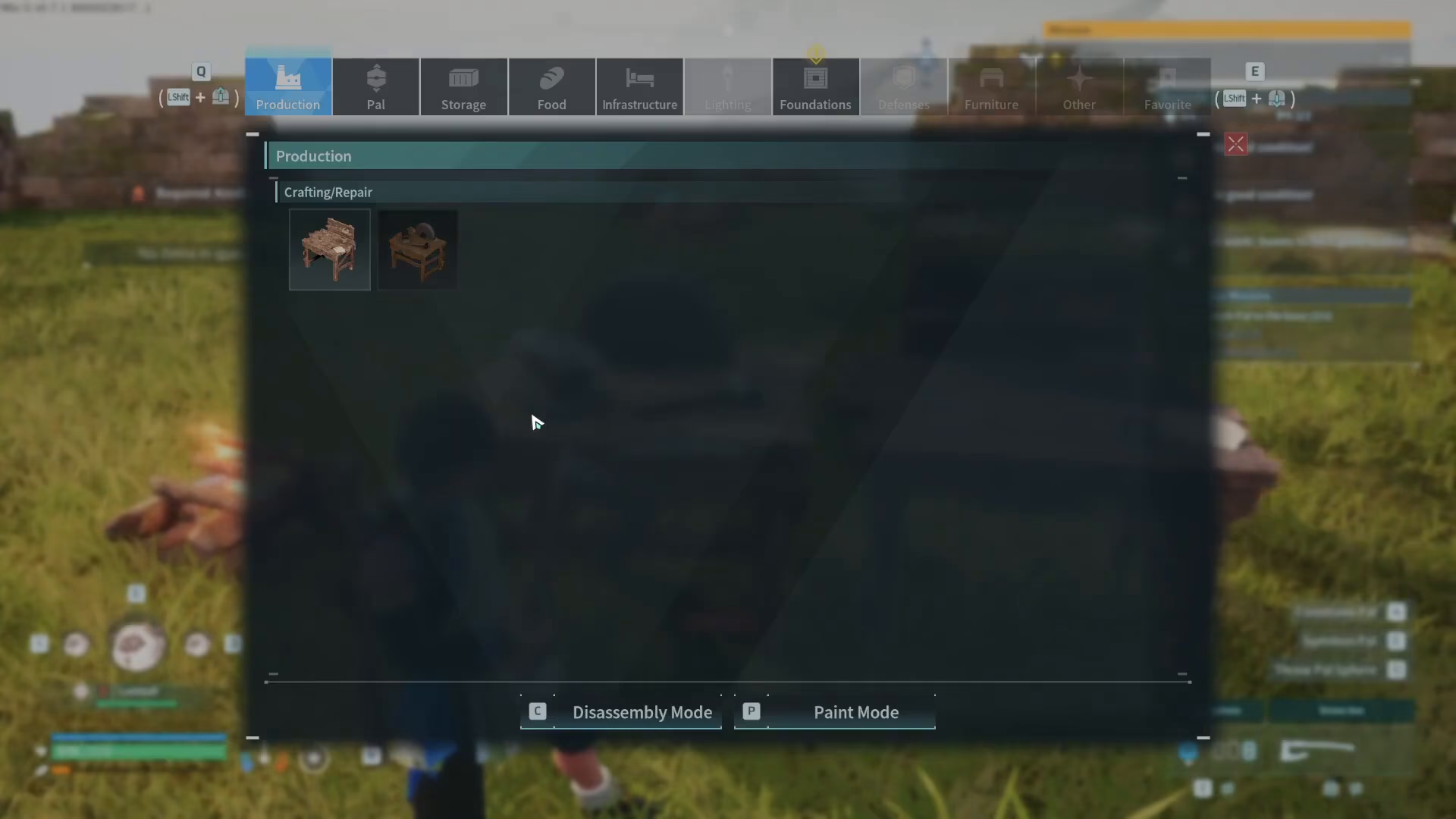
Repairing Your Items
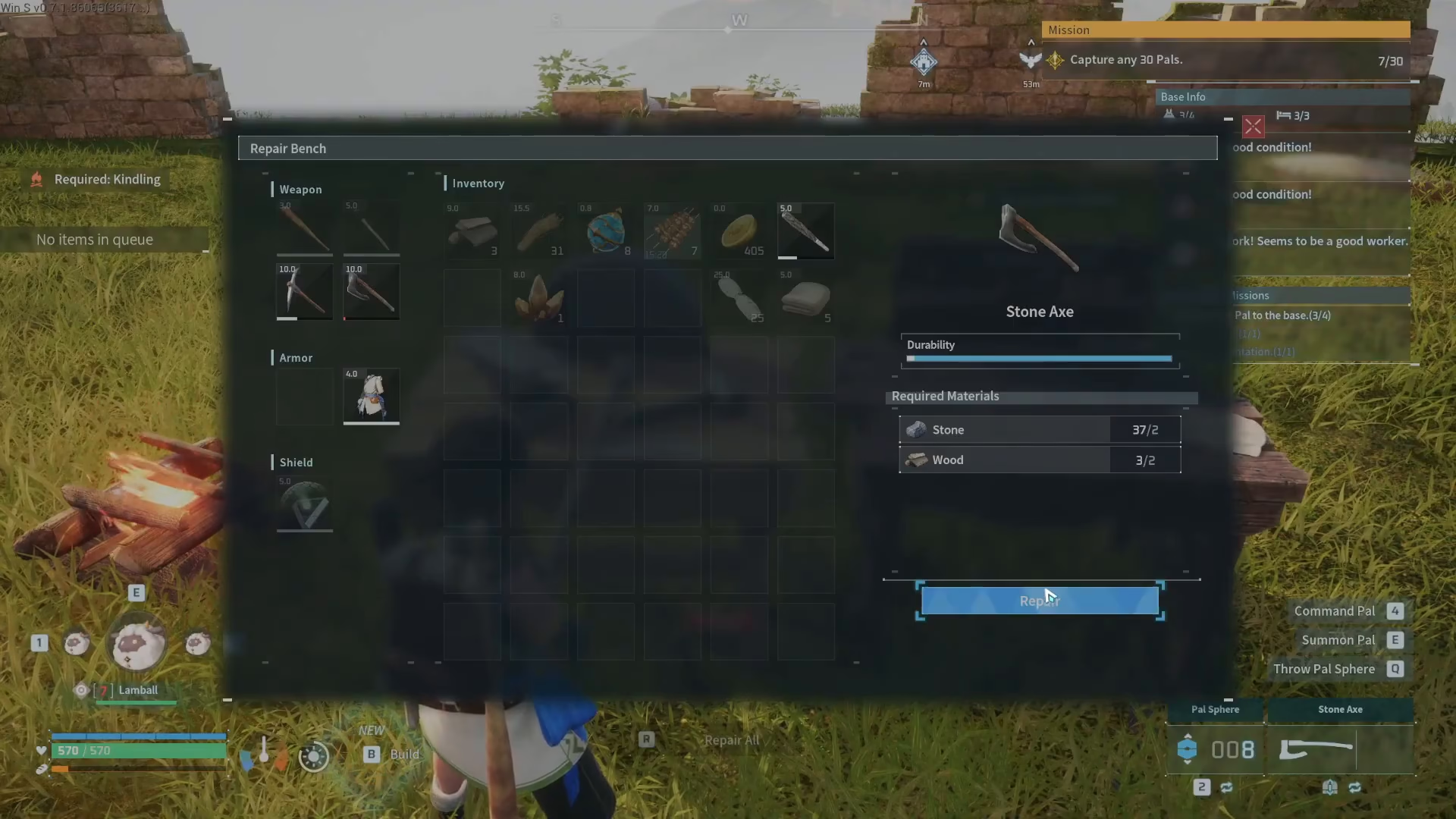
When you open the Repair Bench interface, you’ll see the Item Management section. Here, you can select any damaged item from your inventory that needs repair.
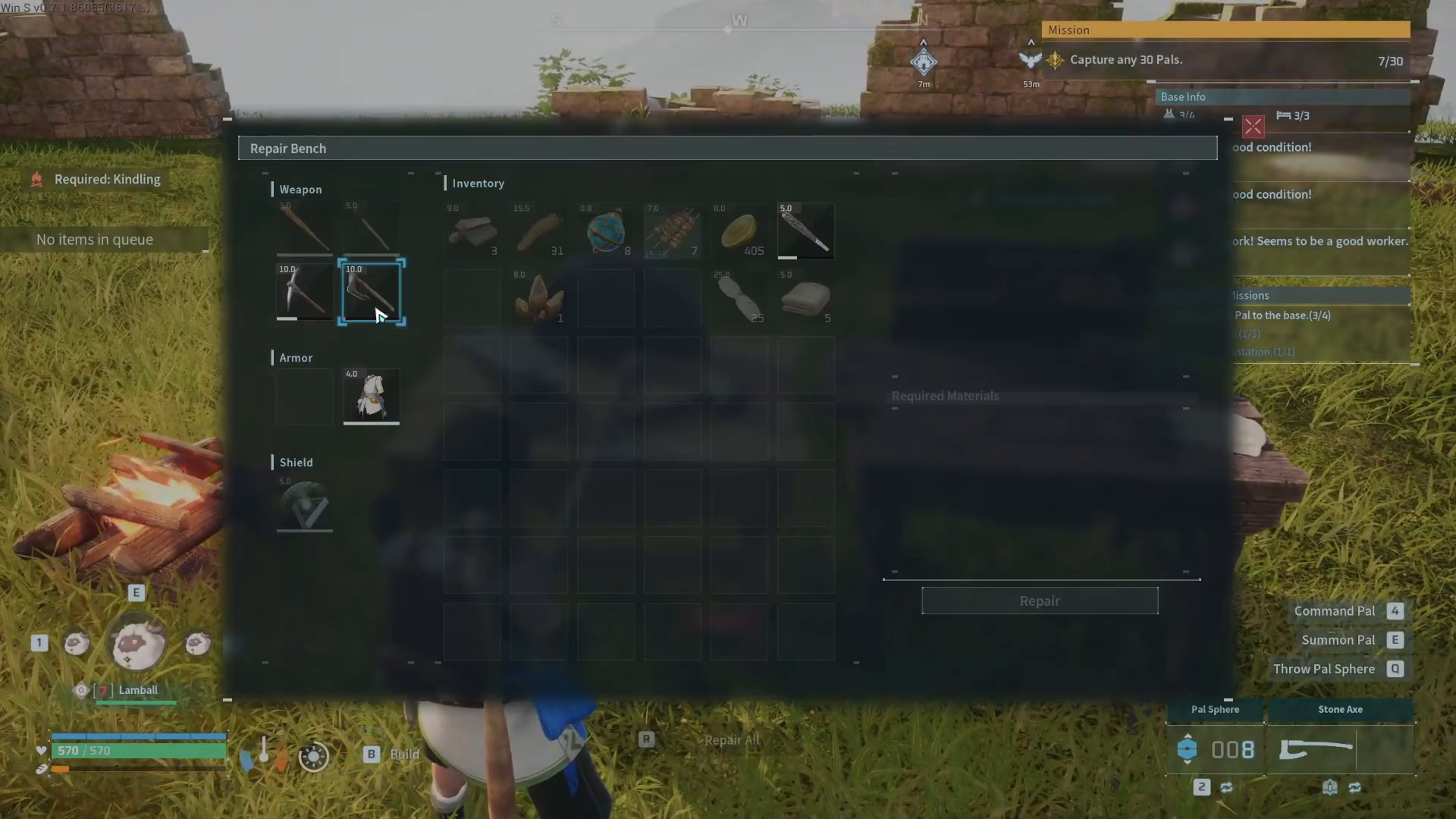
Checking Repair Costs
Once you’ve selected an item—for example, a stone axe—the right side of the interface will display the materials required for repair. Each item has different resource requirements based on its type and current durability level. In this case, repairing a stone axe requires 2 stone and 2 wood.
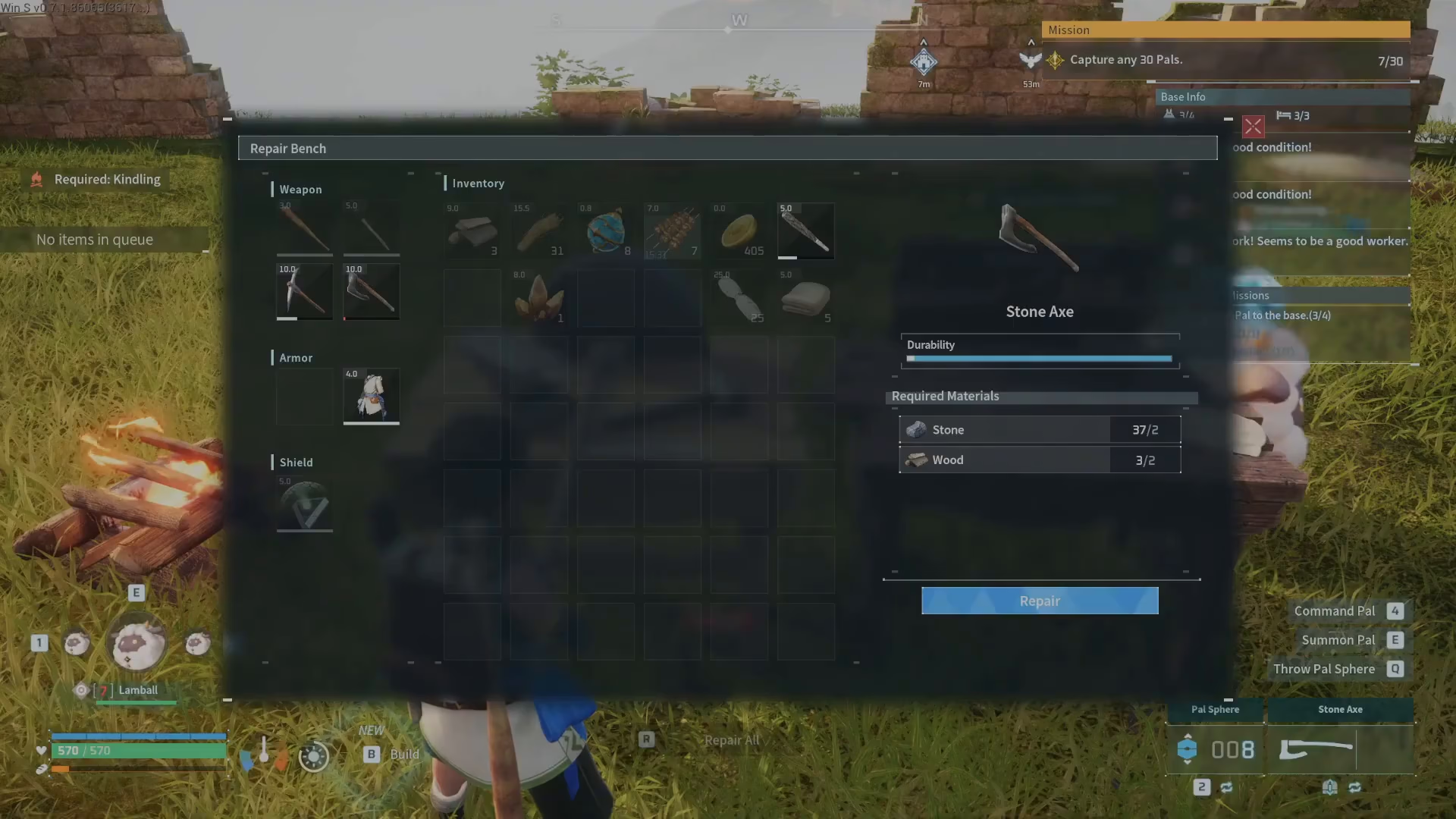
Completing the Repair
Once you’ve verified that you have the necessary materials, simply click the repair button. Your item will be immediately restored to full durability, and the required materials will be deducted from your inventory.
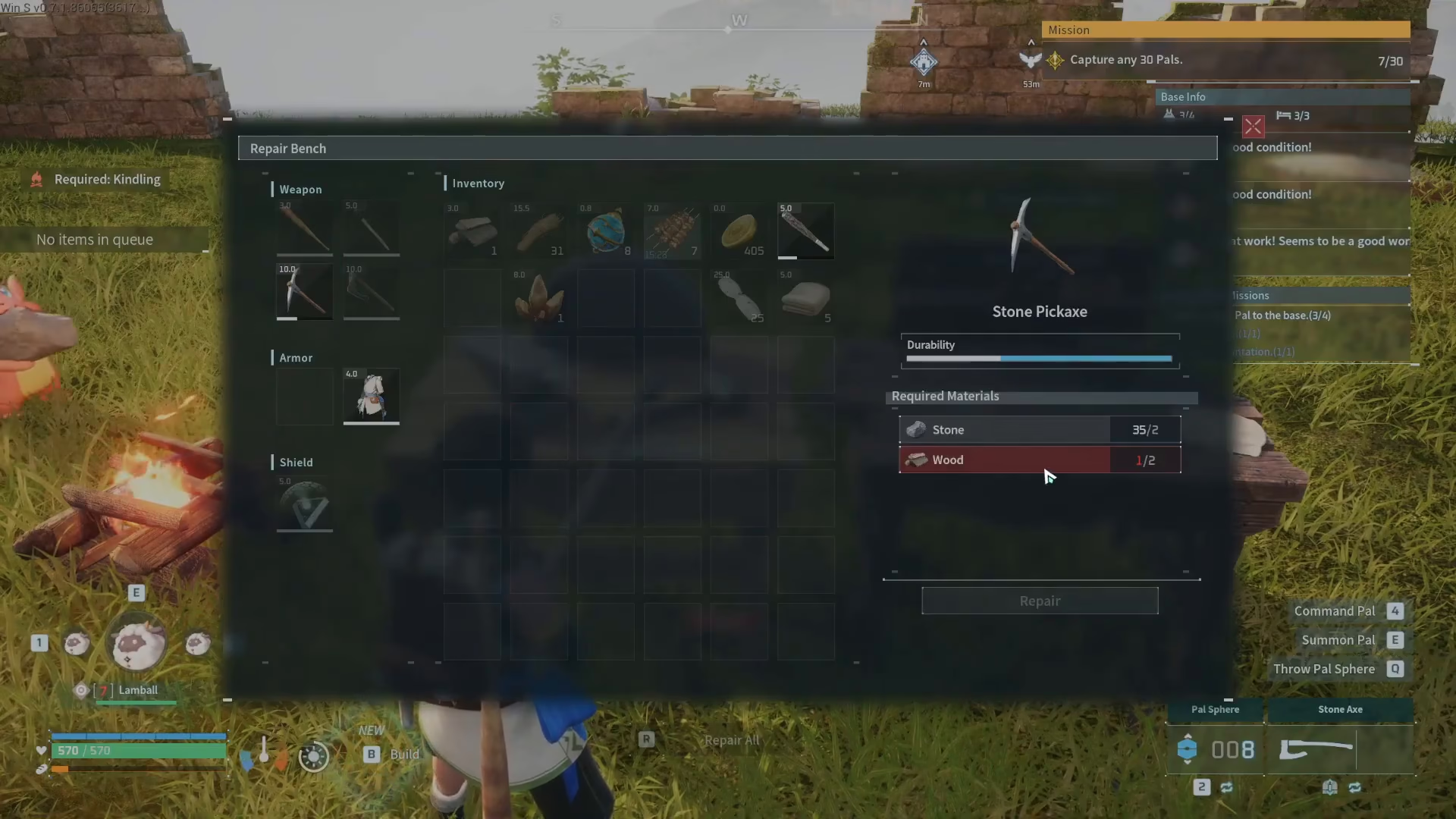
Make sure you have enough resources before attempting to repair multiple items. If you’re short on materials—such as wood for repairing a pickaxe—you’ll need to gather more before proceeding.
Summary
Repairing items in Palworld is a simple process once you’ve built a Repair Bench. Unlock the bench at Level 2, place it in your base, access the Item Management menu, check the required materials, and click repair. Keep a steady supply of common materials like stone and wood on hand to ensure your tools stay in top condition for all your adventures.
Want to Support?
If you would like to help us continue making these guides – please consider joining our patreon here – https://www.patreon.com/c/JaviHeals
Alternatively – you can join our discord here – https://discord.gg/zD7Gjt6MHF



