How To Load A Saved Game In Age of Empires 4
How To Load A Saved Game In Age of Empires 4
Loading a saved game in Age of Empires 4 is a straightforward process that differs slightly depending on whether you’re playing the campaign or skirmish mode. This guide will walk you through both methods so you can quickly resume your gameplay and continue your conquest.
Loading a Campaign Save
To load a saved campaign game, start by clicking on Single Player from the main menu.
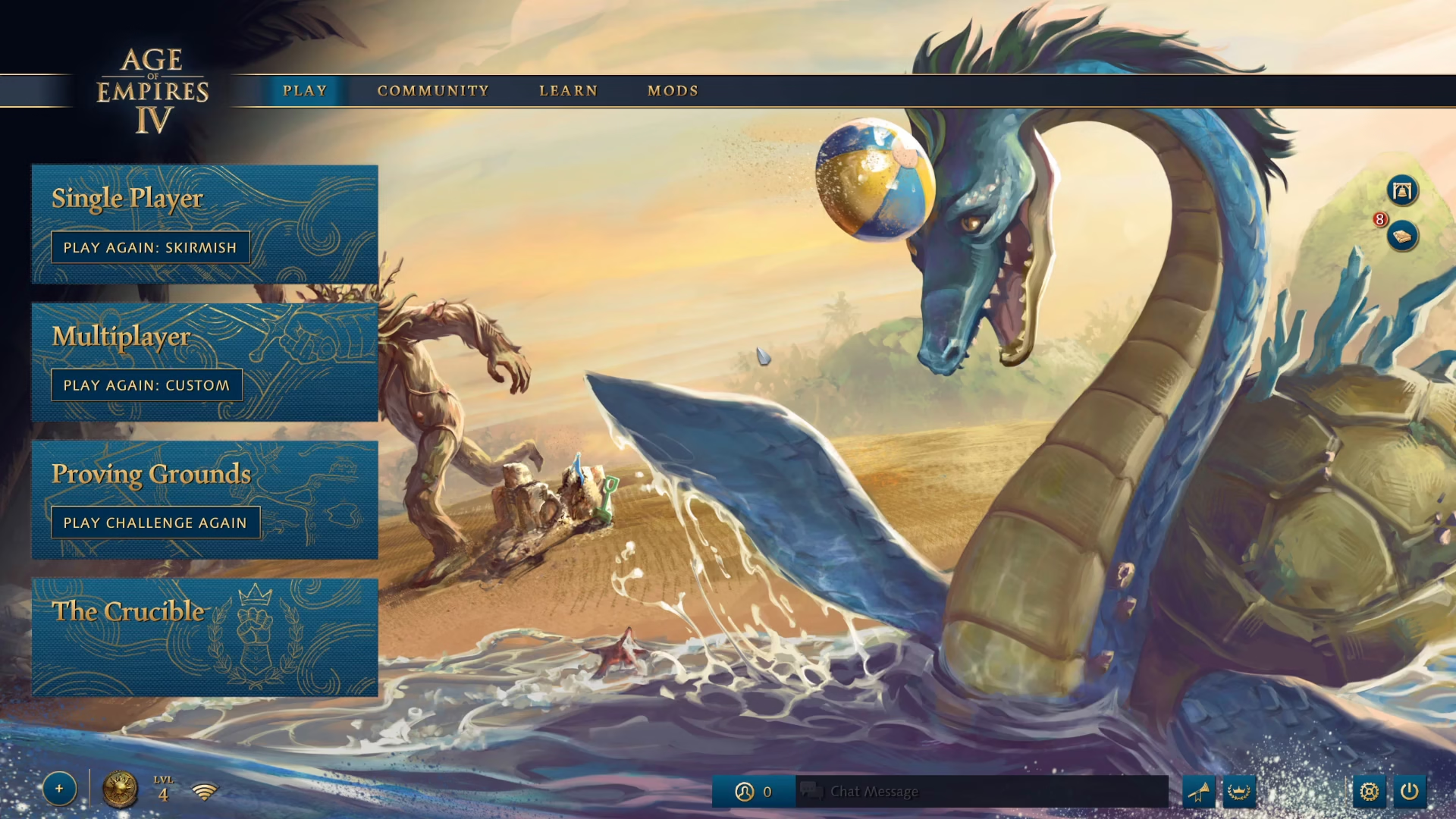
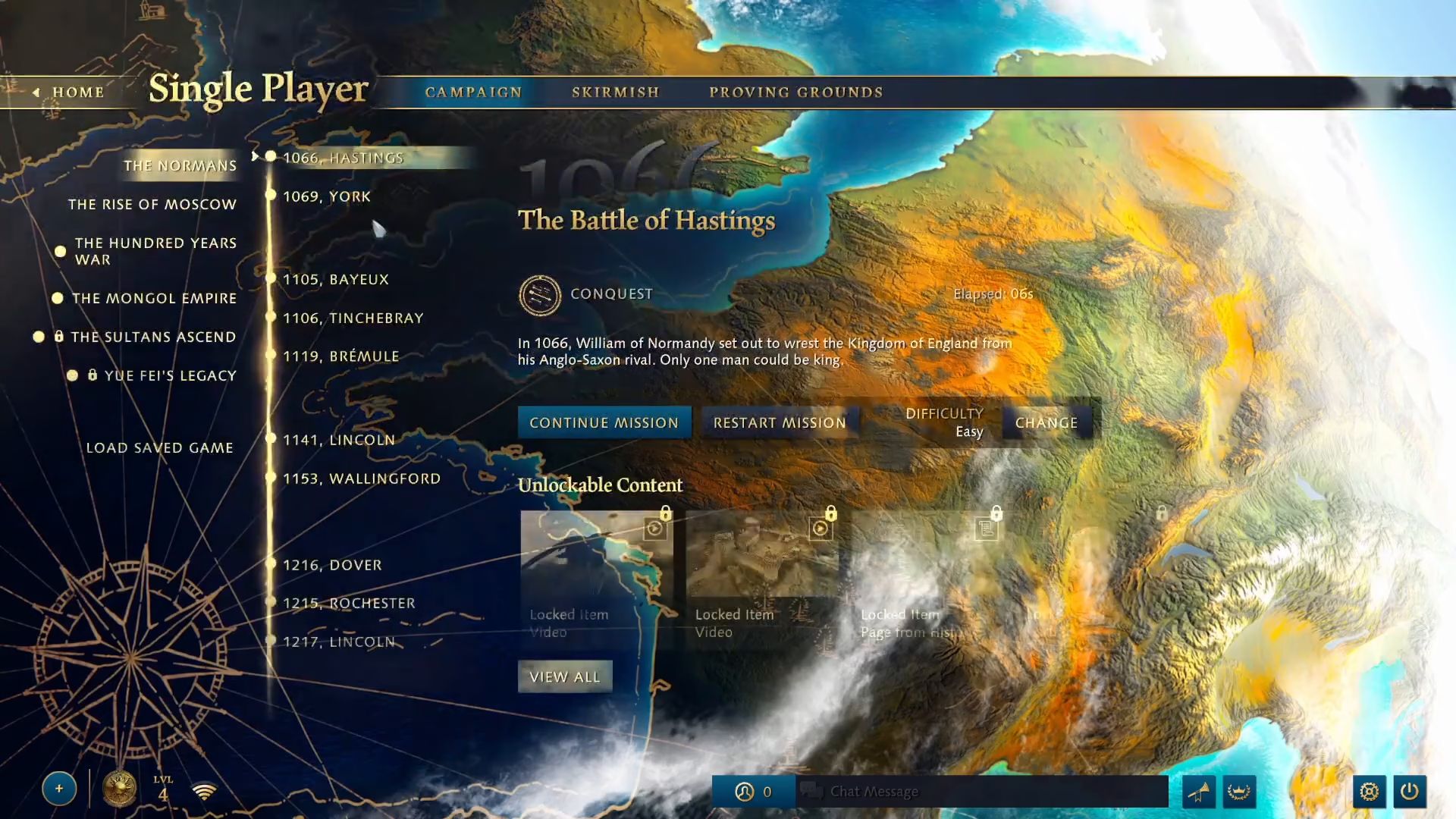
Once you’re in the Single Player section, you’ll see the option to Continue Mission. Simply click on this button to load your most recent campaign save and pick up where you left off.
Loading a Skirmish Save
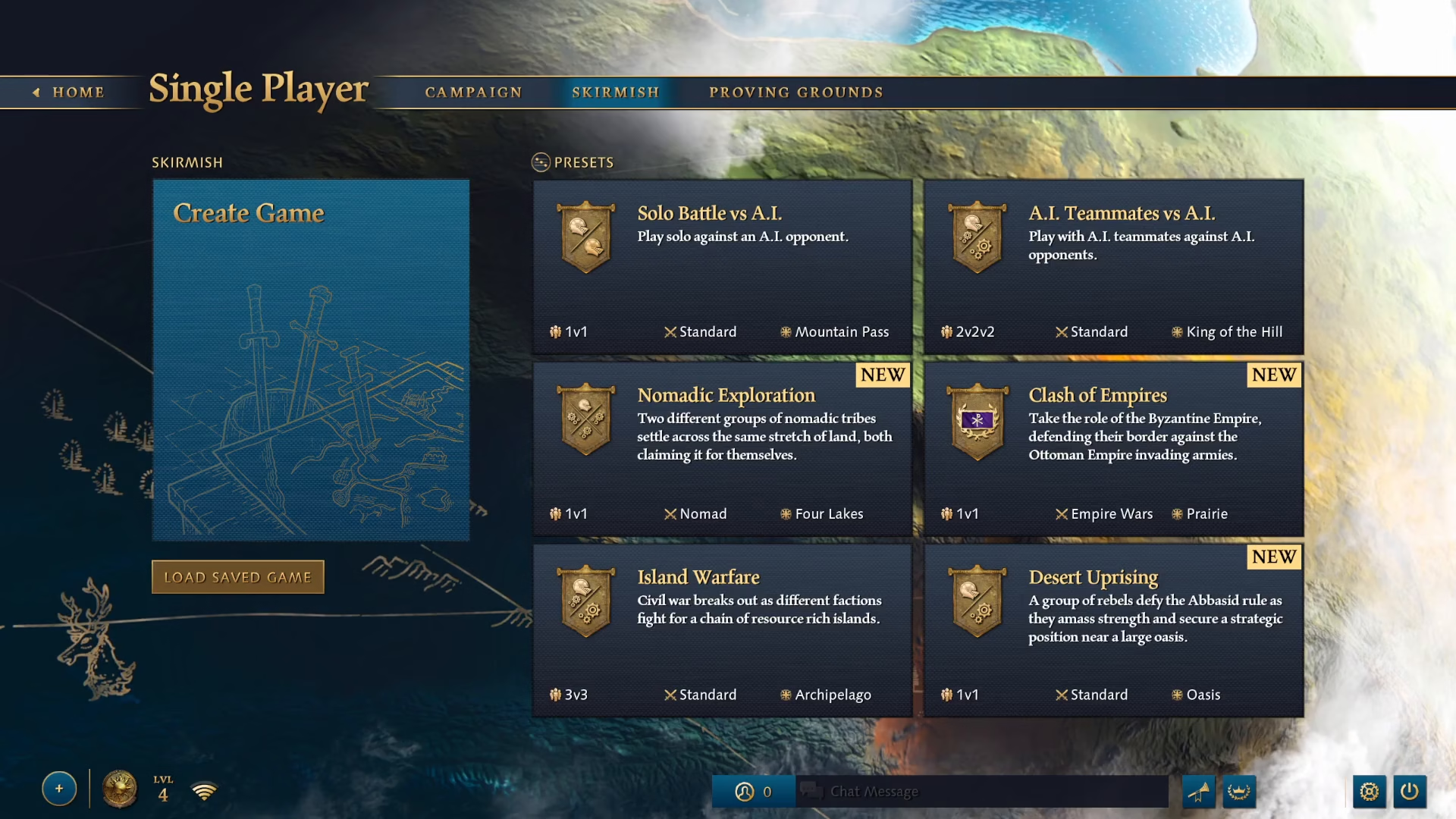
For skirmish mode, the process requires a few more steps. First, click on Single Player to access the game modes.
Once in the Single Player menu, look for the Load Saved Game option on the left side of the screen.
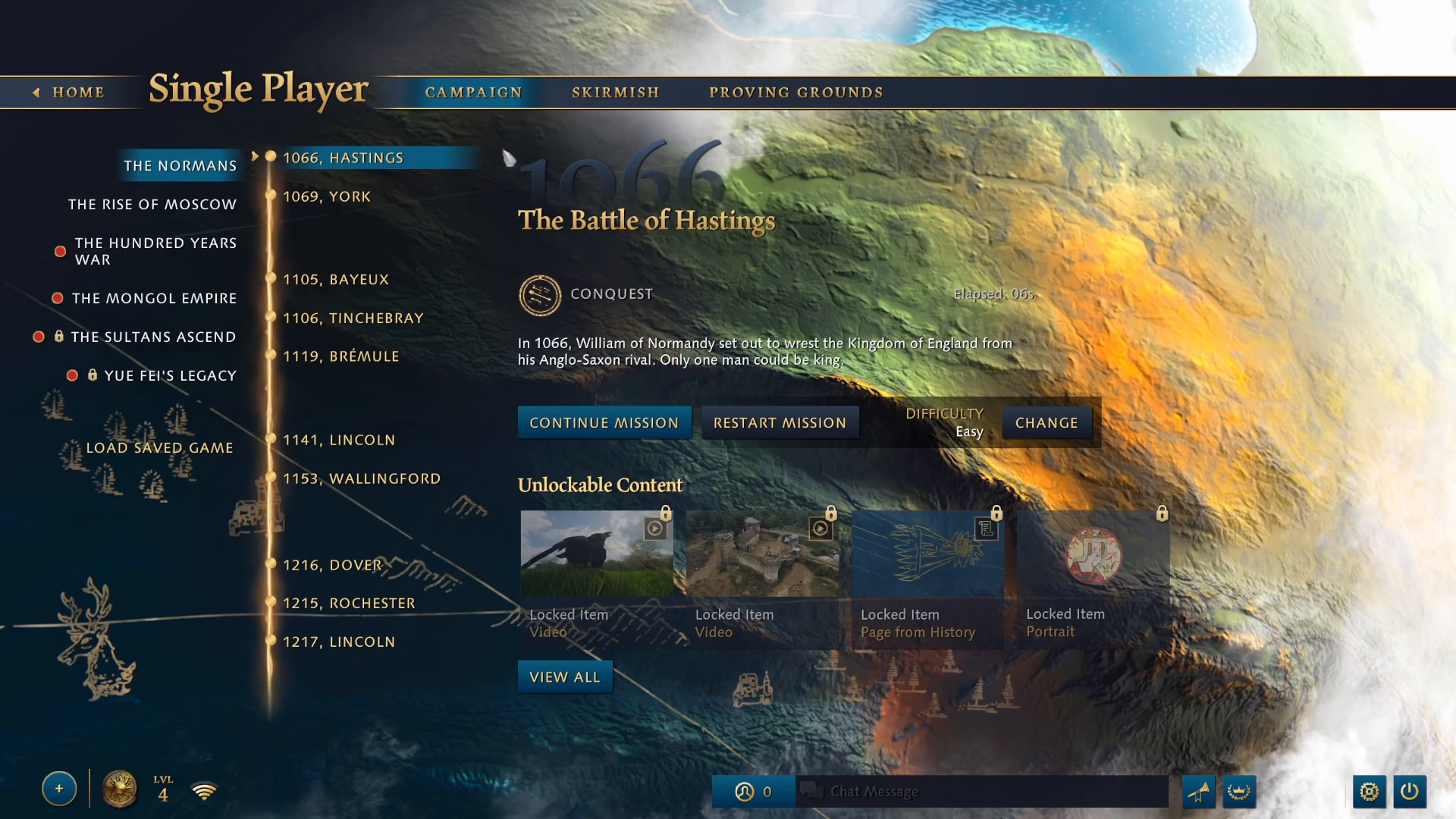
Click on Load Saved Game to view all your available skirmish saves. Select the save file you want to resume by clicking on it from the list.
After selecting your desired save, click the Load button to proceed.
A confirmation dialog will appear asking you to verify your selection. Click Yes to confirm and load your saved game.
Summary
Loading a saved game in Age of Empires 4 is simple once you know where to look. For campaign games, use the Continue Mission button. For skirmish games, navigate to Load Saved Game, select your file, and confirm your choice. You’ll be back in the action in no time!
Want to Support?
If you would like to help us continue making these guides – please consider joining our patreon here – https://www.patreon.com/c/JaviHeals
Alternatively – you can join our discord here – https://discord.gg/zD7Gjt6MHF