





How To Set Up Parole In Prison Architect
How To Set Up Parole In Prison Architect
Setting up a parole system in Prison Architect is an essential part of managing your prison efficiently. This guide will walk you through the complete process of creating a parole room and scheduling parole hearings for your inmates. Whether you’re a beginner or looking to streamline your prison operations, follow these straightforward steps to get your parole system up and running.
Understanding the Parole System
When you have prisoners eligible for parole, you’ll see them listed on the left side of your screen. To process these inmates, you need to create a dedicated parole room and schedule parole hearings. This two-step process ensures your prison runs smoothly and inmates have the opportunity for early release.
Creating a Parole Room
Room Requirements
Before building your parole room, it’s important to understand the specific requirements. Access the rooms menu on the bottom left of your screen and check the requirements for the parole room. Your parole room must meet the following specifications:
Must be indoors
Minimum size of 5×5
Must include a visitor’s table
Once you have a room that meets these requirements, it will automatically function as a parole room.
Quick Build Method
If you want to set up your parole room quickly without manually checking requirements, use the Quick Build feature. Go to Quick Build and search for the parole room option. Select it and place it wherever you want in your prison—many players prefer placing it next to the Visitation room for convenience.
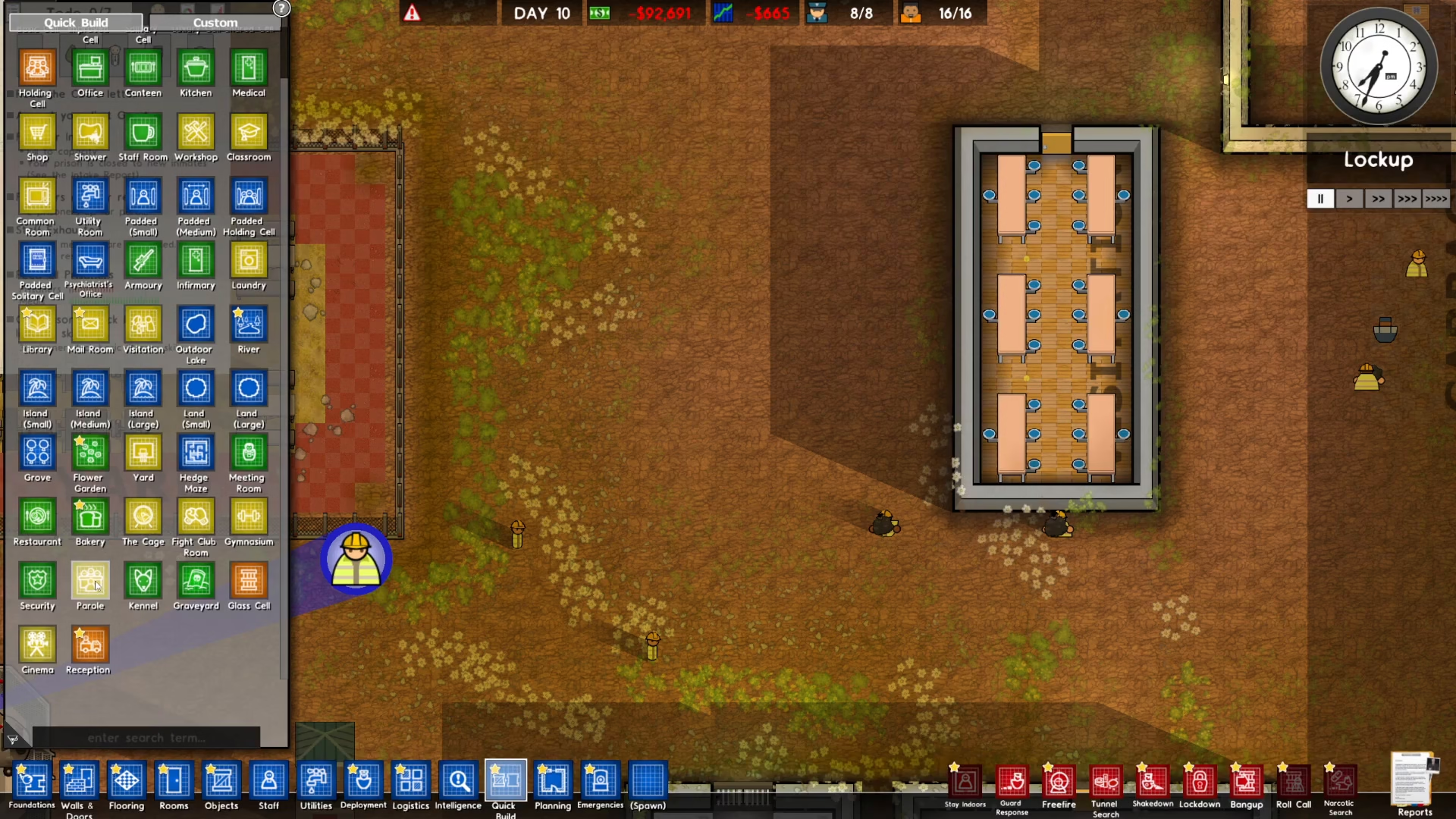
Once you’ve placed your parole room, wait for the construction to complete. After the room is built, connect electricity to it, and your parole room will be fully operational.
Scheduling the Parole Hearing
Accessing the Programs Menu
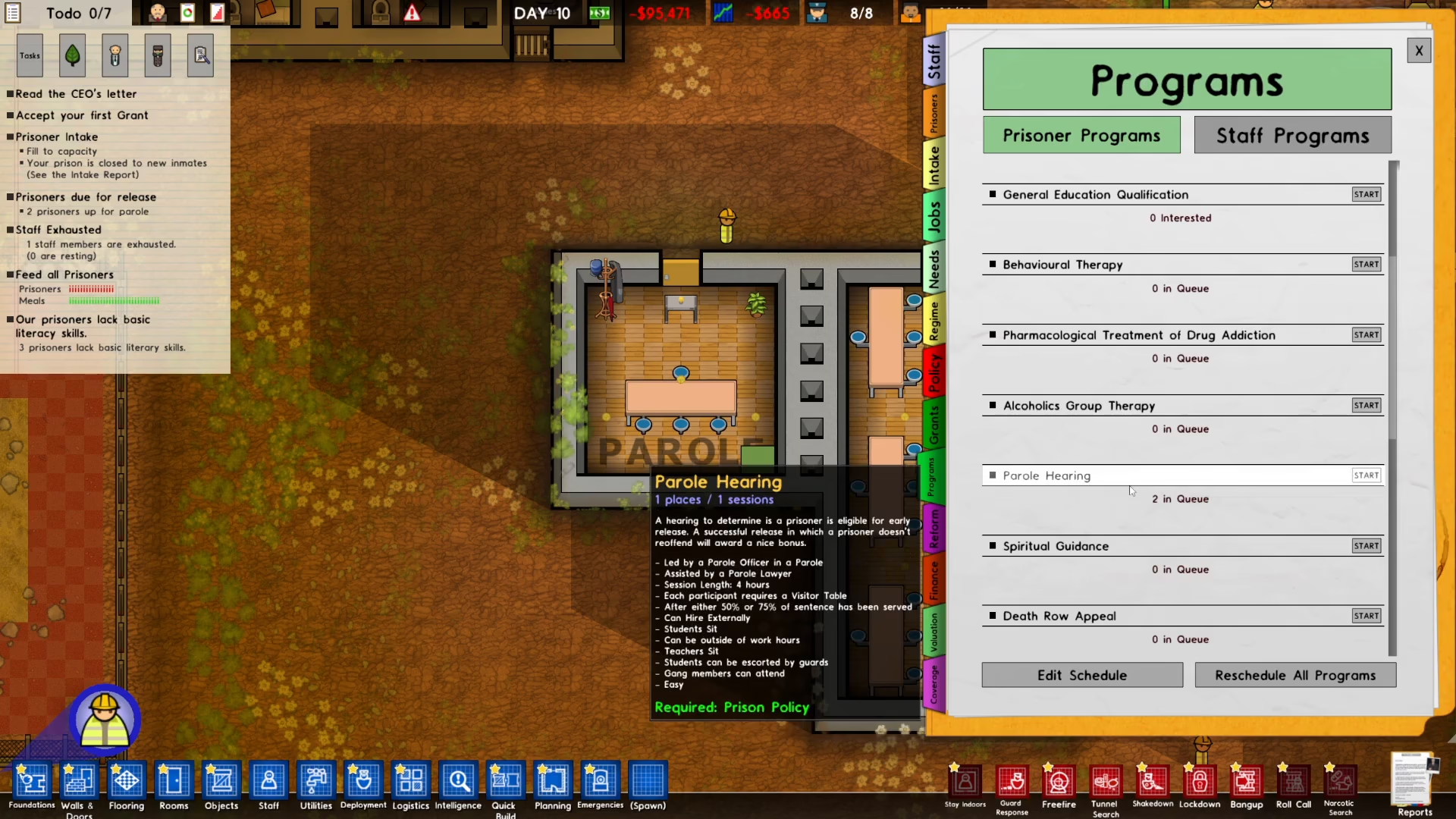
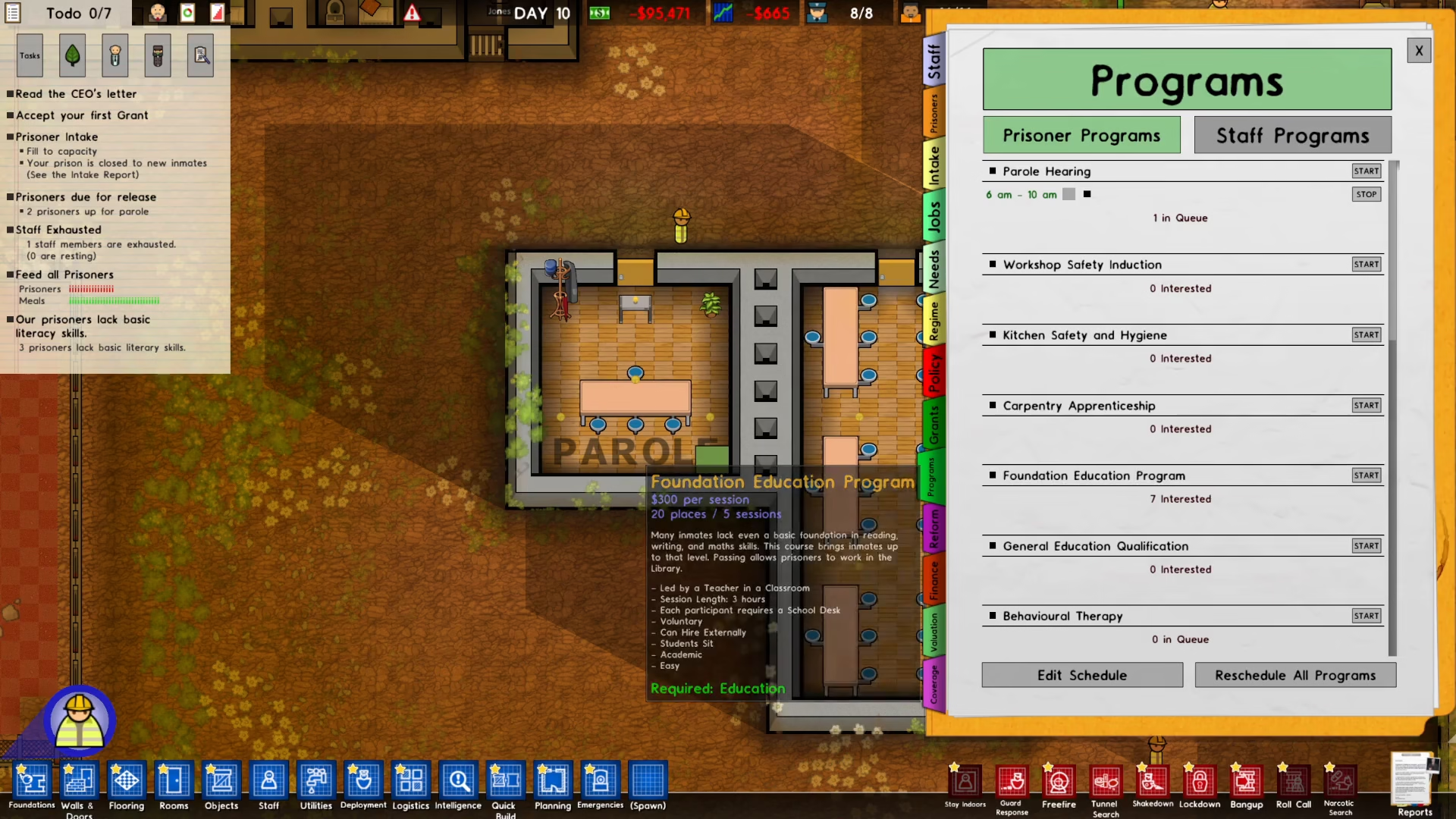
Now that your parole room is ready, you need to schedule the actual parole hearing. Navigate to the bottom right of your screen and access the Programs menu. Scroll down through the available programs until you find the “Parole Hearing” option.
Starting the Parole Process
Click on “Start” to begin the parole hearing schedule. Prison Architect will automatically generate a default schedule for the parole hearing. However, you have full control to customize this timing to suit your prison’s needs.
Editing the Schedule
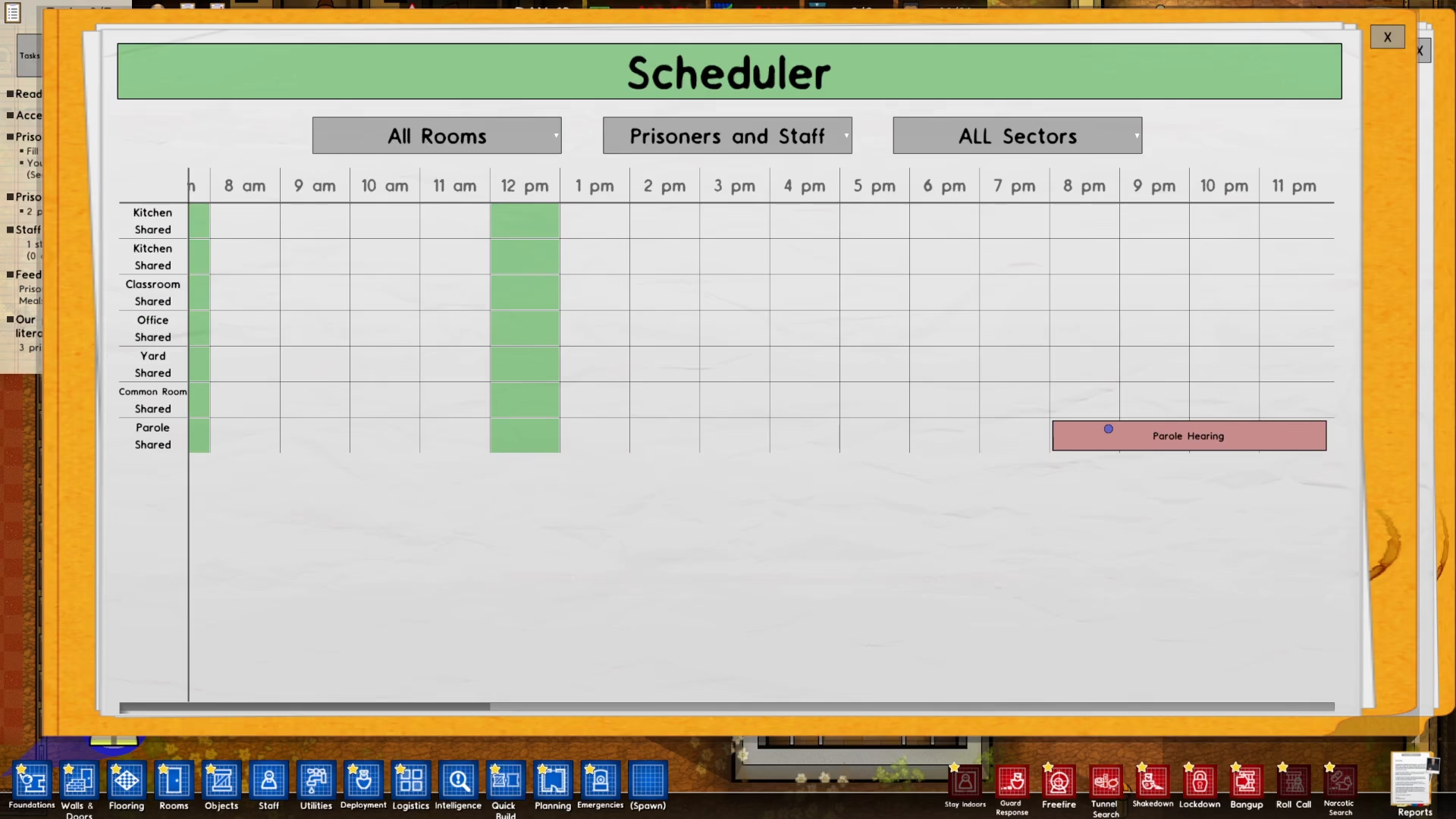
To adjust when the parole hearing occurs, use the “Edit Scheduled” option. You can drag the scheduled time to your preferred time slot. For example, if you want the parole hearing to take place at 8pm, simply drag the schedule marker to that time on the clock.
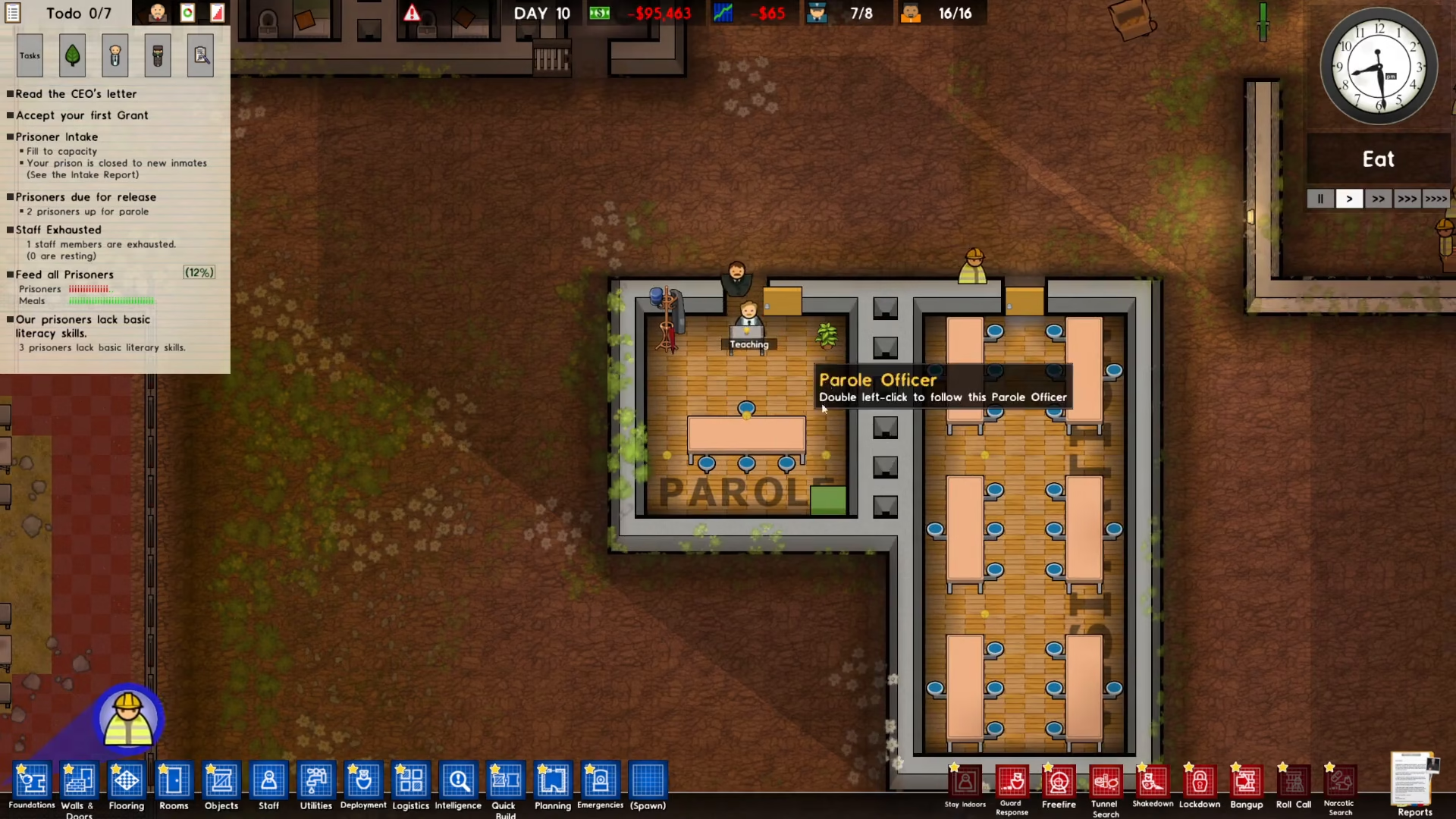
Once you’ve set your desired time, simply wait for that time to arrive in your prison simulation. The parole hearing will automatically begin, and the scheduled prisoners will be brought to the parole room to have their hearing.
Summary
Setting up parole in Prison Architect is a straightforward process. First, create a parole room that meets the indoors requirement, has a minimum size of 5×5, and includes a visitor’s table. You can do this manually or use the Quick Build feature for speed. Second, schedule your parole hearing through the Programs menu, and customize the timing to fit your prison’s schedule. Once everything is set up, your parole system will run automatically and give eligible prisoners the chance for early release.
Want to Support?
If you would like to help us continue making these guides – please consider joining our patreon here – https://www.patreon.com/c/JaviHeals
Alternatively – you can join our discord here – https://discord.gg/zD7Gjt6MHF



