






How To Turn On Gangs In Prison Architect
How to Turn On Gangs in Prison Architect
Gangs add an extra layer of complexity and challenge to your Prison Architect experience. This guide will walk you through the simple steps to enable gangs when creating a new prison.
Enabling Gangs in Prison Architect
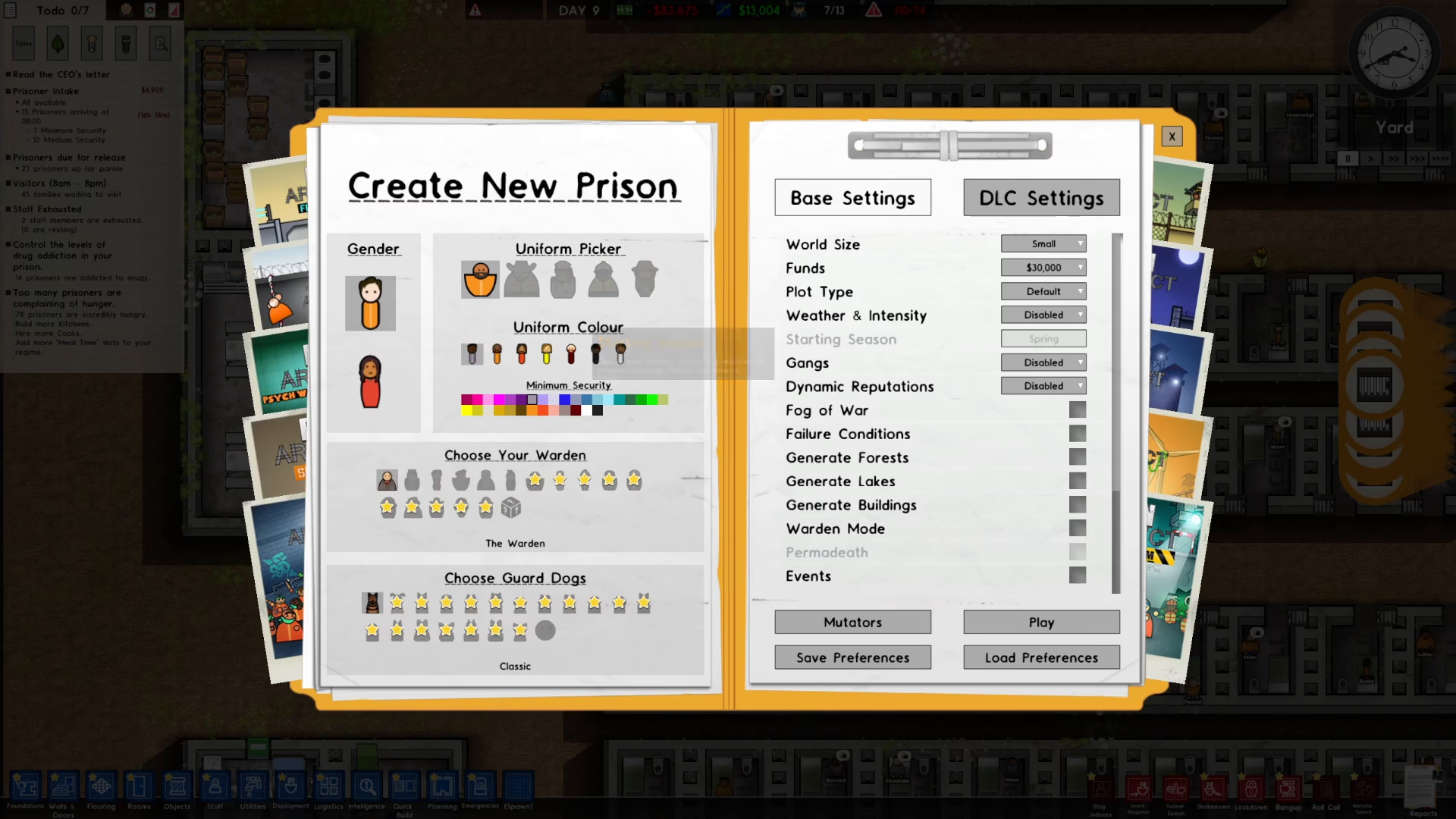
When you’re creating a new prison in Prison Architect, you’ll notice a gangs option available on the right side of the screen. To turn on gangs, click on the dropdown menu next to the gangs option.
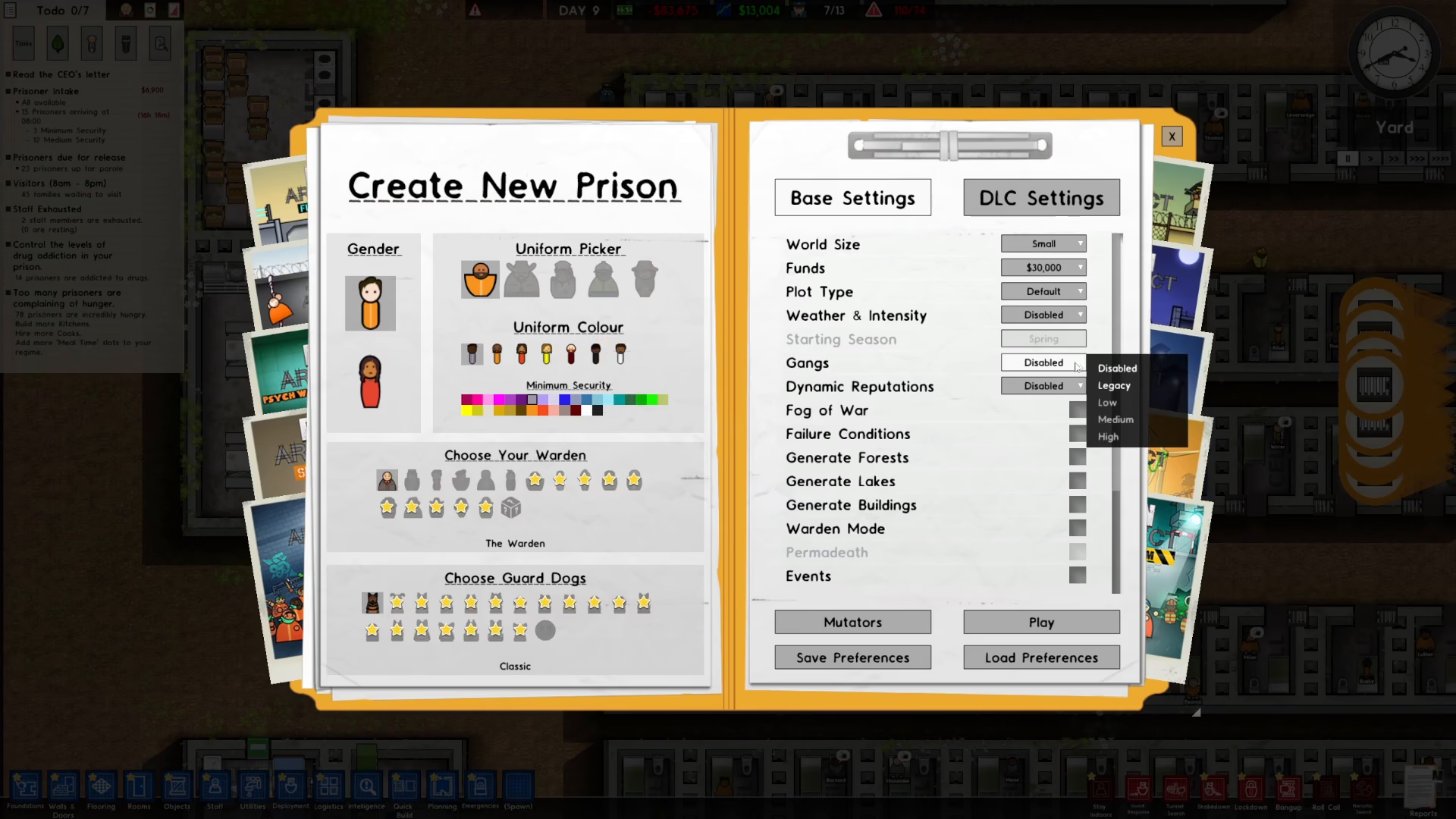
From the dropdown menu, select “Legacy” to enable gangs for your prison. This will activate the gang system for your gameplay.
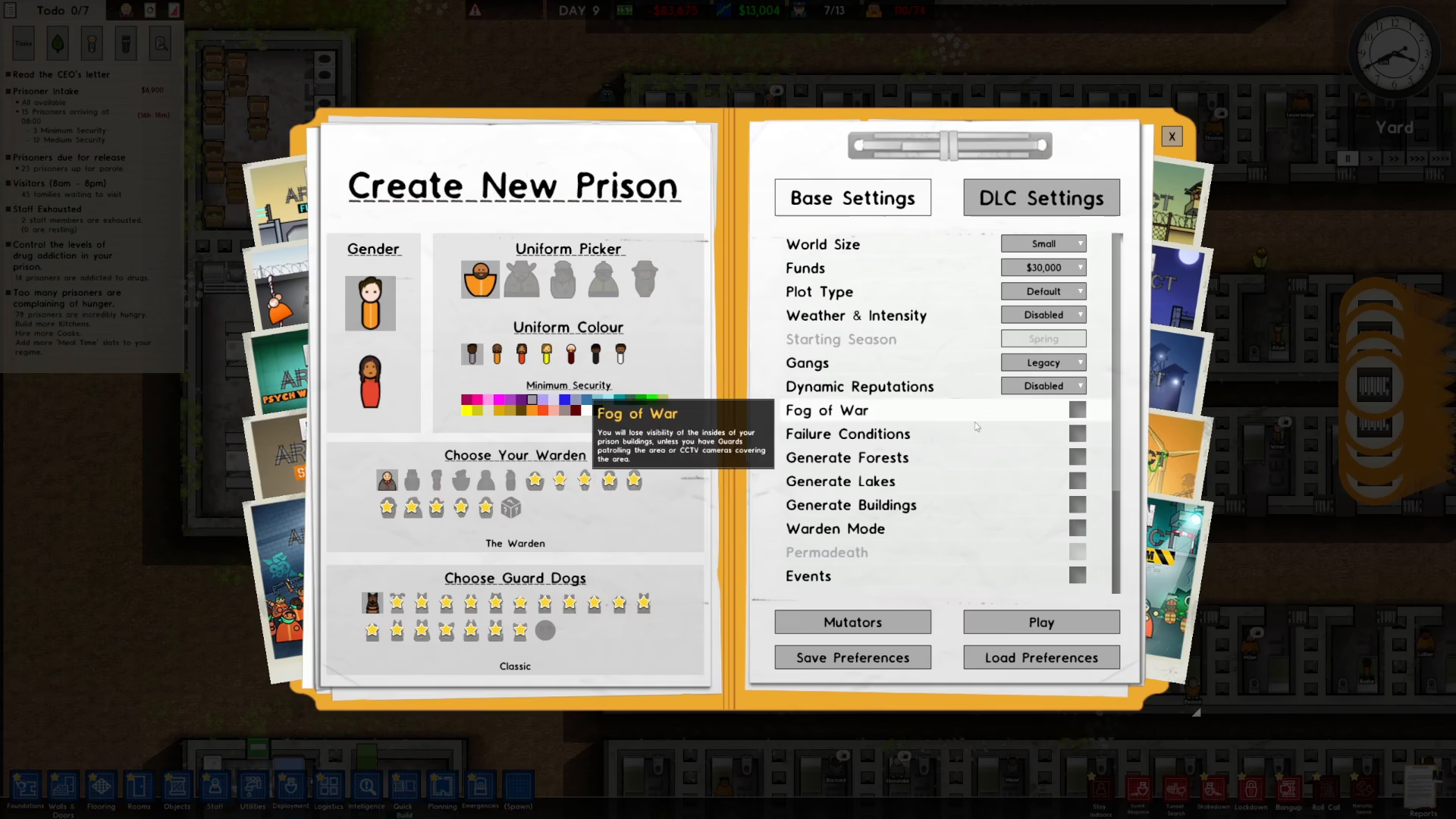
Once you’ve selected Legacy, simply click the “Play” button to start your new prison with gangs enabled.
Summary
Enabling gangs in Prison Architect is straightforward: create a new prison, click the gangs dropdown on the right side, select “Legacy,” and click Play. Now you’re ready to manage a prison with the added challenge of gang dynamics!
— Want to Support? —
If you would like to help us continue making these guides – please consider joining our patreon here – https://www.patreon.com/c/JaviHeals
Alternatively – you can join our discord here – https://discord.gg/zD7Gjt6MHF



