






How To Turn On Unlimited Money In Prison Architect
How To Turn On Unlimited Money In Prison Architect
Looking to build your dream prison without worrying about budget constraints? This quick tutorial will show you how to enable unlimited funds in Prison Architect, allowing you to focus on designing and managing your facility without financial limitations.
Enabling Unlimited Funds
The process of activating unlimited money in Prison Architect is straightforward and takes just a few steps.
Step 1: Create a New Prison
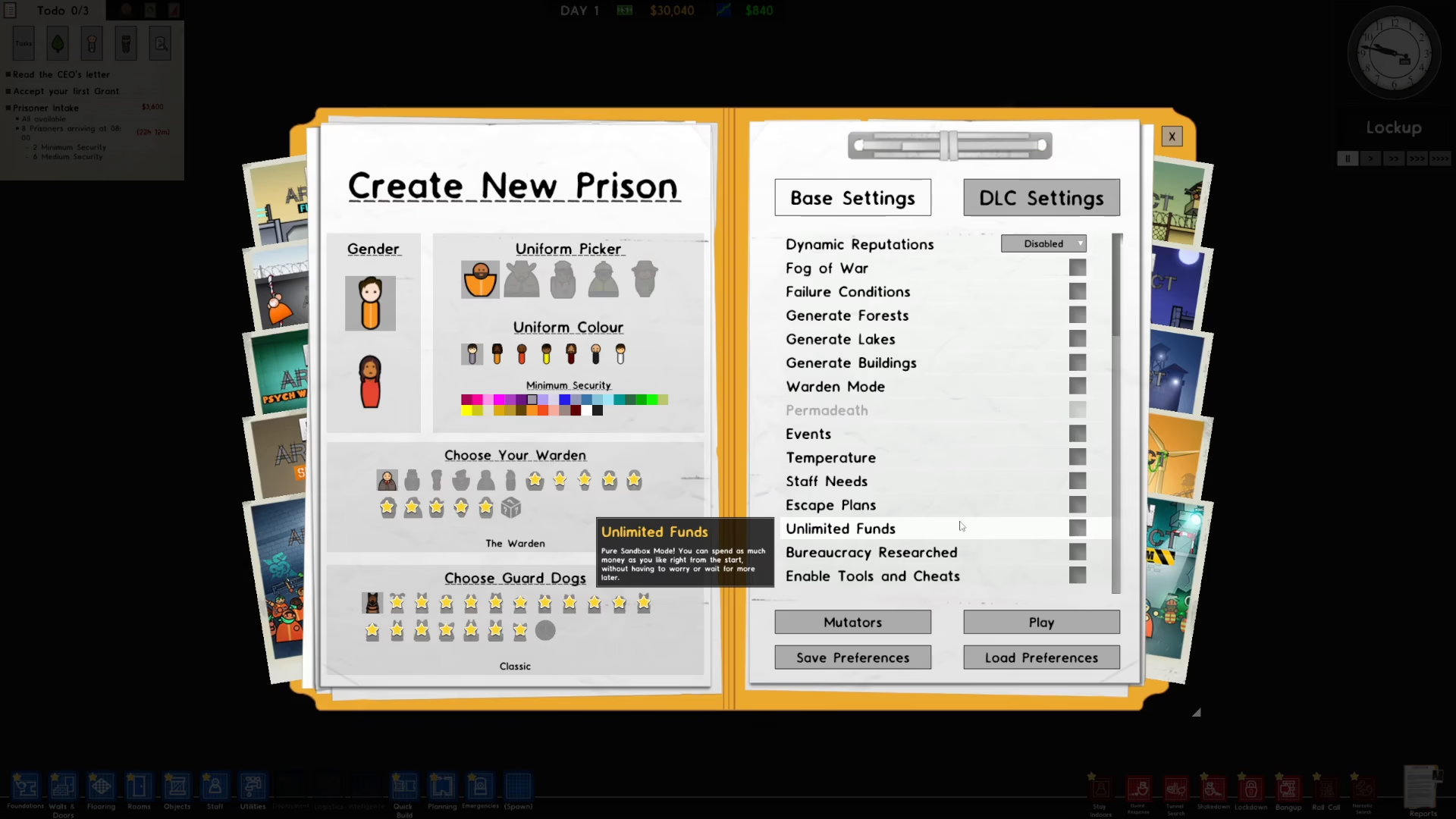
Start by creating a new prison. You’ll be presented with various setup options on the right side of your screen.

Step 2: Locate the Unlimited Funds Option
Scroll down through the available options on the right side of the setup menu. You’ll find an option labeled “Unlimited Funds” among the customization settings.
Step 3: Activate Unlimited Funds
Click the checkbox next to “Unlimited Funds” to enable it. Once you’ve ticked the option, you’re ready to proceed.
Step 4: Start Your Game
Press the “Play” button to begin your prison with unlimited money enabled.
Summary
That’s all there is to it! You now have unlimited money in your Prison Architect game. With this setting enabled, you can build and expand your prison facility without worrying about running out of funds, allowing you to experiment with designs and focus purely on management and strategy.
Want to Support?
If you would like to help us continue making these guides – please consider joining our patreon here – https://www.patreon.com/c/JaviHeals
Alternatively – you can join our discord here – https://discord.gg/zD7Gjt6MHF



