






How To Become A Ghoul Without Mods In Fallout 4
How To Become A Ghoul Without Mods In Fallout 4
Want to transform your character into a ghoul in Fallout 4 without installing any mods? This guide walks you through a simple console command method that works on PC. Follow these straightforward steps to change your character’s race and explore the game from an entirely new perspective.
Requirements
To use this method, you must be playing Fallout 4 on PC. This technique relies on console commands, which are only accessible on the PC version of the game.
How to Become a Ghoul
Step 1: Open the Console
Press the tilde key (~), which is located below the Escape key on your keyboard. This will open the developer console where you can input commands.

Step 2: Enter the Ghoul Race Command
Type the following command into the console:
player.setrace ghoul
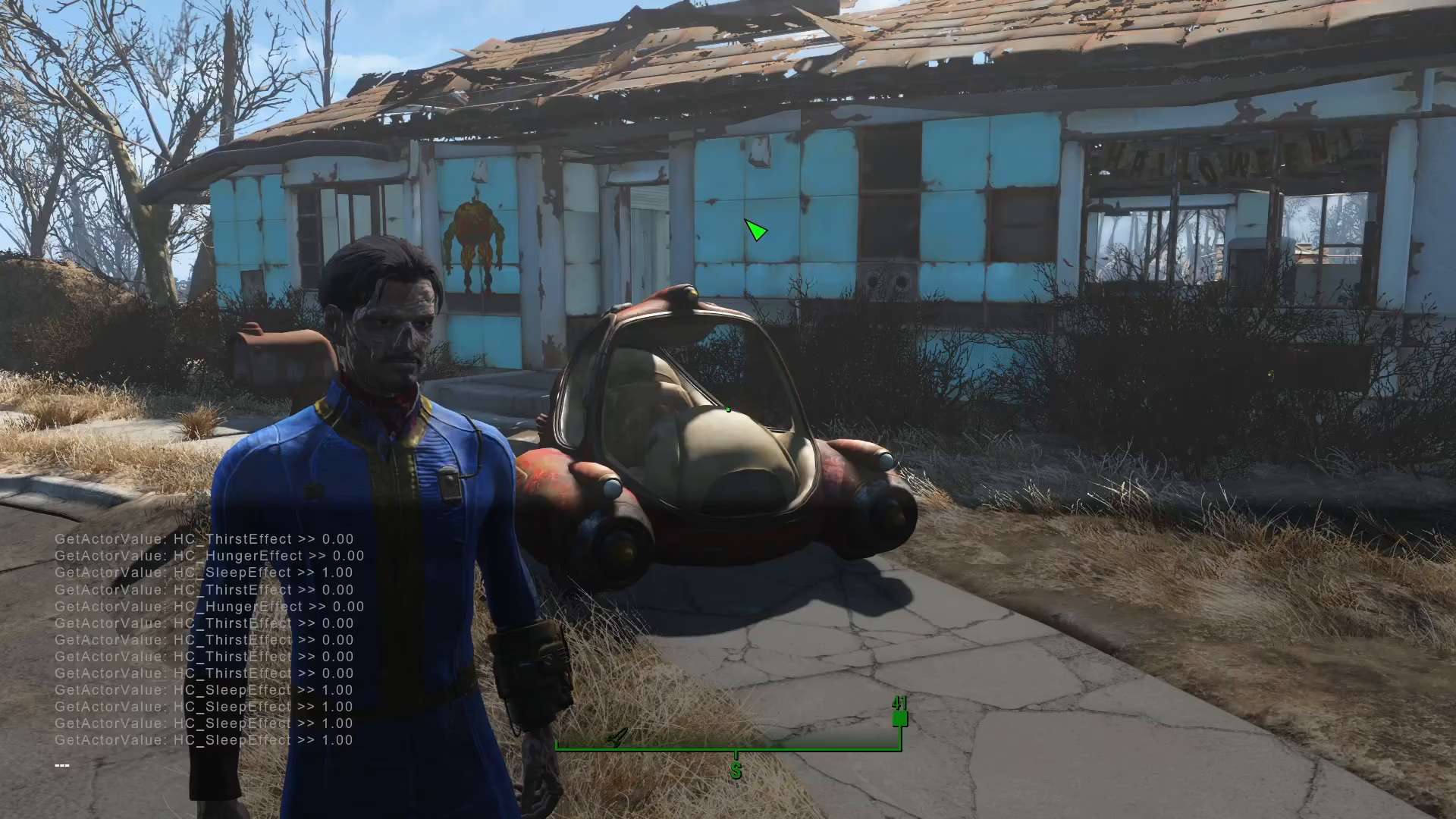
Press Enter to execute the command. Your player character will immediately transform into a ghoul.

How to Change Back to Human
If you want to revert your character back to human form, open the console again using the tilde key (~) and enter:
player.setrace human
Press Enter, and your character will return to normal human appearance.
Summary
Becoming a ghoul in Fallout 4 without mods is incredibly easy—it only requires two simple console commands. Use player.setrace ghoul to transform and player.setrace human to change back. This method works exclusively on PC and gives you complete control over your character’s appearance whenever you want to switch.
Want to Support?
If you would like to help us continue making these guides – please consider joining our patreon here – https://www.patreon.com/c/JaviHeals
Alternatively – you can join our discord here – https://discord.gg/zD7Gjt6MHF