






How To Scrap Junk Without Dropping It In Fallout 4
How To Scrap Junk Without Dropping It In Fallout 4
Managing your junk inventory in Fallout 4 doesn’t have to be a tedious process. Many players waste time dropping items on the ground and using workshop mode to break them down individually. However, there’s a much more efficient method that saves you time and effort. Learn how to scrap junk directly from your inventory without dropping anything on the ground.
The Traditional (Inefficient) Method
The naive approach to breaking down junk into raw materials involves several unnecessary steps. You would need to drop all your junk items onto the ground, then enter workshop mode and manually scrap each item individually to convert them into raw light components. This method is time-consuming and clutters your play space.
The Better Way: Using Transfer Mode
If you have access to a workshop, you can use a much faster alternative method. Simply enter transfer mode at the workshop. From here, you can press the T key to store all the junk you’re currently holding directly into the workshop inventory.
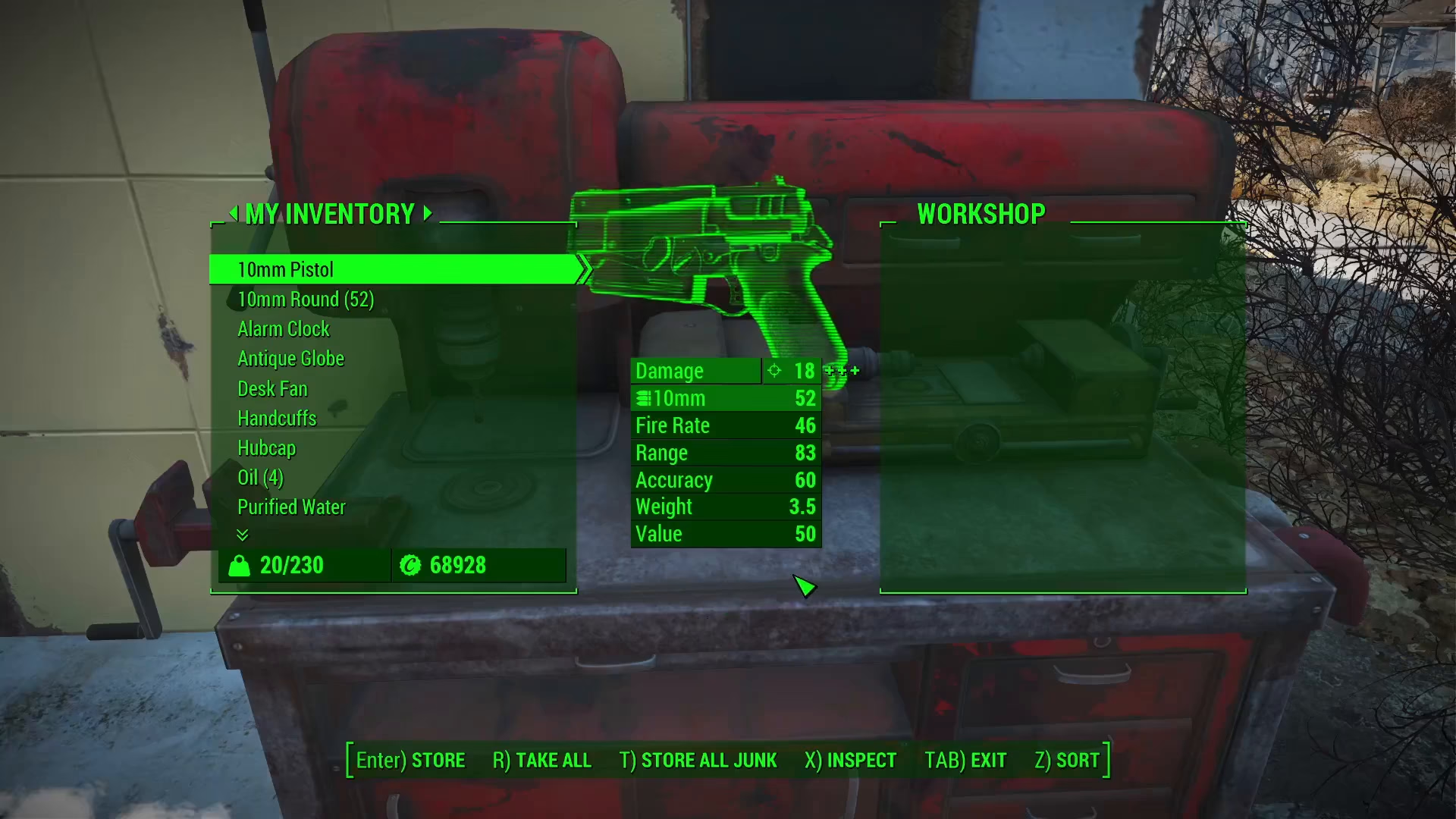
How Junk Functions in Workshop Storage
While storing junk in the workshop inventory won’t immediately convert it into raw materials, the items will function as materials when you need them. When you attempt to build anything using the workshop, the game will automatically pull from the junk items stored in your workshop inventory and break them down into the specific materials required for your construction project.
Key Takeaway
This method allows your junk items to work functionally as materials without the extra steps of dropping and scrapping them manually. It’s a time-saving technique that every Fallout 4 player should know.
Want to Support?
If you would like to help us continue making these guides – please consider joining our patreon here – https://www.patreon.com/c/JaviHeals
Alternatively – you can join our discord here – https://discord.gg/zD7Gjt6MHF