





How To Start Creation Club Quests In Fallout 4
How To Start Creation Club Quests In Fallout 4
Creation Club quests in Fallout 4 can be a great way to expand your gameplay experience with new content. However, many players struggle to find where these quests actually begin. This guide will walk you through the simple process of locating and starting Creation Club quests, so you can jump into these adventures without confusion.
Understanding the Updated Quest System
Recent updates to Fallout 4 have changed how Creation Club quests are presented to players. Previously, these quests would automatically clutter your Pip-Boy as soon as you exited Vault 111, making it overwhelming to manage your quest log. The developers addressed this issue by moving these quests to a more organic discovery system.
Now, instead of receiving automatic quest notifications upon exiting the vault, Creation Club quests are discovered naturally as you explore the world or can be started from specific locations and NPCs you encounter during gameplay.
How to Find Creation Club Quests
Accessing the Installed Content Page
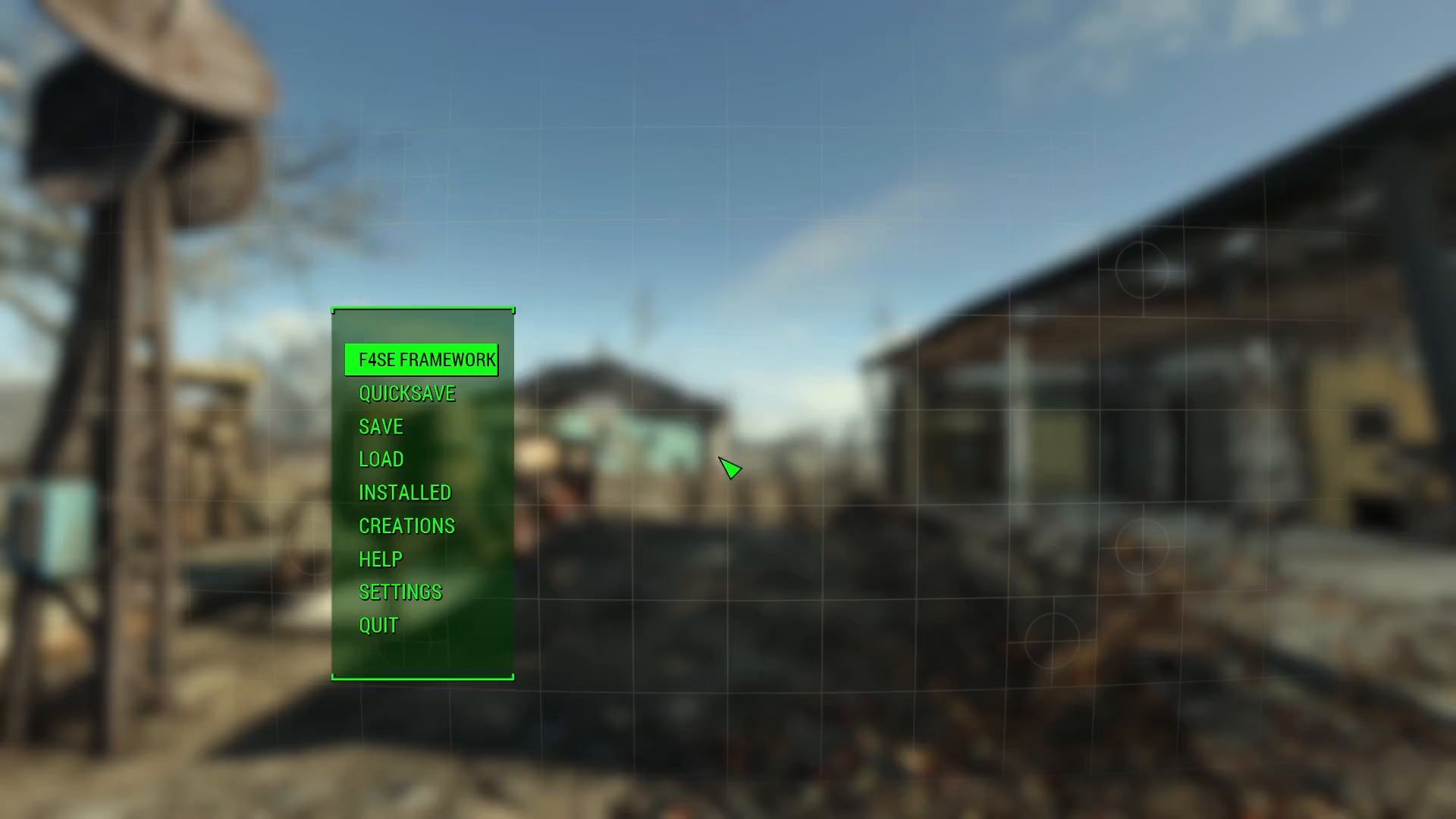
The easiest way to find out where Creation Club quests are located is through the Installed page. You can access this from the main menu, or alternatively, open it from your Pip-Boy by navigating to the appropriate section.
Reading Quest Location Information
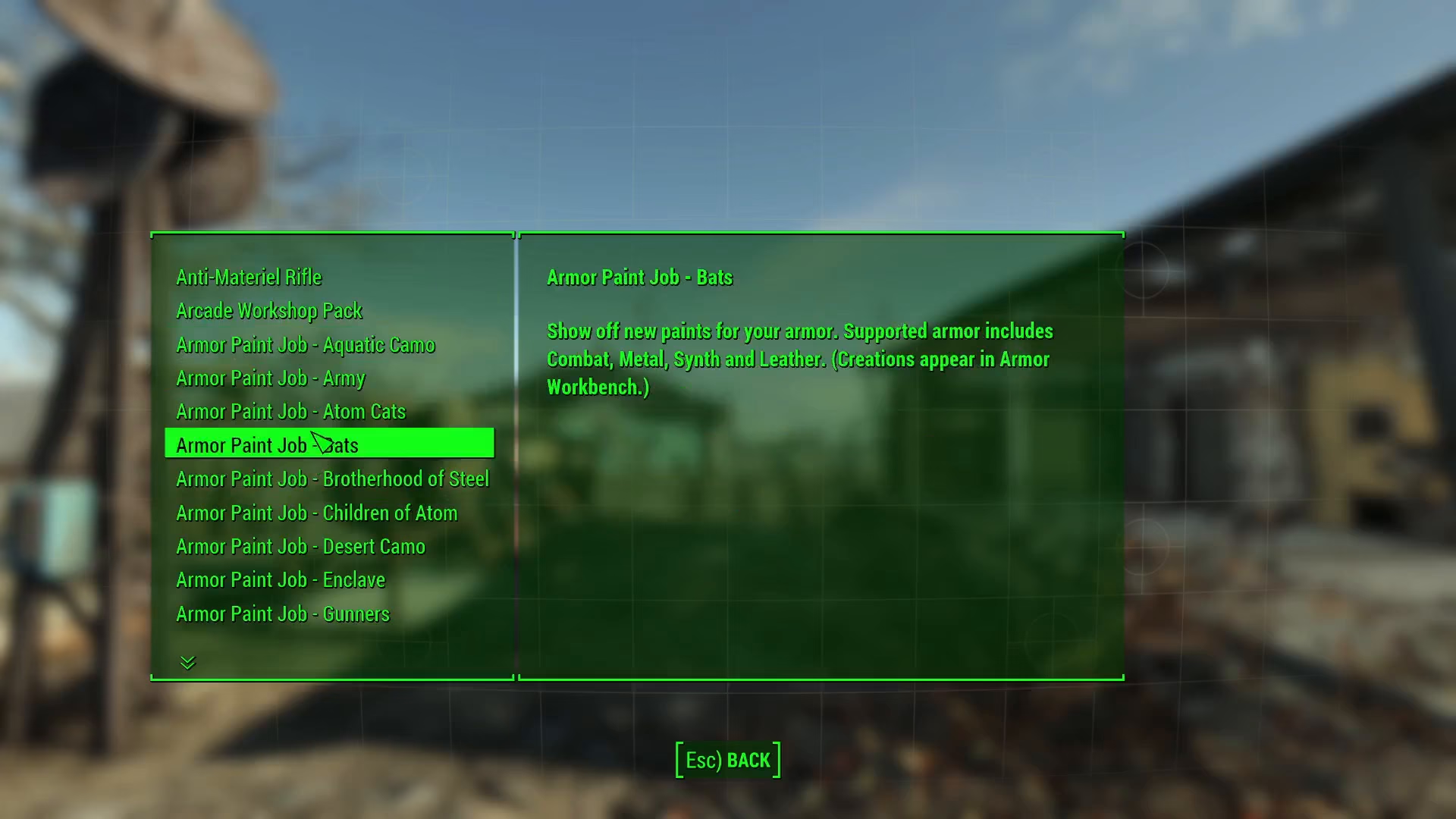
Once you’re on the Installed page, scroll through your installed Creation Club content. You’ll notice that each item includes helpful information in parentheses that tells you exactly where to go or how to start the associated quest.
Quest Location Example
For example, the “Ghoul Madness” quest can be found by investigating the racetrack at Easy City Downs. This type of descriptive information is provided for most Creation Club quests, guiding you to the specific location where you need to travel to trigger the quest or interact with relevant quest items.
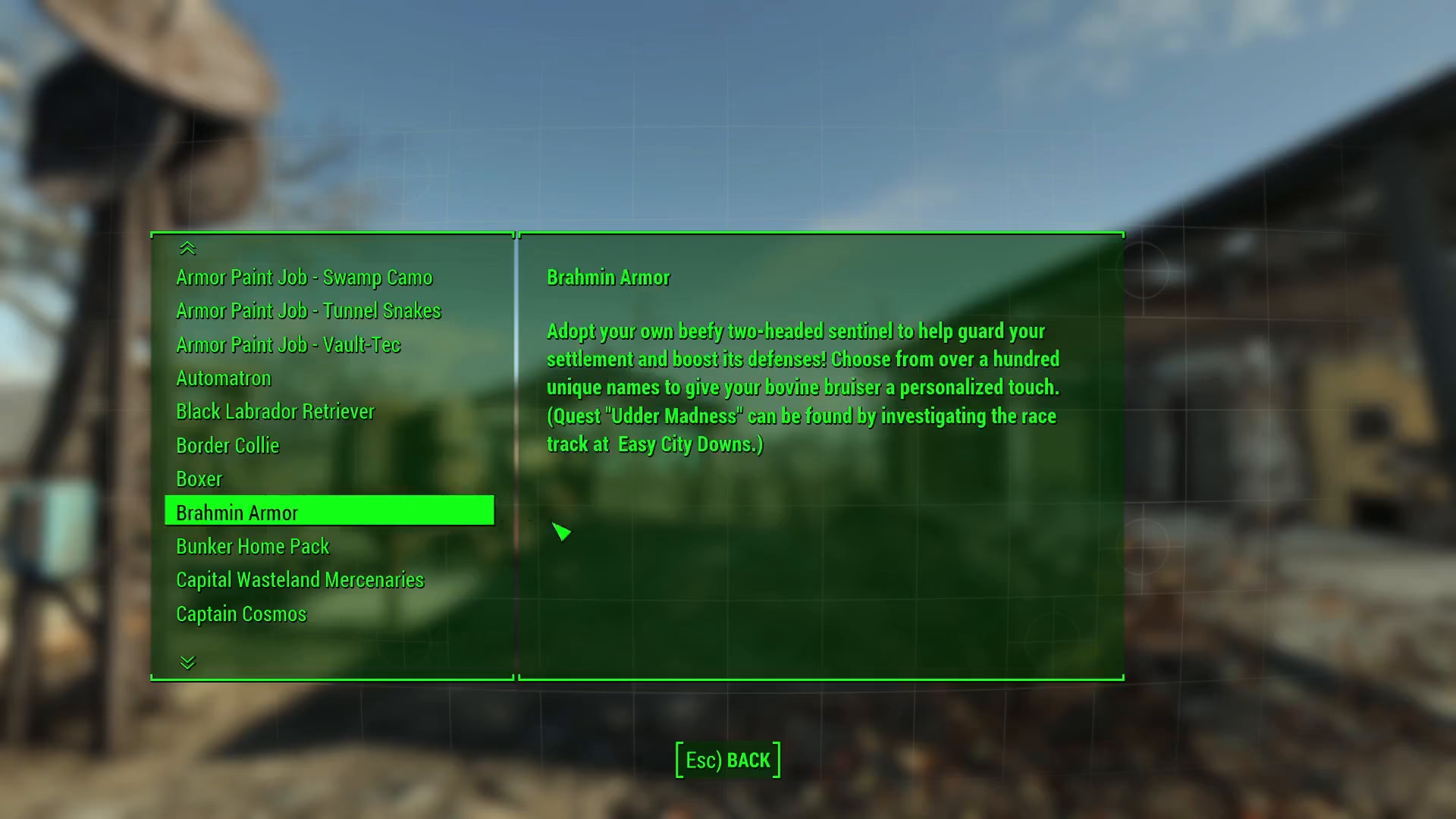
Simply follow the instructions provided in the parentheses for each Creation Club item, and you’ll be able to locate and start any quest you’re interested in exploring.
Summary
Starting Creation Club quests in Fallout 4 is straightforward once you know where to look. Check the Installed page from the main menu or Pip-Boy, read the location information provided in parentheses for each item, and travel to the specified location to begin your quest. This new system keeps your quest log clean while still giving you access to all the Creation Club content you’ve downloaded.
— Want to Support? —
If you would like to help us continue making these guides – please consider joining our patreon here – https://www.patreon.com/c/JaviHeals
Alternatively – you can join our discord here – https://discord.gg/zD7Gjt6MHF