






How to Play With Friends in Wardogs
How to Play With Friends in Wardogs
Want to squad up with your friends in Wardogs but don’t know how to find the same server? This quick guide shows you exactly how to join your friends’ servers using two simple methods: browsing community servers or joining by Server ID. Follow these steps and you’ll be playing together in no time.
Finding Community Servers
The easiest way to start playing with friends is through the community server browser. On the left-hand side of the main menu, you’ll find a Deploy option. Click on it and select Community Servers.
Your friends may already have a dedicated community server running. If they do, they can simply tell you the server name, and you can search for it in the browser list and join directly.
Joining Unofficial Servers
If your friends are playing on an unofficial server, they’ll likely be on a numbered server like “Europe West 121.” You have two options to join them:
Method 1: Browse and Click
Simply locate the server in the community server list (for example, Europe West 121) and click to join it. Your friends can all coordinate to play on the same named server.
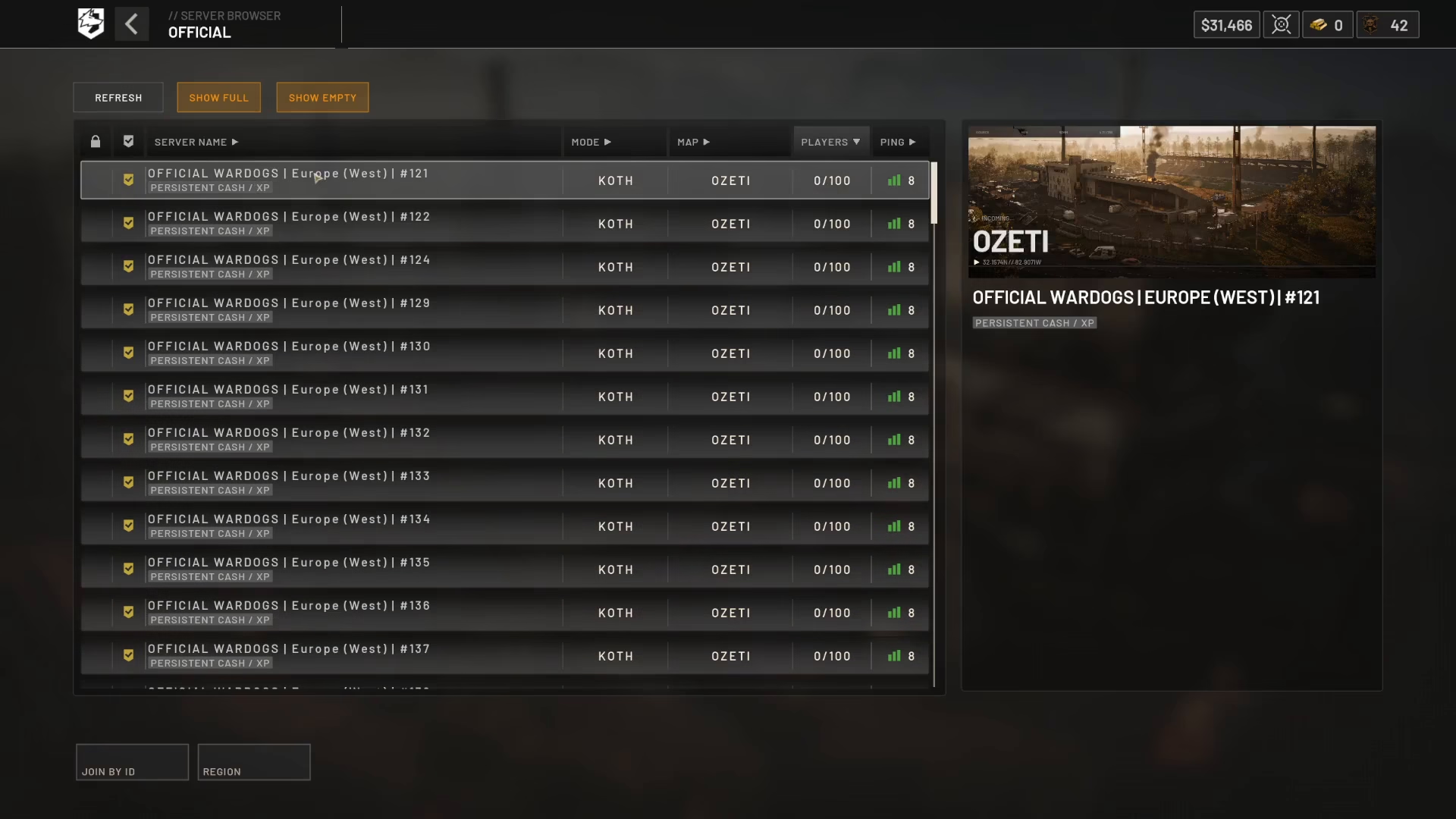
Method 2: Join by Server ID (Recommended)
This is the fastest method, especially if you’re searching through many servers. On the right-hand side of the server browser, you’ll see the Server ID displayed for each server. For example, a server might have ID 845947.
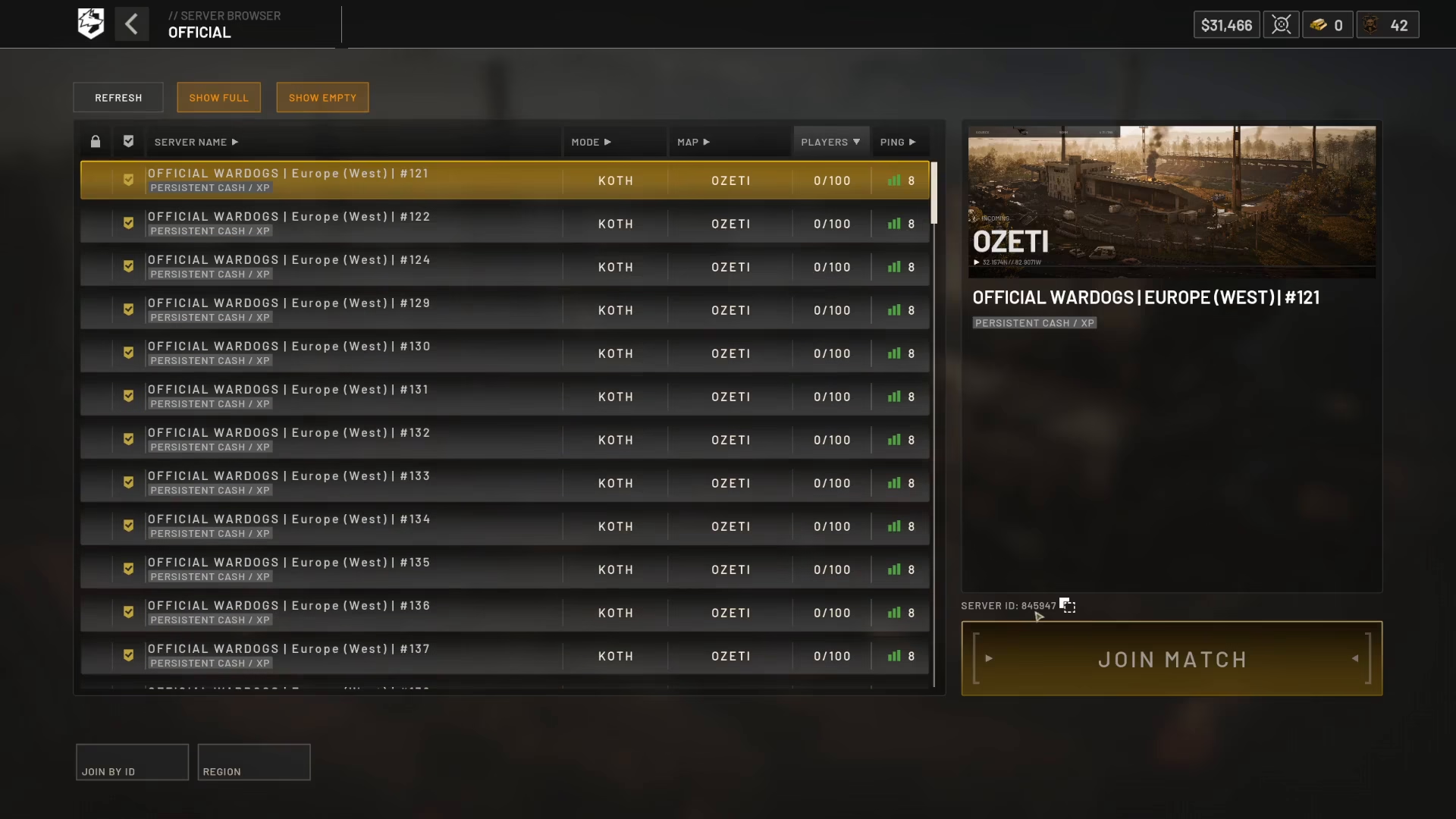
At the bottom left of the screen, select Join by ID. Enter the server ID that your friends provide (you can share it via Discord or any chat platform), and Wardogs will automatically look up and connect you to that exact server.
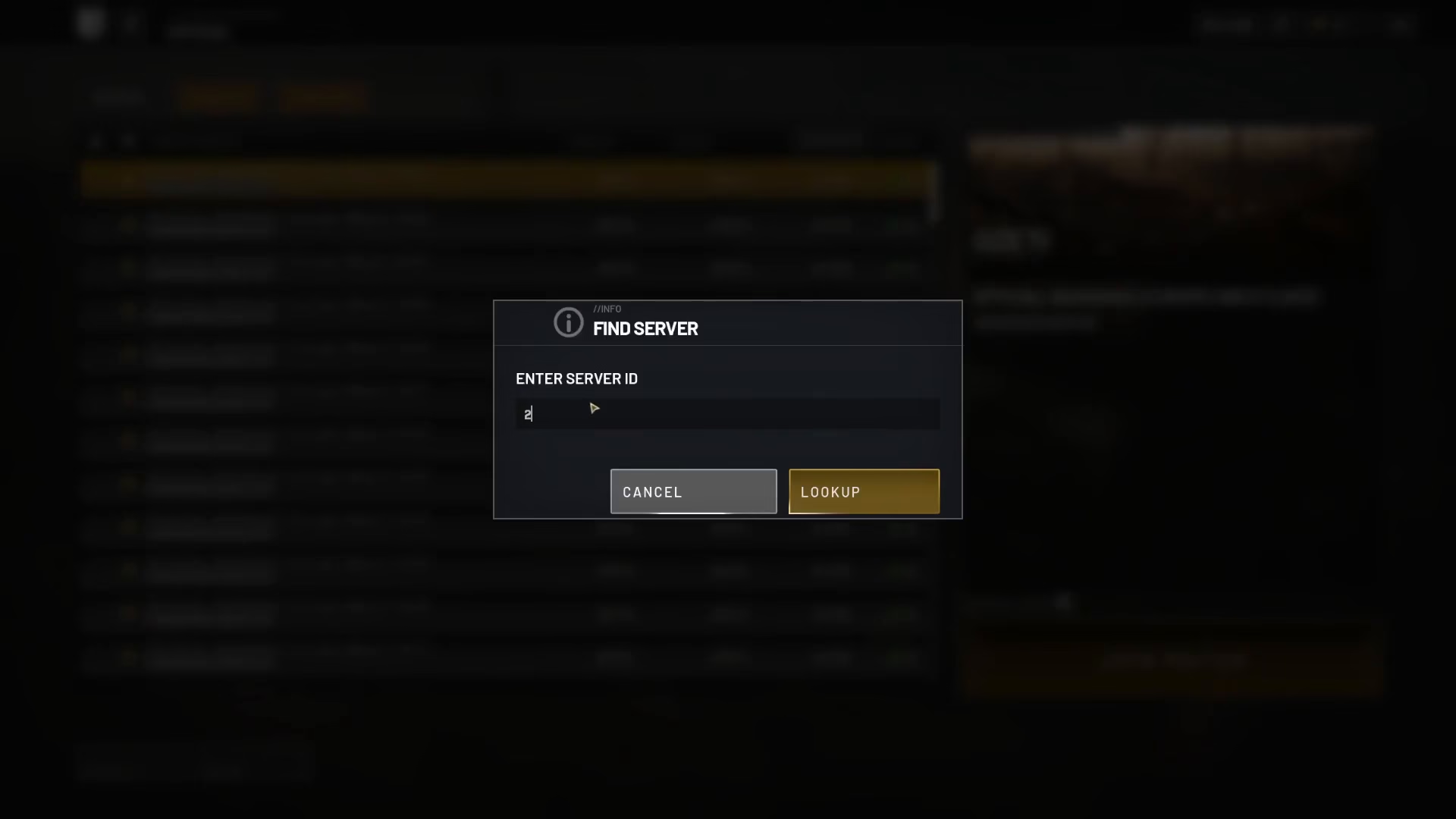
This method eliminates the need to scroll through endless server lists and gets you playing with your squad instantly.
Summary
Playing with friends in Wardogs is straightforward once you know the two main methods:
Browse Community Servers: Search by server name and click to join
Join by Server ID: Share the Server ID with friends and use the “Join by ID” feature for instant connection
The Server ID method is the quickest and most reliable way to ensure everyone ends up on the same server without confusion.
— Want to Support? —
If you would like to help us continue making these guides – please consider joining our patreon here – https://www.patreon.com/c/JaviHeals
Alternatively – you can join our discord here – https://discord.gg/zD7Gjt6MHF


