How To Activate Dev Mode In Rimworld
How To Activate Dev Mode In Rimworld
Developer Mode in Rimworld is a powerful feature that unlocks debugging tools, spawning capabilities, and cheat functions to enhance your gameplay experience. Contrary to what many players believe, activating Dev Mode is surprisingly simple and takes just a few clicks. This guide will walk you through the entire process and show you the incredible features available once it’s enabled.
Accessing the Options Menu
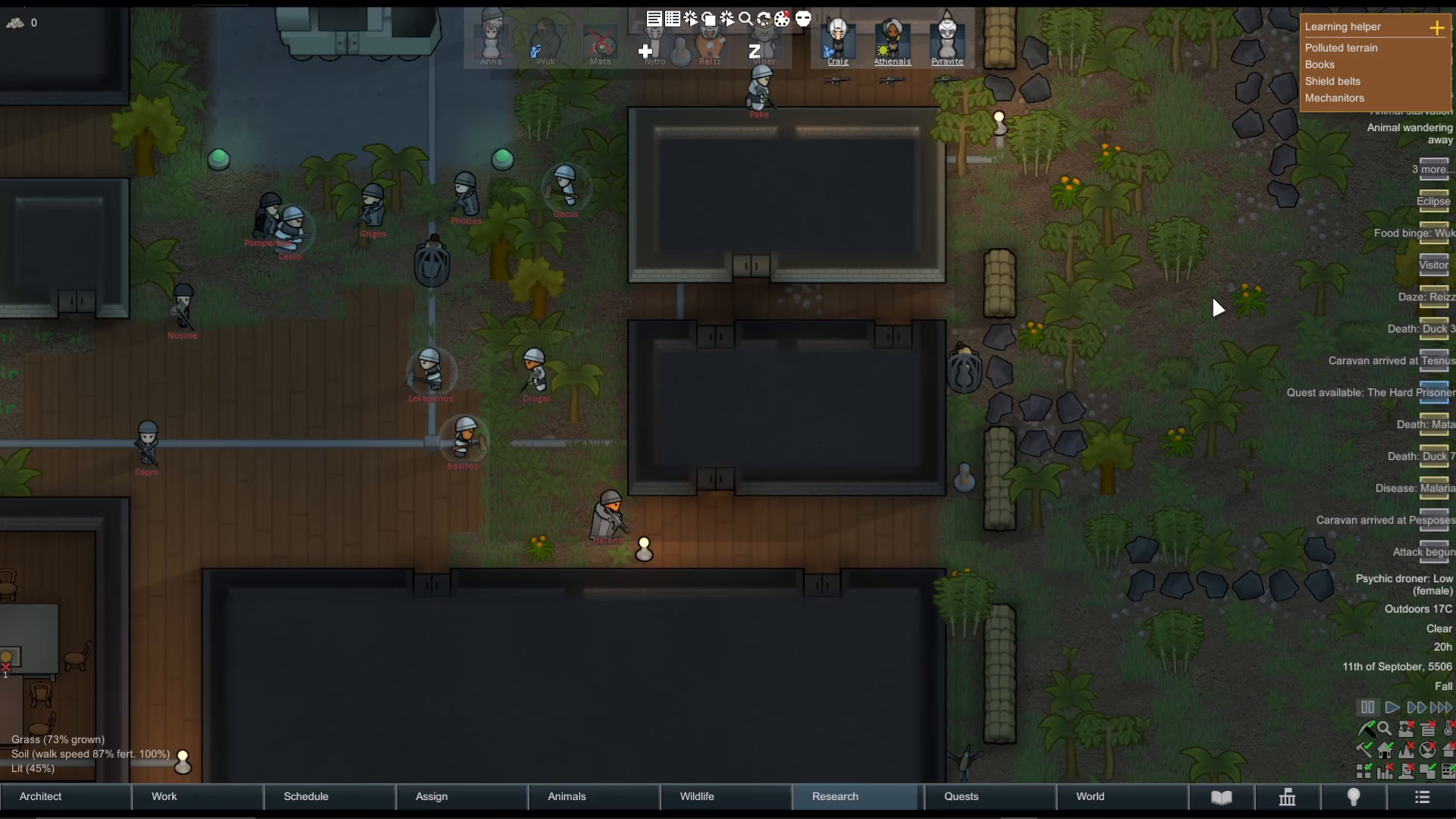
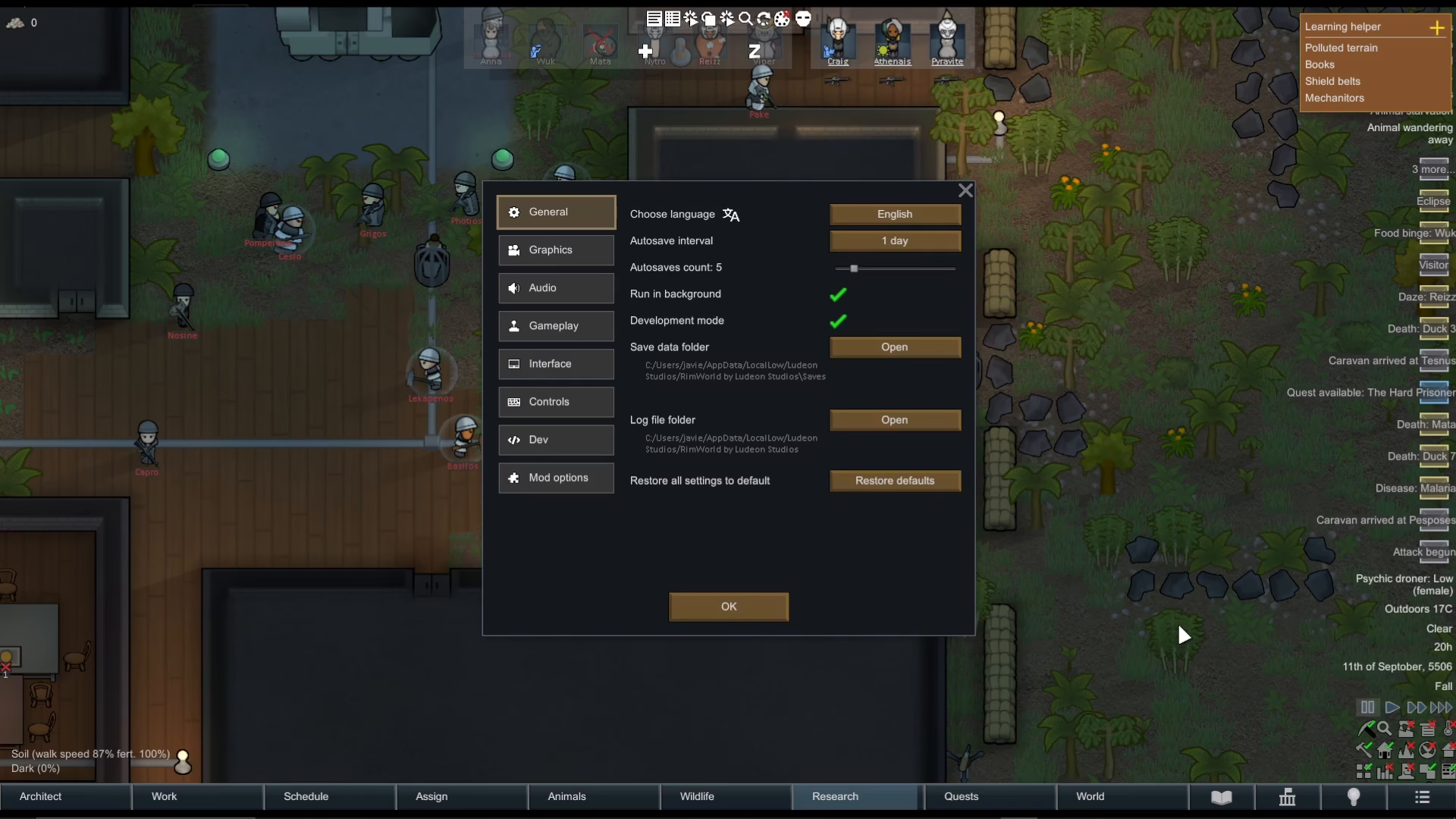
To begin, press the Escape key on your keyboard to open the main menu. From here, navigate to Options.
Enabling Development Mode
Once you’re in the Options menu under General settings, look for the Development Mode toggle. It can be a bit difficult to spot at first glance, but it’s located in the settings list. Simply tick the checkbox next to Development Mode to turn it on. If you ever need to disable it, you can untick the same checkbox.
Understanding the Developer Mode Menu
After enabling Development Mode, you’ll notice new options appear in your menu. These include:
Open the Debug Log
Open the Tweak Values menu
Open the Debug Actions menu
The Debug Actions menu is where the real power lies, offering a wide range of functionality for testing and gameplay manipulation.
Exploring the Debug Actions Menu
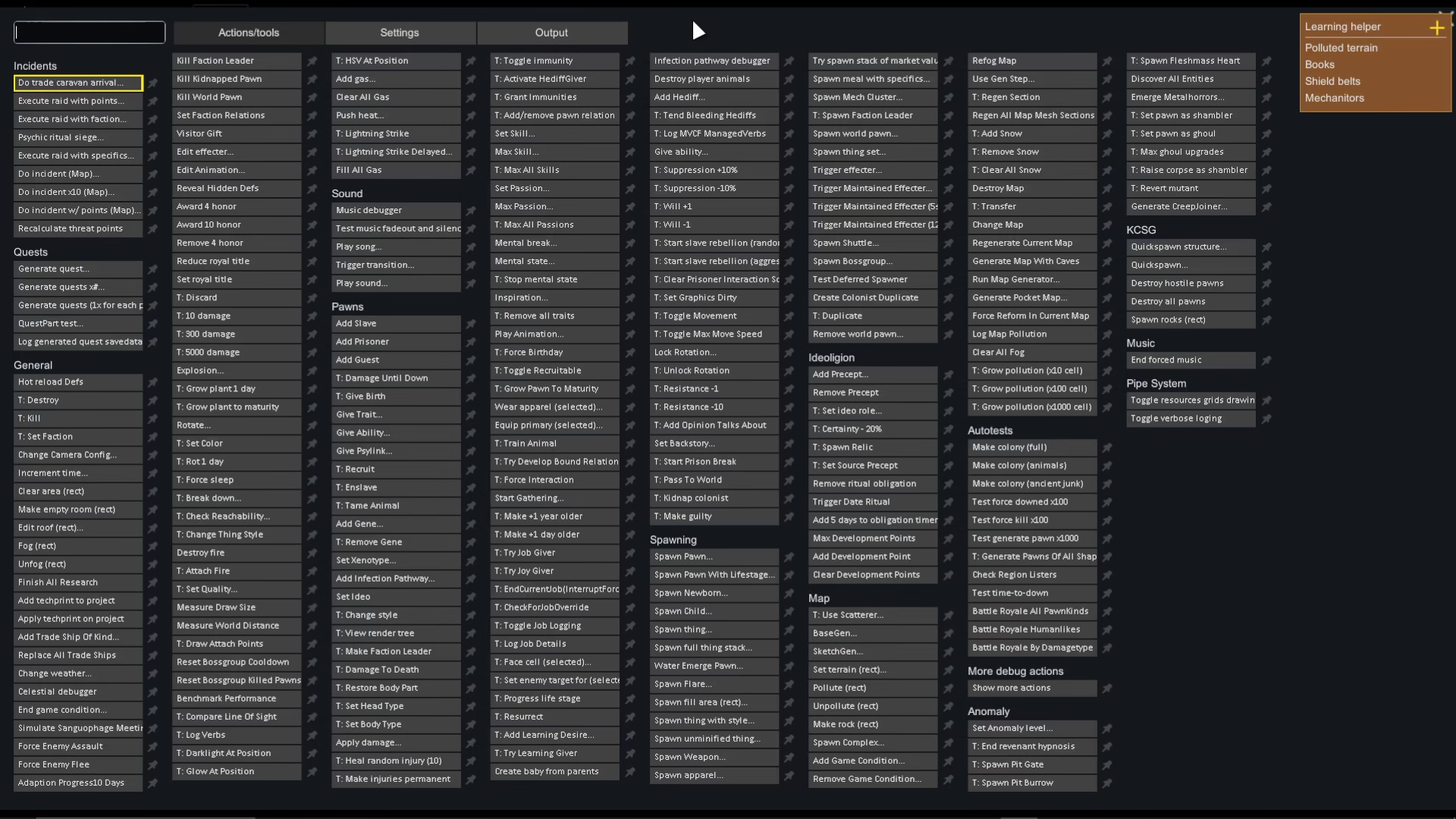
When you open the Debug Actions menu, you’ll see four main categories at the top: Actions, Tools, Settings, and Output. These sections contain numerous commands and features for modifying your game.
Using the Search Function
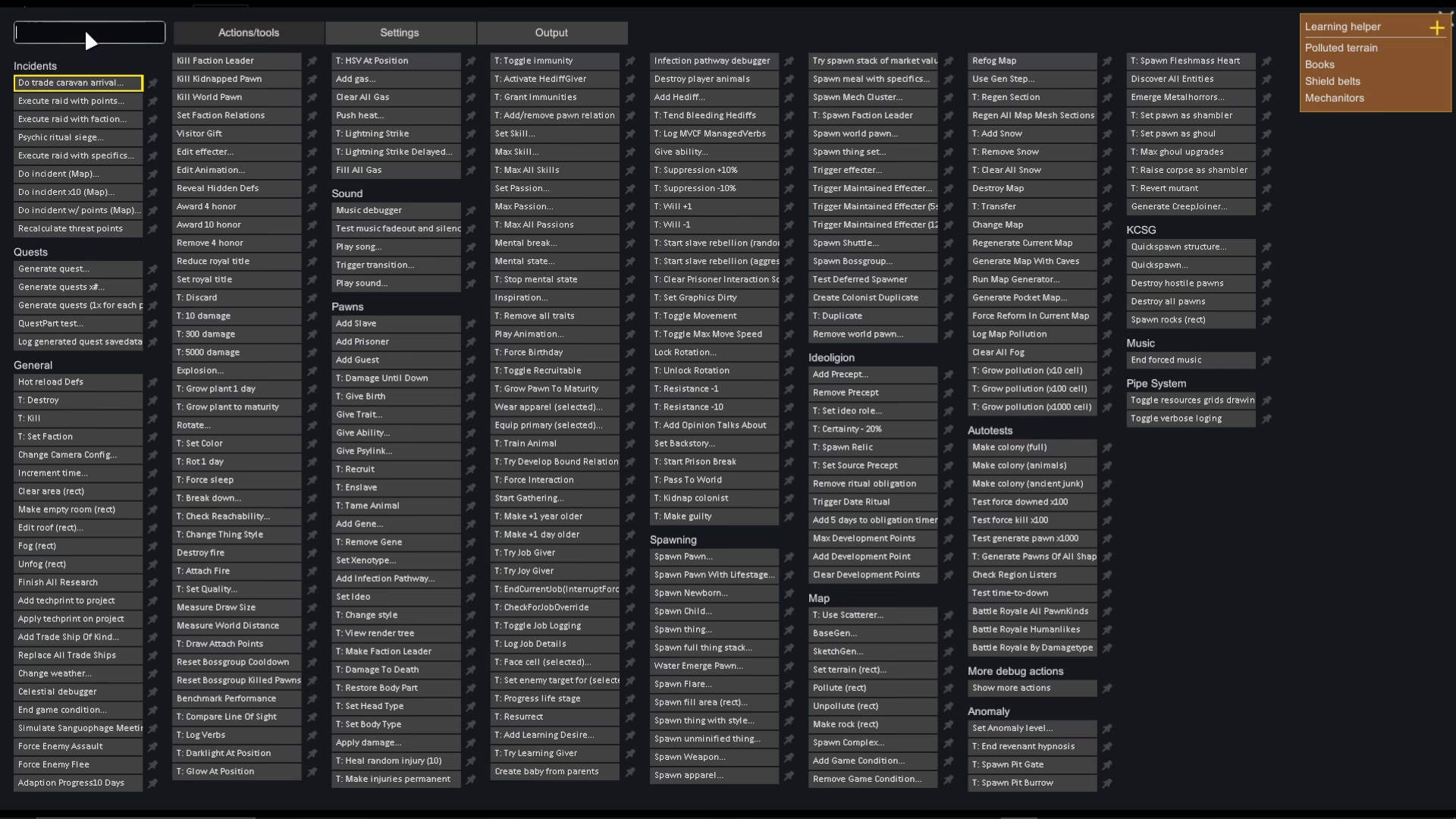
The Debug Actions menu includes a helpful search bar at the top. You can use this to quickly find specific commands. For example, typing “Spawn” will filter the menu to show all spawn-related options.
Key Developer Mode Features
Here are some of the most useful commands available in Dev Mode:
Spawning Items
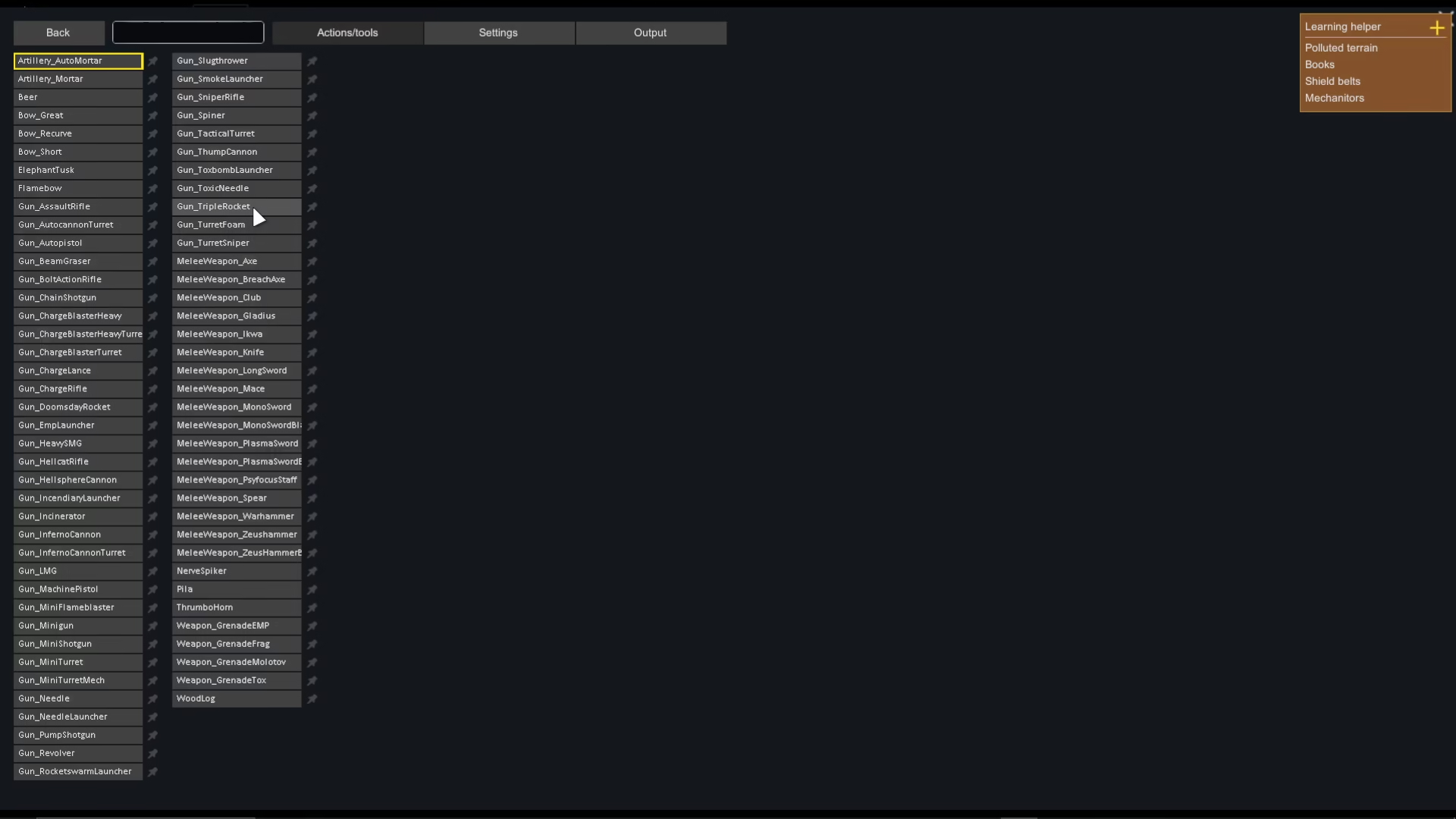
You can spawn virtually any item in the game, including weapons. Use the search function to find “Spawn Weapon” and select the specific weapon you want to add to your colony.
Pawn Manipulation
Developer Mode allows you to modify your pawns in numerous ways:
Give a pawn an ability
Give a pawn a trait
Give a pawn a buff
Convert a guest to a prisoner
Save a pawn
Set a pawn as a fool
Destroy all pawns
Map and Environment Controls
You can manipulate your map in multiple ways:
Regenerate the current map
Add snow
Remove snow
Spawn relics
God Mode
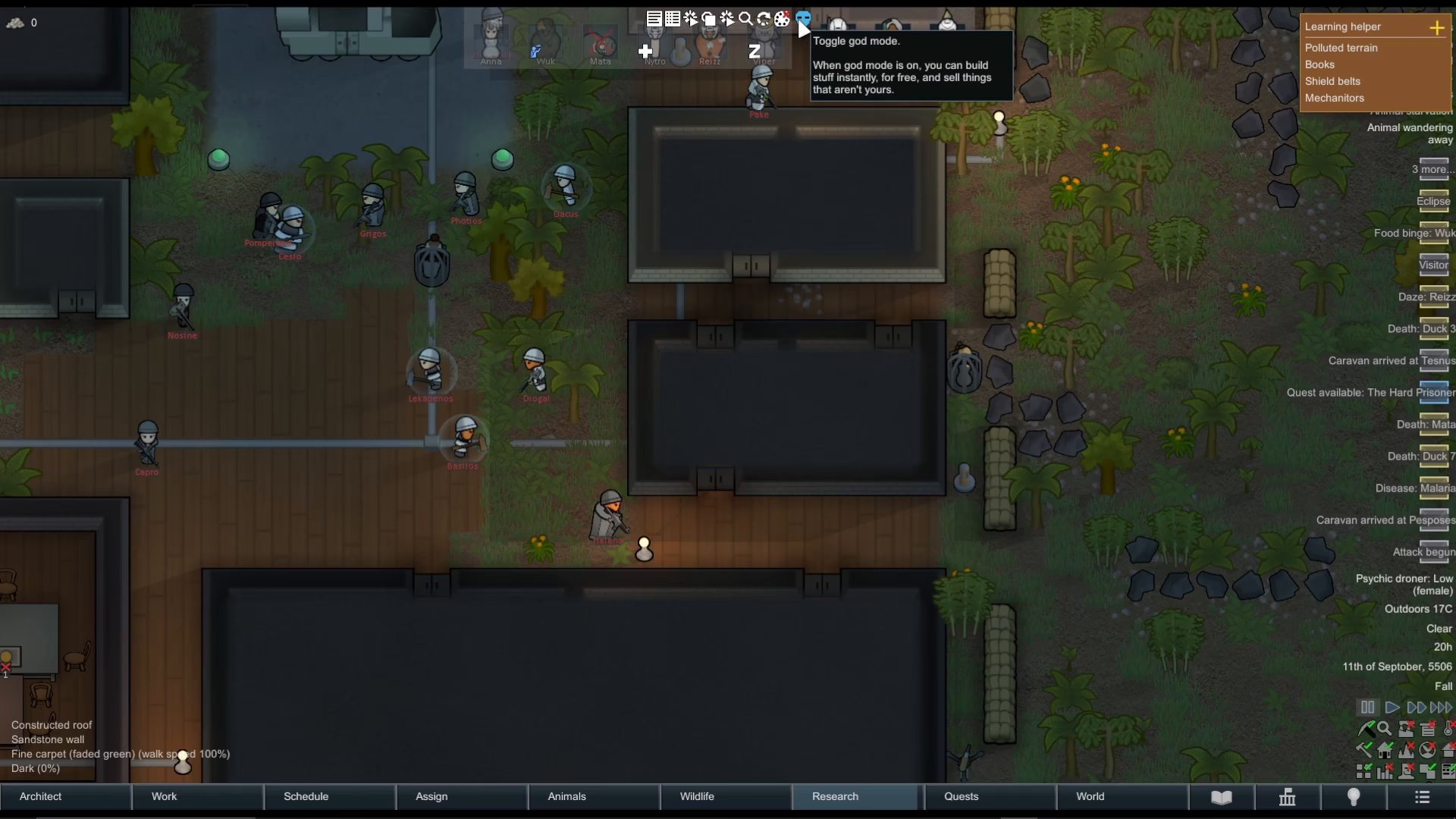
One of the most popular features is toggling God Mode. When enabled, God Mode allows you to build structures instantly at no cost and sell items regardless of ownership. This is ideal for creative building or testing without resource constraints.
Exploring Beyond the Basics
The capabilities within Developer Mode are extensive. We recommend taking time to browse through the Actions and Tools sections to discover all available options. You’ll find commands for everything from forcing buff days to spawning relics and managing your colonists in virtually any way imaginable.
Summary
Activating Dev Mode in Rimworld is straightforward: press Escape, go to Options, and toggle Development Mode on. Once enabled, you gain access to powerful debugging tools through the Debug Actions menu. Whether you’re testing game mechanics, building without constraints using God Mode, or experimenting with spawning items and modifying pawns, Developer Mode significantly expands your creative possibilities. Take time to explore all available commands to make the most of this feature.
— Want to Support? —
If you would like to help us continue making these guides – please consider joining our patreon here – https://www.patreon.com/c/JaviHeals
Alternatively – you can join our discord here – https://discord.gg/zD7Gjt6MHF