






How to Change Scab Scheme in Grounded
How to Change Scab Scheme in Grounded
Learning how to customize your user interface in Grounded can significantly improve your gameplay experience. One useful feature is the ability to change your scab scheme — the color of the glowing interface elements that appear throughout the game. This tutorial will walk you through the process of accessing and modifying these color settings to suit your preferences and visibility needs.
Understanding Scabbies in Grounded
When you’re playing Grounded, you’ll notice small green glowing objects scattered on the ground throughout the game world. These interface elements are called scabbies, and they serve as important visual markers during gameplay. While the default green color works for many players, you may want to customize this to improve visibility or match your personal preference.
Accessing the Scab Scheme Settings
To change your scab scheme, you’ll need to access the settings menu. Navigate to the OS (Operating System) menu where all your customization options are located.
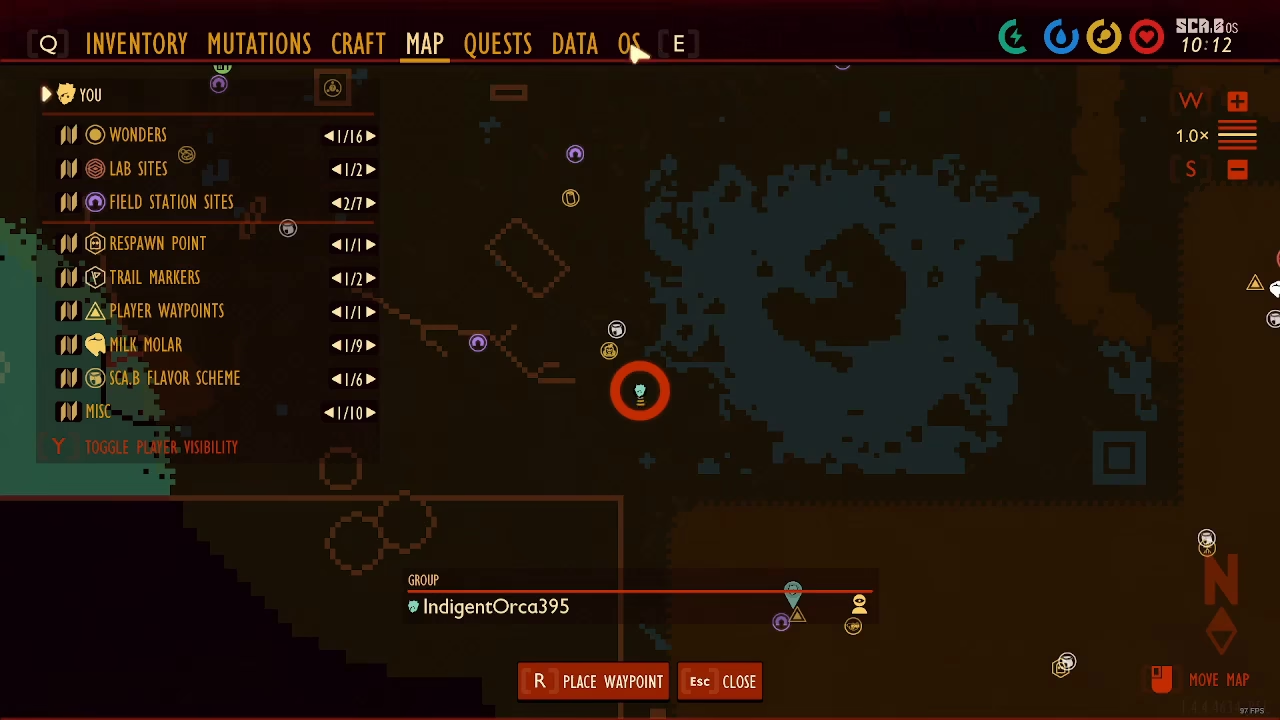
Changing Your Scab Colors
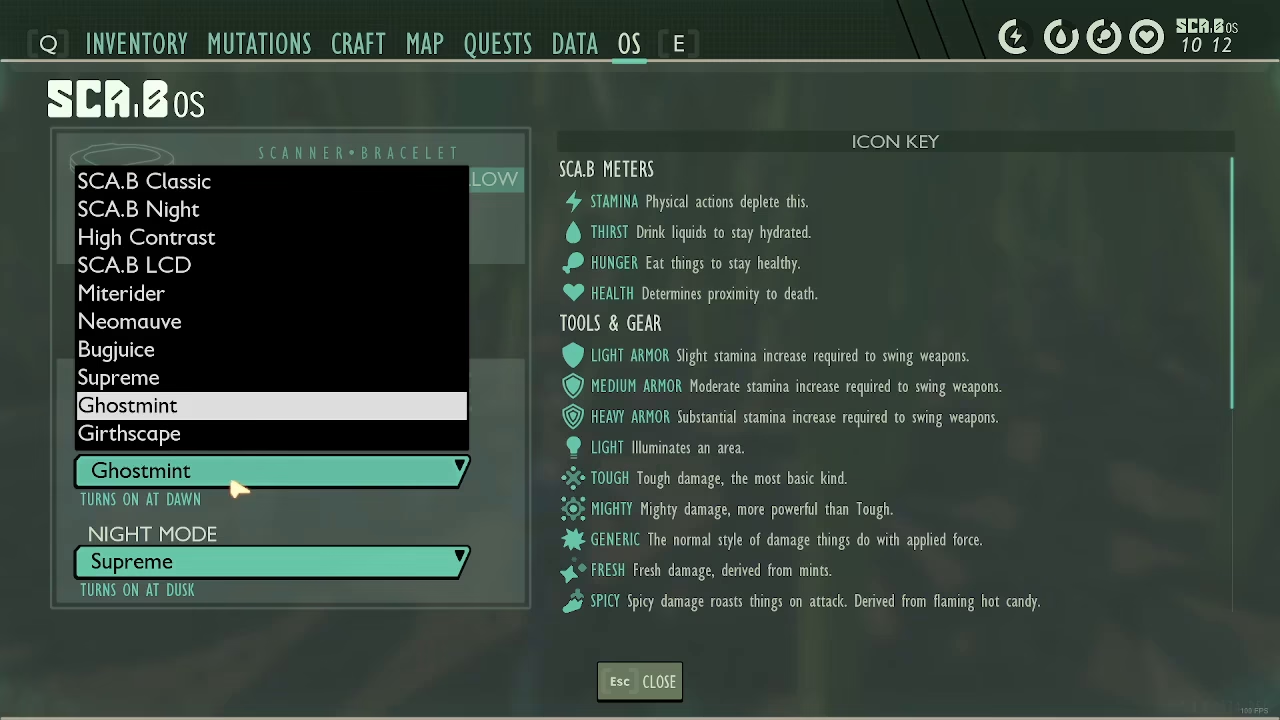
Once you’re in the OS menu, you’ll be able to see different scab color options available to you. As you browse through the various color schemes, you’ll notice that the preview updates in real-time to show you how each color will appear in your game.
Keep in mind that if you’re currently playing in night mode, the color preview may not be as clear or visible as it would be during daytime gameplay. For a better sense of how the colors will actually look during play, consider switching to day mode or checking the preview in different lighting conditions.
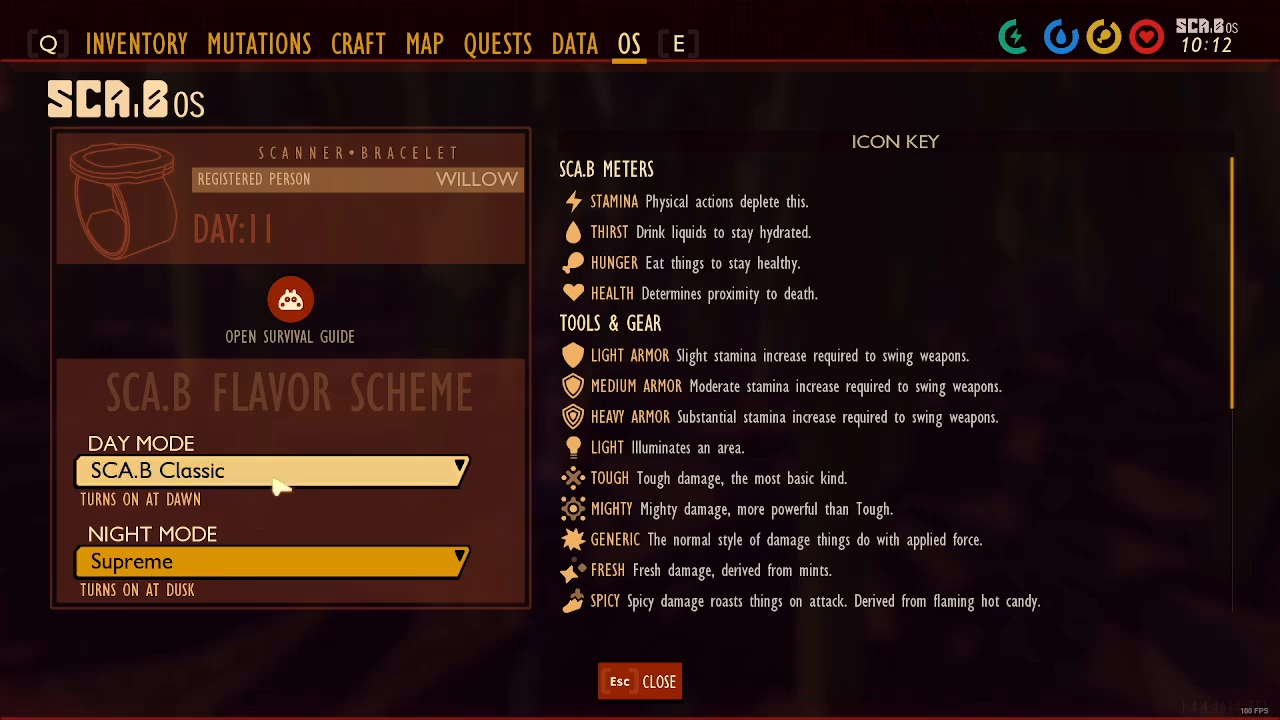
You can cycle through multiple scab color schemes until you find the one that works best for you. Common options include standard colors that enhance visibility and readability depending on your monitor and personal eyesight preferences.
Why Customize Your Scab Scheme?
Changing your scab color scheme isn’t just about aesthetics — it’s a practical way to improve your gameplay. If you find the default green difficult to see against certain in-game backgrounds or environments, selecting a different color can make interface elements more visible and easier to track. This is especially useful for players with color blindness or those playing on screens with different color calibrations.
Summary
Customizing your scab scheme in Grounded is a straightforward process that can enhance your overall gaming experience. Simply access the OS menu, browse the available color options, and select the scheme that provides the best visibility and comfort for your gameplay. With this simple adjustment, you can make the interface elements more suited to your personal needs and preferences, allowing you to focus more on enjoying the game.
— Want to Support? —
If you would like to help us continue making these guides – please consider joining our patreon here – https://www.patreon.com/c/JaviHeals
Alternatively – you can join our discord here – https://discord.gg/zD7Gjt6MHF



