





How To Chop Down Forest in Civ 6
How To Chop Down Forest in Civilization 6
Chopping down forests in Civilization 6 is a straightforward process that gives you access to valuable resources and clears land for development. This guide walks you through the simple steps needed to remove forests from your tiles using builders and the proper tech unlock.
Step 1: Research Mining Technology
The first requirement is to research the Mining technology. This is a foundational tech that unlocks the ability to remove forest features from tiles. Navigate to the Tech Tree located in the top left of your screen and locate Mining in the available technologies.
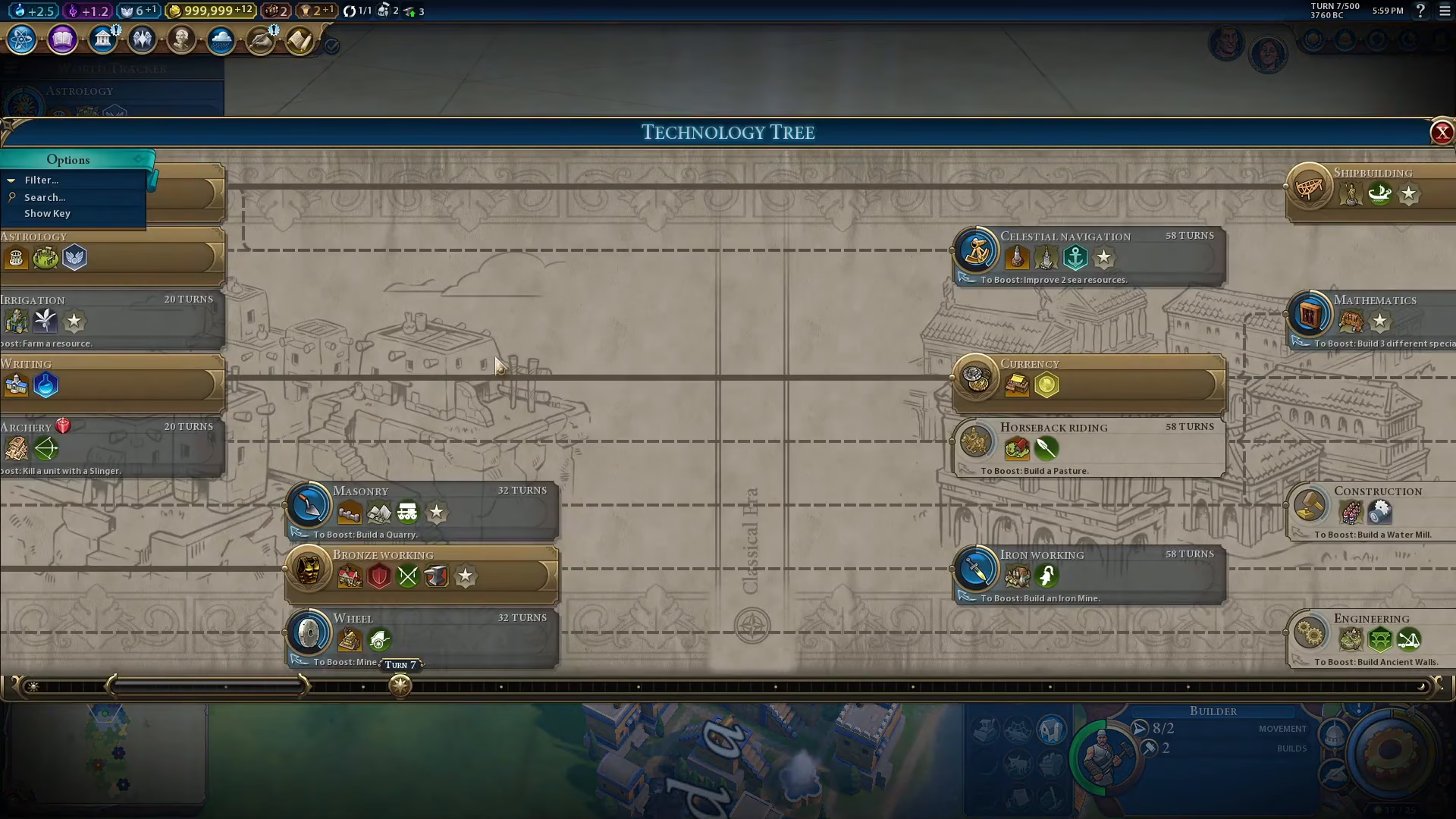
Select Mining and begin your research. This is a prerequisite before you can proceed with any forest removal.
Step 2: Create a Builder
Once you have researched Mining, your next step is to produce a Builder unit. Builders are the key workers you need to remove forest features from tiles in Civilization 6.
📸 [ASSISTANT: TAKE SCREENSHOT AT TIMESTAMP 00::20]
Step 3: Move Your Builder to a Forest Tile
Select your newly created Builder and move it to any tile that contains a forest. Simply navigate the Builder to the forest location on the map.
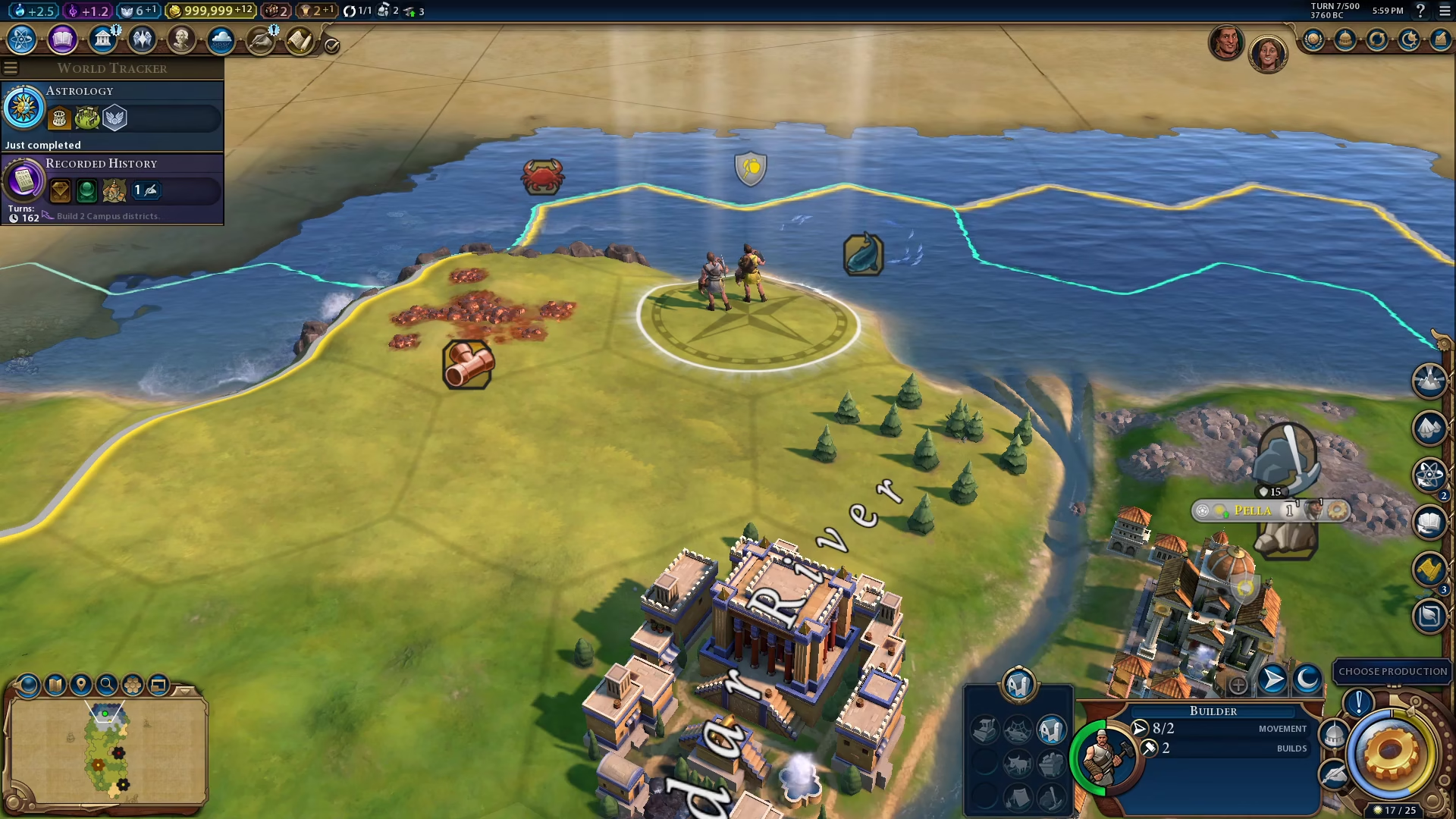
Step 4: Remove the Forest
Once your Builder is on the forest tile, look at the bottom right of your screen. You will see an option labeled “Remove Feature Woods.” Click on this button to chop down the forest.
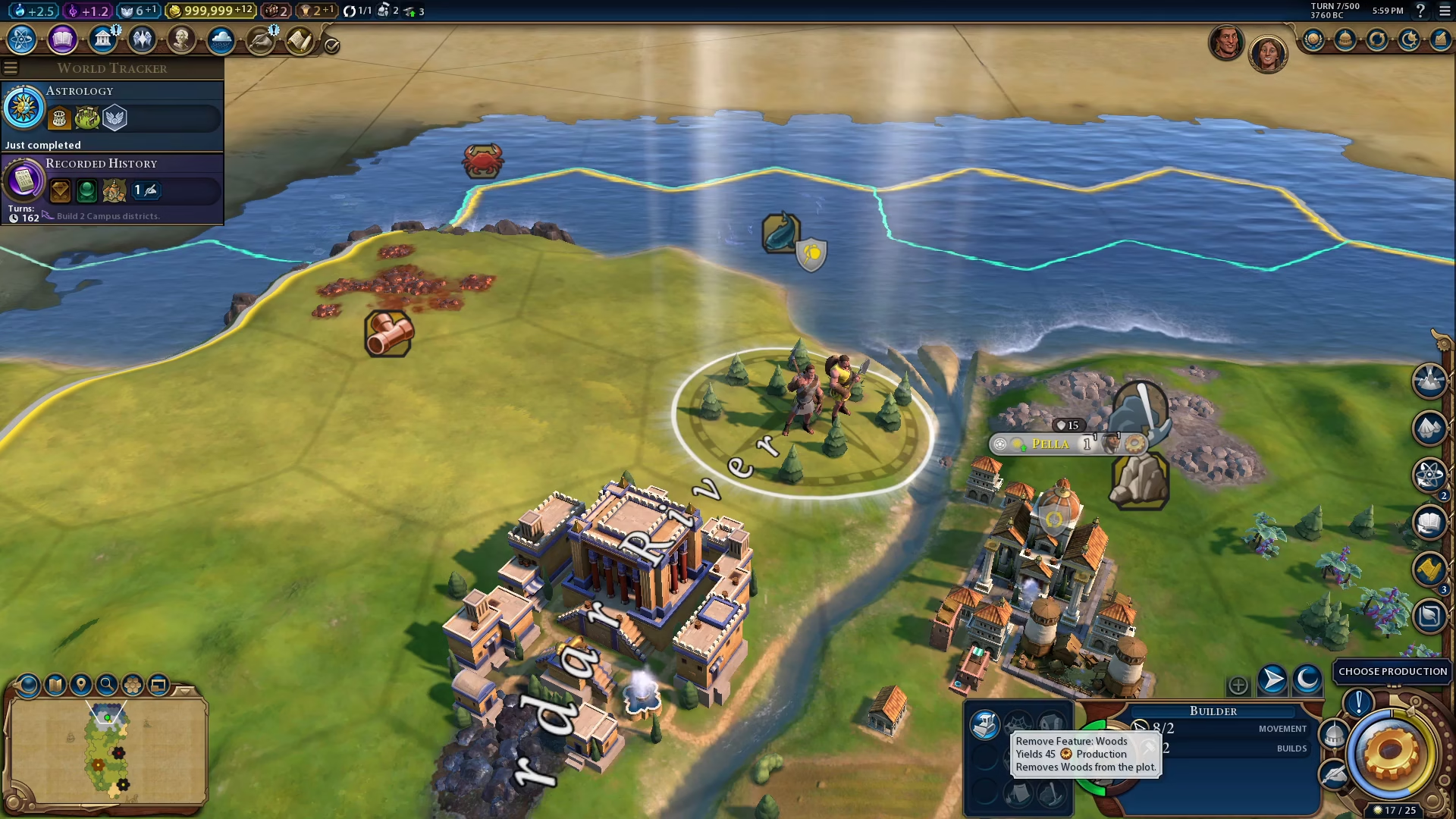
The forest will be removed, clearing the tile and giving you access to any resources that may have been hidden beneath it.
Summary
Chopping down forests in Civilization 6 is simple: research Mining, create a Builder, move it to a forest tile, and click “Remove Feature Woods” on the bottom right of the screen. This basic process allows you to expand your civilization’s development and access valuable resources throughout your territory.
Want to Support?
If you would like to help us continue making these guides – please consider joining our patreon here – https://www.patreon.com/c/JaviHeals
Alternatively – you can join our discord here – https://discord.gg/zD7Gjt6MHF