
How to Make it Stop Raining in Pokopia
How to Make it Stop Raining in Pokopia
Tired of the constant rain in Pokopia? Fortunately, this is one of the simplest weather changes you can make in the game. In this quick guide, we’ll show you exactly how to flip the weather from rainy to sunny using a clever trick with weather-changing items and the right Pokémon.
The Weather Change Mechanic
The core mechanic is incredibly straightforward once you know about it. At your local rain site, you’ll find special rain dolls that have a hidden feature: they can be flipped over to reveal their sunny-day counterparts. By interacting with these dolls and using the right Pokémon, you can toggle the weather whenever you want.

Step-by-Step Guide to Stop the Rain
Step 1: Locate the Rain Site
First, navigate to your rain site in Pokopia. This is where you’ll find the weather dolls that control the local climate.
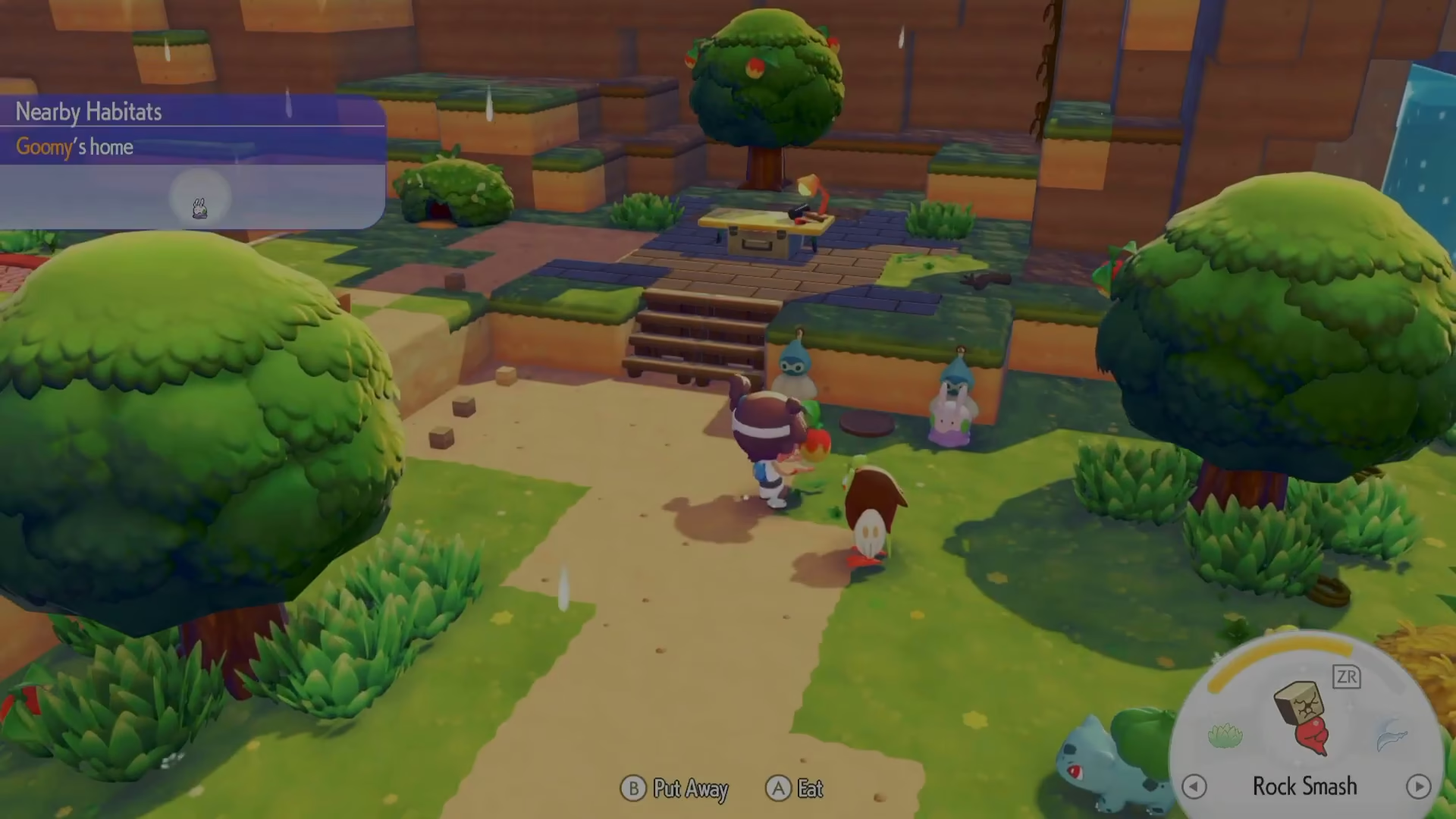
Step 2: Prepare Your Pokémon
Before placing any food down, make sure you have the correct Pokémon following you. This is crucial—you’ll need a Fire-type Pokémon like Charizard to change the weather from rain to sunny. Water-type Pokémon are associated with rain, while Fire-types trigger sunny conditions.

Step 3: Inspect and Flip the Rain Dolls
Interact with the rain dolls at the site. When you inspect them, you’ll see an option to “flip them over.” Do this now—once flipped, the rain dolls transform into sun dolls, changing their appearance and function.

Step 4: Place a Berry on the Dolls
With your Fire-type Pokémon following you, place a berry on the flipped sun dolls. Your Pokémon will eat the berry, and as they do, they’ll perform a small celebratory dance.
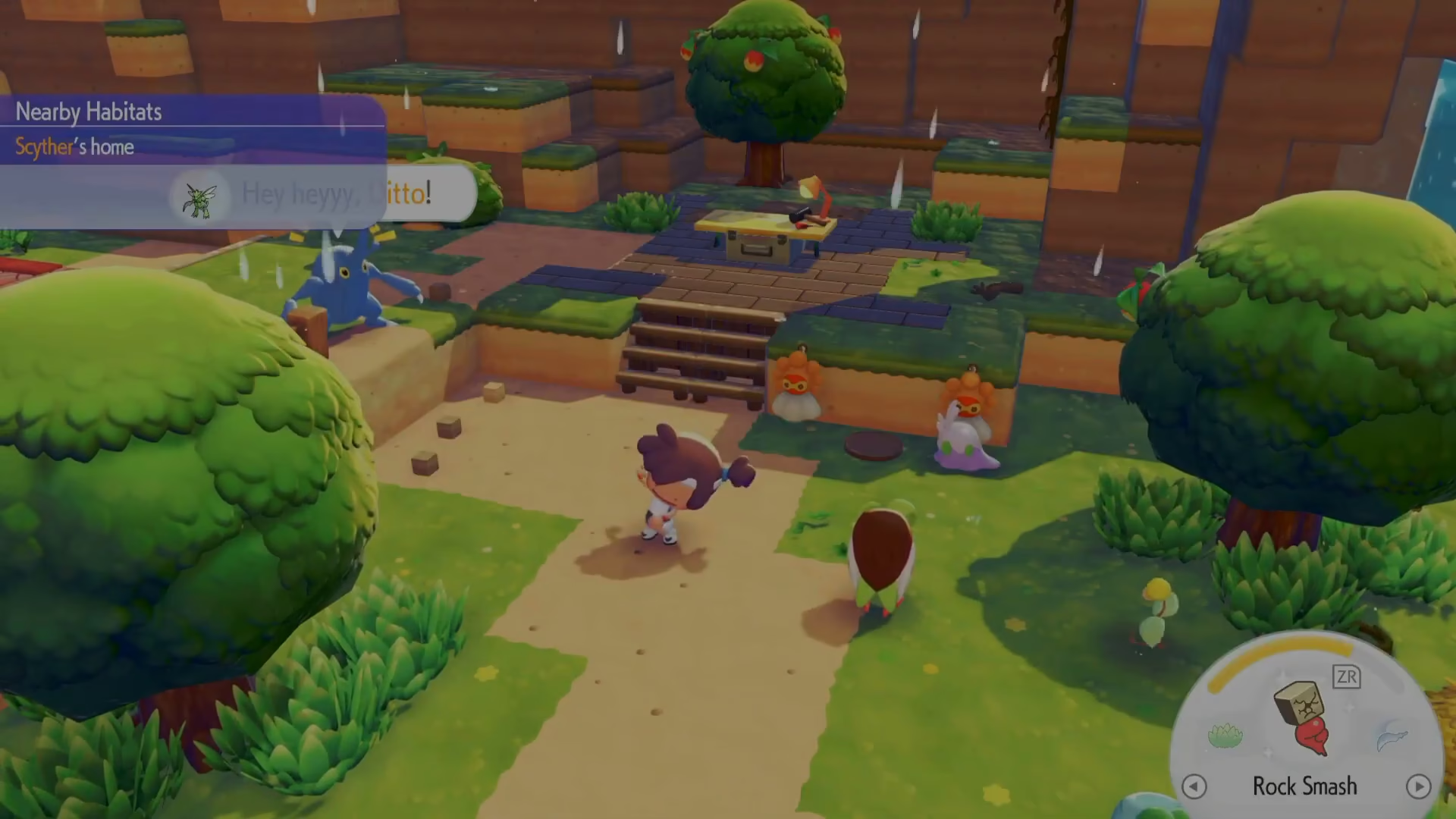
Step 5: Weather Changes to Sunny
After your Pokémon finishes eating the berry and completes their animation, the site’s weather will immediately switch from rainy to sunny. The transition is instant and visually noticeable.

Pro Tips for Weather Management
Set Up Multiple Dolls: Consider placing both rain and sun dolls at your site simultaneously. You can keep a rain doll on one side and a sun doll on the other. This way, you can quickly switch the weather back and forth whenever you want without needing to flip dolls repeatedly.
Use the Right Pokémon: Make sure you’re using the correct Pokémon type for the weather you want to create. Fire-types trigger sunny weather, while Water-types are associated with rain. Charizard works perfectly for creating sunny conditions.
Always Flip First: Don’t forget to flip the dolls over before placing food on them. If you place the berry without flipping, your Pokémon may still eat it, but the weather won’t change.

Summary
Stopping the rain in Pokopia is remarkably easy once you understand the mechanic. Simply locate your rain site, flip the weather dolls to sun dolls, bring along a Fire-type Pokémon like Charizard, and place a berry on the dolls. Your Pokémon will eat it, perform a quick dance, and the weather will instantly change to sunny. For convenience, consider setting up both rain and sun dolls at your site so you can toggle the weather whenever you please.
Want to Support?
If you would like to help us continue making these guides – please consider joining our patreon here – https://www.patreon.com/c/JaviHeals
Alternatively – you can join our discord here – https://discord.gg/zD7Gjt6MHF