





How To Make Remote Doors Work In Prison Architect
How To Make Remote Doors Work In Prison Architect
Remote doors are an essential security feature in Prison Architect that allow you to control access to rooms automatically. This guide will walk you through the complete process of setting up a functional remote door system, from creating a security room to installing and connecting your doors.
Create a Security Room with Door Control System
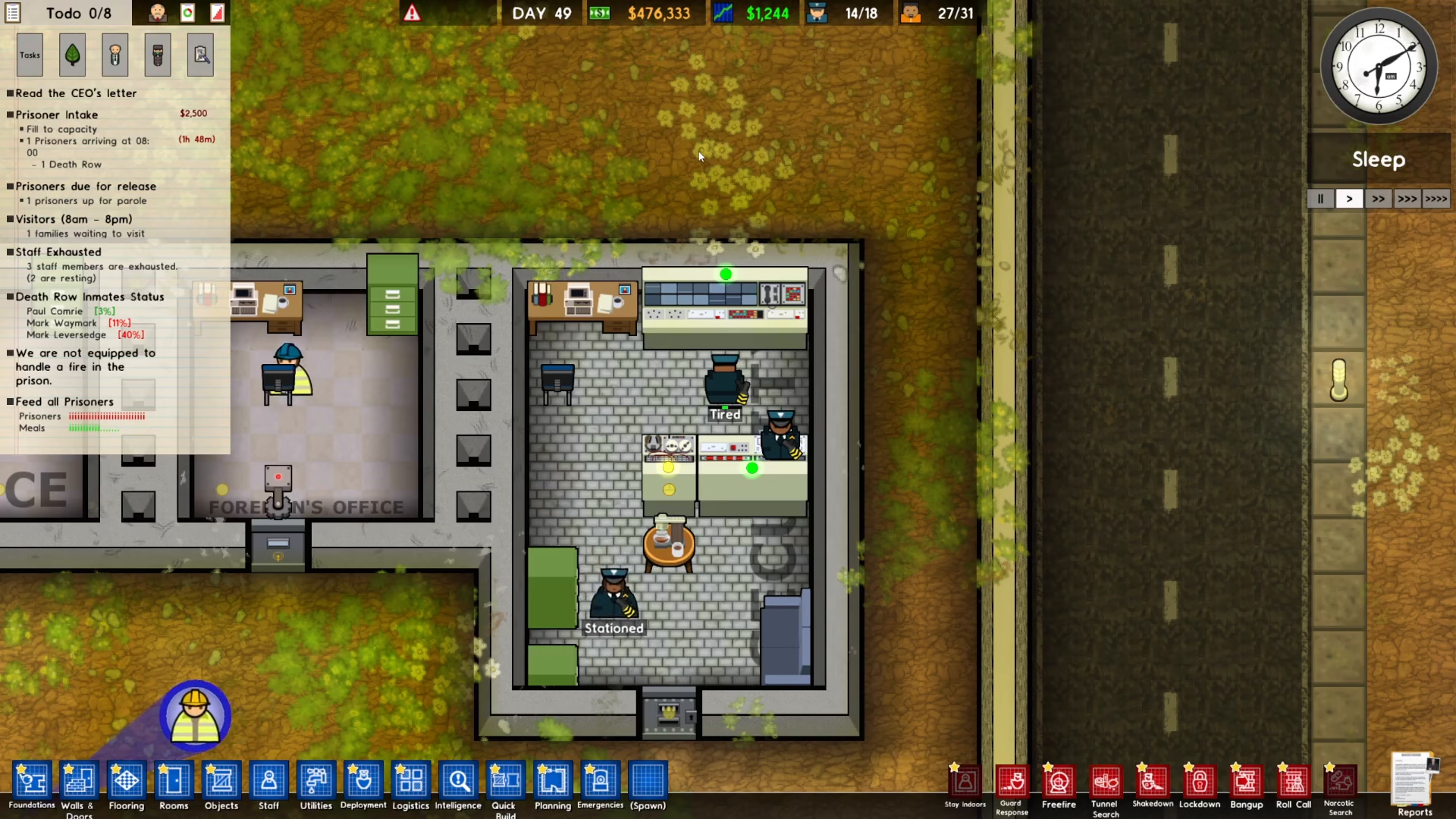
The first step is to establish a dedicated security room that will serve as the command center for your remote doors. This room needs two critical components: a door control system and a CCTV camera. The door control system is what manages all your remote doors, while the CCTV allows your security personnel to monitor the facility.
Man the Security Room with Guards
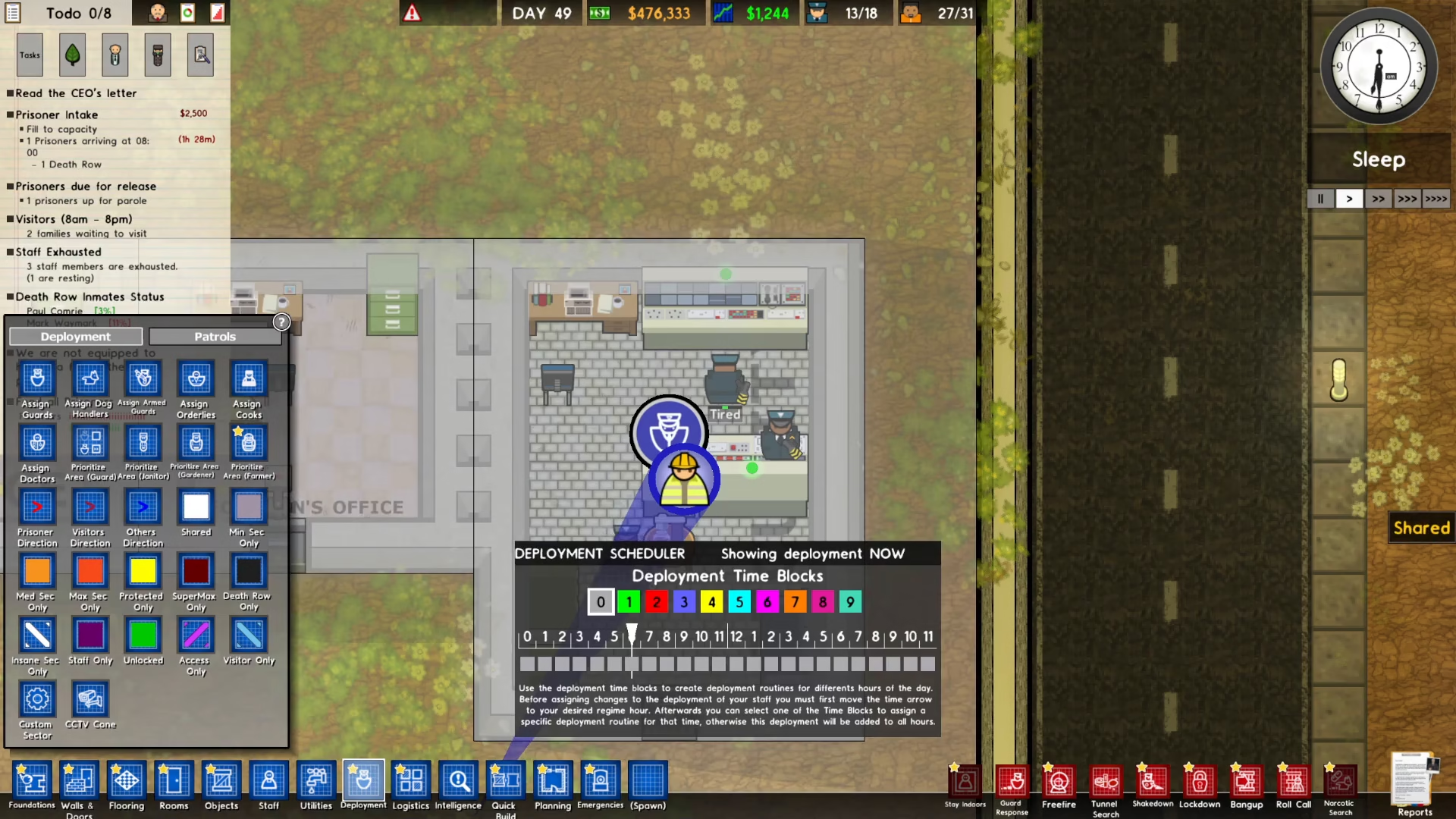
Once your security room is built, you need to assign guards to operate it. To do this, navigate to the Logistics menu (or Deployment section) in your game interface.
Click on the left side of the menu and select “Assign Guards.” Then click directly on your security room to assign guards to it. The security room must be manned at all times for your remote doors to function properly.
Install Remote Doors
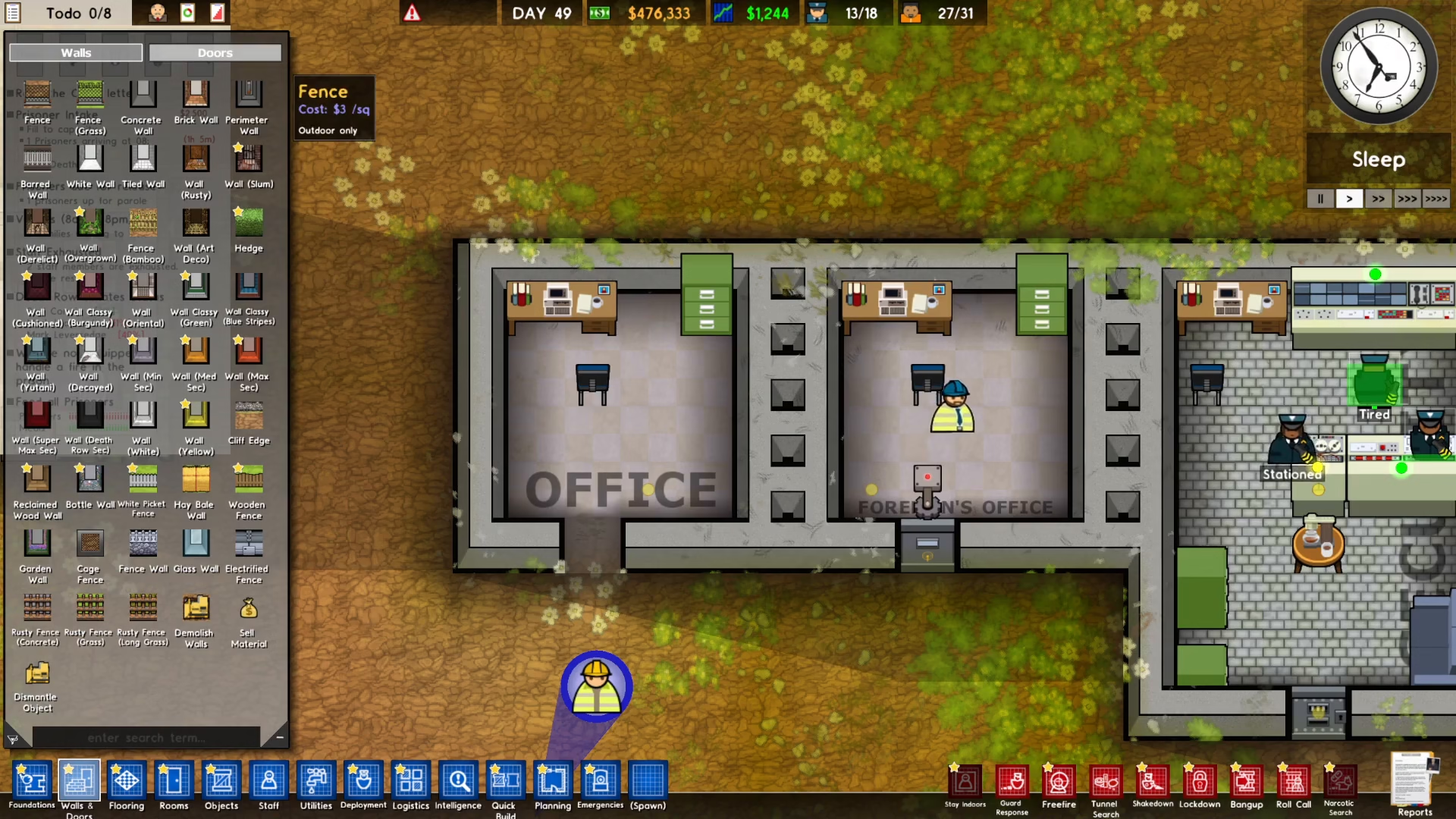
Once your security room is staffed, you can begin installing remote doors throughout your facility. To install a remote door, go to the Walls and Doors section of your building menu. Click on “Doors” and look for the remote door option. Click on it and select the room where you want to install the door.
Add Door Servo Components
When you place a remote door, you’ll see a notification that it needs a servo to function. The door servo is the mechanical component that actually controls the door’s opening and closing.
To install a servo, click on the Utilities menu at the bottom left of your screen. Select “Wiring” and you’ll find the door servo option. Click on it and place the servo directly on top of your security door.
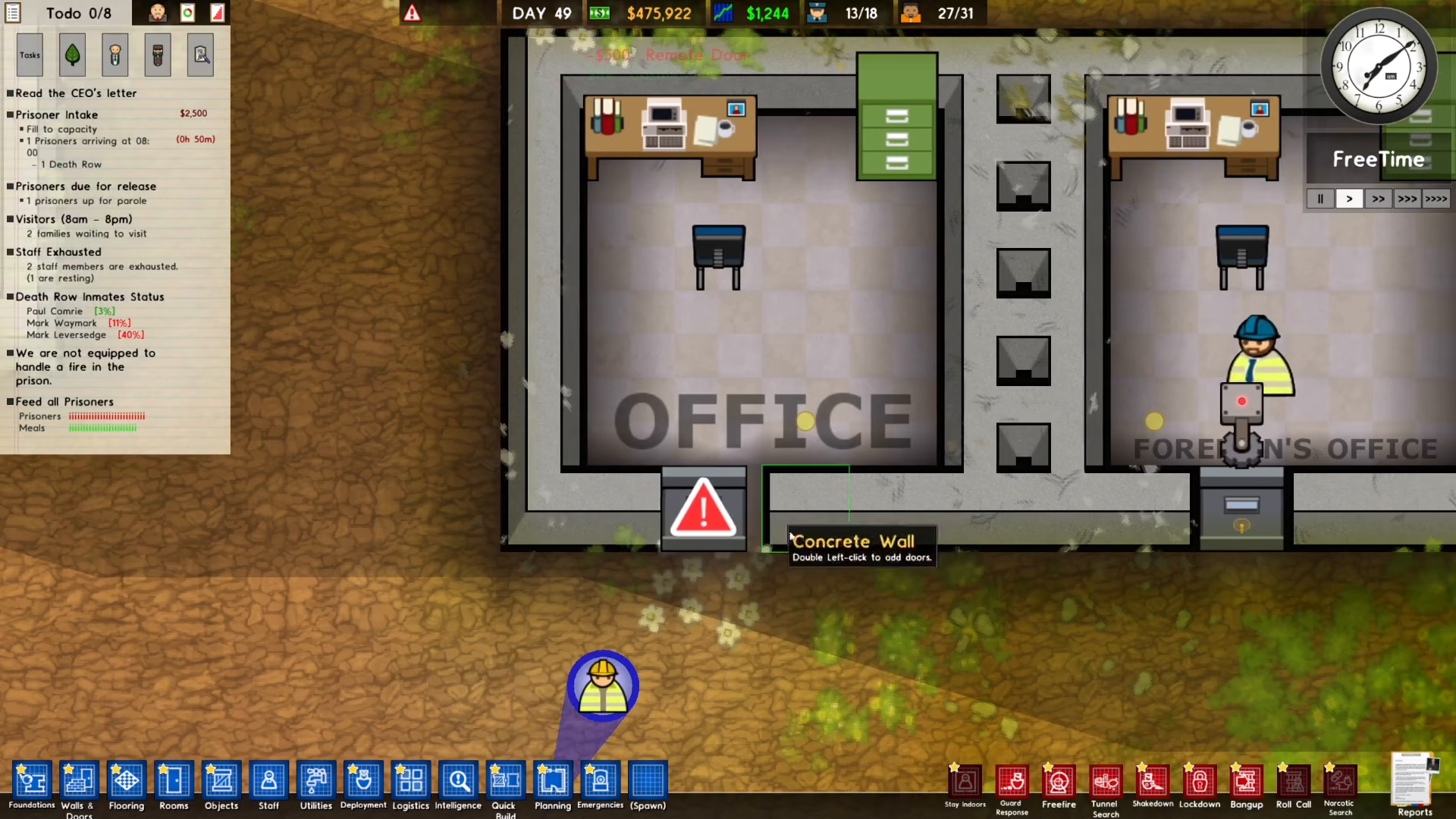
Connect the Servo to the Door Control System
The final step is to connect your door servo to the door control system in your security room. Click on the door control system to select it, then choose the “Connect” option. Click on your door servo to complete the connection.
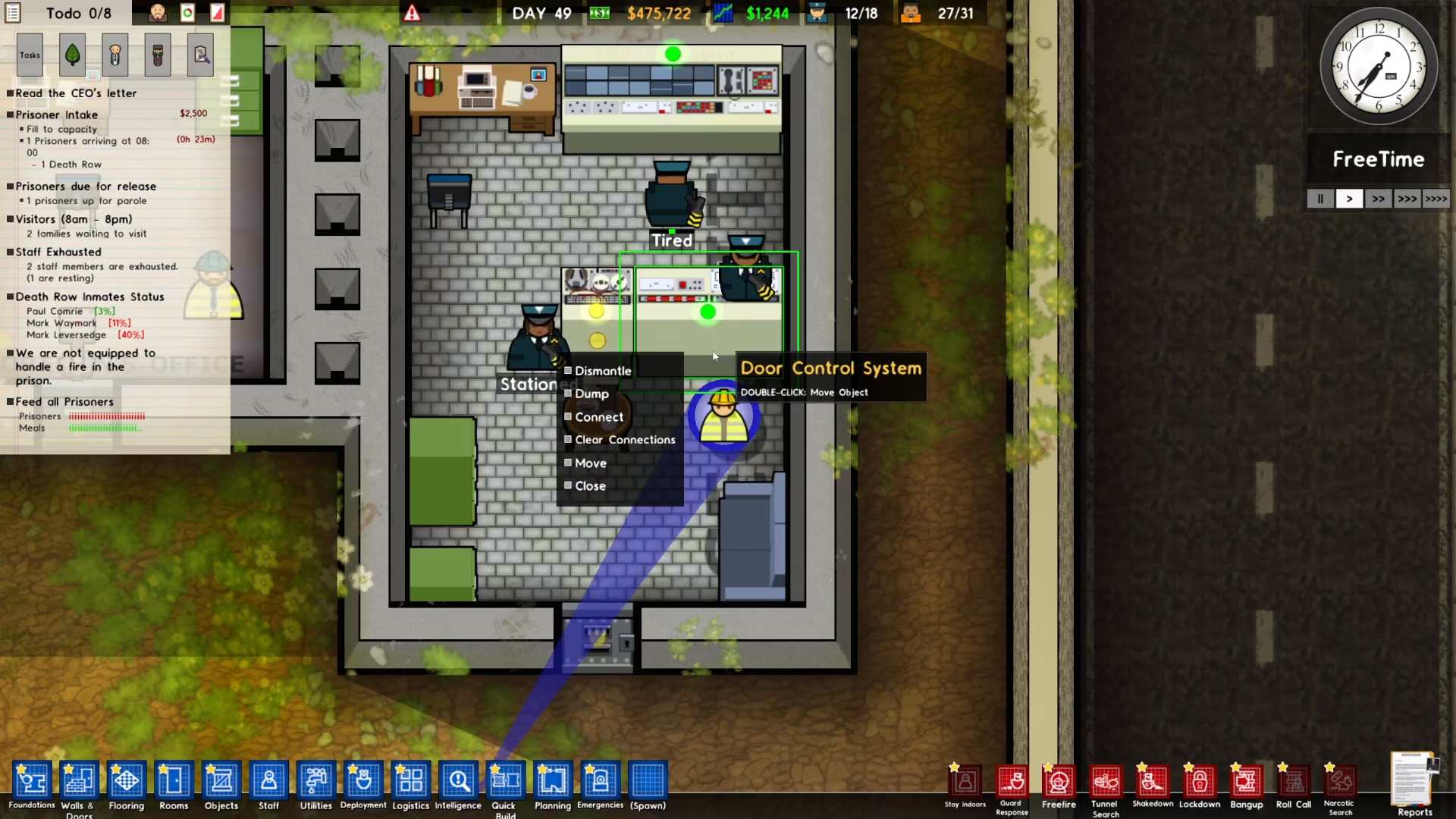
How It Works
Once everything is properly connected and manned, your remote door is now fully operational. The door control system must be staffed by a guard in order for the automatic doors to function. When someone approaches the door, it will automatically open for them to pass through, then close behind them. This creates a secure, automated access control system for your facility.
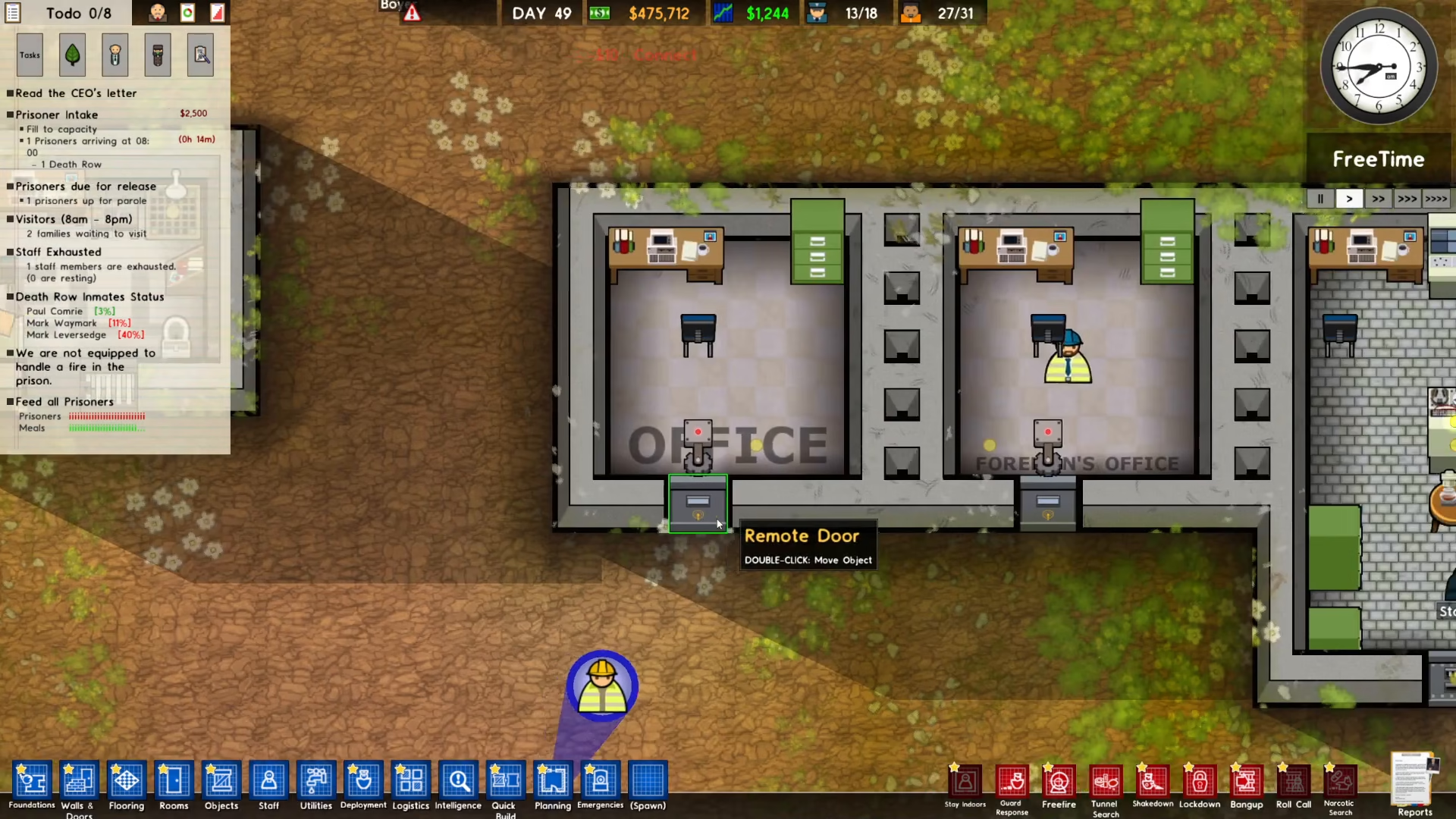
Summary
Setting up remote doors in Prison Architect is straightforward once you understand the process. Remember: build a security room with a door control system and CCTV, assign guards to man it, install remote doors in your desired locations, add door servos to each door, and finally connect each servo to the central door control system. With these steps complete, you’ll have a professional automated security system that makes prison management much more efficient.
Want to Support?
If you would like to help us continue making these guides – please consider joining our patreon here – https://www.patreon.com/c/JaviHeals
Alternatively – you can join our discord here – https://discord.gg/zD7Gjt6MHF