






How To Select All Military Units In Age of Empires 4
How To Select All Military Units In Age of Empires 4
Managing your army efficiently is crucial in Age of Empires 4, especially during intense battles. One of the most useful shortcuts you can master is the ability to select all your military units at once. This quick keystroke combination will save you valuable time and help you coordinate your forces more effectively in combat situations.
The Quick Method
In Age of Empires 4, selecting all your military units is incredibly simple. While in-game, press Ctrl + Shift + C simultaneously to select every military unit you currently control on the map.

How to Use This in Practice
To demonstrate this in action: first, click on the Ability menu or any active game element to ensure your game window is focused.
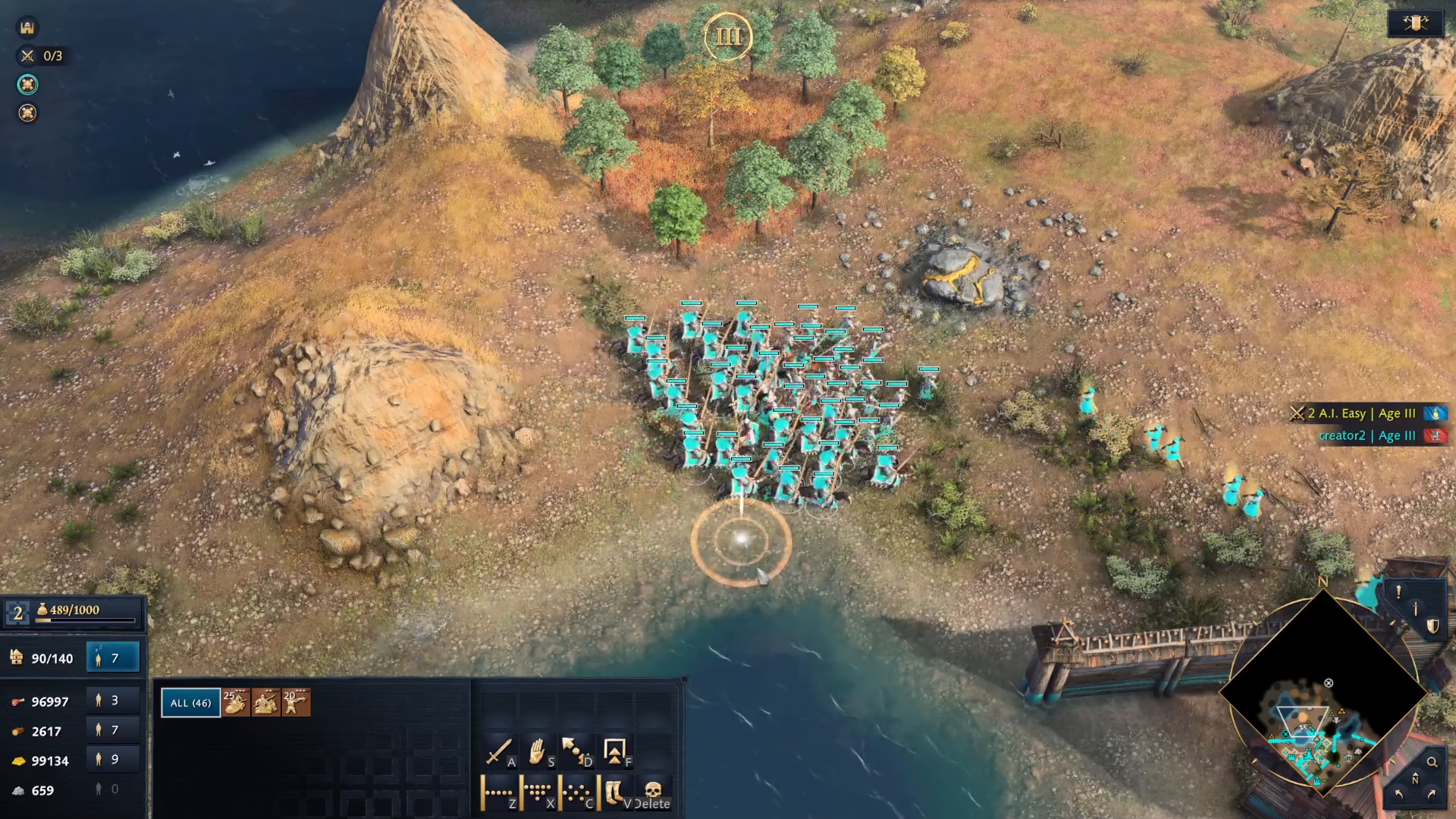
Then, press the keyboard shortcut Ctrl + Shift + C to instantly switch to and select all your military units at once.

Summary
That’s all there is to it! Mastering this simple hotkey combination—Ctrl + Shift + C—will help you manage your army faster and more efficiently in Age of Empires 4. Use this tip to gain a competitive edge in your matches and coordinate your military forces with ease.
— Want to Support? —
If you would like to help us continue making these guides – please consider joining our patreon here – https://www.patreon.com/c/JaviHeals
Alternatively – you can join our discord here – https://discord.gg/zD7Gjt6MHF