How To Change Language In Age of Empires 4
How to Change Language in Age of Empires 4
Changing the language in Age of Empires 4 is a straightforward process, though the steps differ depending on which platform you’re using. This guide will walk you through how to change the language on Steam, the most common platform for this game.
Understanding Platform-Specific Changes
Language settings in Age of Empires 4 are platform specific, meaning the process varies slightly depending on where you’ve purchased and installed the game. This guide focuses on the Steam platform, which is the primary way most players access the game.
How to Change Language on Steam
Step 1: Access Your Steam Account
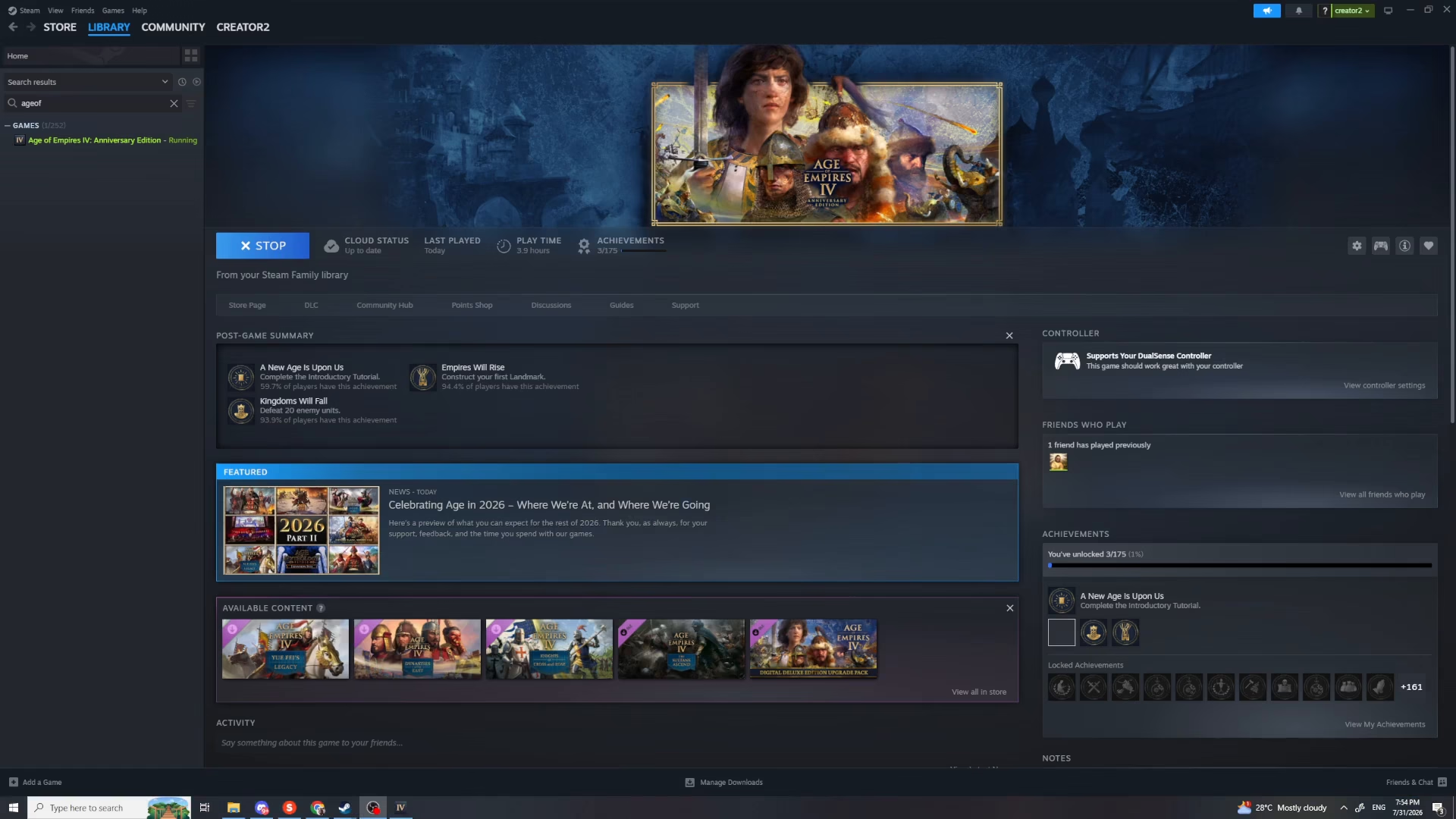
First, open your Steam application and navigate to your account. You’ll need to locate Age of Empires 4 in your library.
Step 2: Find Age of Empires 4 in Your Library
Look at the left side of your Steam interface. Find Age of Empires 4 from your game library list.
Step 3: Open Game Properties
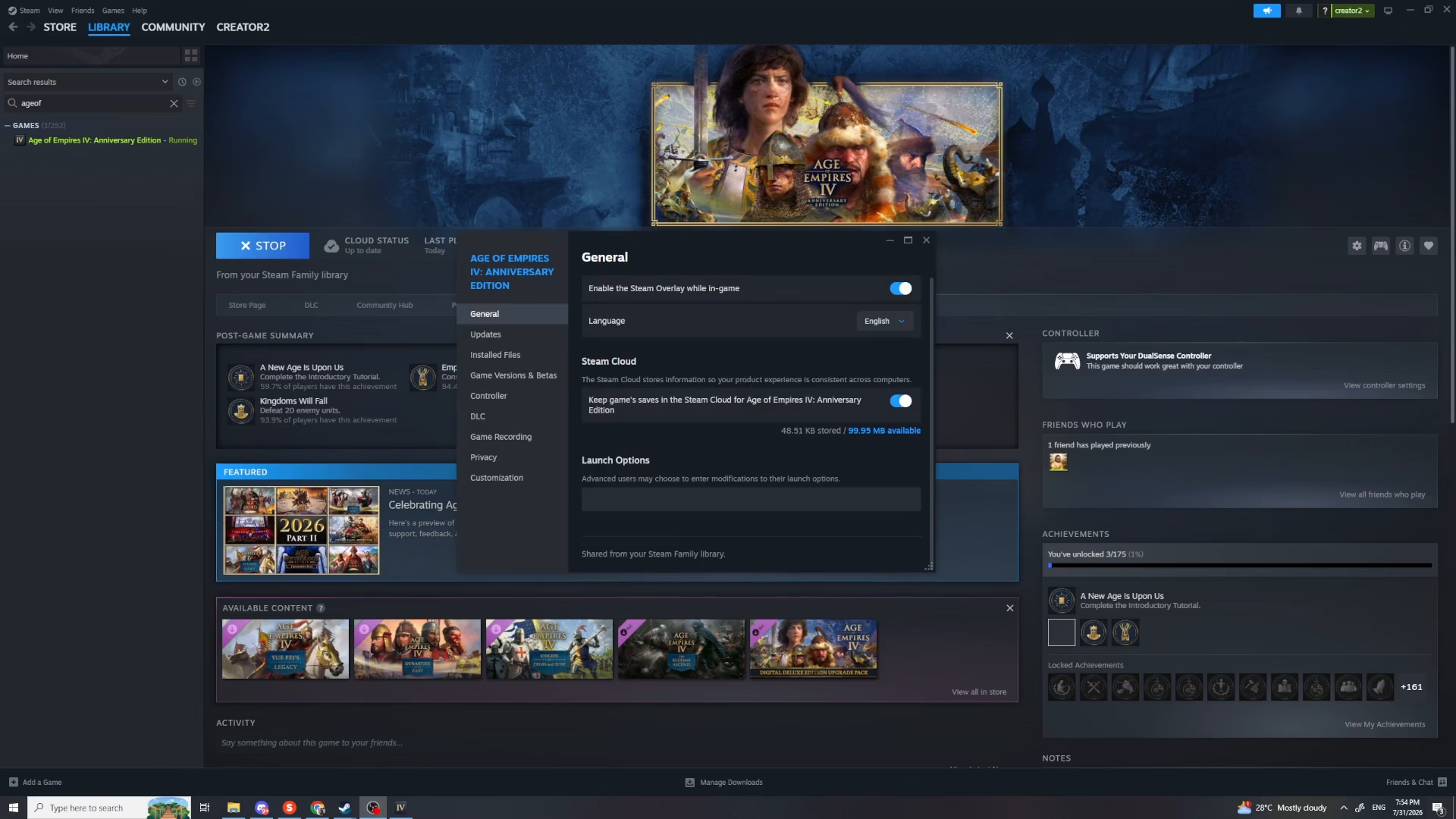
Right-click on Age of Empires 4 in your library. A context menu will appear with several options. Click on “Properties” to open the game settings window.
Step 4: Locate the Language Option
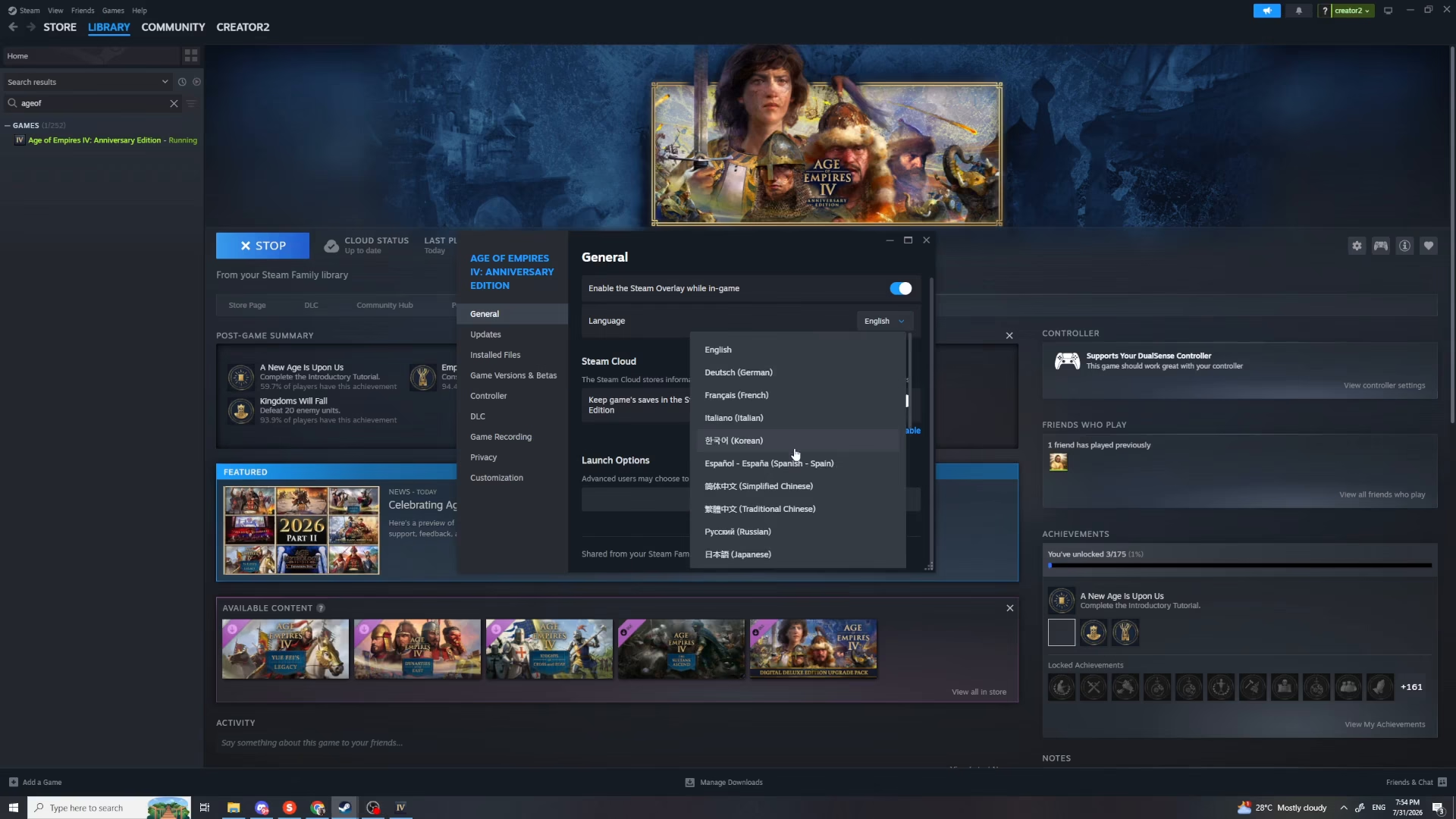
In the Properties window, you’ll see the language option available. This is where you can select your preferred language for the game.
Step 5: Select Your Language
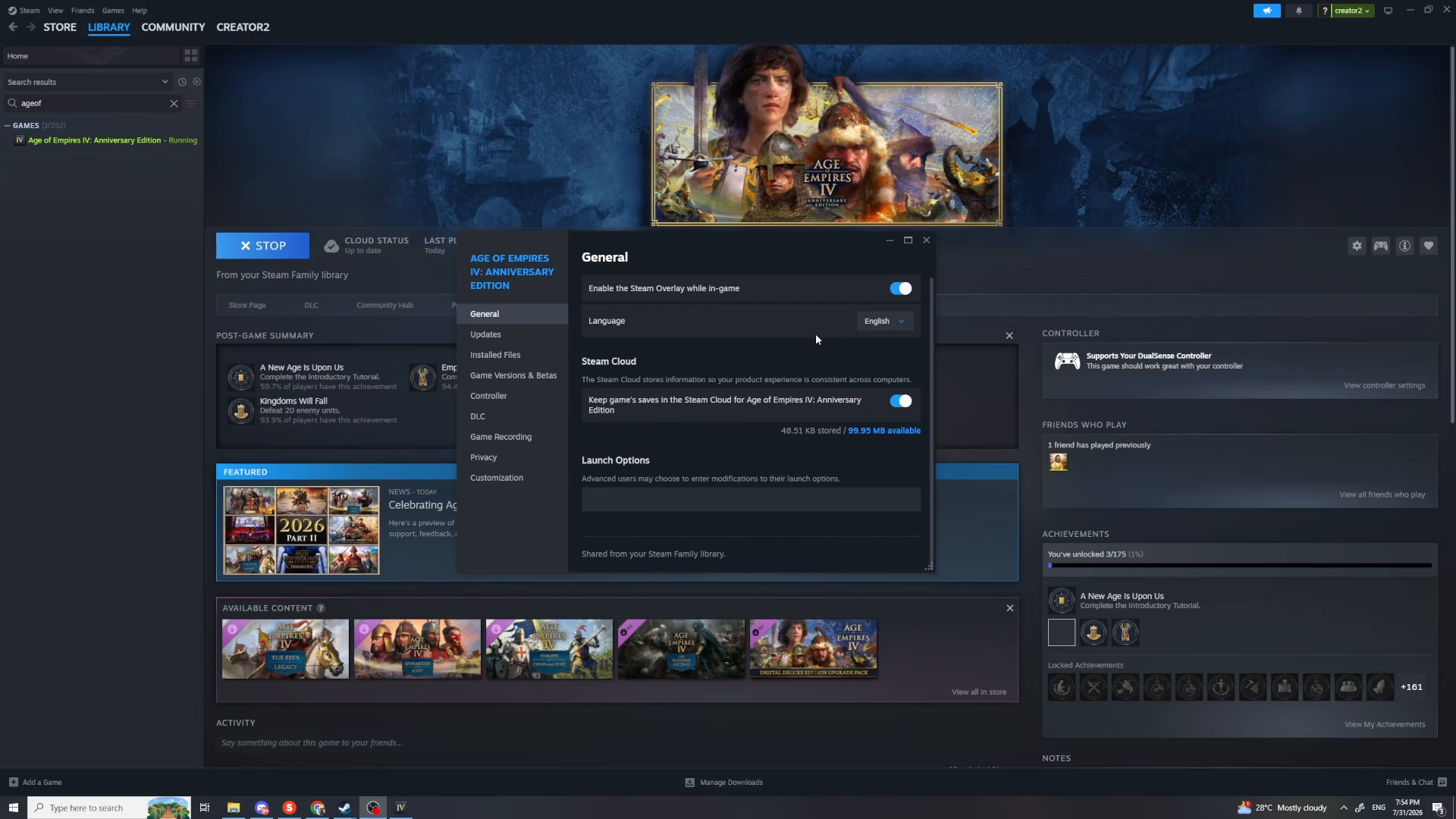
Click on the dropdown button next to the language option and choose your desired language from the list. Age of Empires 4 supports multiple languages, so browse through the available options and select the one you prefer.
Step 6: Apply Your Changes
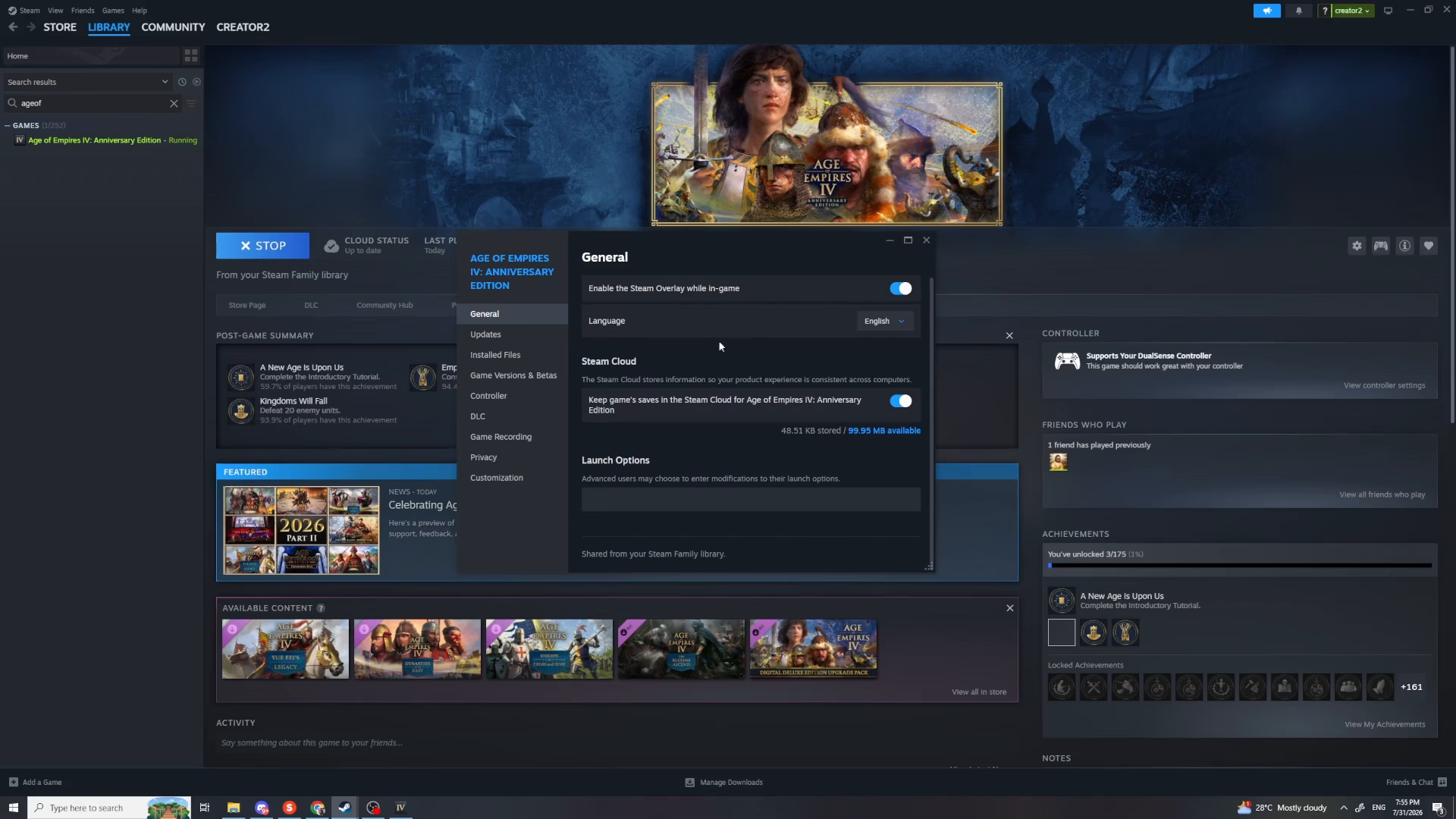
After selecting your language, simply click to confirm and apply the changes. The language setting will update immediately, and you’re all set to play Age of Empires 4 in your chosen language.
Summary
Changing the language in Age of Empires 4 on Steam is quick and easy. Simply access your Steam library, right-click on the game, open Properties, select your preferred language from the dropdown menu, and confirm your changes. You’ll be ready to enjoy the game in your chosen language in just a few clicks.
Want to Support?
If you would like to help us continue making these guides – please consider joining our patreon here – https://www.patreon.com/c/JaviHeals
Alternatively – you can join our discord here – https://discord.gg/zD7Gjt6MHF