





How To Turn Off Advisor in Civ 6
How to Turn Off Advisor in Civilization 6
The Advisor feature in Civilization 6 can be helpful for new players, but experienced gamers often prefer to disable it for an uncluttered interface. This guide walks you through the simple process of turning off the advisor in just a few clicks.
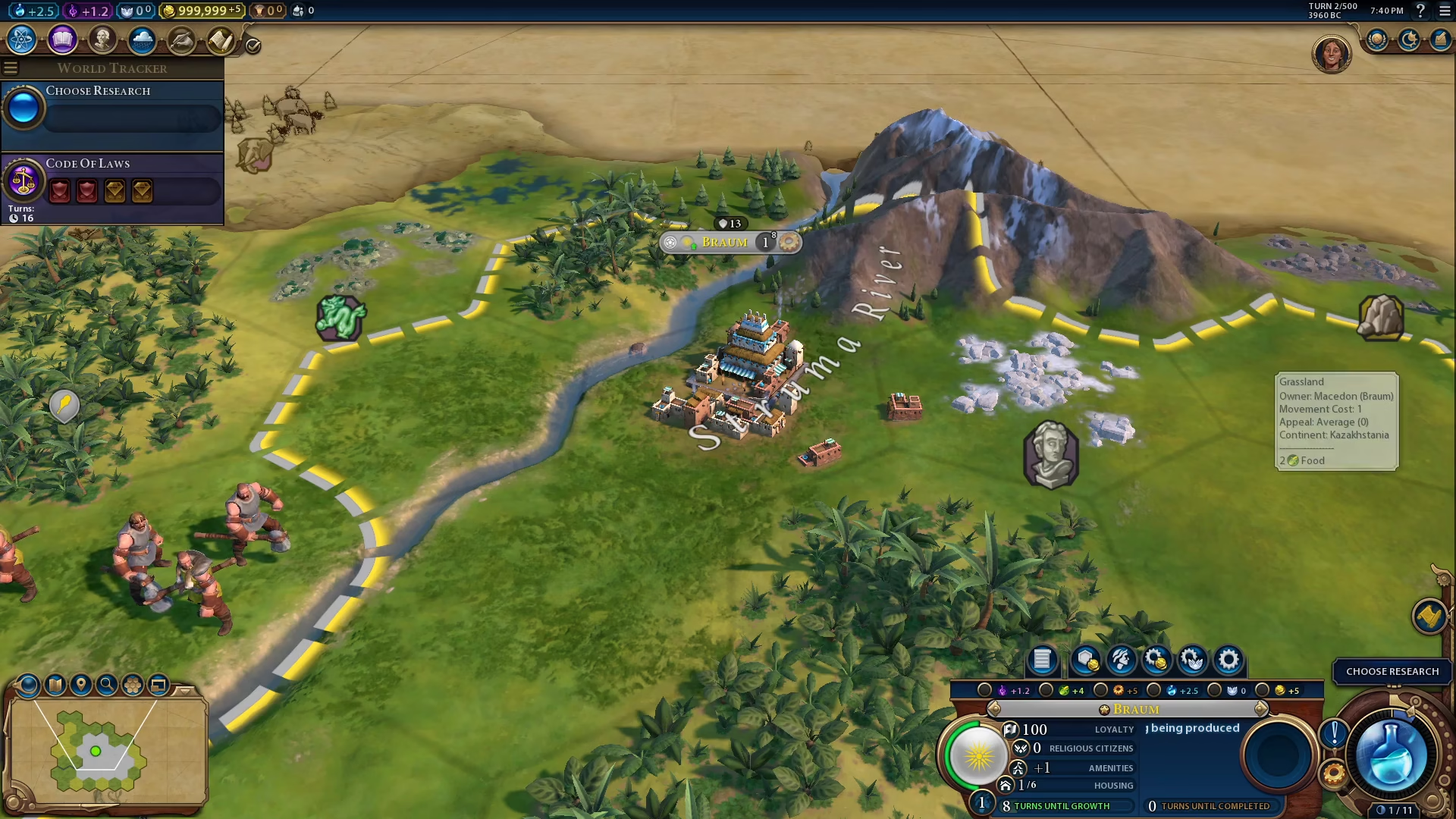
Accessing the Game Menu
To begin, locate the top right corner of your screen and click on the Open the Game menu button.
Navigating to Options
Once the Game menu is open, click on Options from the available menu choices.
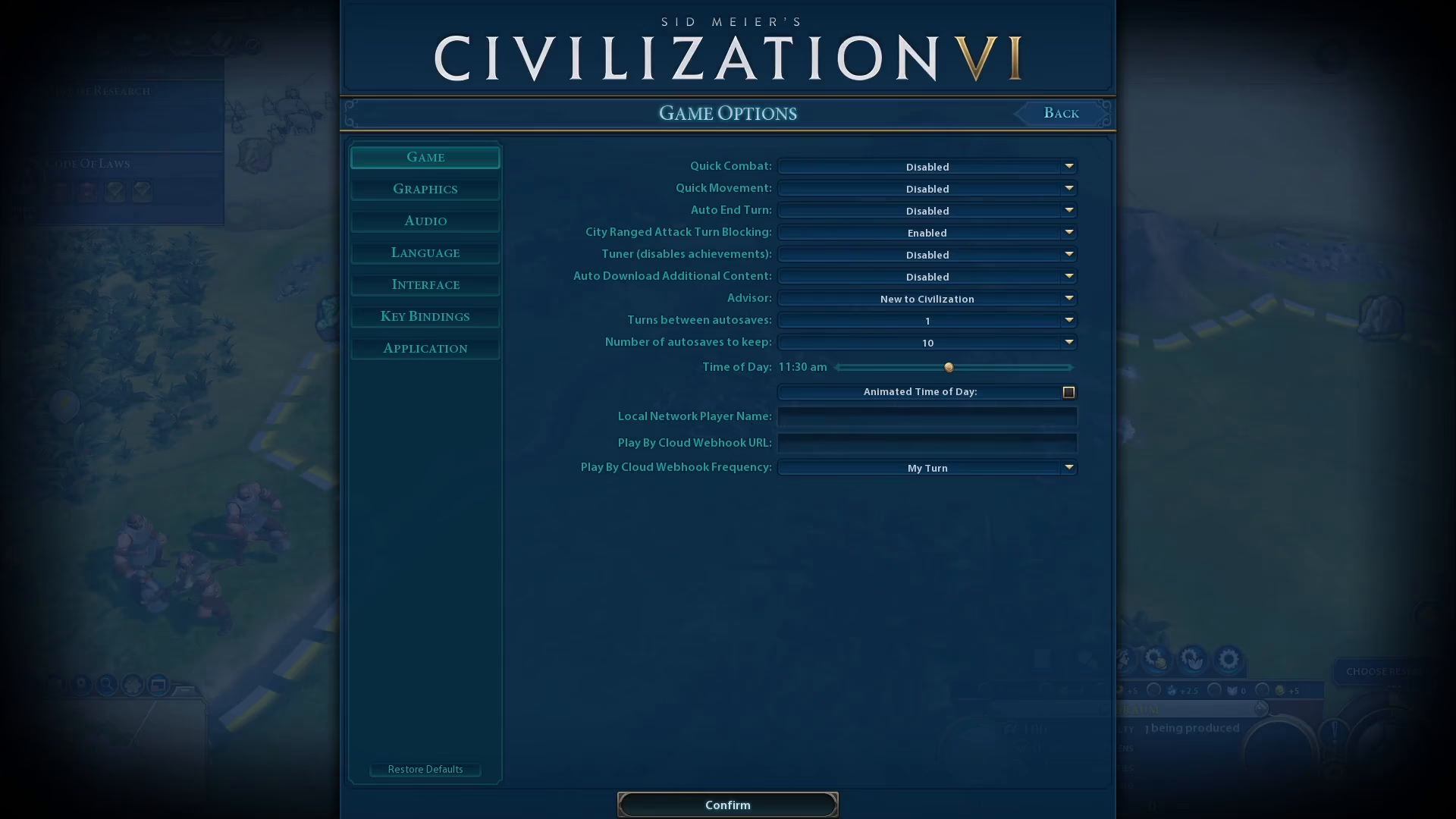
Finding the Advisor Settings
In the Options menu, select Game from the left side panel. You’ll find the Advisor setting listed here.
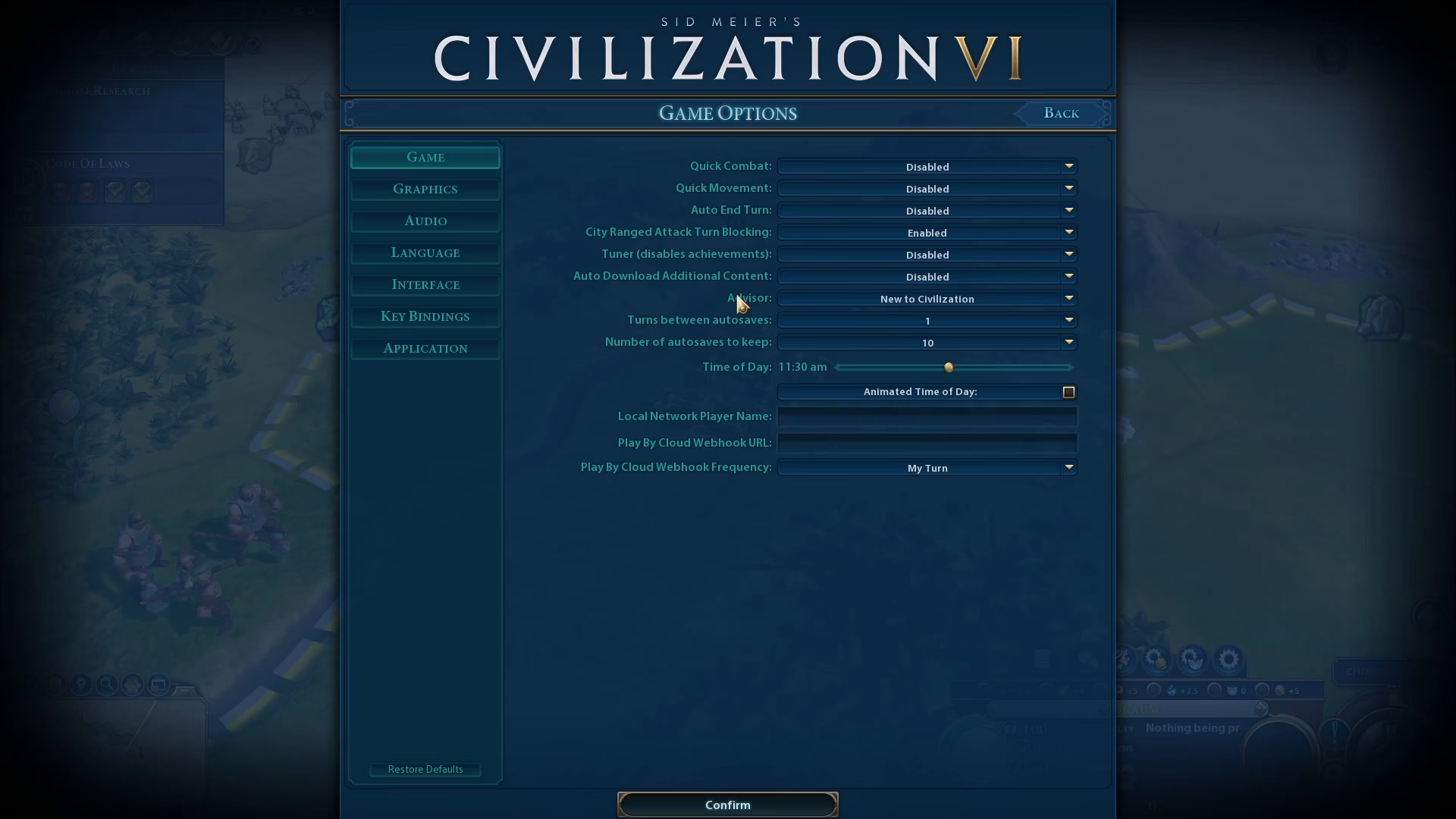
Disabling the Advisor
Click on the Advisor toggle switch and select Disabled to turn off the advisor feature.
Saving Your Changes
Click the Confirm button at the bottom of the Options menu to save your changes.
Summary
You have successfully disabled the Advisor in Civilization 6. The process is straightforward: open the Game menu, navigate to Options, select Game from the left sidebar, disable the Advisor setting, and confirm your changes. Your game interface will now be free from advisor notifications and recommendations.
Want to Support?
If you would like to help us continue making these guides – please consider joining our patreon here – https://www.patreon.com/c/JaviHeals
Alternatively – you can join our discord here – https://discord.gg/zD7Gjt6MHF