How To Talk To Ghost Without Mic In Phasmophobia
How To Talk To Ghost Without Mic In Phasmophobia
If you don’t have a microphone but still want to communicate with ghosts in Phasmophobia, you’re not out of luck. This guide will show you how to use the text-based voice recognition mode to ask ghosts questions and interact with them without needing any audio equipment.
Enable Voice Recognition Mode in Settings
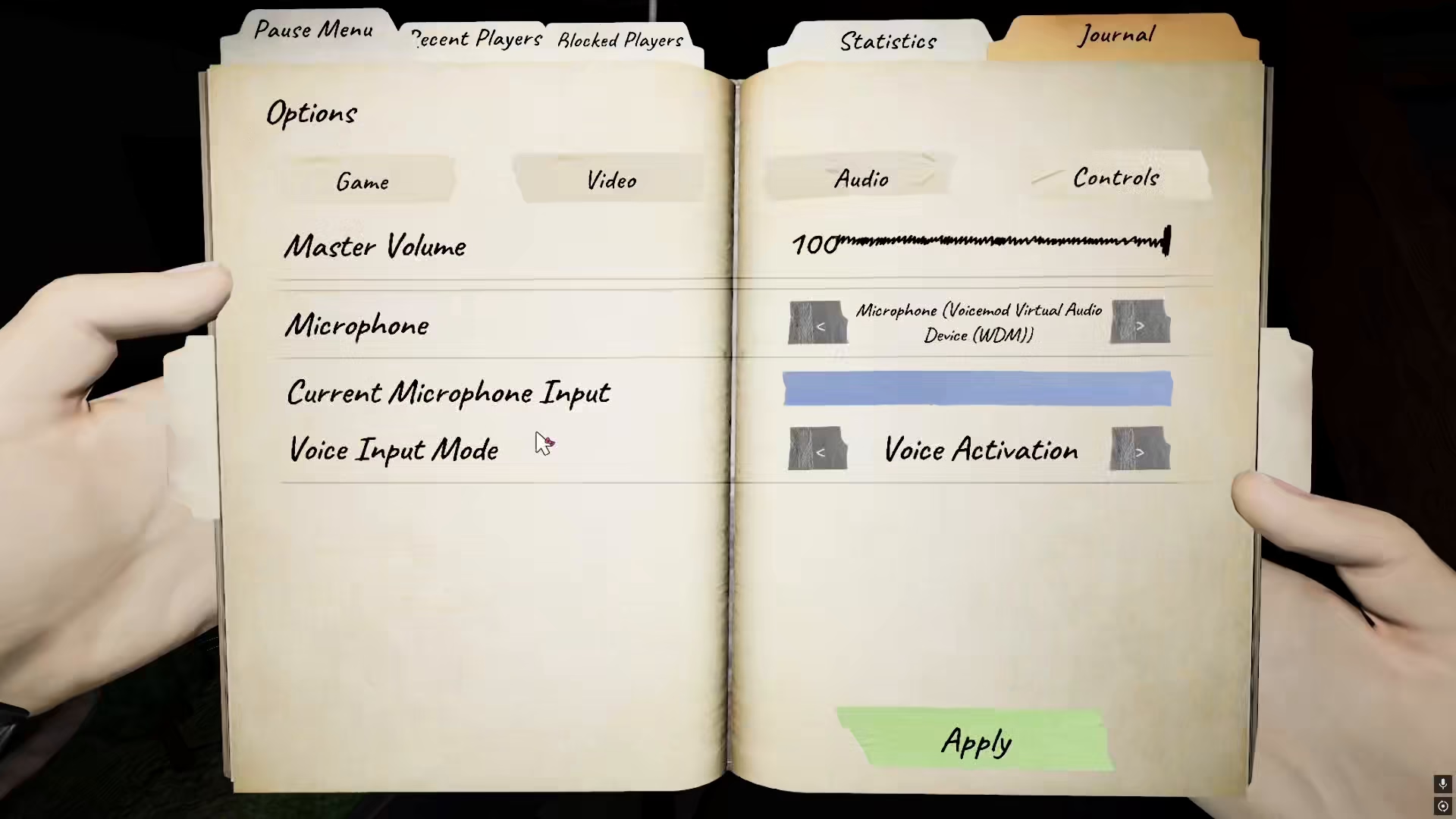
The first step is to access your game settings. Navigate to your settings menu and locate the game settings section. Once there, you’ll need to turn on voice recognition mode. This feature allows you to communicate with ghosts using text input instead of requiring a microphone.
Interact With Items to Ask Questions
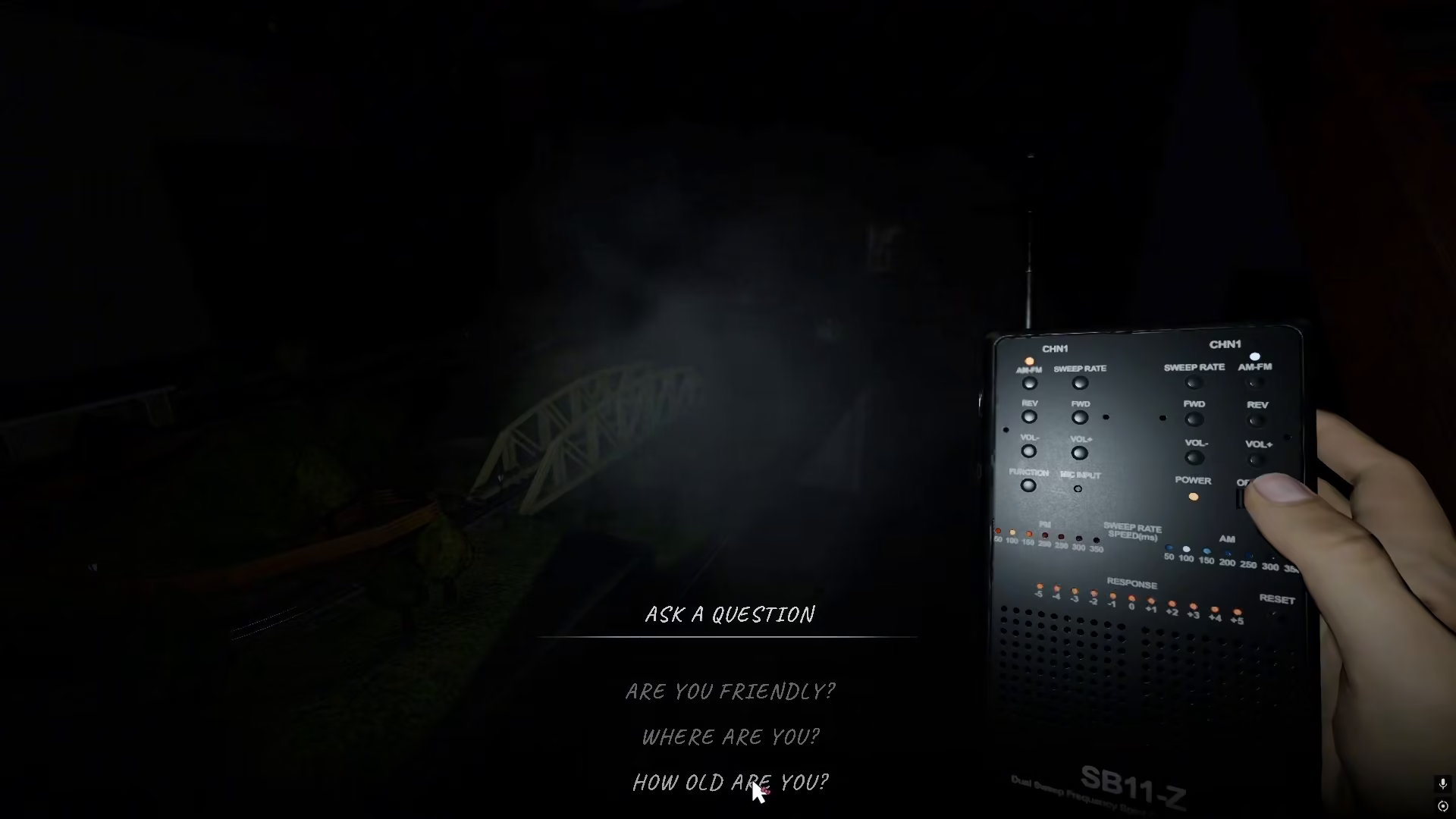
Once voice recognition mode is enabled, you can begin interacting with items in the game. When you do so, an “Ask a Question” menu will appear on your screen. This menu contains numerous pre-written questions that you can ask the ghost to gather information about its behavior and location.
Available Questions to Ask
The “Ask a Question” menu provides you with multiple options for ghost interaction, including:
Are you friendly?
Are you here?
Are you in this room?
And many more variations
These questions help you determine the ghost’s nature and current location without needing to speak into a microphone.
Works With All Ghost Types
The text-based questioning system applies to all ghost types in Phasmophobia, including the Monkey Paw and Ouija Board. This means you can use voice recognition mode to communicate effectively with any ghost encounter in the game.
Summary
Communicating with ghosts in Phasmophobia without a microphone is simple: enable voice recognition mode in your game settings, then use the “Ask a Question” menu when interacting with items. This feature makes ghost communication accessible to all players, regardless of whether they have audio equipment available.
— Want to Support? —
If you would like to help us continue making these guides – please consider joining our patreon here – https://www.patreon.com/c/JaviHeals
Alternatively – you can join our discord here – https://discord.gg/zD7Gjt6MHF