





How To Talk Without Mic In Phasmophobia
How To Talk Without Mic In Phasmophobia
Communication is essential in Phasmophobia, but not everyone has access to a microphone or prefers to use one. Fortunately, the game offers an alternative solution that allows you to interact with spirits and supernatural objects using text input instead of voice. This guide will walk you through the simple steps to enable text-based communication in Phasmophobia.
Accessing the Voice Recognition Settings
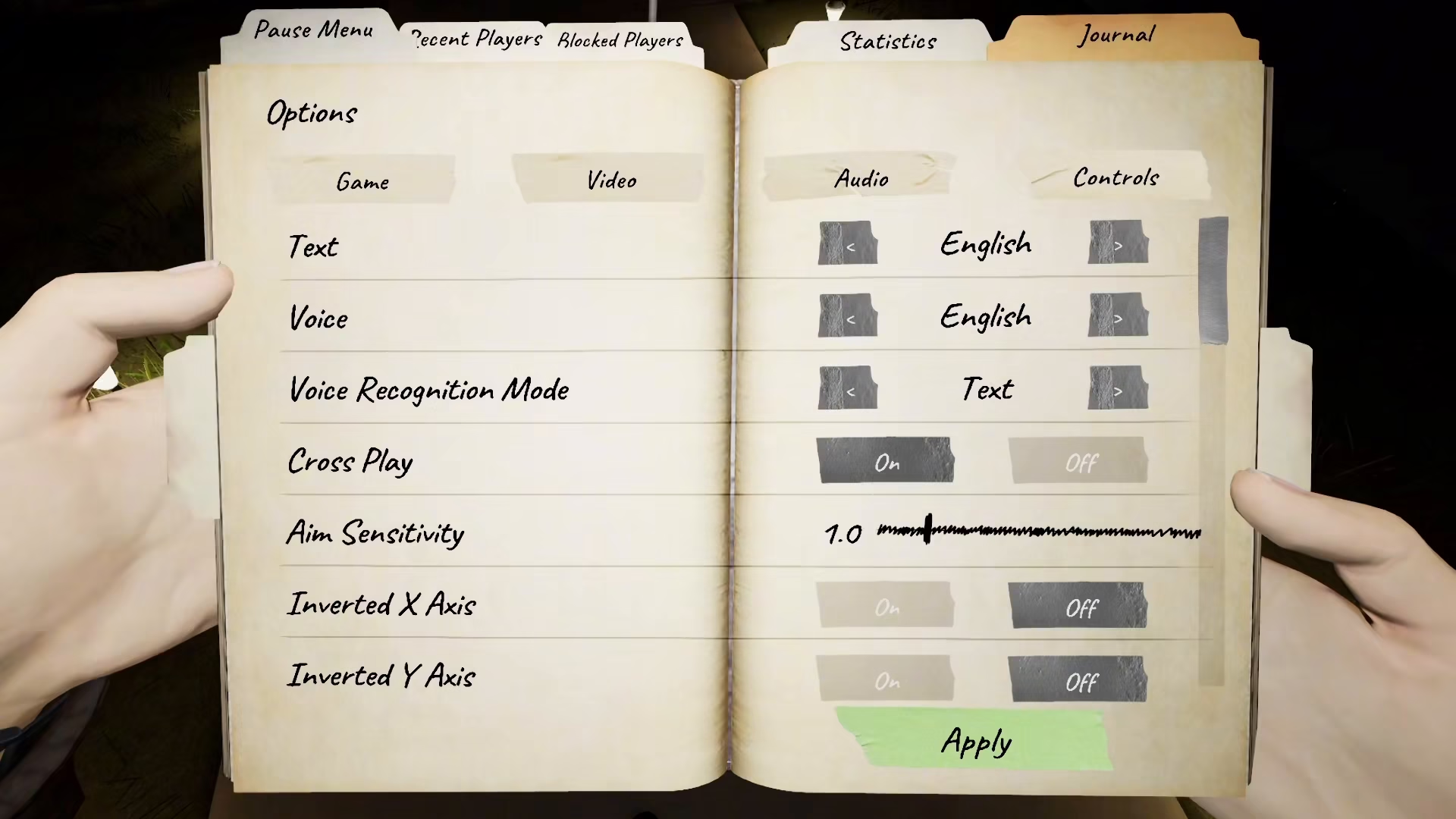
To enable text-based communication, you need to navigate to your game’s settings menu. Start by opening the main menu and selecting Options from the available choices.
Enabling Text Mode for Voice Recognition
Once you’re in the Options menu, look for an option called Voice Recognition Mode. You’ll need to change this setting from its default state to Text. This change allows the game to accept typed messages instead of requiring spoken voice input.
Using Text Input With Spirit Interaction Objects
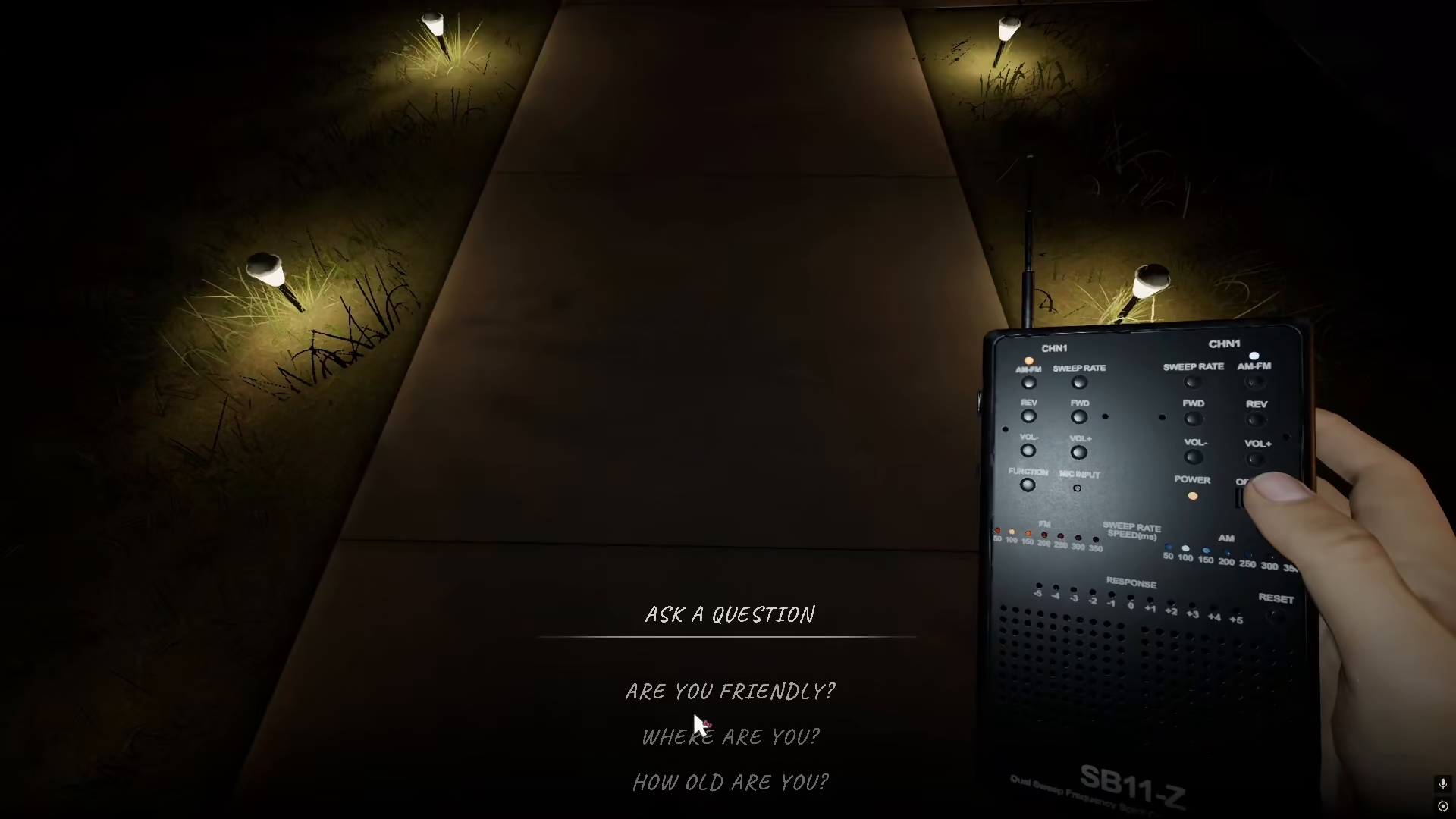
After enabling Text mode, you can now communicate with spirits through various in-game objects. When you interact with equipment like a Ouija Board, Monkey Board, or Spirit Box, simply type your questions directly into the text field instead of speaking into a microphone. This method works exactly the same way as voice input, allowing you to ask questions and receive responses from the spirits you’re investigating.
Summary
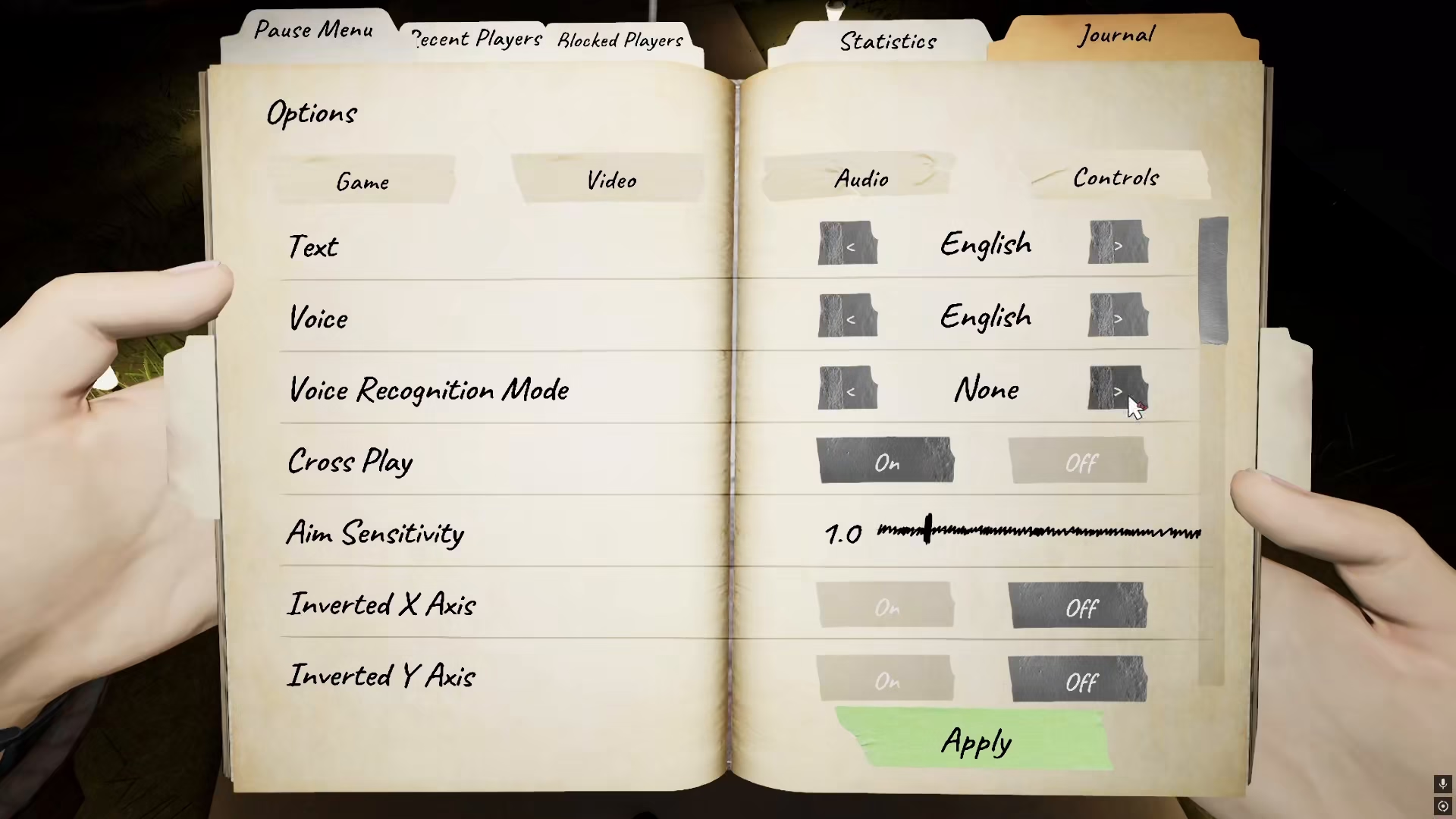
Playing Phasmophobia without a microphone is entirely possible thanks to the game’s text-based voice recognition mode. By simply navigating to Settings → Options and switching Voice Recognition Mode to Text, you can fully participate in ghost hunting and spirit communication. Whether you prefer typing to speaking or simply don’t have a microphone available, this feature ensures you won’t be left out of the supernatural investigation experience.
— Want to Support? —
If you would like to help us continue making these guides – please consider joining our patreon here – https://www.patreon.com/c/JaviHeals
Alternatively – you can join our discord here – https://discord.gg/zD7Gjt6MHF


