
How to Fish For Maws In Palia
How to Fish For Maws in Palia
Fishing for Maws in Palia is one of the most challenging tasks in the game, as Maws is a legendary fish that requires patience and strategy to catch. In this guide, we’ll walk you through the process step-by-step, including how to use the Overwolf tool to track and locate this elusive legendary fish in the Otter Wood using glow worms as bait.
Understanding Maws: The Legendary Fish
Maws is a legendary fish found in the Otter Wood area of Palia. What makes catching Maws particularly difficult is its rarity and legendary status. Unlike common fish, legendary fish require specific conditions and considerable patience to encounter.
To catch Maws, you’ll need to use glow worms as your bait. This legendary fish is notoriously hard to find and catch, which is why many players turn to additional tools for assistance.
Using Overwolf: Your Fishing Companion Tool
What is Overwolf?
Overwolf is a software tool that helps players track fish and fishing hotspots in Palia. It’s important to note that Overwolf is not a cheat and does not violate the game’s terms of service. Many players use this tool, and it has been tested and proven safe by the gaming community.
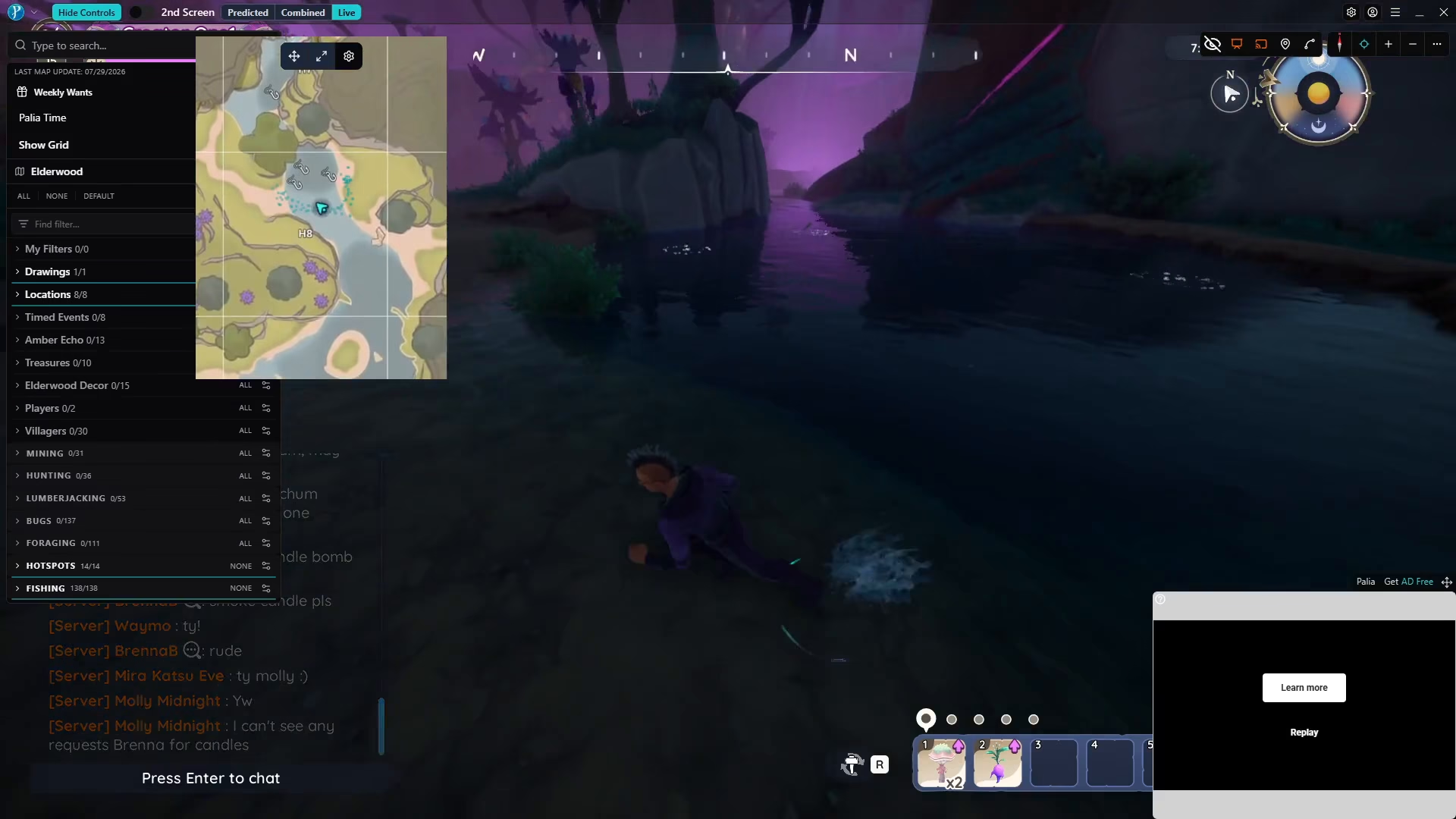
Downloading and Installing Overwolf
Begin by downloading and installing Overwolf. Once installed, you can open it while Palia is running. The software is designed to be user-friendly and easy to navigate.
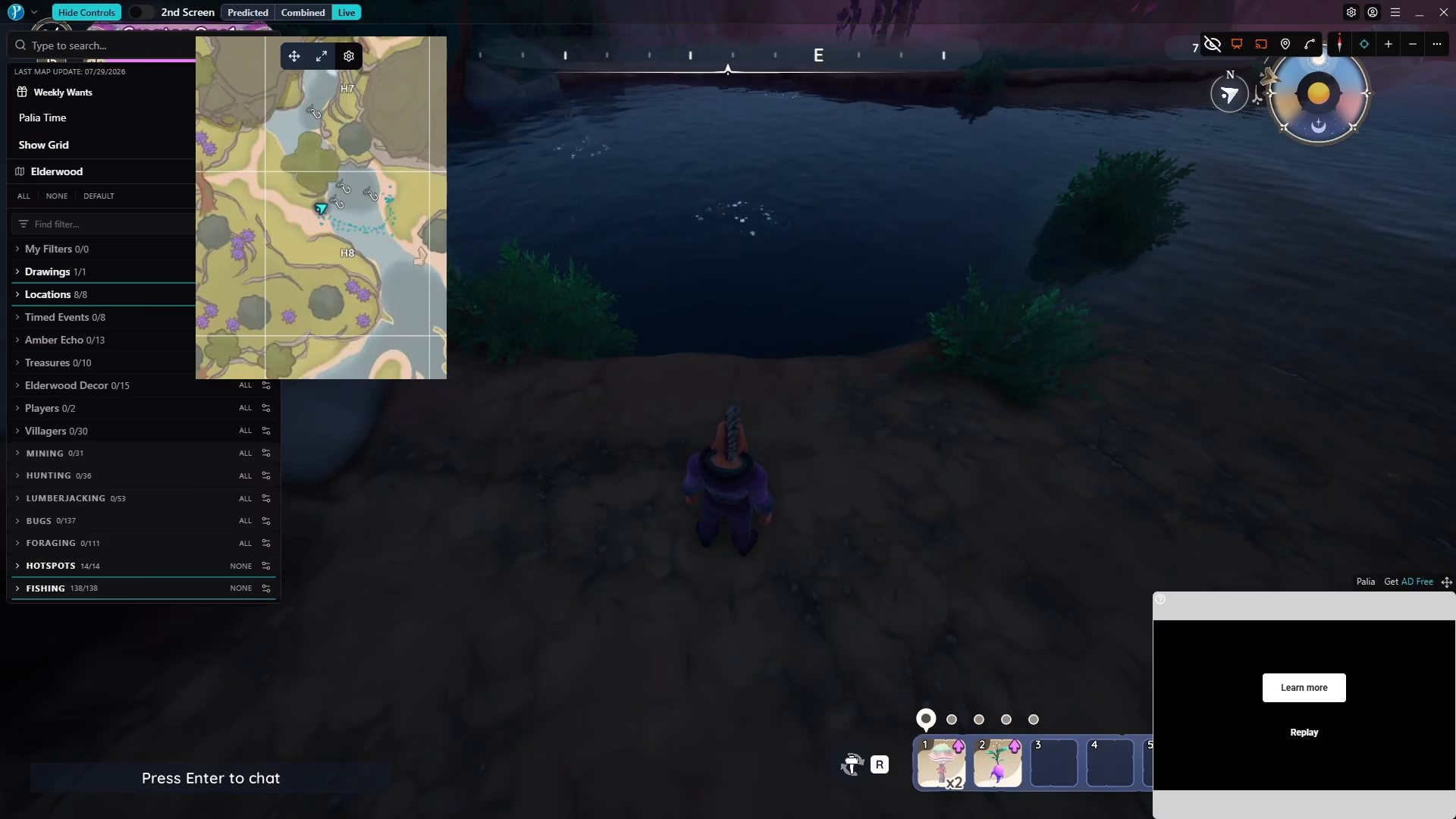
Accessing the Live Map Feature
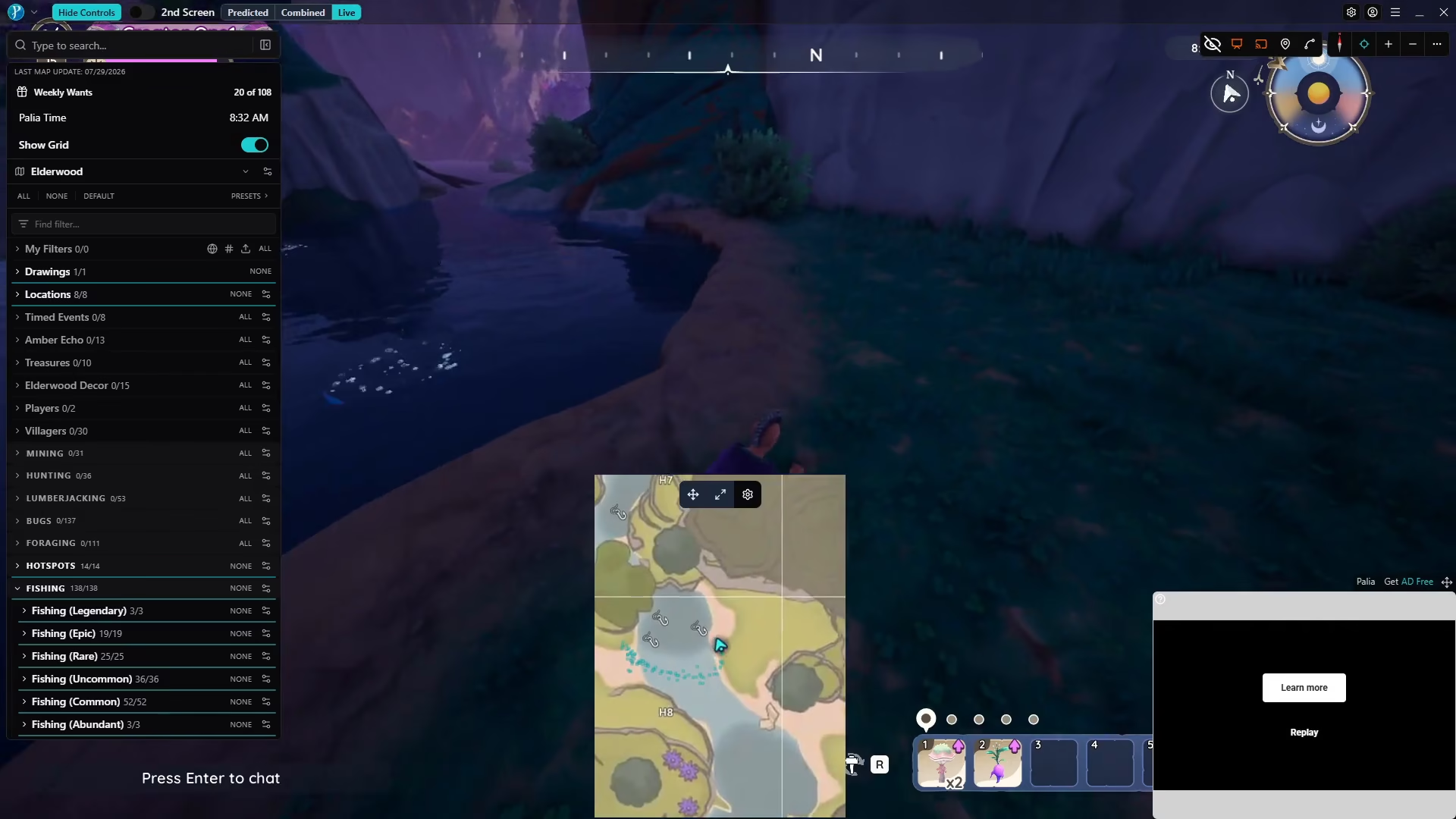
When you open Overwolf, you’ll see a live map displayed on your screen. To access this map while playing on PC, press the Escape key to show your cursor and navigate the software interface.
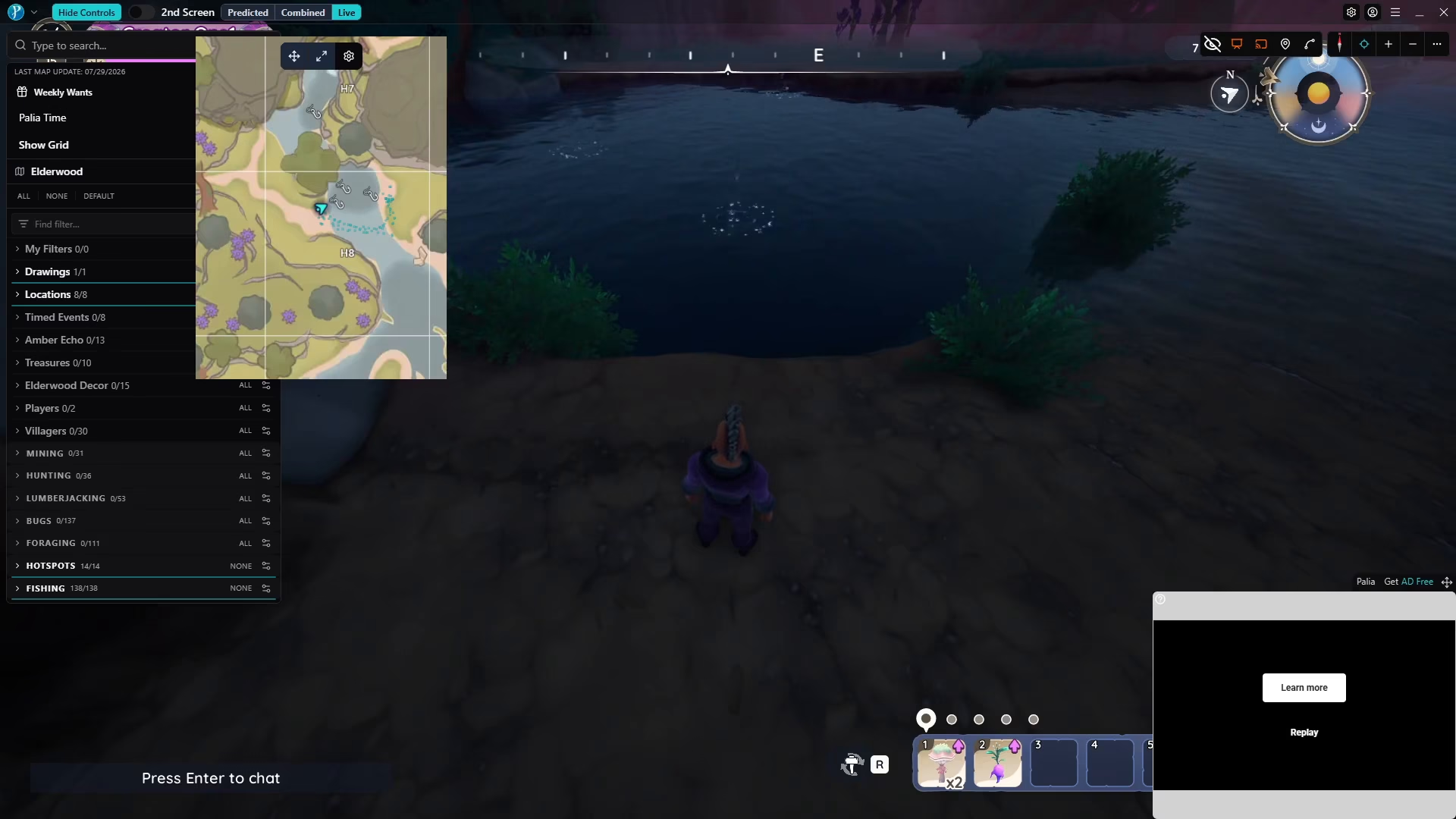
You can place the live map anywhere on your screen that’s convenient for you. The map can be hidden or shown as needed by pressing F9.
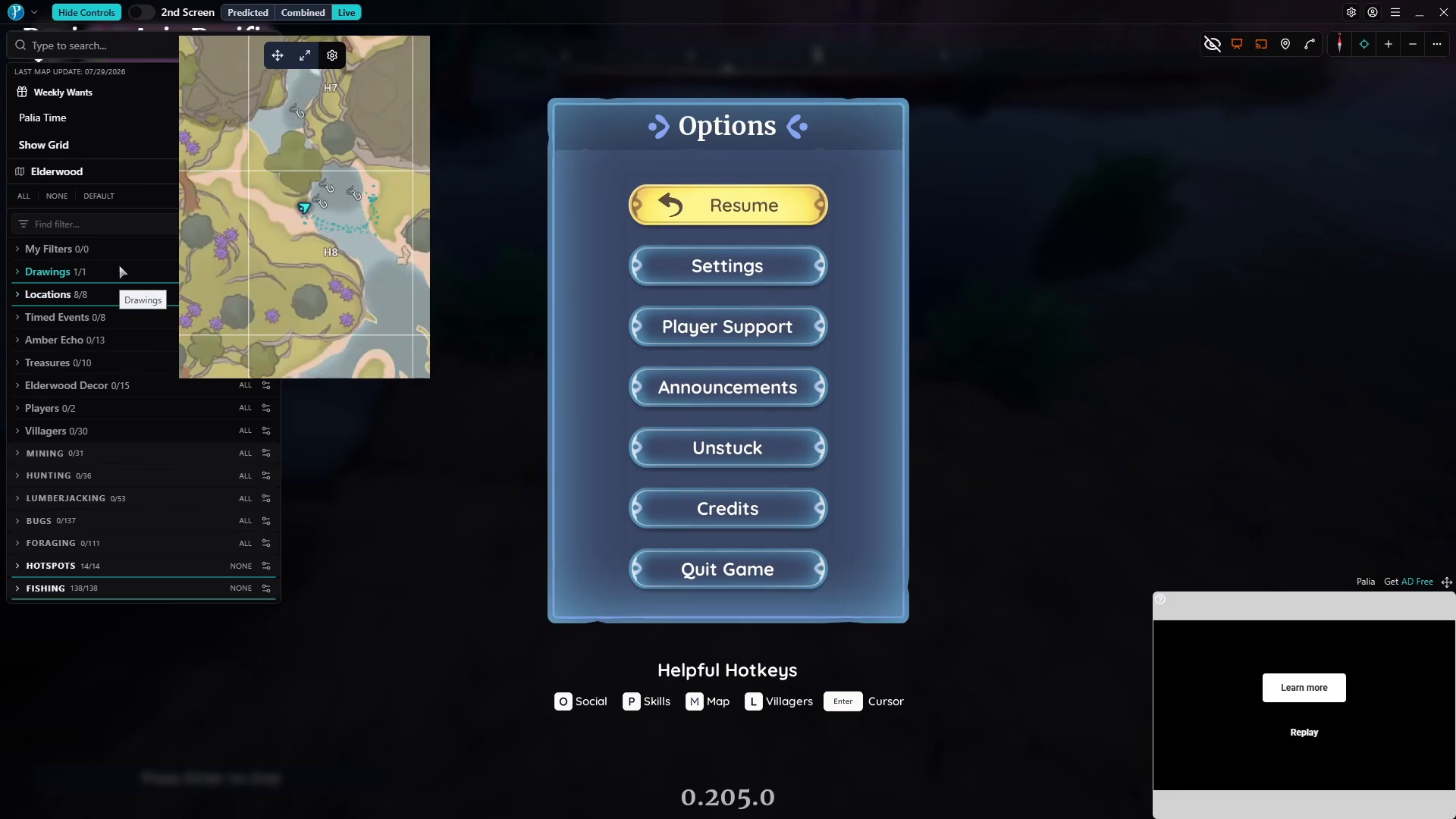
Configuring Overwolf for Maws Tracking
Enabling Fishing Hotspots
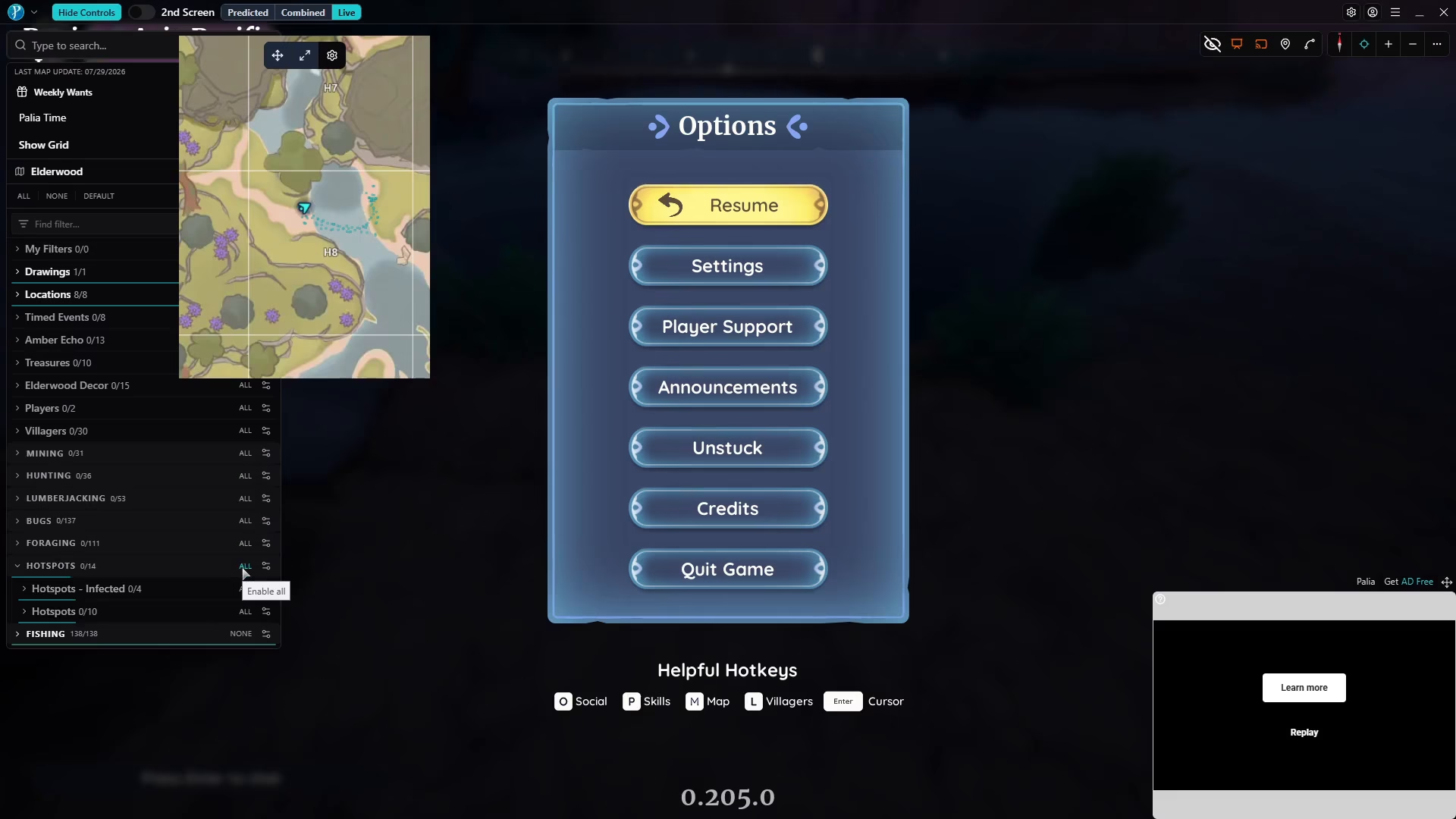
The first step in tracking Maws is to enable hotspots on your live map. Hotspots represent fishing nodes or the bubbles that appear in the water where you can fish. These are marked with hook icons on the map.
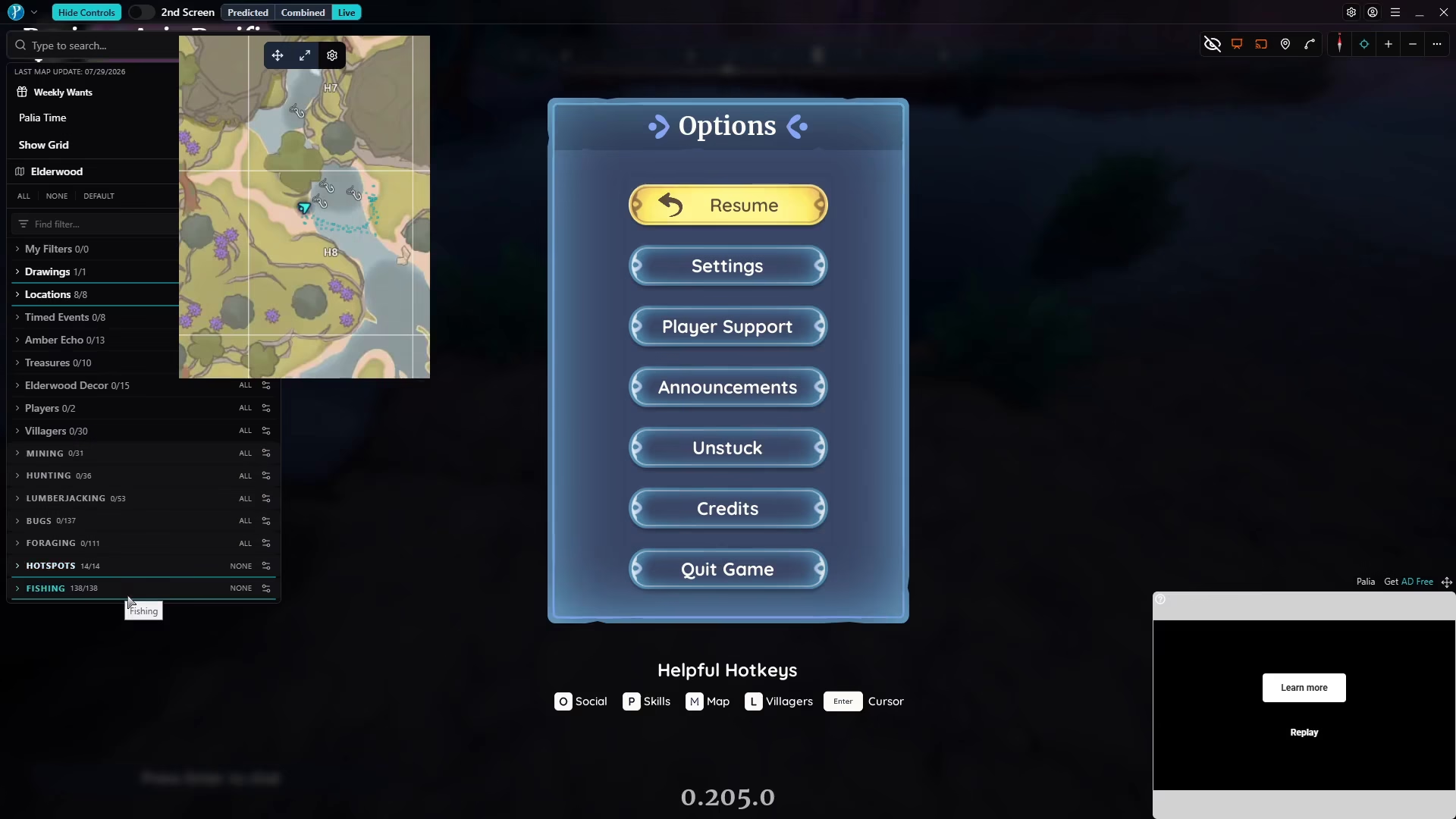
If you disable the hotspots option, the hook icons will disappear from the map. Make sure to keep hotspots enabled and take full advantage of these fishing nodes when searching for Maws.
Filtering for Legendary Fish
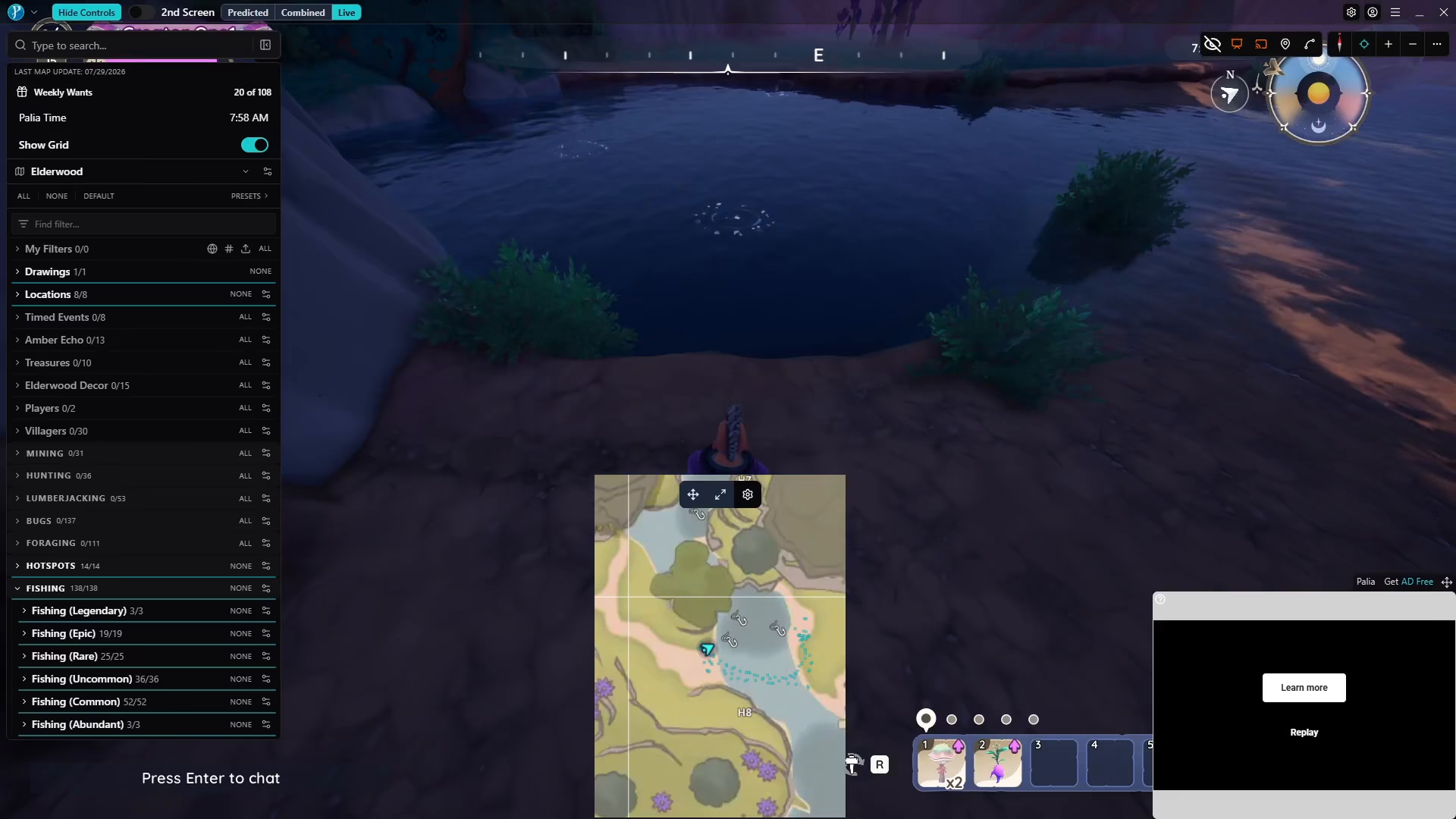
In the Overwolf menu, you’ll find a fish selection option. Start by selecting “all fish” to see what type of fish you’ll catch once you launch your fishing reel. Then, navigate to the fishing filter and select “legendary” to focus on legendary fish only.

Adjusting the Maws Icon Size
Once you’ve filtered for legendary fish, you can change the icon size for Maws. Set it to maximum or whatever size you prefer. When Maws is detected by the software, it will appear on your live map at the size you’ve selected, making it much easier to spot.

Recommended Fishing Attachments and Buffs
Before you begin your fishing expedition, equip the following attachments and buffs to maximize your chances of success:
Major Safe Zone Size Bug Booster
Fisherman’s Brew (alternative buff option)
The Step-by-Step Fishing Process for Maws
Preparation
Before casting your line, ensure you have the following ready:
Glow worms as your bait
Overwolf open with hotspots and legendary fish filters enabled
Your fishing attachments and buffs applied
The Maws icon sized to maximum on your live map
Casting and Monitoring
When you’re ready to fish, position yourself at one of the fishing hotspots shown on your live map. Launch your fishing reel and immediately watch the Overwolf live map.
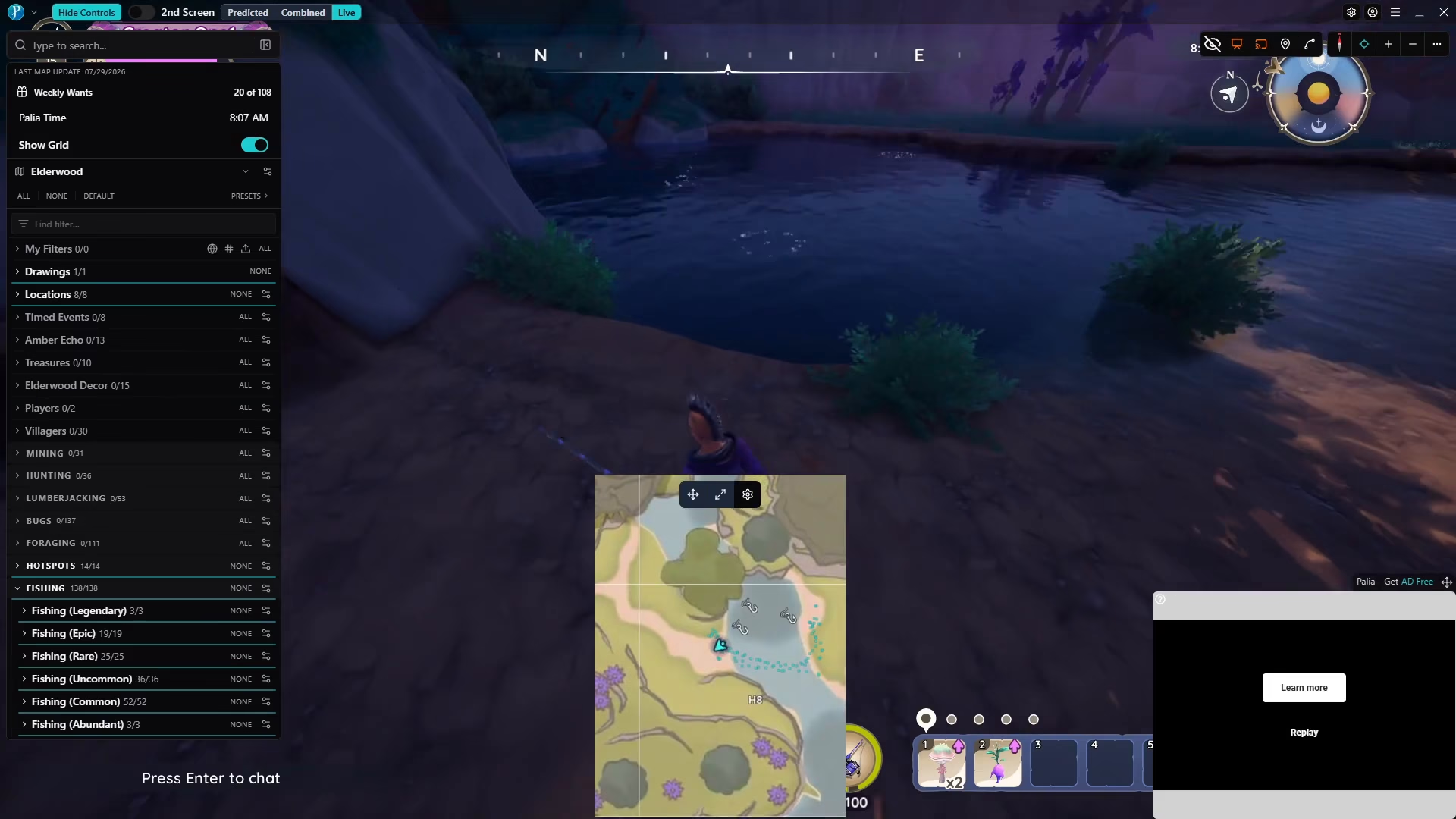
A fish icon will appear on the live map showing you what fish you’re about to catch. This is where the magic of Overwolf comes in—you can see the fish before you commit to reeling it in.
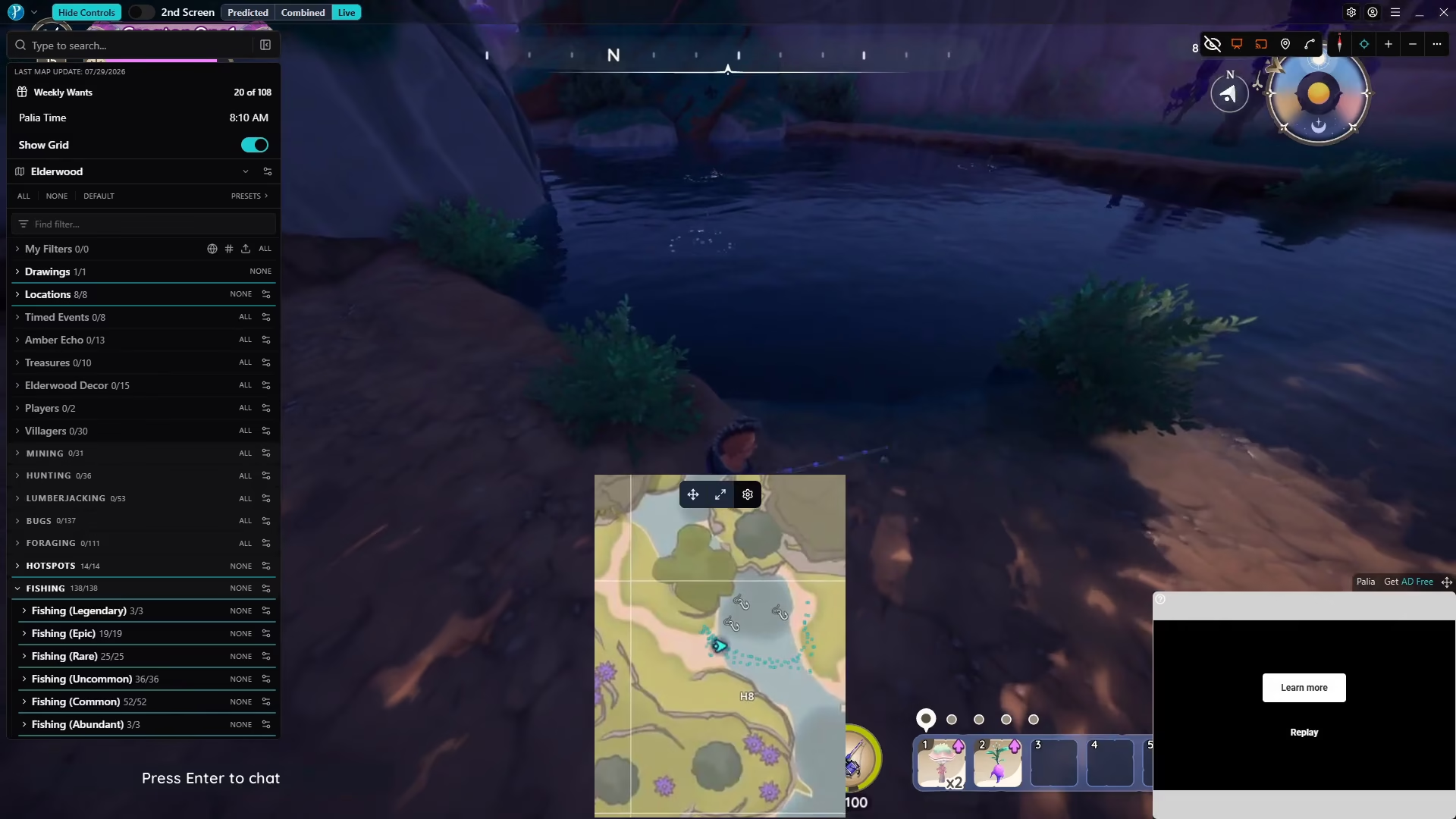
Identifying and Catching Maws
Watch the live map carefully as you fish. If the fish icon that appears is not the large Maws icon you’ve configured, cancel the fishing immediately. You can do this without consequence.
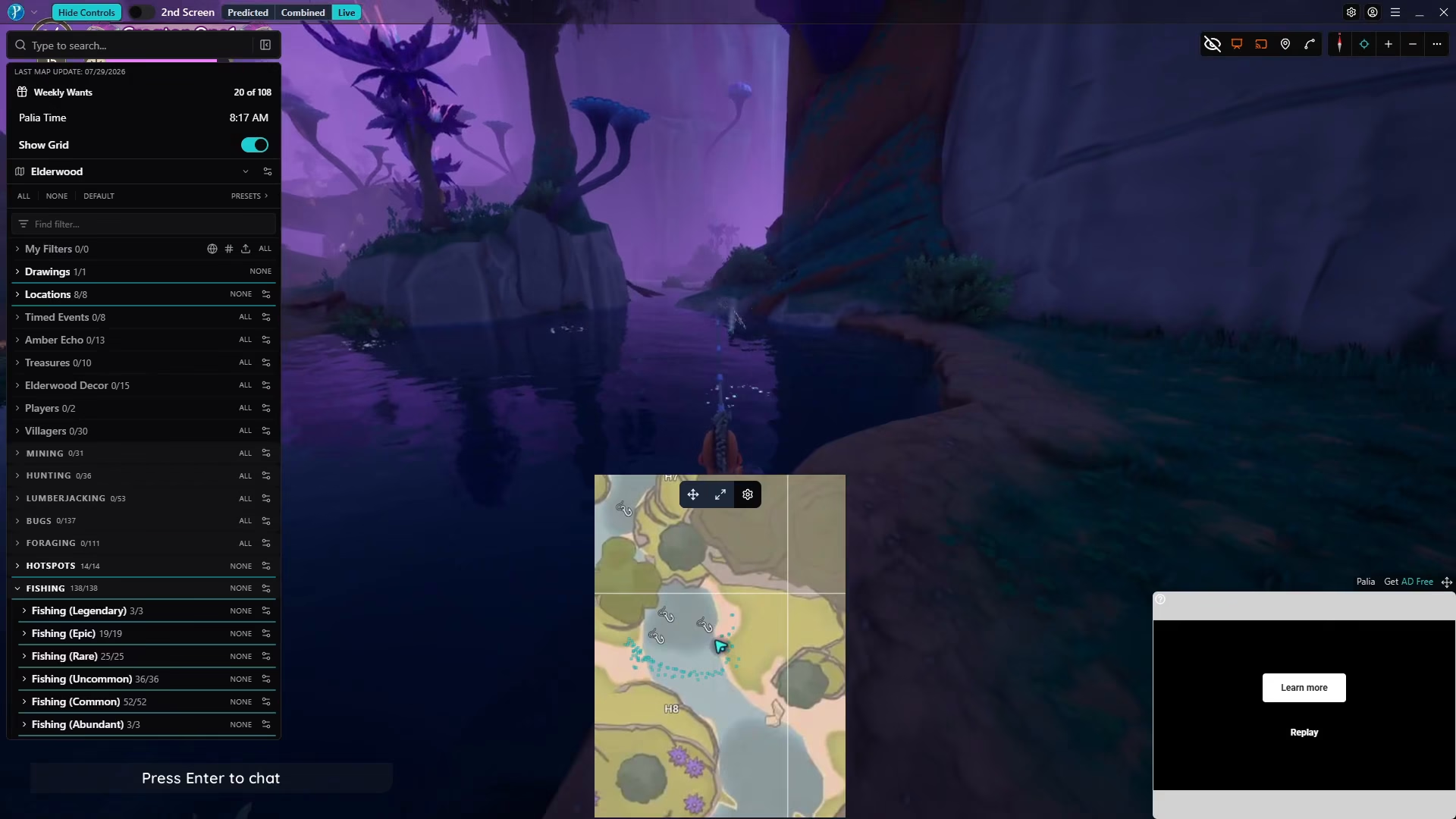
After canceling, launch your reel again and repeat the process. Continue until you see that big or huge icon representing Maws on your live map—the icon size you modified in the software.
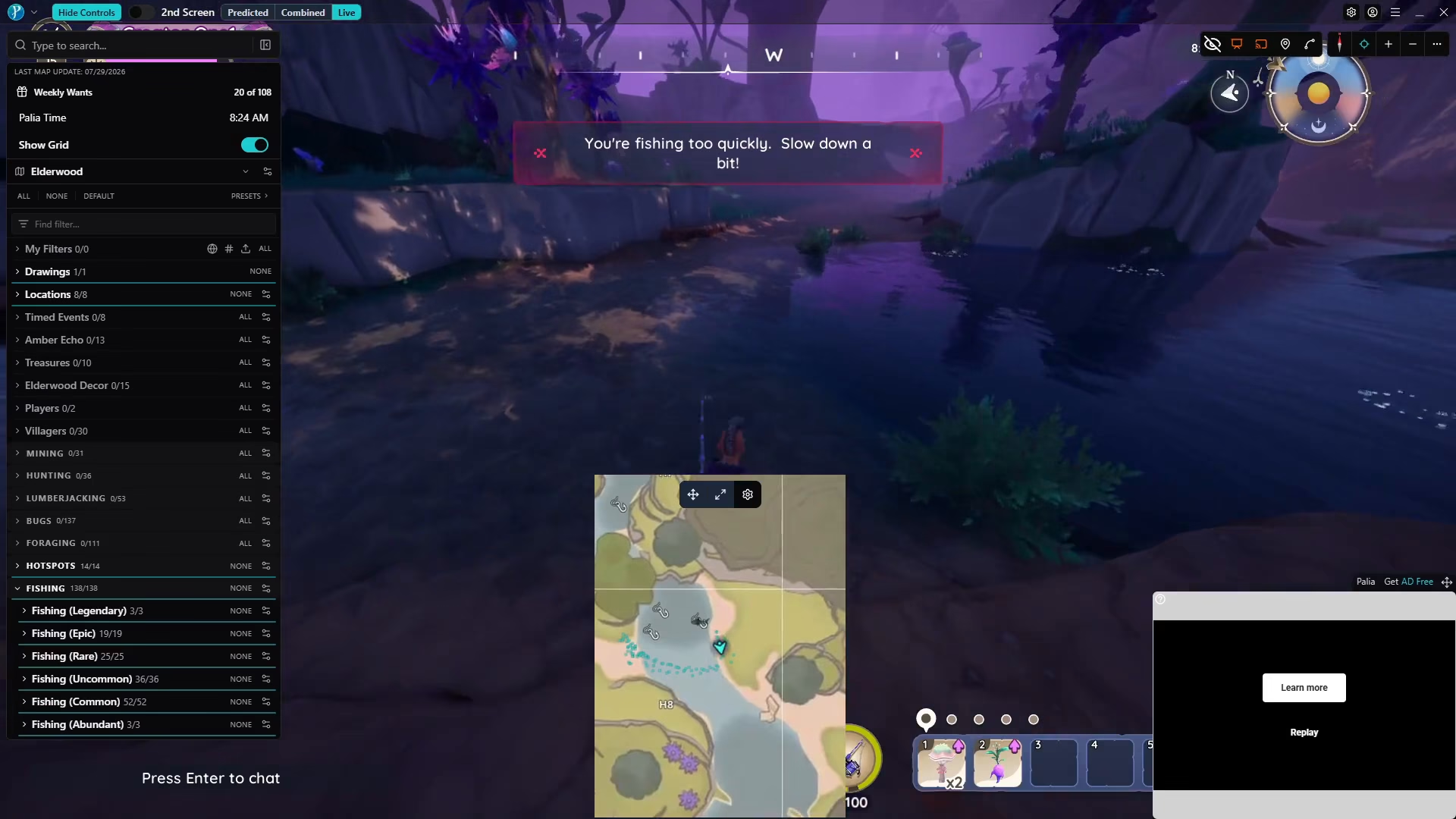
Once you’ve confirmed it’s Maws, reel in your catch and complete the fishing process. With this method, you’ll have a significantly higher success rate compared to random fishing.
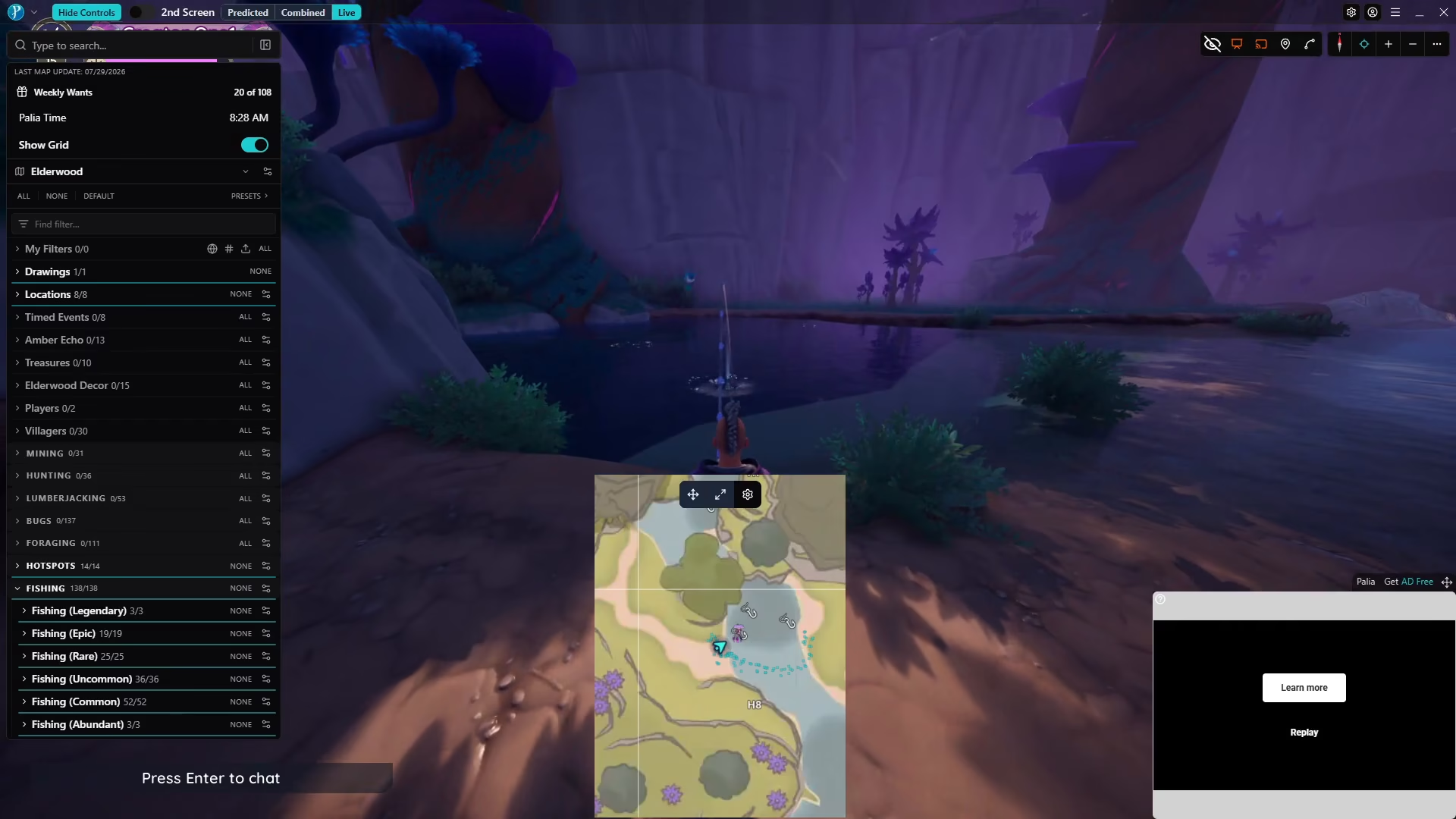
Why This Method Works
By using Overwolf, you eliminate the guesswork from legendary fish hunting. Instead of spending hours casting randomly and hoping for Maws, you can see exactly what fish you’ll catch before you commit to reeling it in. This makes the entire process much more efficient and less frustrating.
Important Clarification: This is Not Cheating
It’s crucial to understand that using Overwolf is not cheating and does not violate Palia’s terms of service. The tool simply provides information that would otherwise require extensive trial and error. Many players in the community use this tool, and it has been thoroughly tested and proven to be compliant with the game’s policies.
Conclusion
Fishing for Maws in Palia is challenging, but with the help of Overwolf, the process becomes much more manageable. By following this guide—downloading Overwolf, configuring it to track legendary fish, and using the live map to identify Maws before you reel in—you’ll be able to catch this legendary fish with significantly better success rates. Remember to use glow worms as bait, equip your fishing buffs, and stay patient. Good luck on your fishing adventure!
— Want to Support? —
If you would like to help us continue making these guides – please consider joining our patreon here – https://www.patreon.com/c/JaviHeals
Alternatively – you can join our discord here – https://discord.gg/zD7Gjt6MHF