How To Change Region In Phasmophobia
How to Change Region in Phasmophobia
Changing your region in Phasmophobia is a straightforward process that allows you to connect with players from different parts of the world. Whether you’re looking to play with friends in another region or reduce your latency, this guide will walk you through the simple steps to switch servers.
Accessing the Region Settings
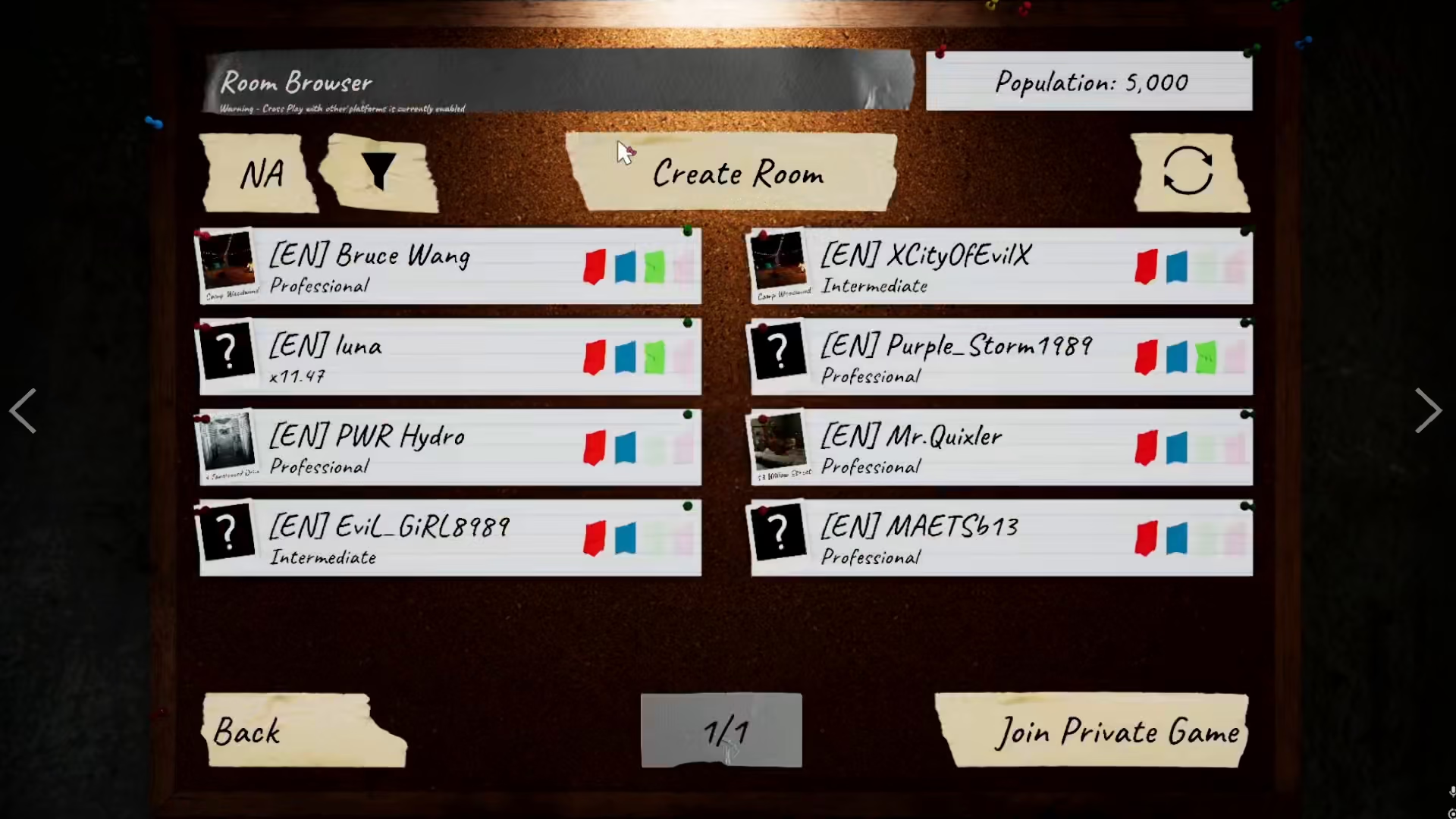
To change your region in Phasmophobia, you must first be in the multiplayer lobby. Once you’re in the multiplayer lobby, you’ll have access to the region selection option.

Available Regions
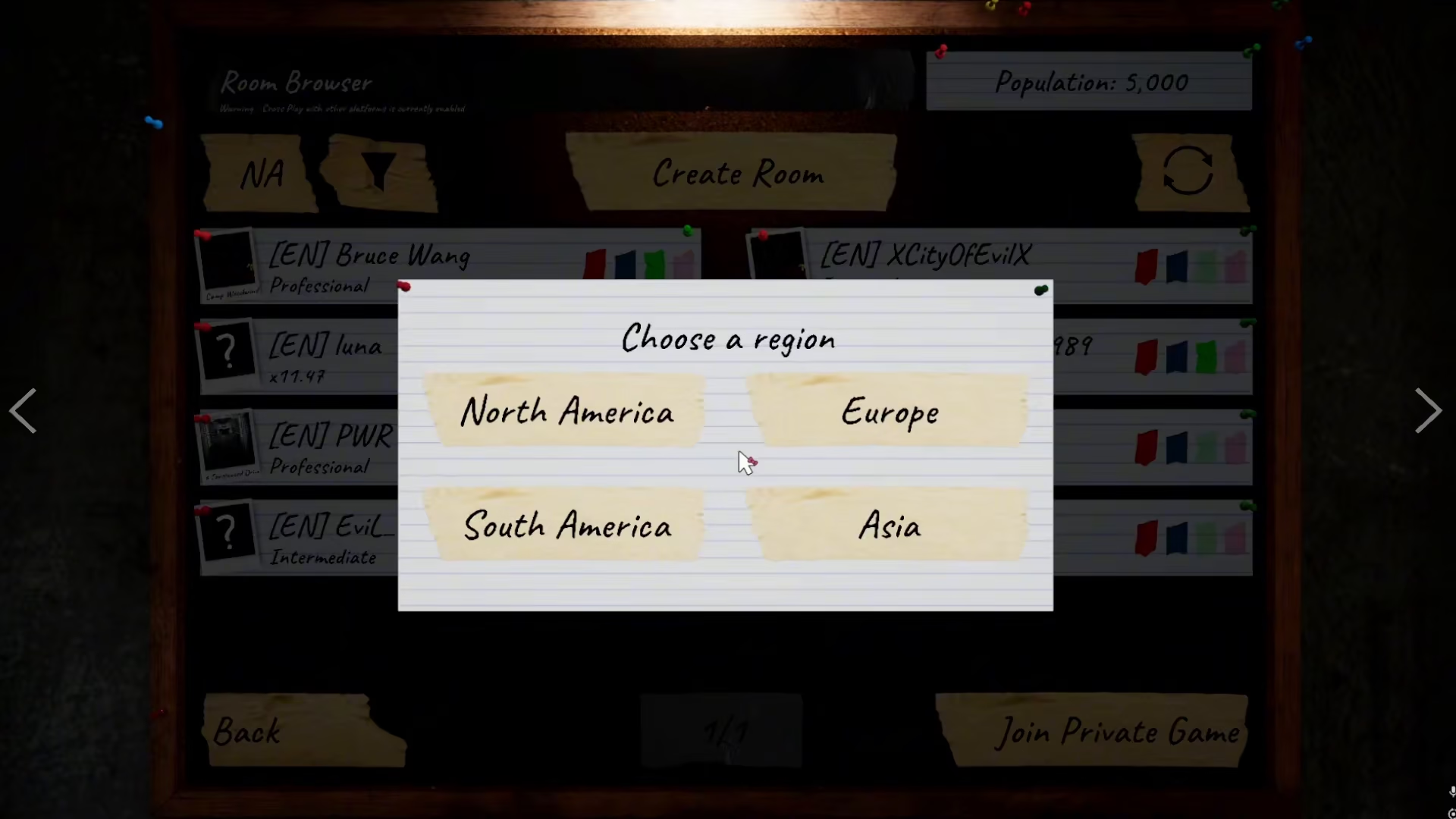
On the left side of your screen in the multiplayer lobby, you’ll see your current region displayed. From this menu, you can choose between four different server regions:
North America
South America
Europe
Asia
Server Population and Selection
Each server region has varying player populations. Europe and North America (NA) have the highest number of active players, making it easier to find lobbies and join games quickly. South America also maintains a healthy player base. In contrast, Asia servers typically have fewer players, with only a few lobbies available at any given time. Choose whichever server best suits your needs based on location, latency, or friend availability.
Summary
Changing your region in Phasmophobia is as simple as navigating to the multiplayer lobby and selecting your preferred server from the region menu on the left side of your screen. With four regions to choose from, you have the flexibility to find the best connection for your gameplay experience.
— Want to Support? —
If you would like to help us continue making these guides – please consider joining our patreon here – https://www.patreon.com/c/JaviHeals
Alternatively – you can join our discord here – https://discord.gg/zD7Gjt6MHF