Carrots Complete Guide How To Grow, Harvest & Sell Carrots In Farming Simulator 25
Carrots Complete Guide: How To Grow, Harvest & Sell Carrots In Farming Simulator 25
This comprehensive guide covers everything you need to know to successfully prepare fields, grow, harvest, and sell carrots in Farming Simulator 25. Whether you’re a beginner or looking to optimize your carrot farming operation, this tutorial walks you through every step of the process with detailed instructions on equipment setup, field preparation, planting, fertilizing, harvesting, and selling.
Getting Started: Basic Assumptions
This guide assumes you already know how to attach and use vehicles in Farming Simulator 25. If you’re unfamiliar with these mechanics, we recommend checking out our Ultimate Beginner Guide first.
The basic principle for all machinery in this game is straightforward: attach the tractor to your equipment, drive it onto the field, turn it on, and lower it. This simple process applies to every machine we’ll cover in this carrot farming guide.
Essential Equipment for Carrot Farming
Tractor and Weight Balance
You’ll need a tractor as your primary vehicle. When using carrot-specific machinery, particularly heavier equipment, you must add a weight to the front of your tractor to maintain proper balance. This counterweight prevents your tractor from becoming unbalanced when heavy machinery is attached to the rear.
You can purchase tractor weights from the shop under the Miscellaneous category.
Soil Preparation Equipment
Before planting carrots, you need to prepare your soil. You have two main options:
Subsoiler (Recommended): This is the preferred option for carrots and other root vegetables. It properly loosens the soil for optimal root development.
Plow: An acceptable alternative if you don’t have a subsoiler. It will still prepare your field adequately for planting.
Both tools are found under Soil Cultivation in the shop menu.
Ridge Makers (Optional)
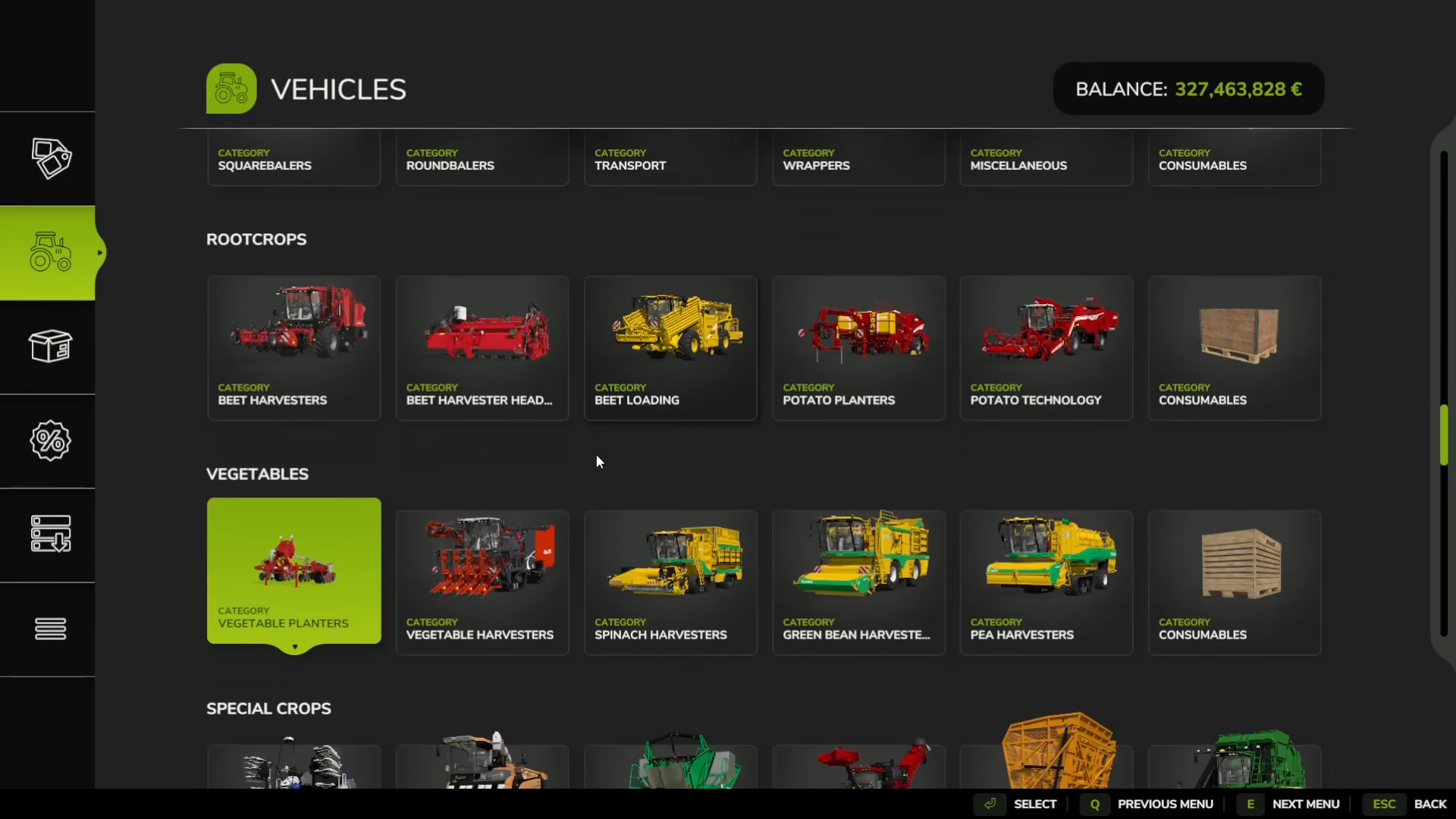
Ridge makers are specialized vegetable tools found under the Vegetables category. While not required, using ridge makers before planting will increase your carrot yield. These tools create ridges into the soil that provide optimal growing conditions for your vegetables.
Vegetable Planter
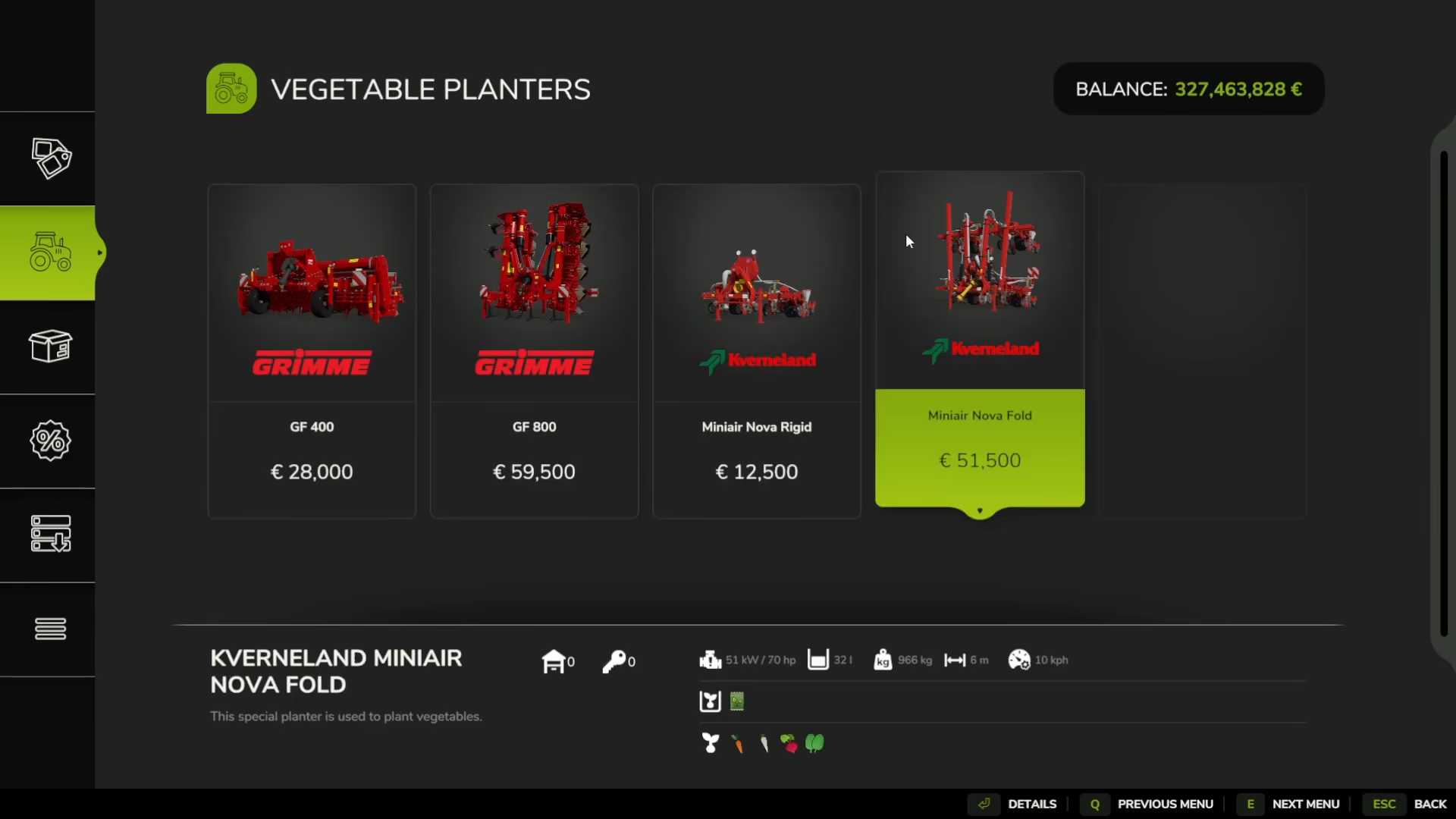
You’ll need a vegetable planter to sow your carrots. Look for this equipment under Vegetables > Vegetable Planters. This machine can plant multiple types of vegetables including carrots, parsnips, beets, and spinach.
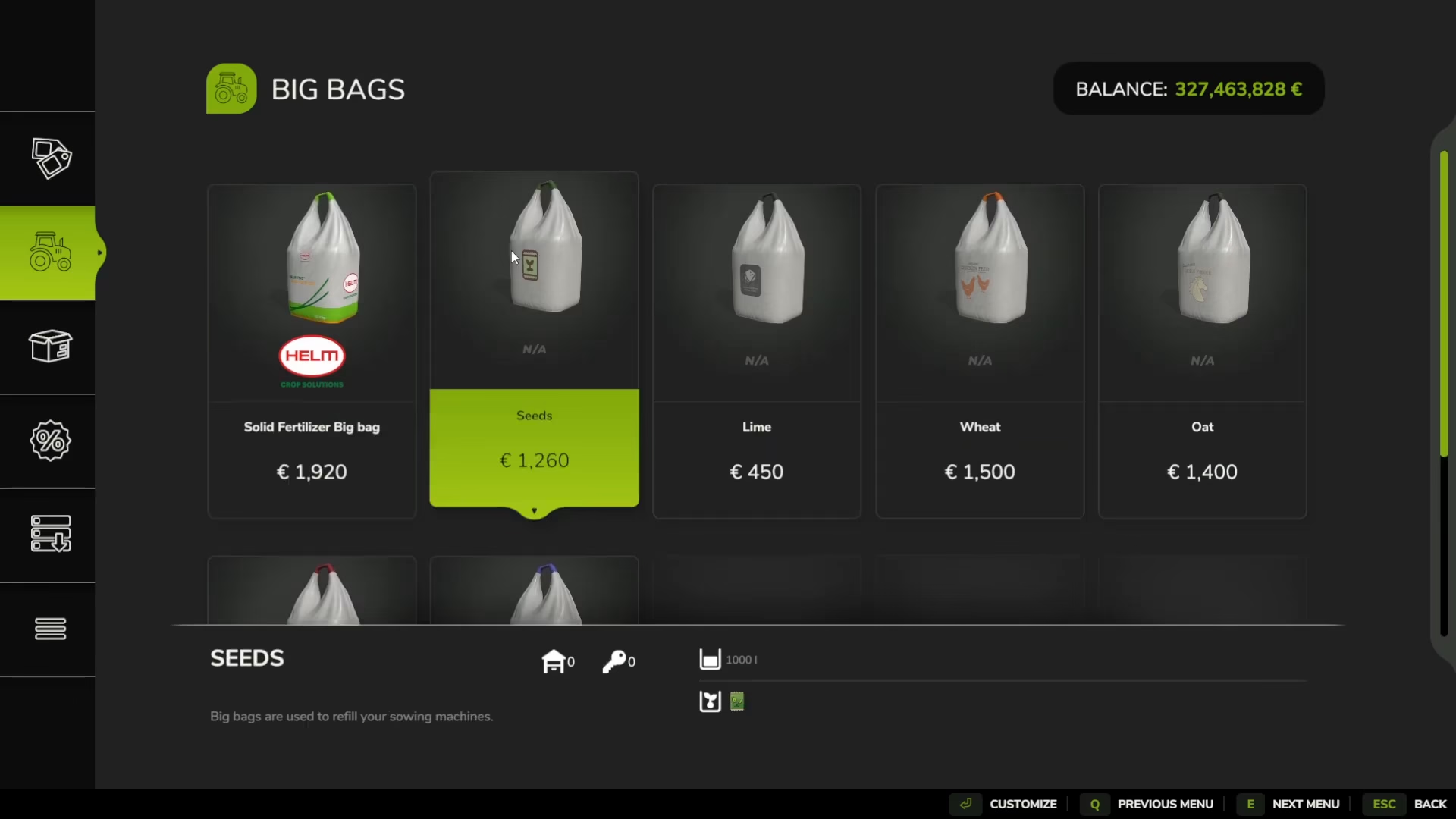
To use the vegetable planter, you’ll need carrot seeds, which you can purchase from the shop under Objects > Big Bags > Seeds.
Fertilizer Equipment
A spreader (such as a Breeder) will allow you to apply both lime and fertilizer to your fields. You can use the same machine for both tasks, or purchase separate machines—one for liming and one for fertilizing. Both are found under Yield Improvements in the shop.
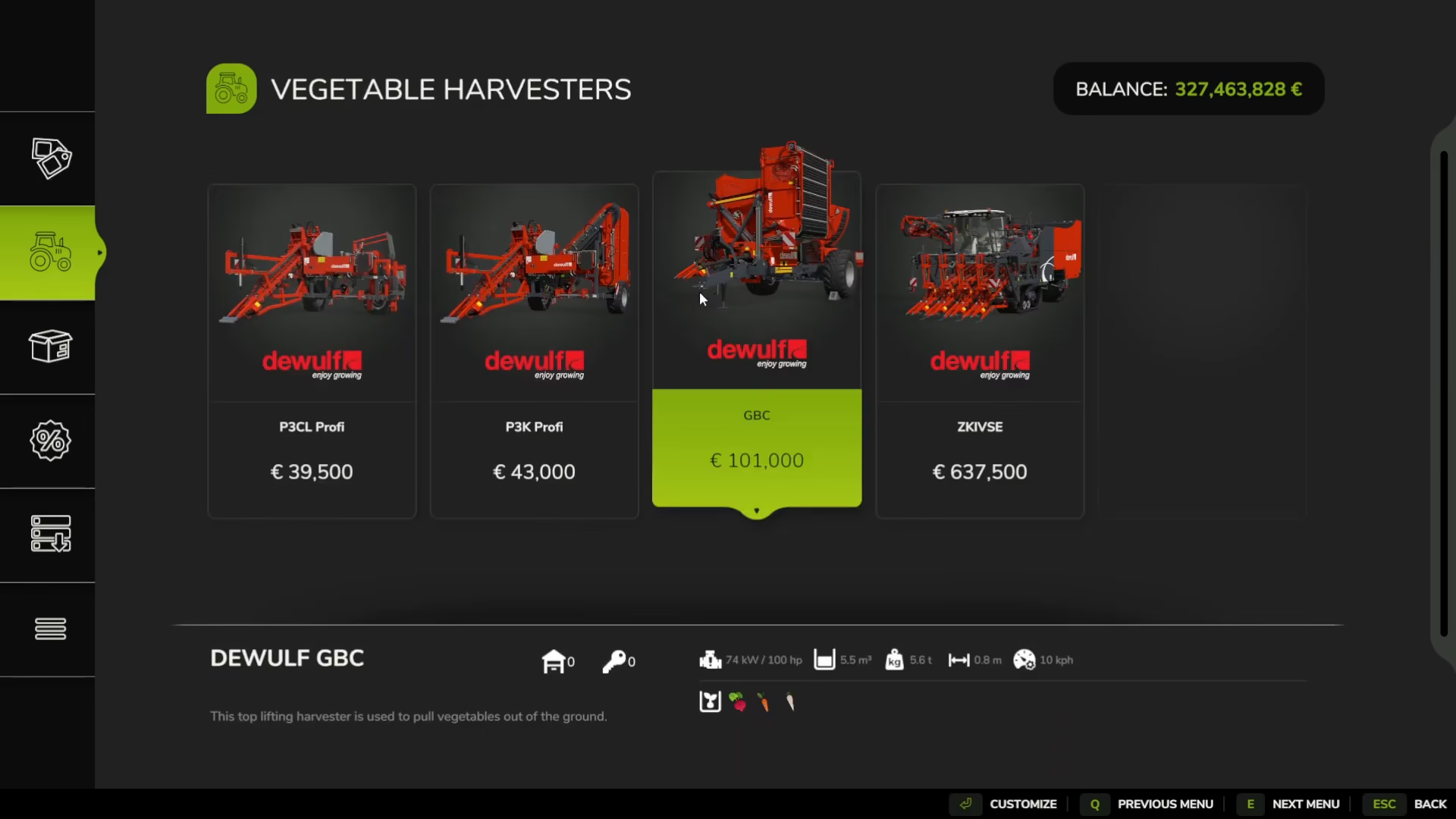
Vegetable Harvester
When your carrots are ready, you’ll need a specialized vegetable harvester to pull them from the ground. Find this equipment under Vegetables > Vegetable Harvesters.
Step-by-Step Carrot Farming Process
Step 1: Prepare the Soil
Start by using your subsoiler or plow to break up the soil. Attach the equipment to your tractor and drive it across your field, then turn it on and lower it to begin cultivation.
Step 2: Lime the Field (Optional but Recommended)
Before planting, lime your field to improve soil conditions. Ideally, you should lime before planting, though the exact timing is flexible. To apply lime:
Purchase lime bags from the shop under Consumables
Park your spreader near the lime bags
Follow the on-screen key bind prompt to refill the spreader
Drive the spreader across your field with it turned on and lowered
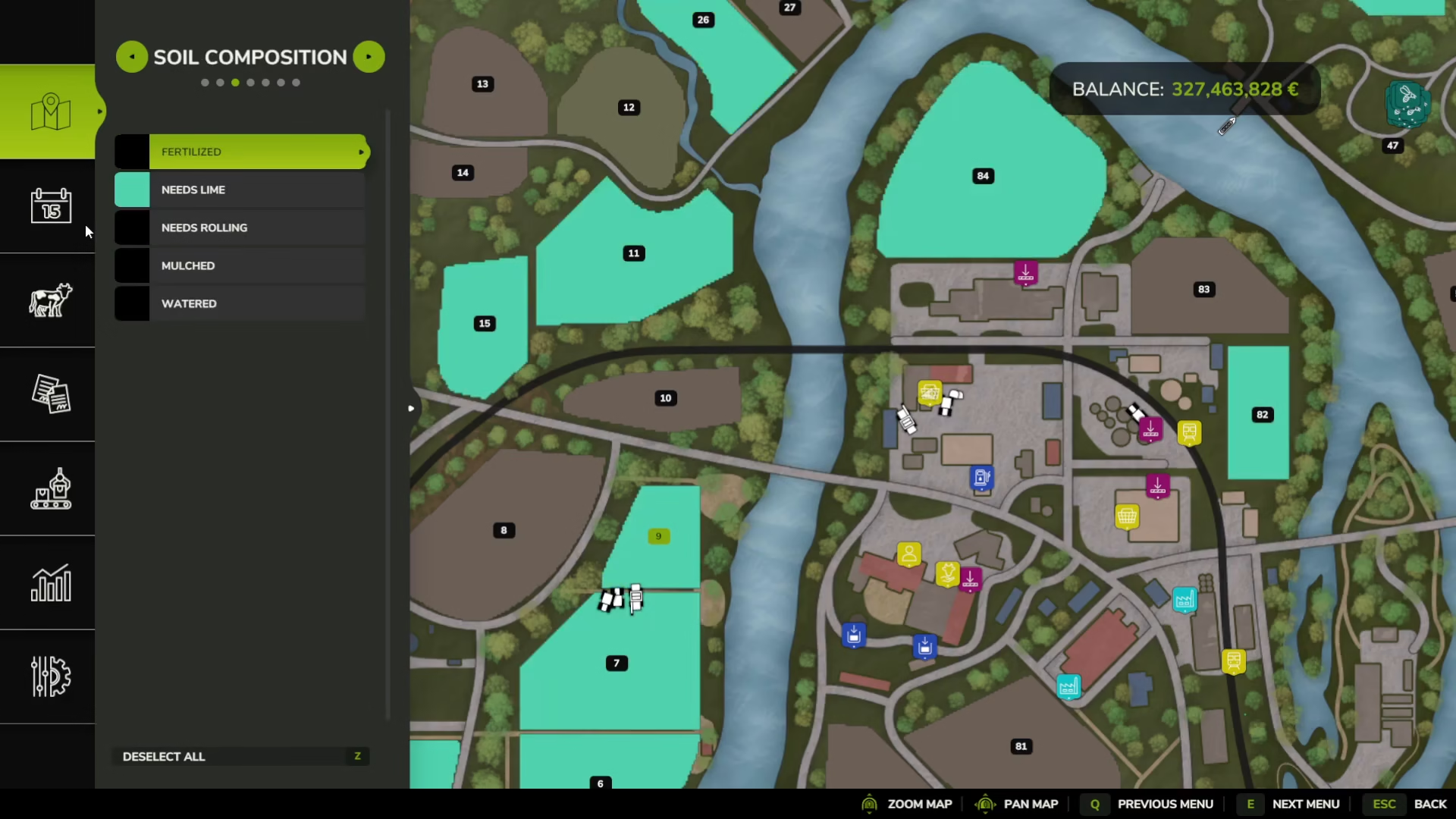
You can track which fields need liming through the map menu under Composition settings.
Step 3: Create Ridges (Optional)
If you want to maximize your carrot yield, use ridge makers to create growing ridges before planting. This step is optional but recommended. Simply attach the ridge maker to your tractor and run it across your prepared field.
Step 4: Plant Your Carrots
Now it’s time to plant your carrots:
Purchase carrot seed bags from the shop
Park your vegetable planter near the seed bags
Use the on-screen key bind to refill the planter with seeds
Cycle through the seed options using the designated key bind until you select carrots
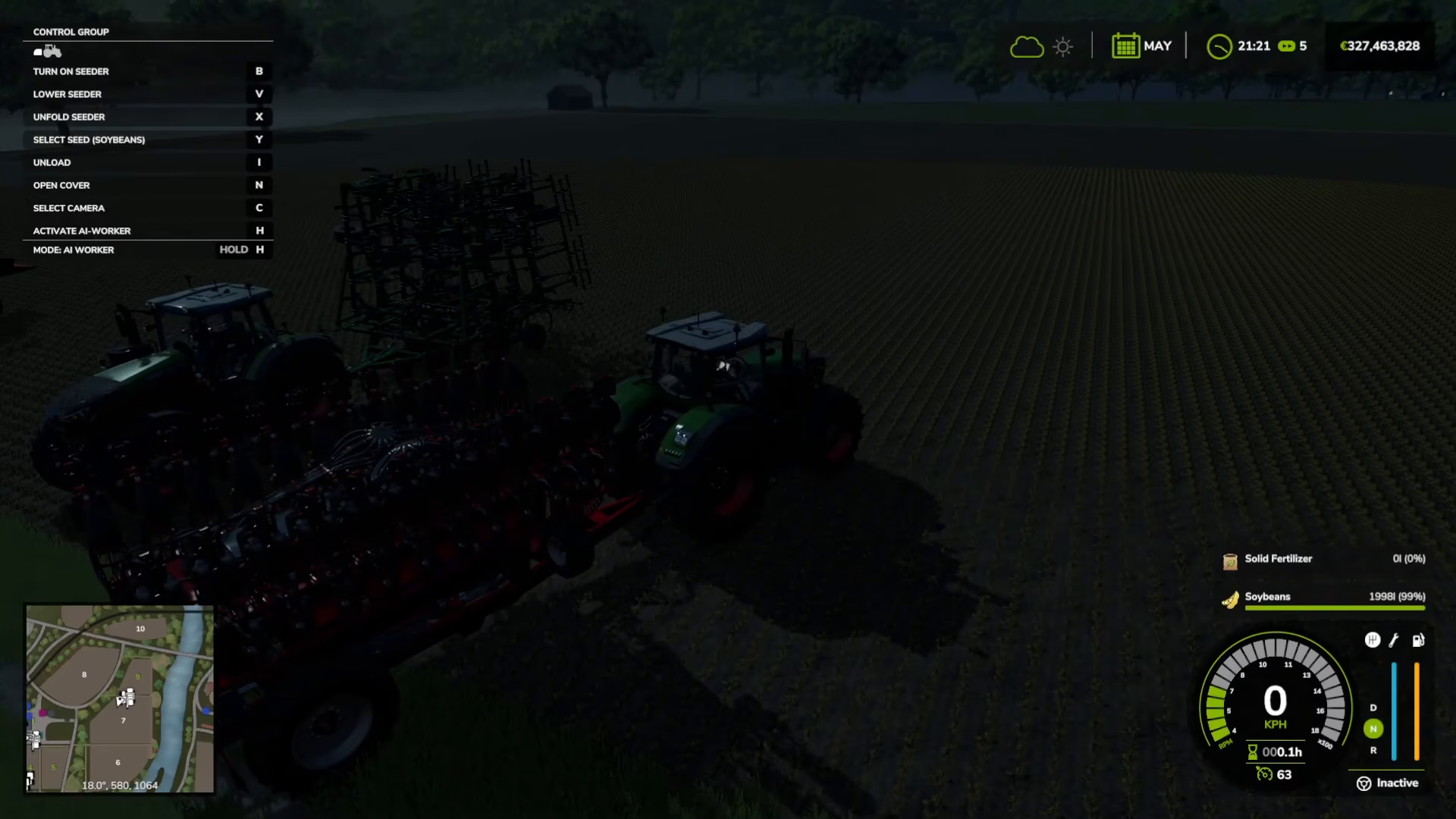
Drive the planter onto your field, turn it on, and lower it to begin planting
Step 5: Monitor Growth Stages
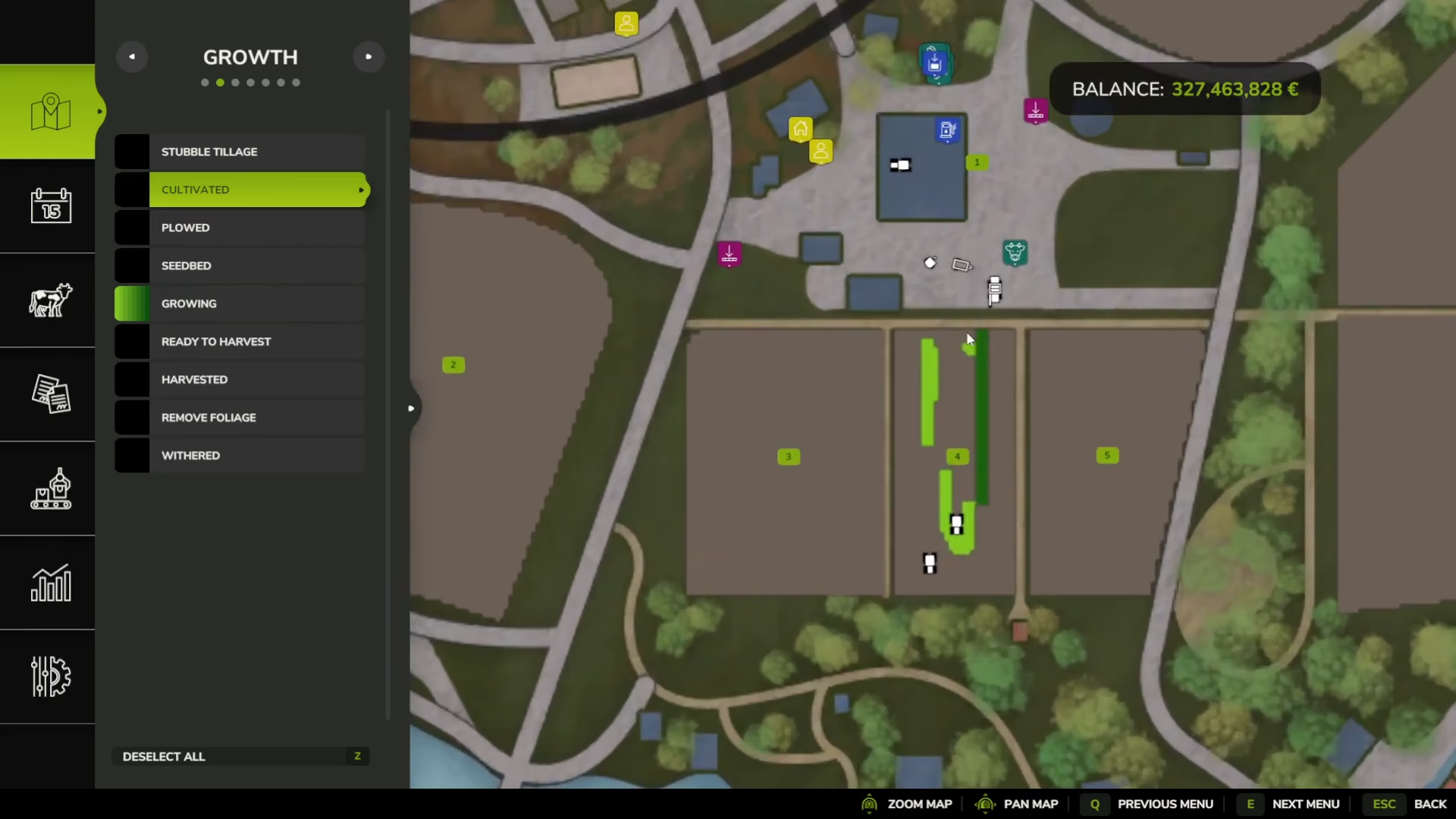
Access your map menu and toggle on the Growth option to track your carrot development. The game displays growth stages with color coding:
Light Green: Early growth stage
Dark Green: Advanced growth, nearing harvest readiness
Orange: Ready to harvest
Step 6: Fertilize Your Carrots
Fertilizing is optional but will increase your yield. To maximize growth, fertilize twice during the growing season:
Once at the early growth stage (light green)
Once during the mid-growth stage (dark green)
Apply fertilizer the same way you applied lime—park your spreader near fertilizer bags, refill it, and drive it across your field with the equipment turned on and lowered.
Step 7: Handle Weeds (If Enabled)
Most players keep weeding disabled, as it adds significant complexity to gameplay. However, if you have weeds enabled, you’ll need to perform an additional weeding step using the same process as other field treatments.
Step 8: Harvest Your Carrots
Once your carrots reach the orange stage on the map, they’re ready to harvest. Attach your vegetable harvester to your tractor and drive it across your field with the harvester running and lowered. The harvester will pull the carrots from the ground and collect them.
Step 9: Transport and Sell
After harvesting, transport your carrots using a trailer attached to your tractor. Drive to a designated selling point (such as a silo or tip point) and position your trailer over the grating on the ground. An on-screen prompt will indicate the key bind to use for unloading. Press the designated key to dump your carrots into the silo and complete the sale.
Complete Equipment Checklist
Here’s your complete shopping list for carrot farming:
Tractor (with front-mounted weight)
Subsoiler or Plow (soil preparation)
Breeder or similar spreader (for lime)
Lime bags (consumables)
Ridge maker (optional for increased yield)
Vegetable planter
Carrot seed bags
Fertilizer spreader/Breeder (for fertilizing)
Fertilizer bags (consumables)
Vegetable harvester
Trailer (for transport)
Summary
Growing and selling carrots in Farming Simulator 25 involves a multi-step process that can be as simple or detailed as you prefer. At minimum, you need to prepare soil, plant seeds, harvest, and sell. To maximize your yield, add optional steps like liming, ridge making, and fertilizing at two growth stages. Remember that all equipment operates on the same basic principle: attach to your tractor, drive to the field, turn on, and lower. With this complete guide, you have everything needed to build a successful carrot farming operation.
Want to Support?
If you would like to help us continue making these guides – please consider joining our patreon here – https://www.patreon.com/c/JaviHeals
Alternatively – you can join our discord here – https://discord.gg/zD7Gjt6MHF