
How To Add Friends In Age of Empires 4
How To Add Friends In Age of Empires 4
Want to team up with friends in Age of Empires 4? Adding friends to your account is quick and straightforward. This guide walks you through the simple steps needed to send friend requests and start playing together.
Adding Friends to Your Group
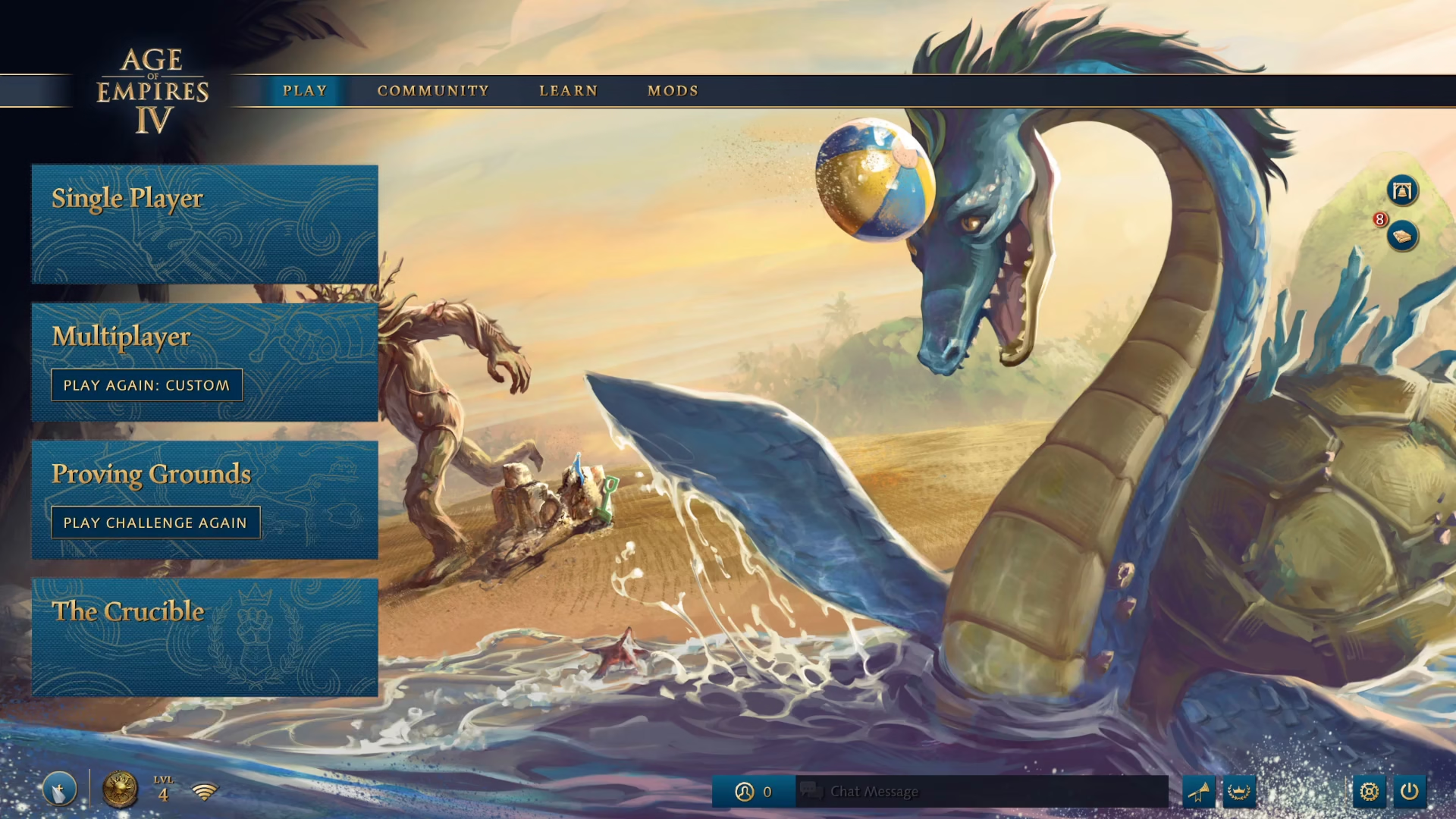
Start by looking at the bottom left corner of your screen. You’ll see a plus sign icon that represents your group. Click on this plus sign to begin the process.
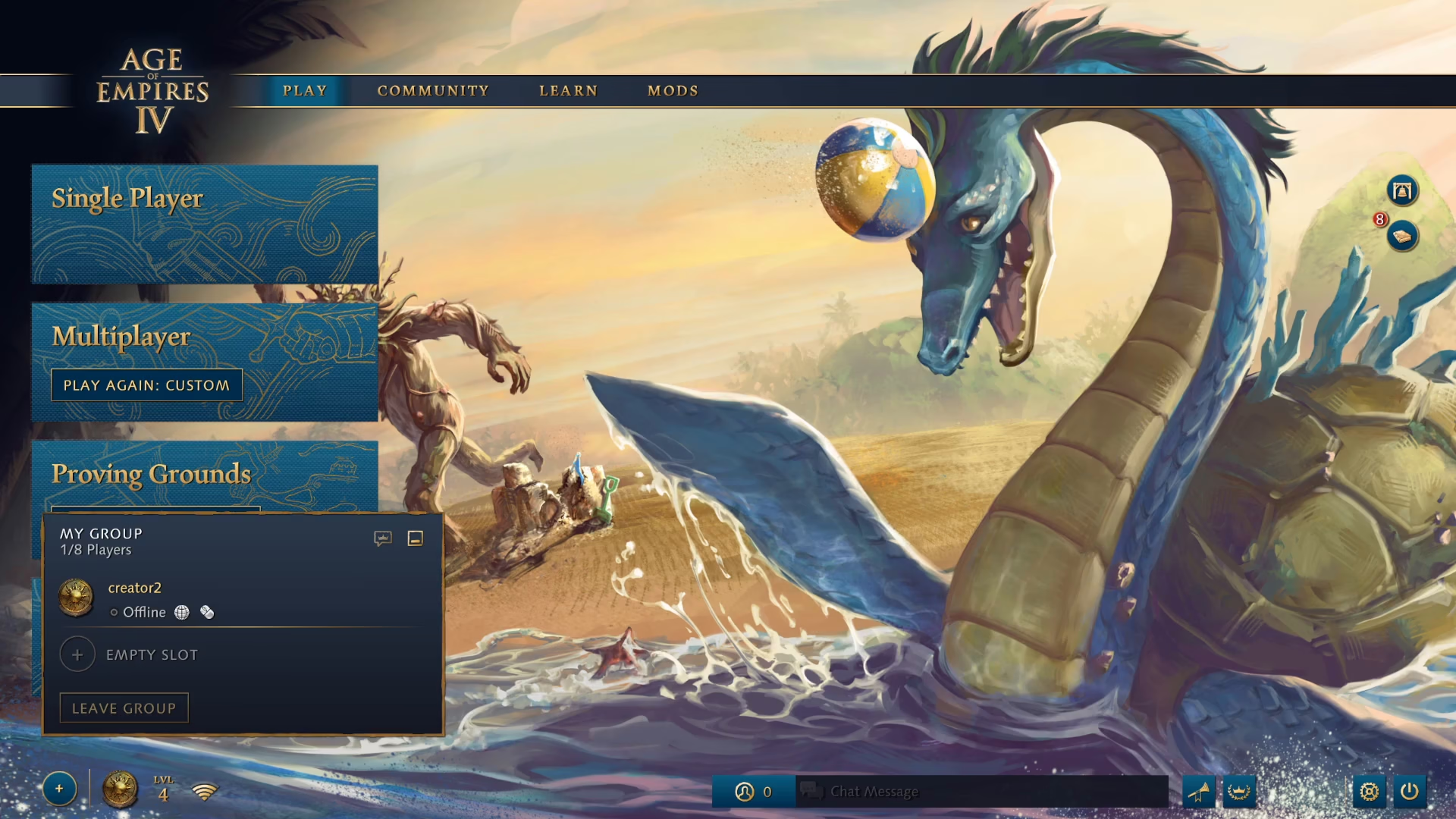
Once you’ve clicked the plus sign, an empty slot will appear. Click on this empty slot to proceed with inviting someone to your group.
Searching for Friends
Next, focus on the middle section of the screen where you’ll find the Friends menu. Look for an “Add” button or option and click on it to access the search functionality.
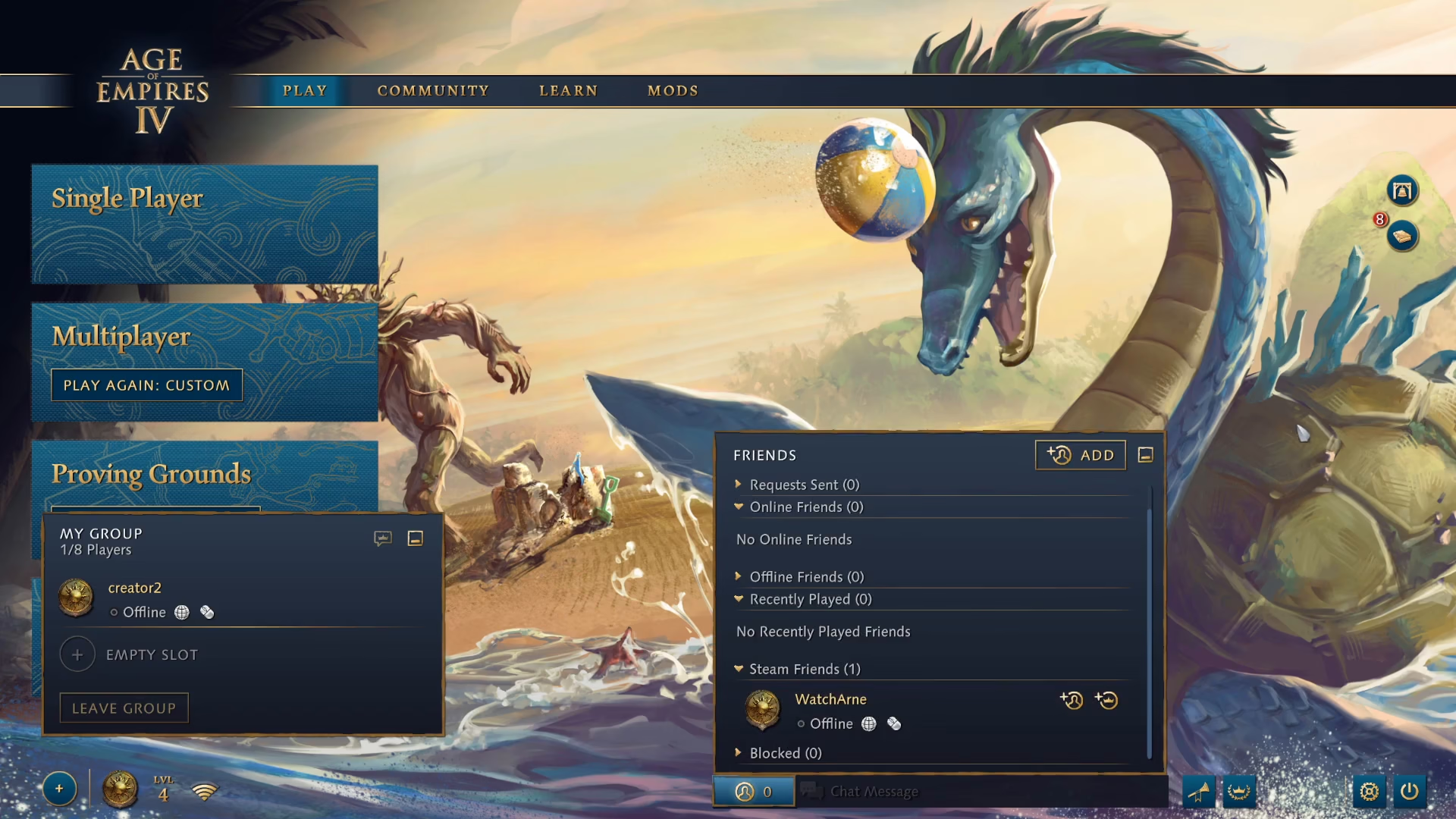
You’ll now see a “Search Players” field. If you know your friend’s player ID, type it into this search box. Once you’ve entered the ID, click the search button to find them.

Completing the Friend Request
Once your search returns results and you can see your friend’s profile, simply click the “Add Friend” button to send them a friend request.

Summary
That’s all there is to adding friends in Age of Empires 4! The process involves clicking the group plus sign in the bottom left, accessing the Friends menu in the middle of the screen, searching for your friend by their player ID, and clicking “Add Friend.” Once you’ve completed these steps, you’ll be able to group up and play together.
— Want to Support? —
If you would like to help us continue making these guides – please consider joining our patreon here – https://www.patreon.com/c/JaviHeals
Alternatively – you can join our discord here – https://discord.gg/zD7Gjt6MHF