







How To Ask Questions Without Mic In Phasmophobia
“`html
How To Ask Questions Without a Mic in Phasmophobia
Playing Phasmophobia without a microphone doesn’t mean you have to sit silently while your team investigates. The game includes a built-in text-based question system that allows you to communicate with ghosts and interact with the paranormal investigation just like mic users do. This guide walks you through enabling voice recognition’s text mode so you can ask questions and receive ghost responses without any audio equipment.
Enabling Text Mode for Ghost Communication
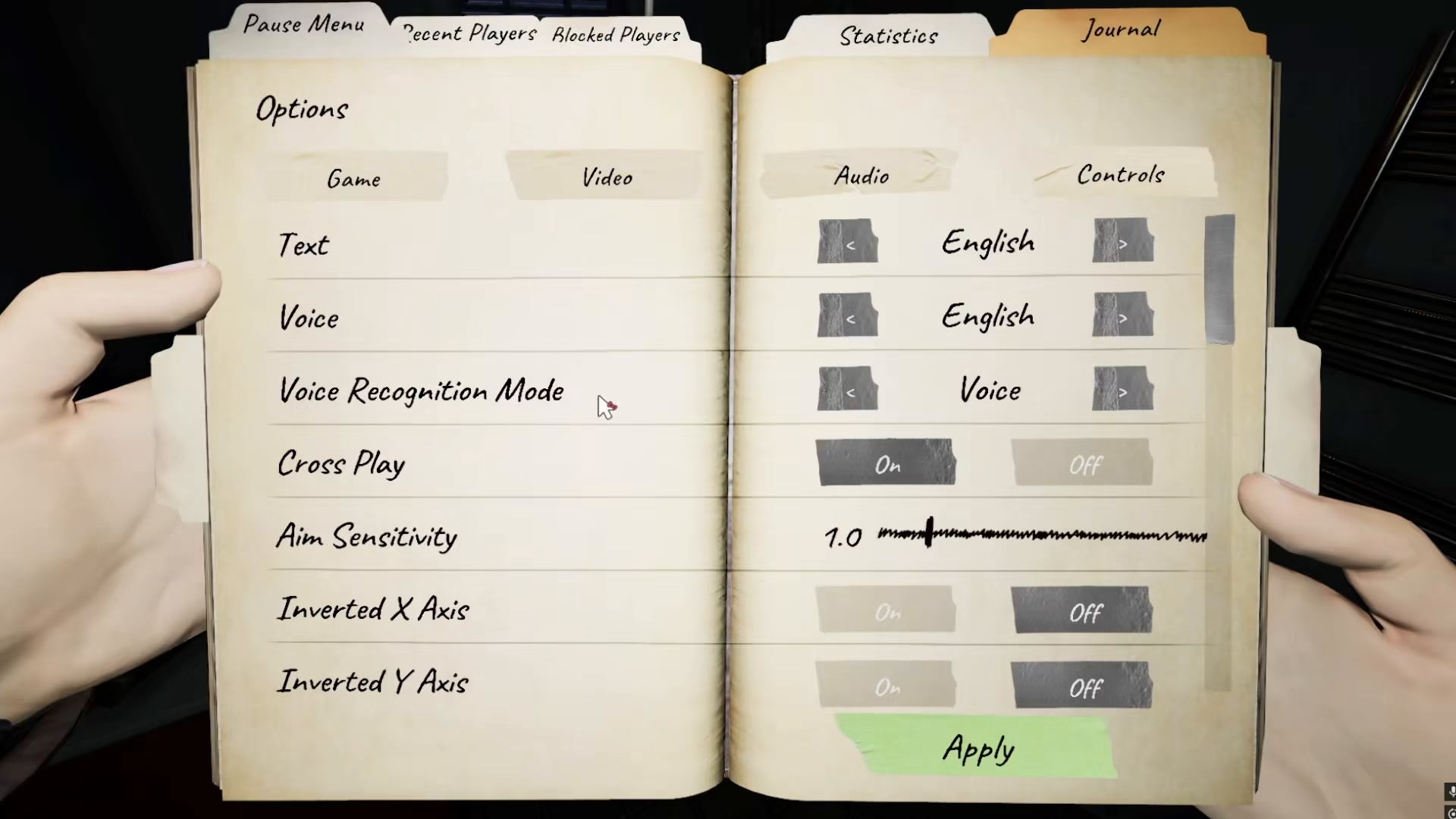
To ask questions without a microphone in Phasmophobia, you’ll need to access your game settings and adjust your voice recognition configuration. Navigate to Options and then select Voice Settings. Once you’re in the voice settings menu, locate the Voice Recognition Mode setting and change it from the default microphone mode to Text. This switch enables the text-based questioning system and displays the question menu interface.
Using the Text-Based Question Menu
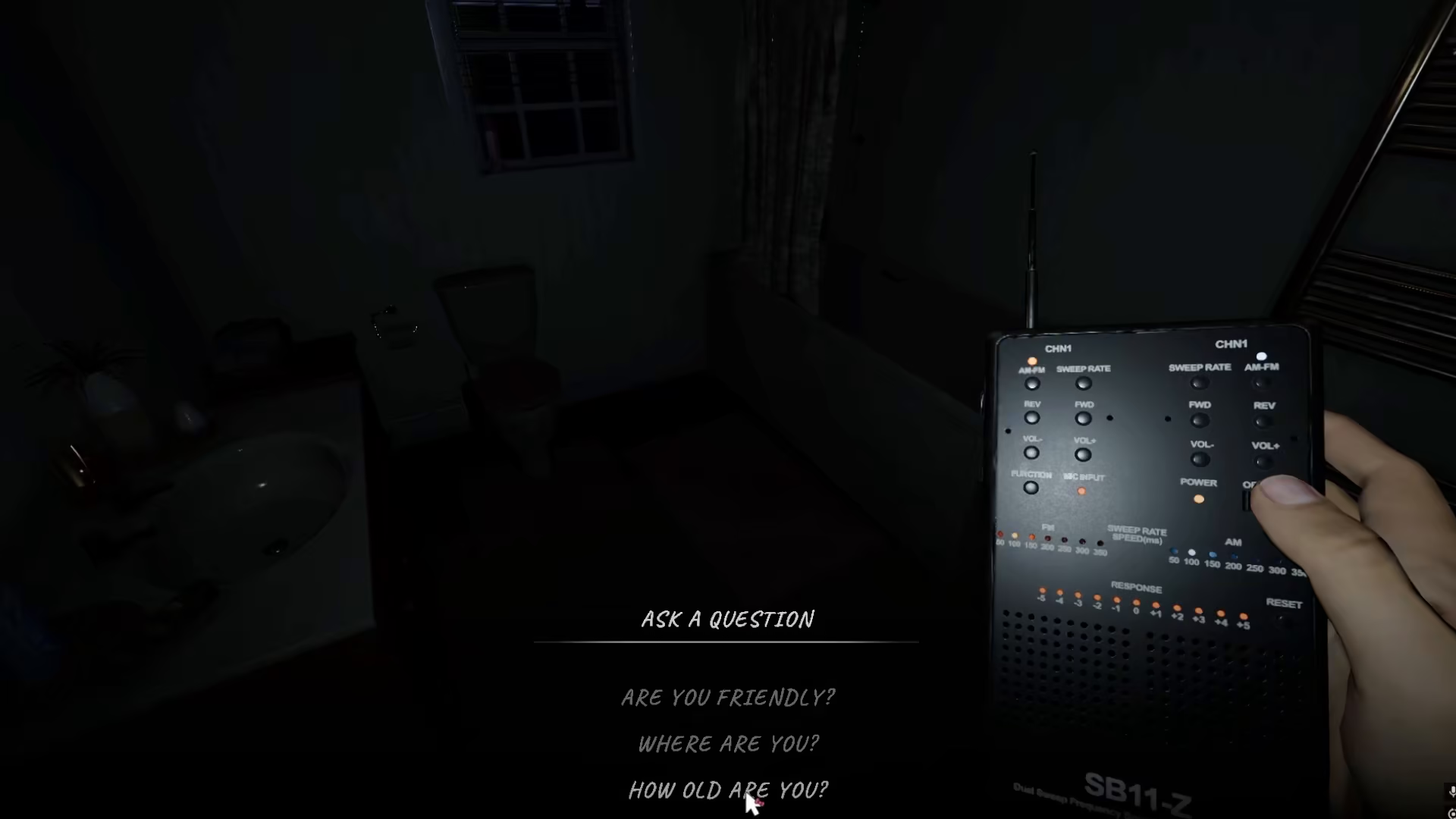
After switching to text mode, a menu of available questions will appear on your screen. You can now select from a variety of pre-written questions to ask the ghost during your investigation. When you select a question and the ghost responds, you’ll see a visual indicator—the response will display on screen, confirming that the ghost has replied to your inquiry. This text-based system provides access to the same questions available to microphone users, ensuring you have full parity in ghost communication regardless of your audio setup.
Summary
Phasmophobia’s text-based voice recognition mode is a fully functional alternative to using a microphone. By enabling text mode in your voice settings, you gain access to a complete menu of questions you can ask ghosts during investigations. Whether you don’t have a microphone available or prefer text interaction, this feature ensures you can participate fully in paranormal investigations and gather the information your team needs to identify and document supernatural entities.
Want to Support?
If you would like to help us continue making these guides – please consider joining our patreon here – https://www.patreon.com/c/JaviHeals
Alternatively – you can join our discord here – https://discord.gg/zD7Gjt6MHF
“`



