





How to Change Your Disney Dreamlight Valley Avatar
How to Change Your Disney Dreamlight Valley Avatar
Customizing your character’s appearance in Disney Dreamlight Valley is a straightforward process that you can do at any point during your gameplay. Whether you want to adjust your skin color, body type, facial features, or gender, the game makes it easy to modify your avatar whenever you’d like. This guide walks you through the simple steps needed to change your character’s look.
Opening the Wardrobe Menu
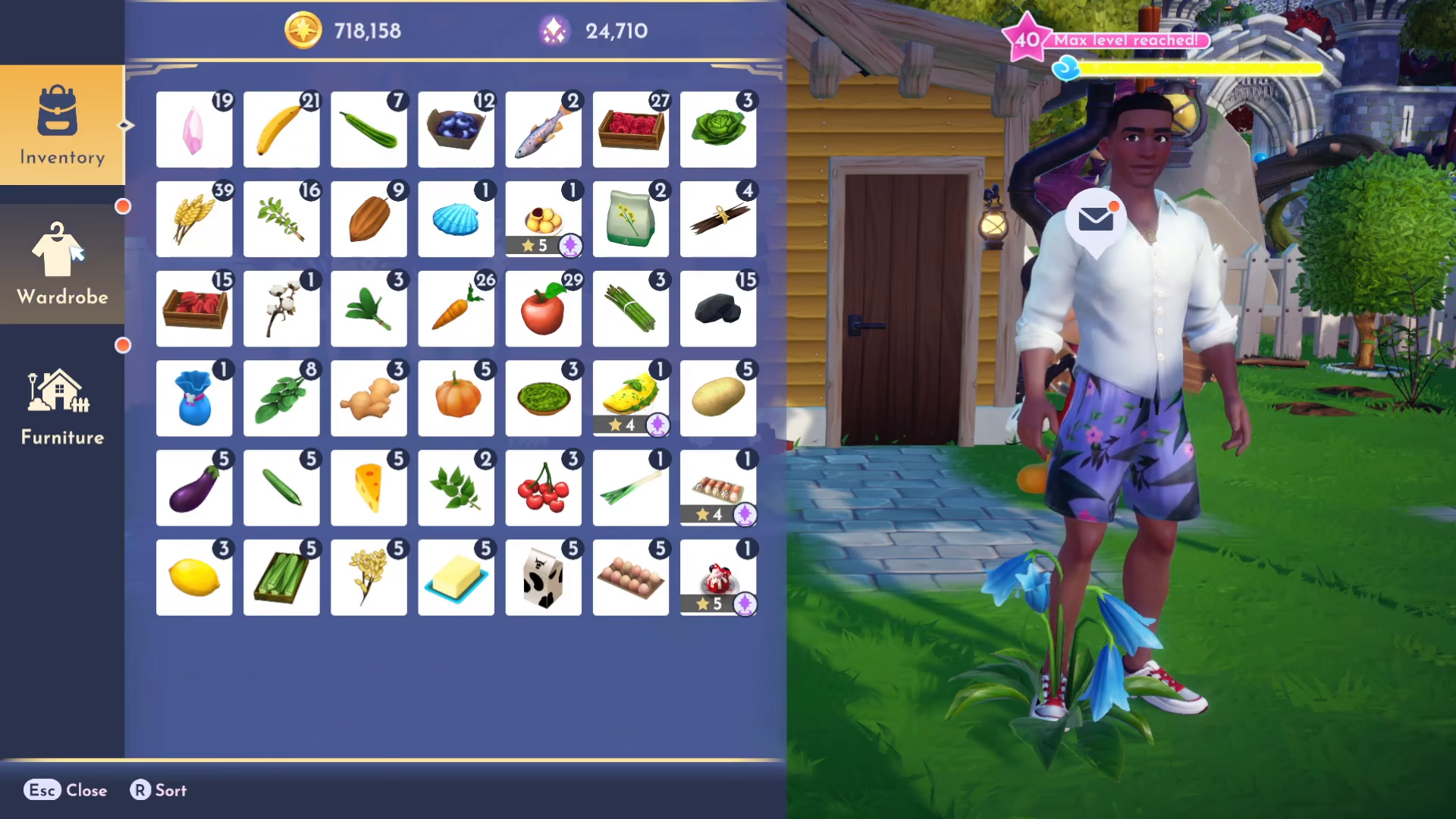
To begin changing your avatar, press I on your keyboard to open up your inventory screen.
Once your inventory is open, navigate to the Wardrobe tab. This is where you’ll find all your clothing, accessories, and character customization options.
Accessing Avatar Customization Features
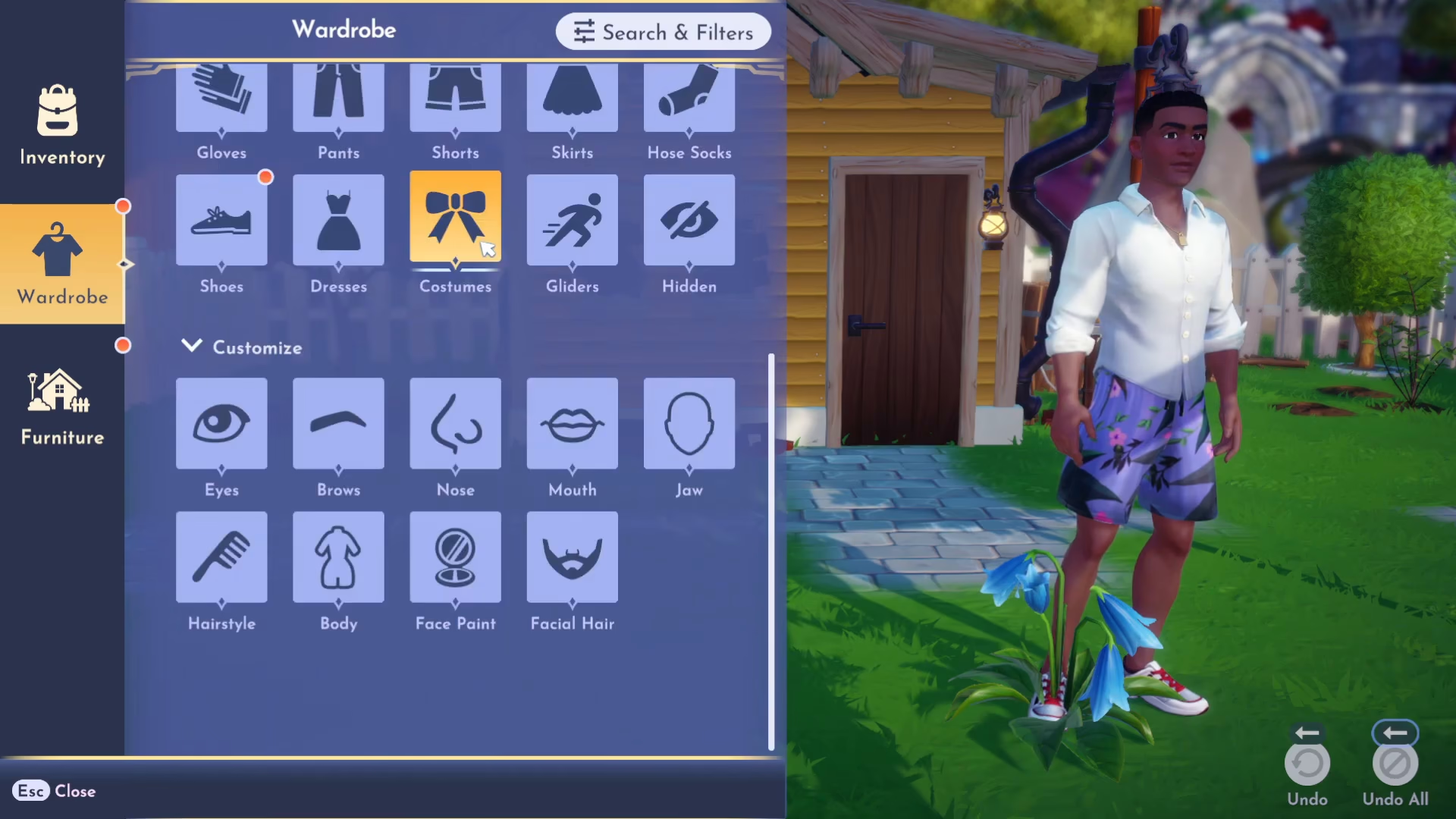
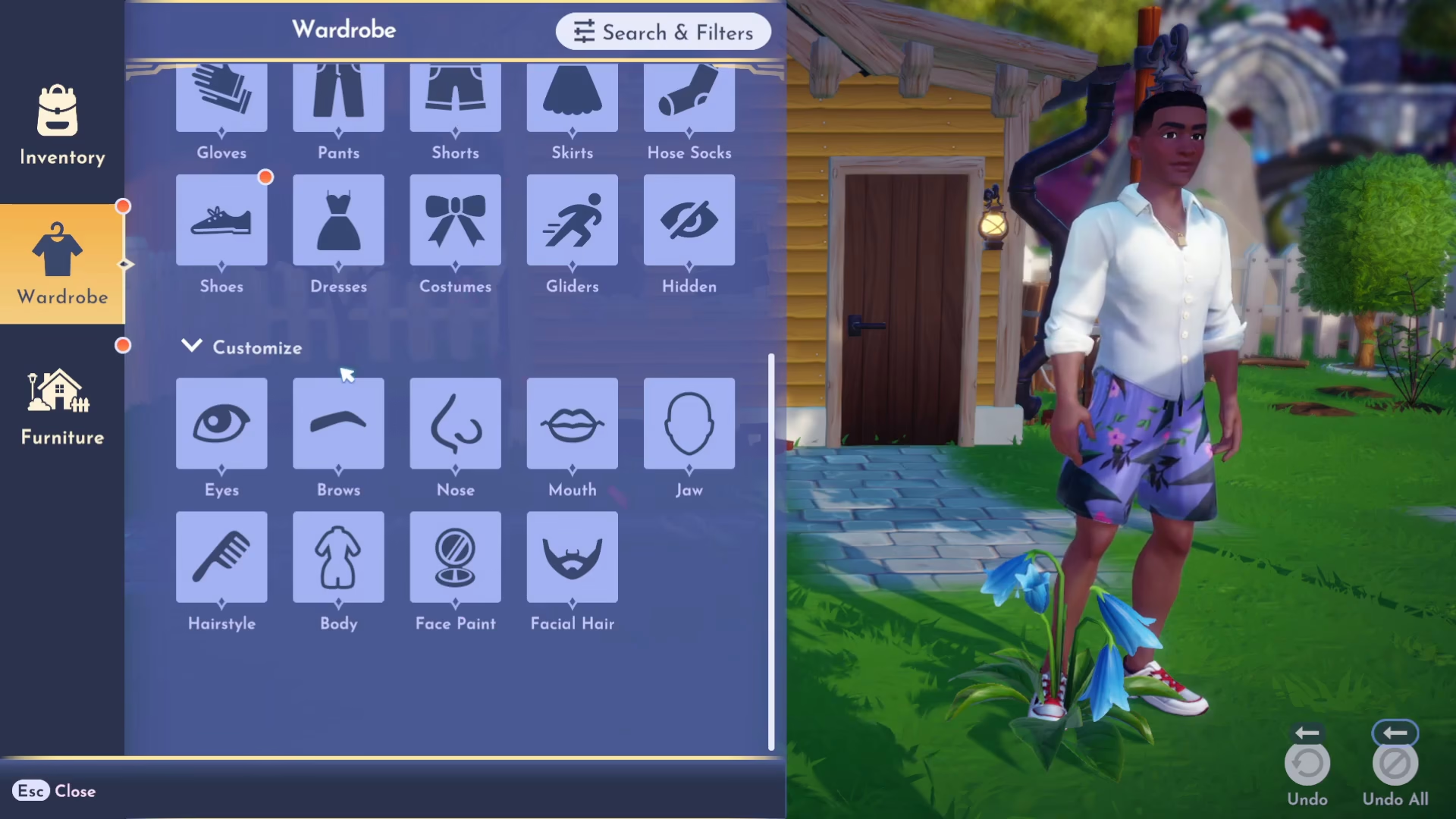
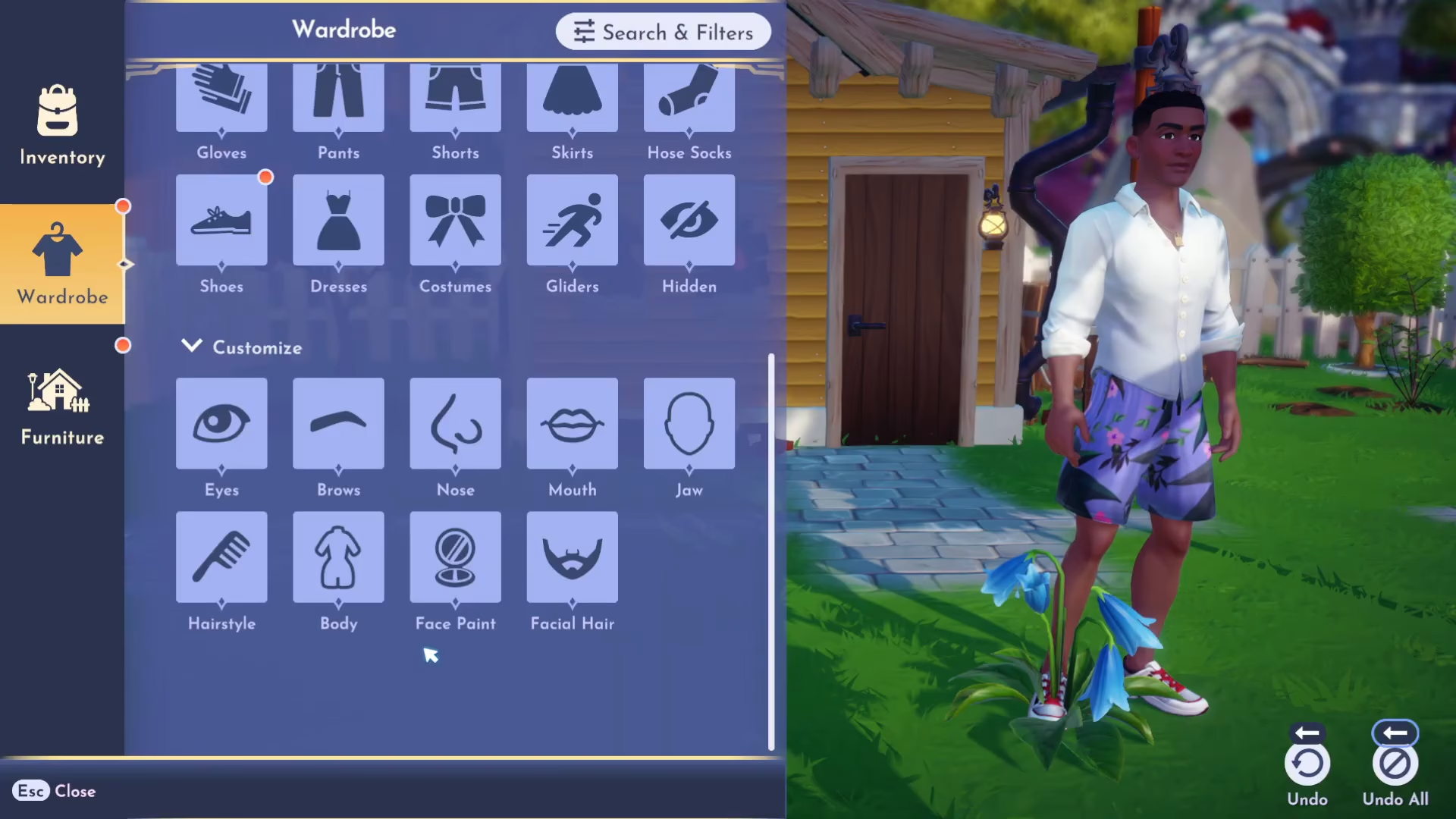
Underneath all of the clothing and accessories in the Wardrobe menu, you’ll see a dedicated section for facial and body features. Here you can find and modify the same features you selected when you first created your character, including:
Eyes
Brows
Nose
Other facial features
Full Customization Options Available
Disney Dreamlight Valley gives you extensive control over your character’s appearance. In the body customization section, you can change:
Skin color
Body type
Gender
Body shape
Facial hair
Mouth
Brows
Eyes
Change Your Avatar Anytime
One of the best features of Disney Dreamlight Valley’s customization system is that you can modify your avatar at any point during your gameplay. You don’t need to restart your world or go through any special process. Simply press I whenever you want, navigate to Wardrobe, and adjust your character’s appearance to your liking. This means you can experiment with different looks throughout your entire playthrough, even if you’ve been playing for a while.
Summary
Changing your Disney Dreamlight Valley avatar is quick and easy. Open your inventory with the I key, select Wardrobe, and explore the facial and body customization options beneath your clothing items. With options for skin tone, body type, gender, facial features, and more, you have plenty of ways to personalize your character. The best part is that you can make these changes at any time during your gameplay without any restrictions.
— Want to Support? —
If you would like to help us continue making these guides – please consider joining our patreon here – https://www.patreon.com/c/JaviHeals
Alternatively – you can join our discord here – https://discord.gg/zD7Gjt6MHF



