







How To Delete Your Account In Among Us
How To Delete Your Account In Among Us
Deleting your Among Us account is a straightforward process that requires you to navigate through the settings menu and submit a support request. This guide will walk you through each step to help you permanently remove your account from the game.
Account Deletion Process
Access Your Settings
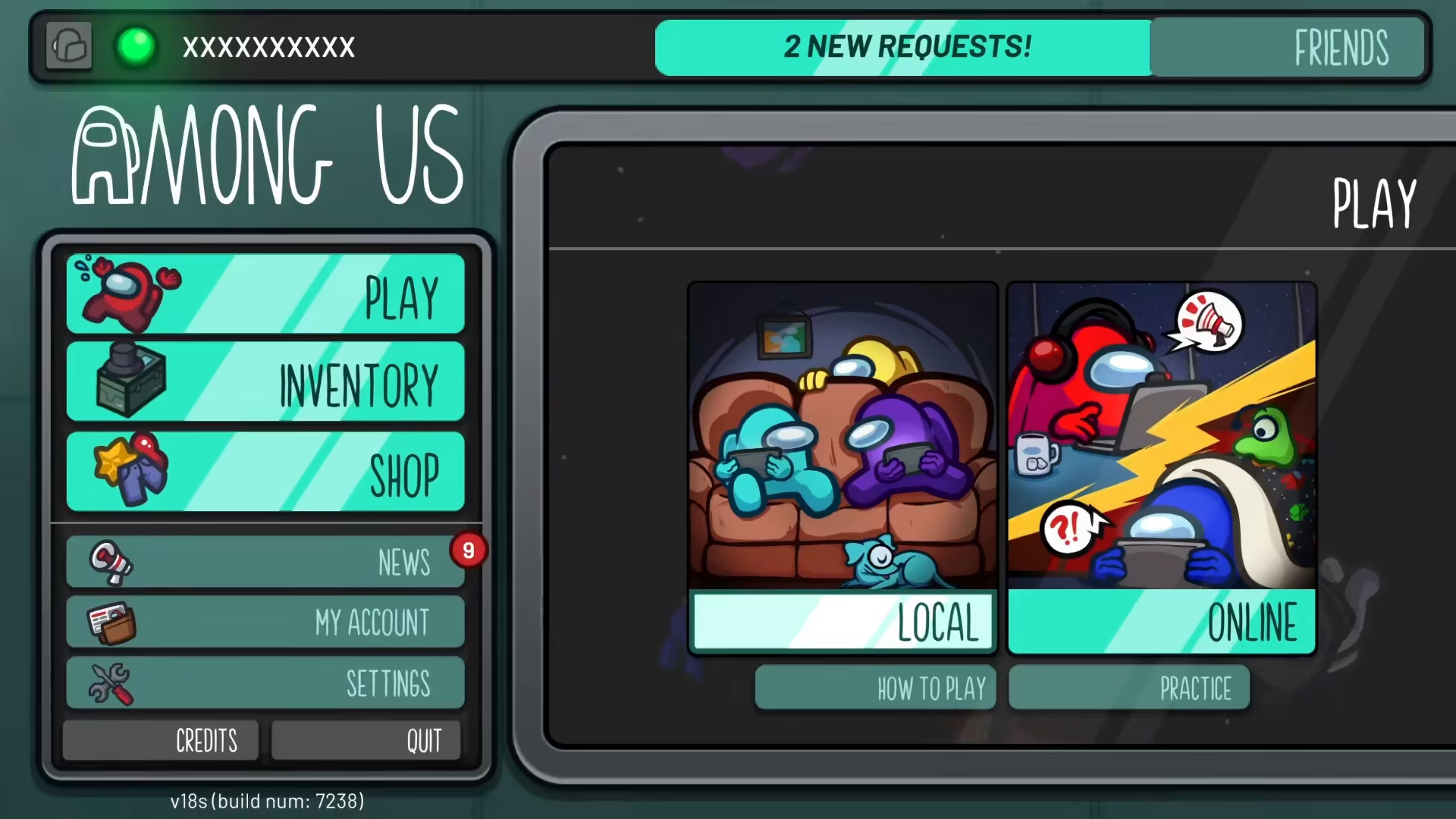
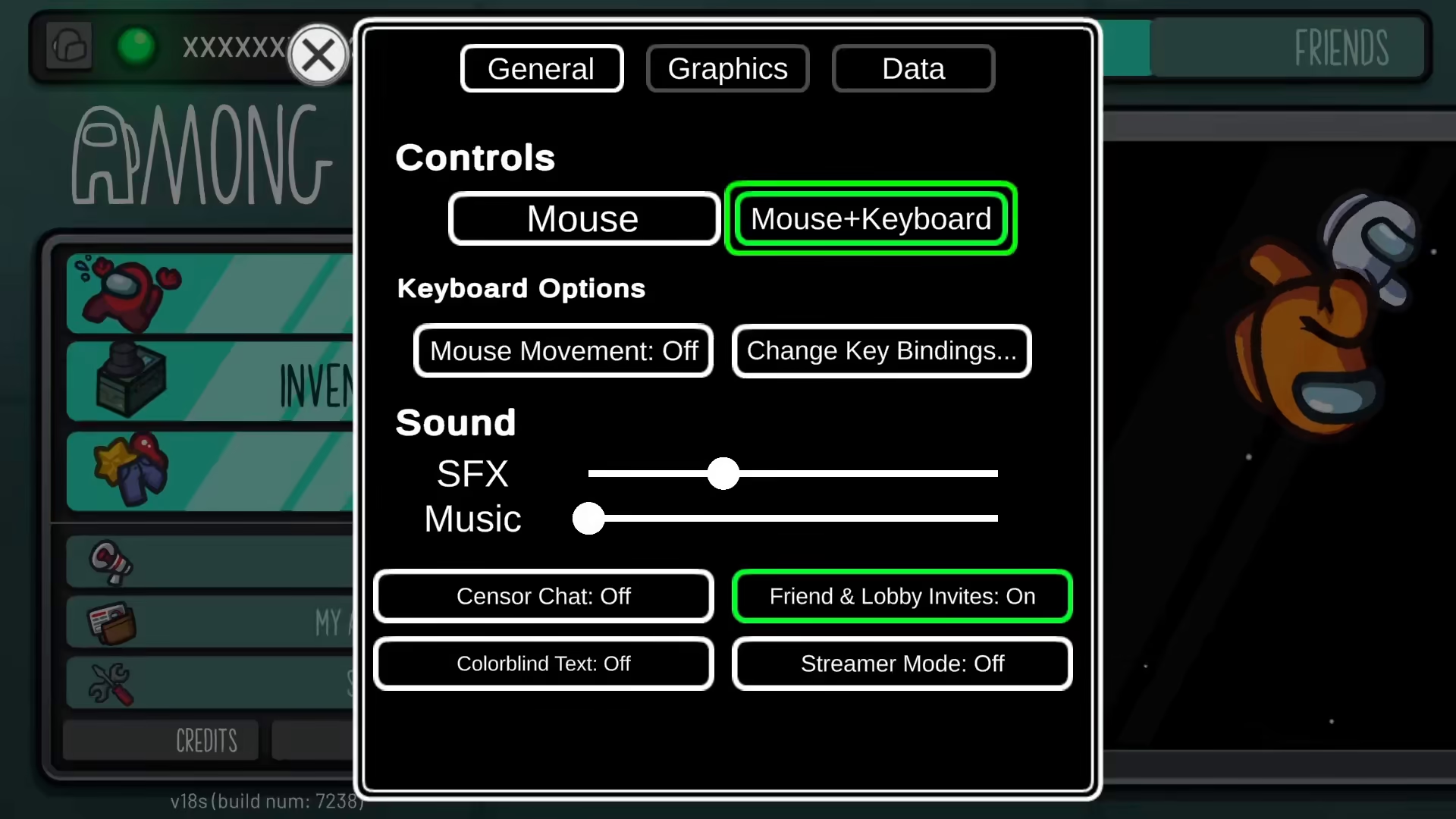
The first step in deleting your Among Us account is to open the game and navigate to your settings menu. This is where you’ll find all the account management options available to you.
Navigate to Data Settings
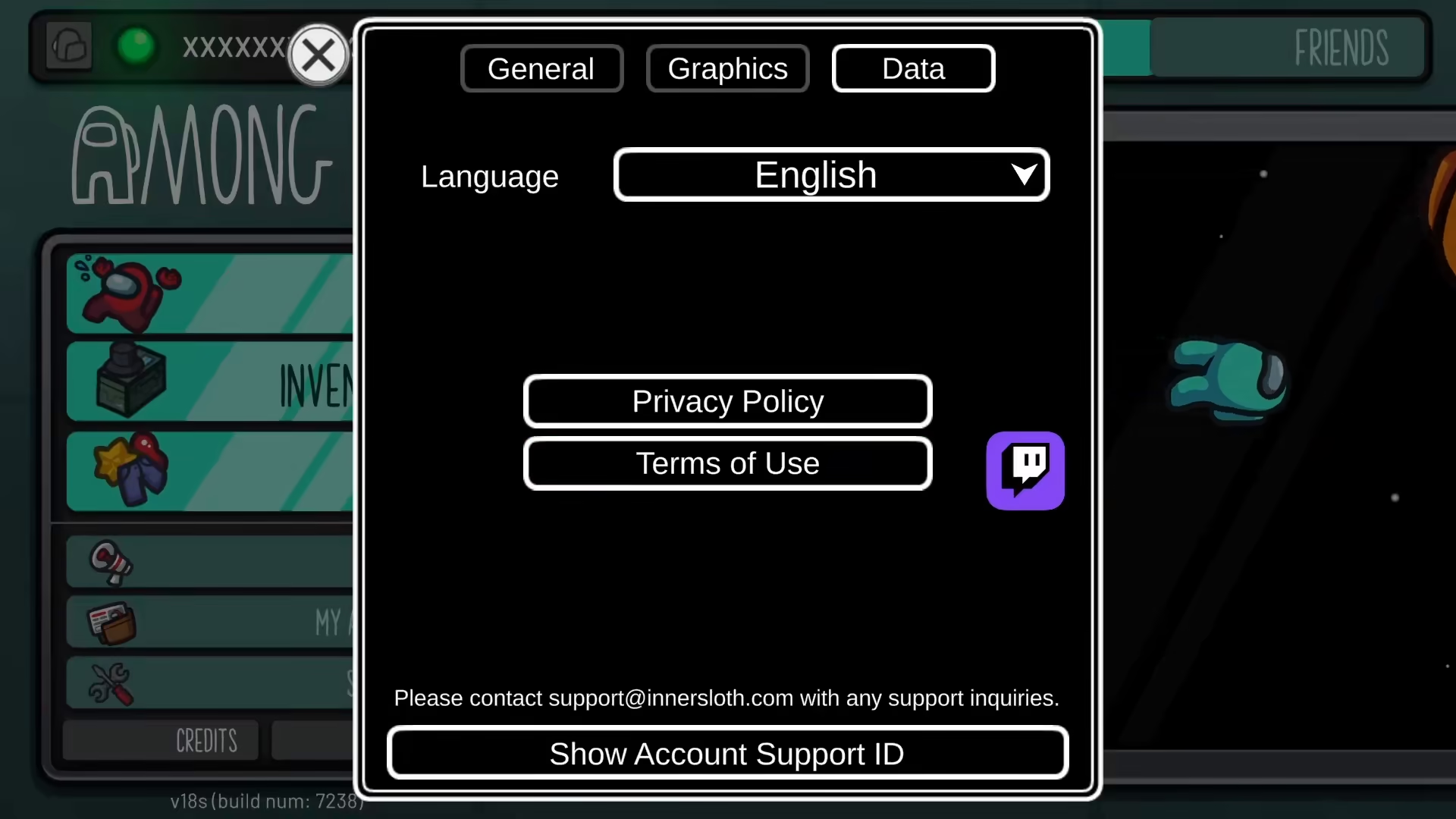
Once you’re in the settings menu, locate and select the “Data” option. This section contains important account information and data management tools.
Submit a Support Ticket
In the Data section, you’ll find an option to apply for support. Click on this option and submit a ticket to the support team. In your ticket, request that they delete your account. The Among Us support team will review your request and proceed with permanently deleting your account.
Summary
Deleting your Among Us account is simple: access Settings → go to Data → submit a support ticket requesting account deletion. The support team will handle the rest and ensure your account is completely removed from their system.
— Want to Support? —
If you would like to help us continue making these guides – please consider joining our patreon here – https://www.patreon.com/c/JaviHeals
Alternatively – you can join our discord here – https://discord.gg/zD7Gjt6MHF



