





How To Enable Windowed Mode In Fallout 4
How To Enable Windowed Mode In Fallout 4
Windowed mode in Fallout 4 allows you to play the game in a window rather than fullscreen, making it easier to multitask or use multiple monitors. This quick guide will walk you through the simple steps needed to enable this feature.
Launching Fallout 4
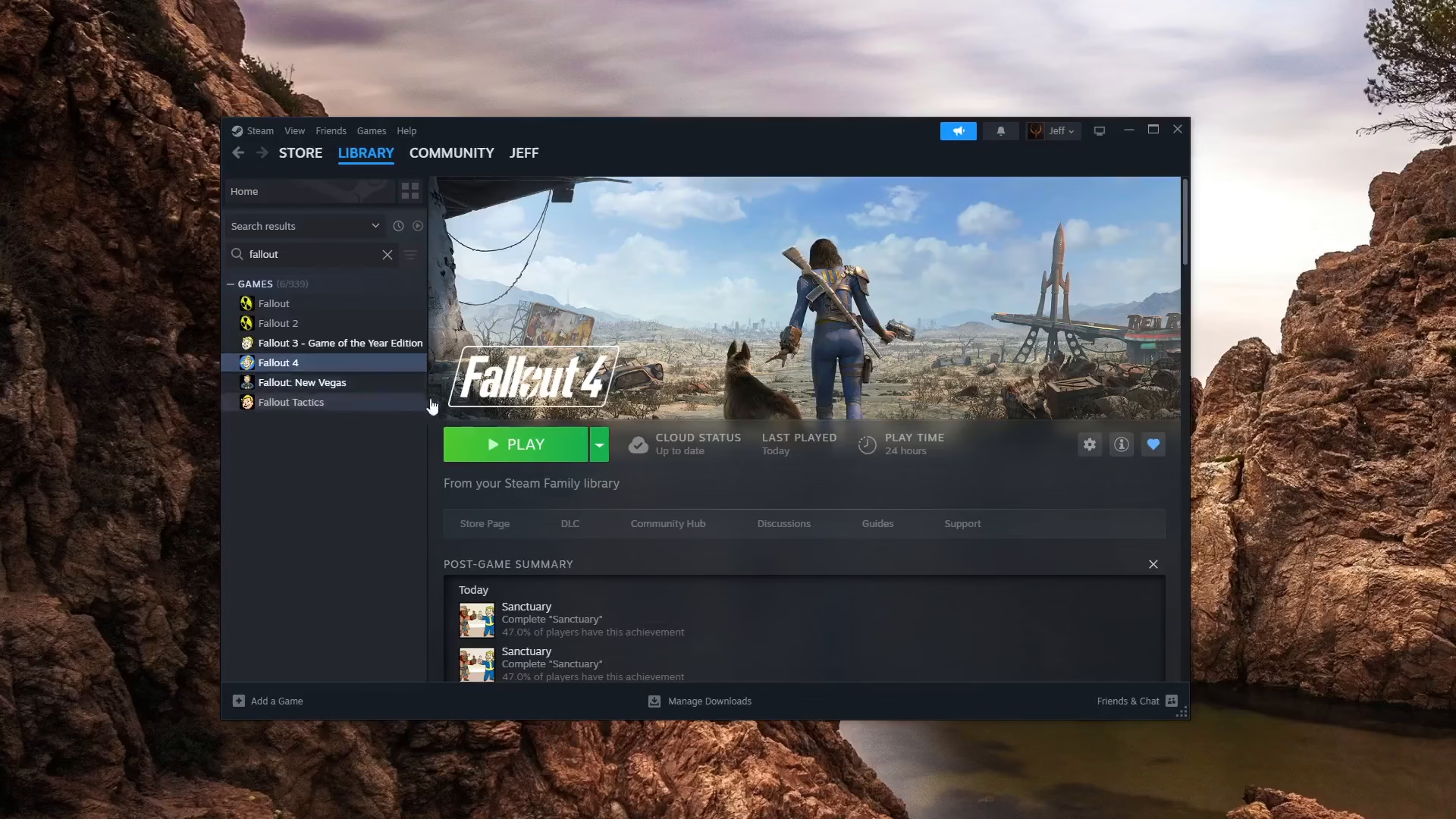
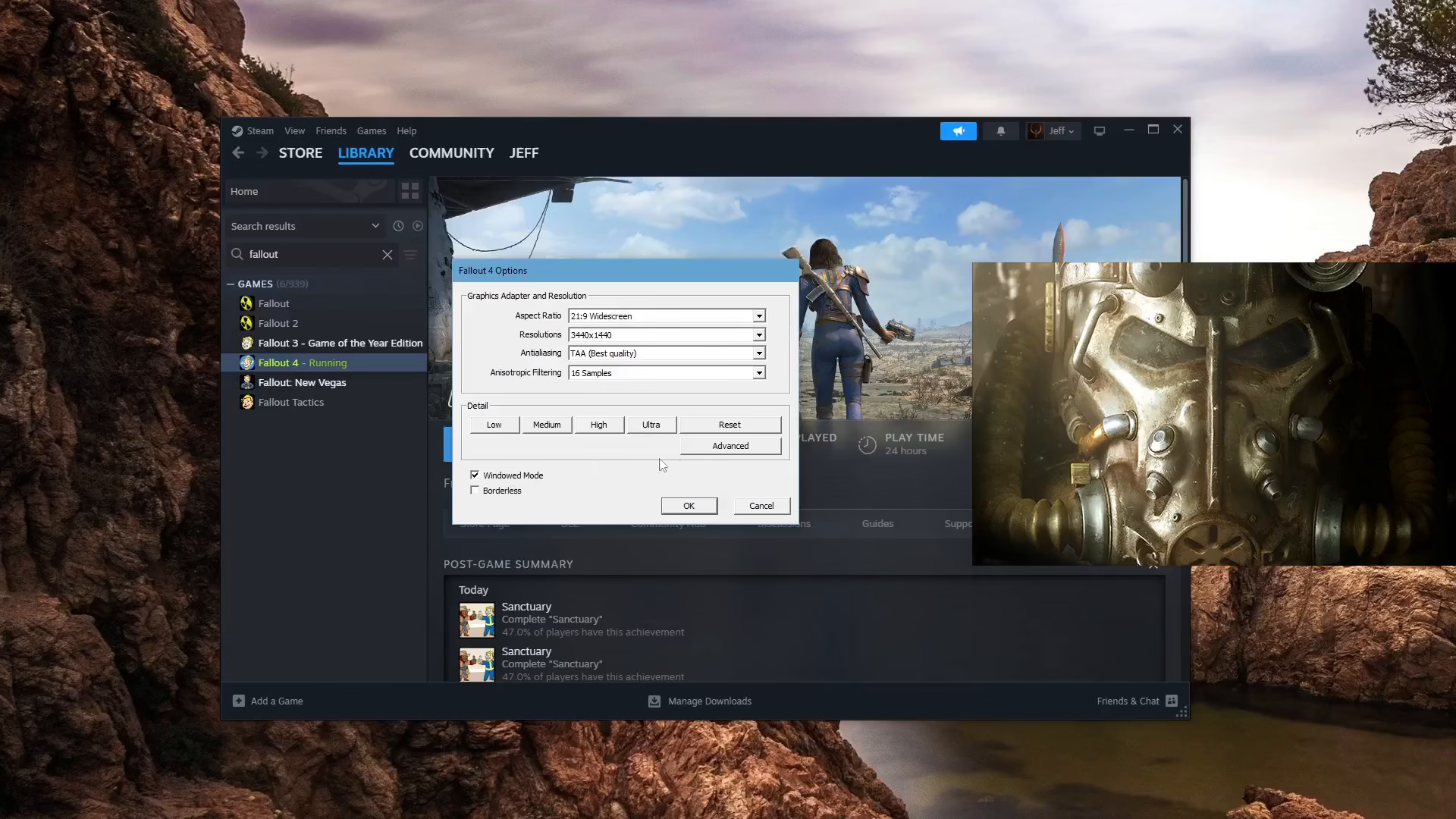
Start by launching Fallout 4. Once the game begins to load, you will see the options screen appear.
Accessing the Options Window
The options window may appear slightly cut off on your screen. If needed, you can drag the options window to a more visible position so you can see all the available settings clearly.
Enabling Windowed Mode
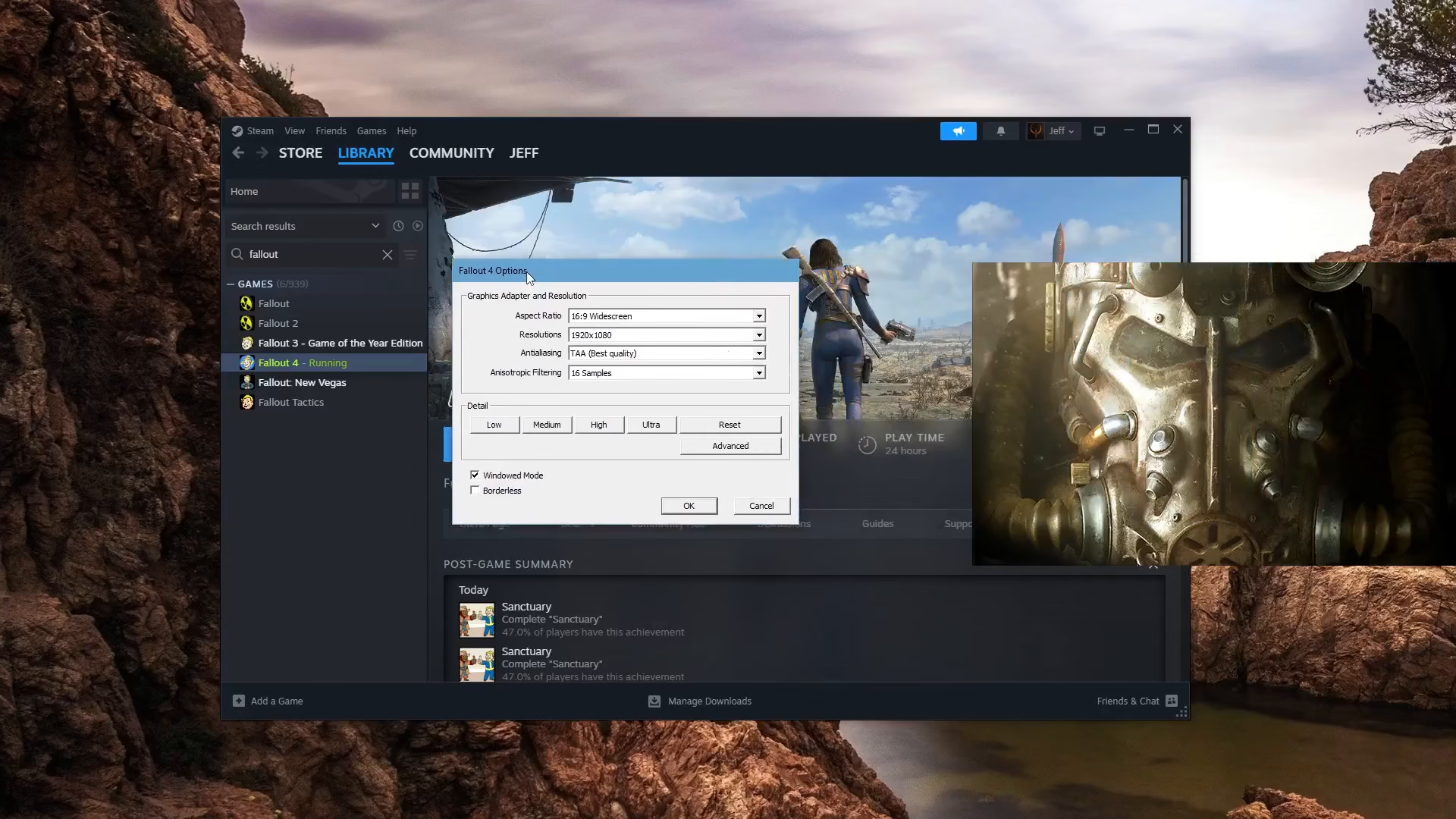
In the options screen, locate the windowed mode setting. Simply click on the windowed mode option to enable it. Once you’ve selected windowed mode, the setting will be activated.
Confirming Your Changes
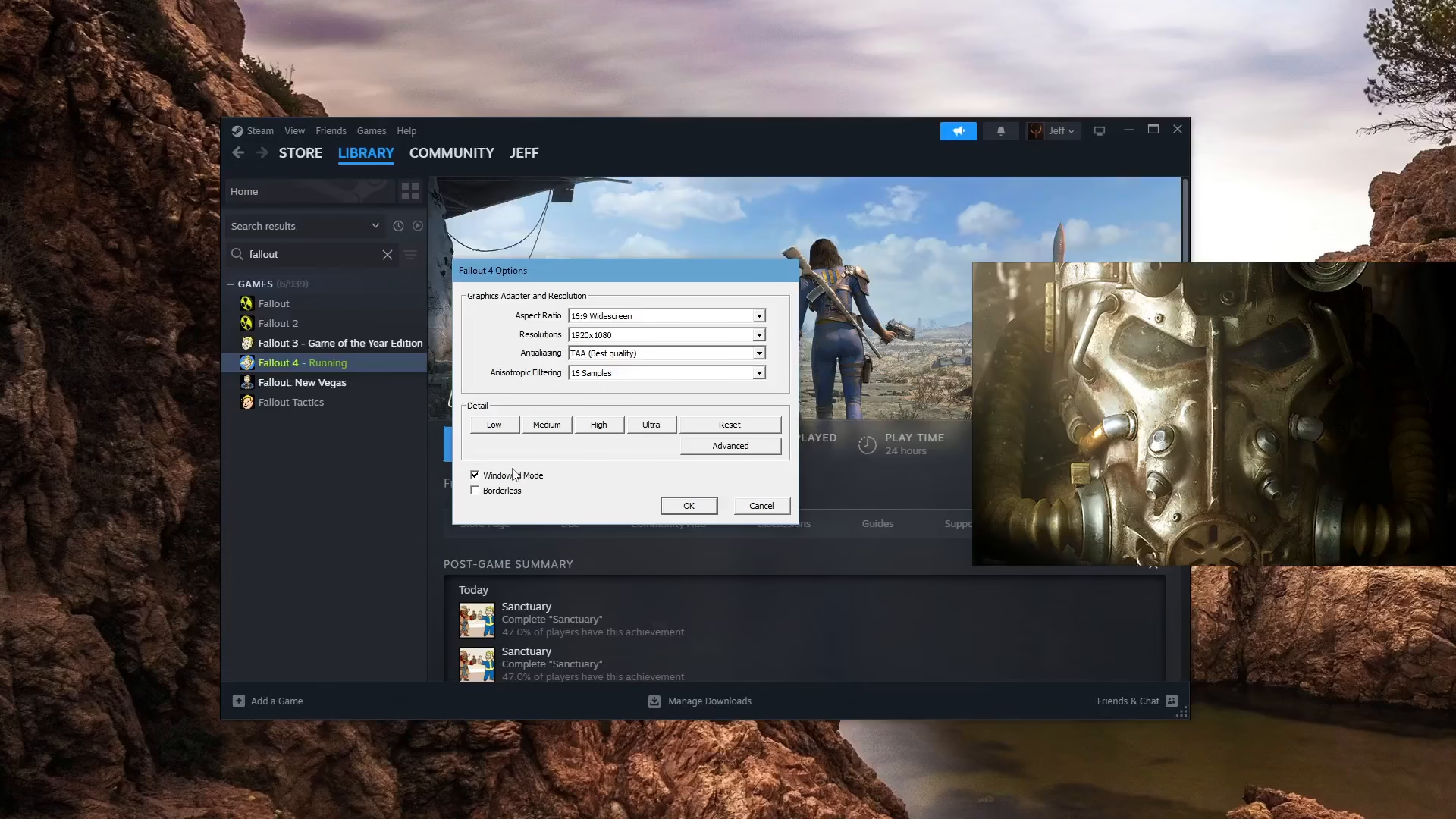
After enabling windowed mode, press the OK button to apply your changes. Your game will now run in windowed mode instead of fullscreen.
Summary
Enabling windowed mode in Fallout 4 is a straightforward process that takes just a few clicks. Launch the game, navigate to the options screen, select windowed mode, and confirm with OK. You’ll now be able to enjoy Fallout 4 in a window, giving you more flexibility when gaming.
Want to Support?
If you would like to help us continue making these guides – please consider joining our patreon here – https://www.patreon.com/c/JaviHeals
Alternatively – you can join our discord here – https://discord.gg/zD7Gjt6MHF