How to Fix Age of Mythology Retold Audio Issues
How to Fix Age of Mythology Retold Audio Issues
Are you experiencing audio problems when playing Age of Mythology Retold? Whether your Bluetooth headphones aren’t working, sound is distorted, or music and game audio are playing incorrectly, we have a simple solution for you. This guide will walk you through the quick steps needed to resolve these audio issues on Windows.
Understanding the Problem
Many players encounter audio issues when launching Age of Mythology Retold, particularly when using Bluetooth headphones. The sound might be completely absent, distorted, or behave unexpectedly. Fortunately, this is a straightforward fix that involves adjusting your Windows audio device settings.
Accessing Windows Sound Settings
Start by right-clicking on the sound options icon located in the bottom right-hand corner of your screen.
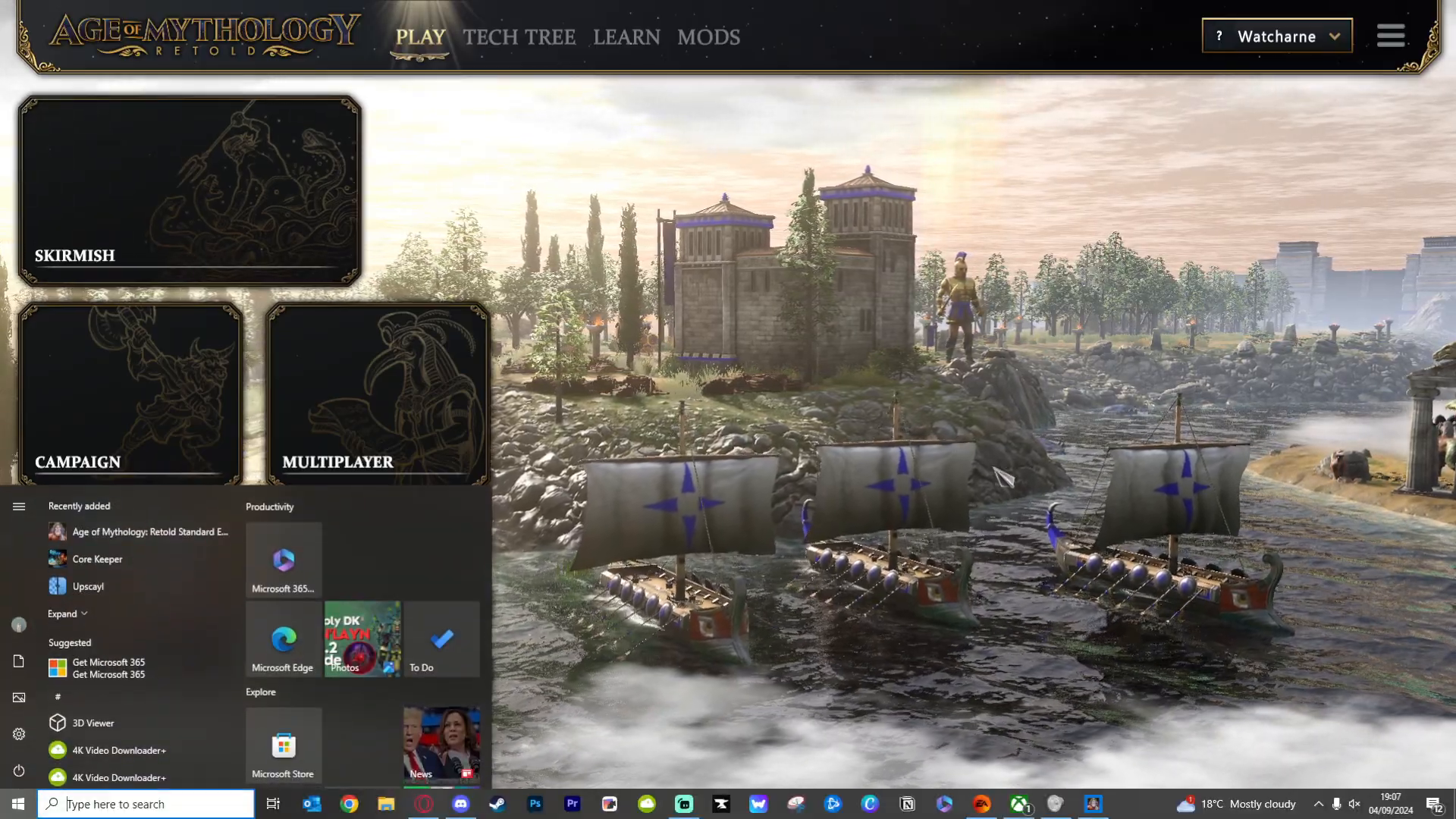
Select “Open sound settings” from the context menu that appears.
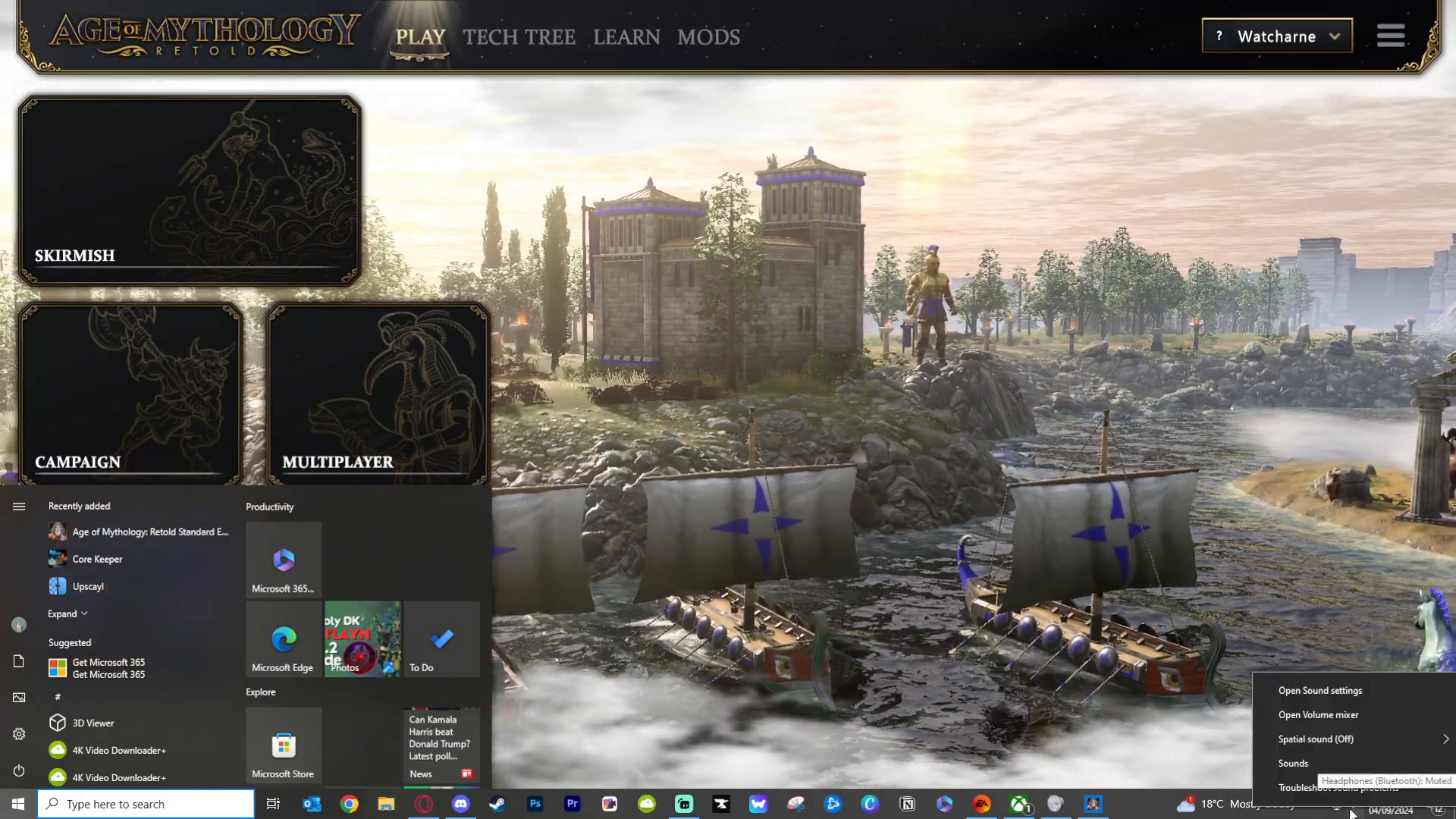
Navigating to Bluetooth and Devices
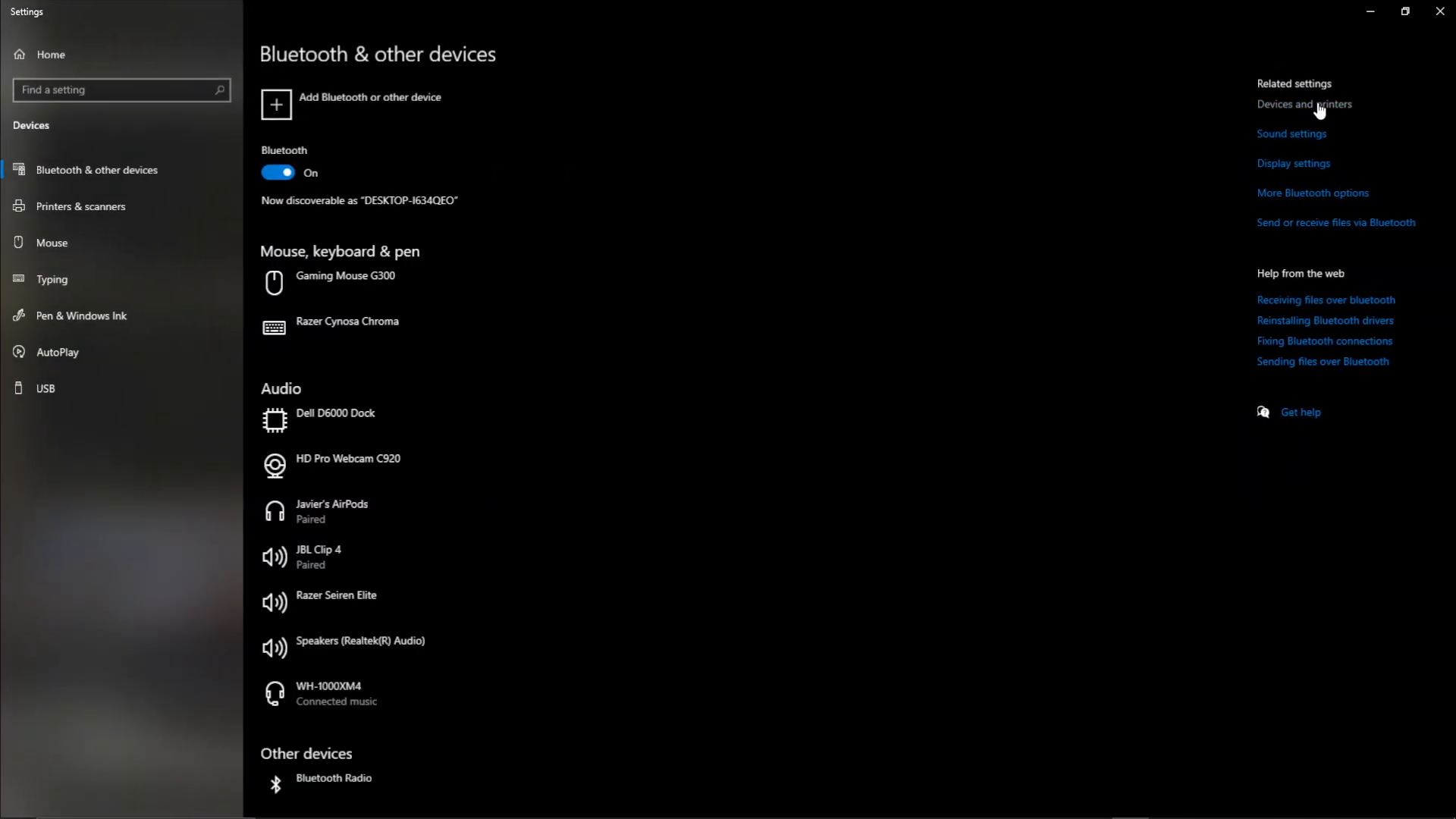
Once the sound settings window is open, look for “Related settings” in the top right area of the window. Click on “Bluetooth and other devices.”
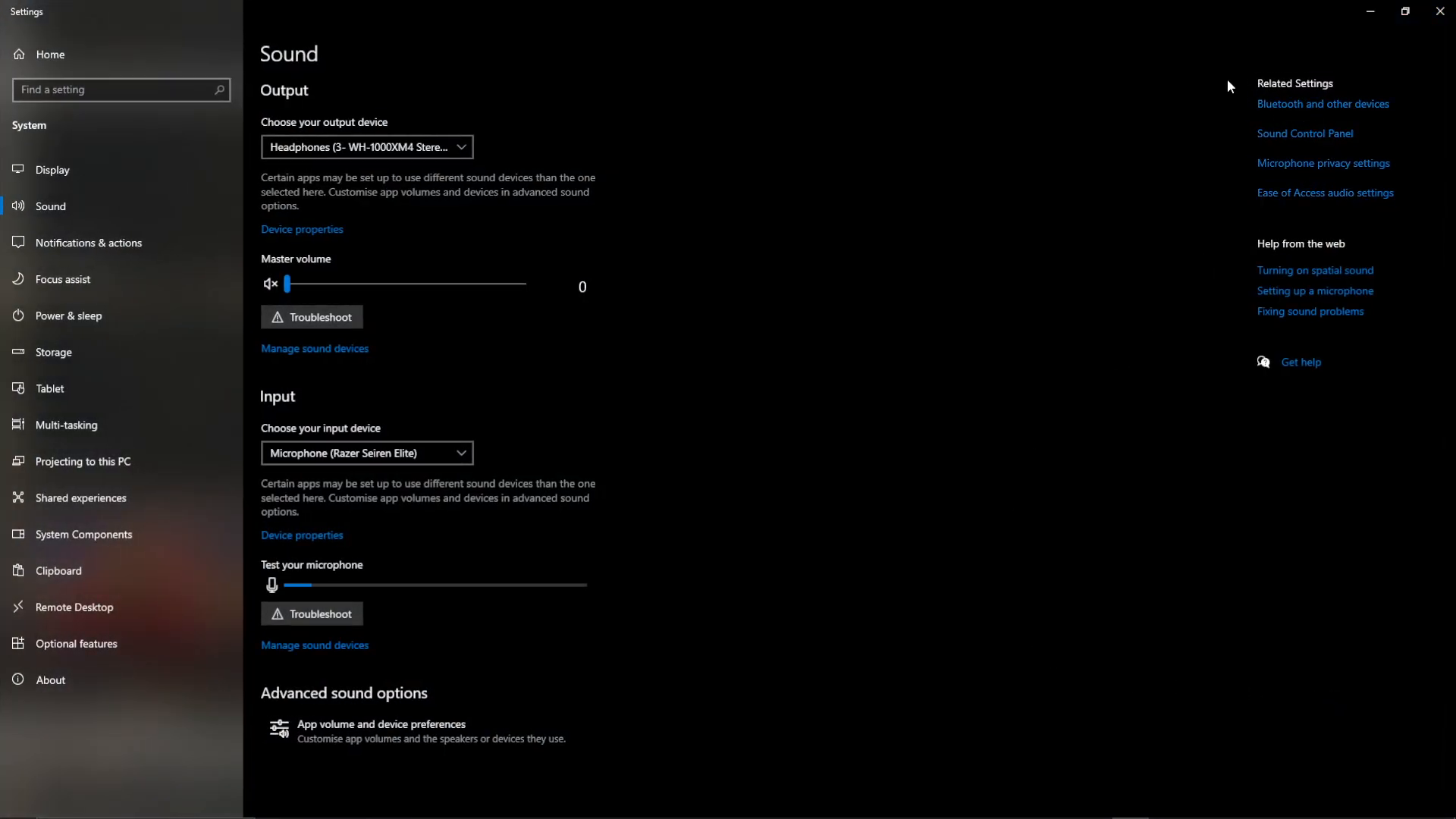
From the same area, navigate to “Devices and Printers.”
Locating Your Headphones Device
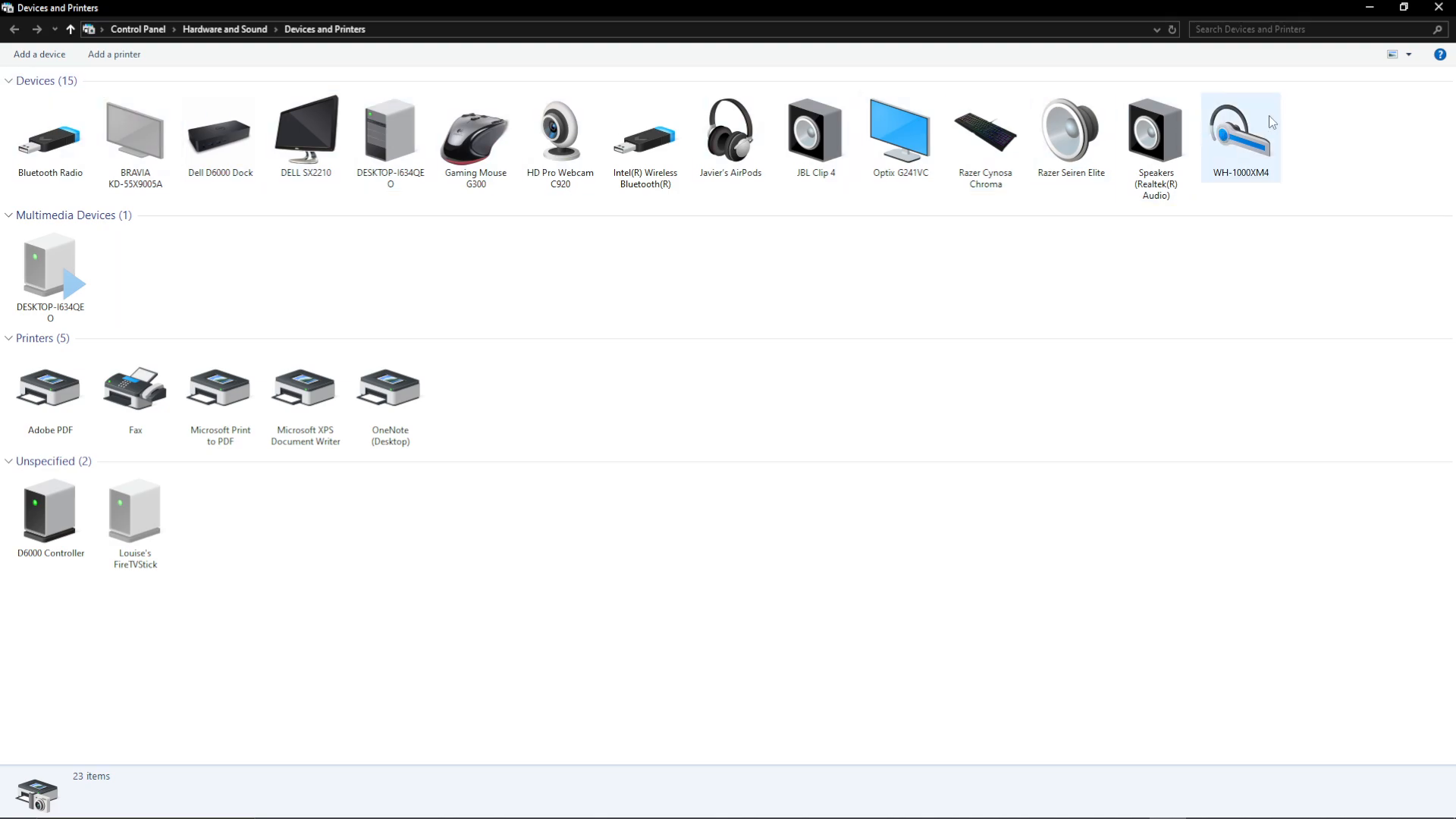
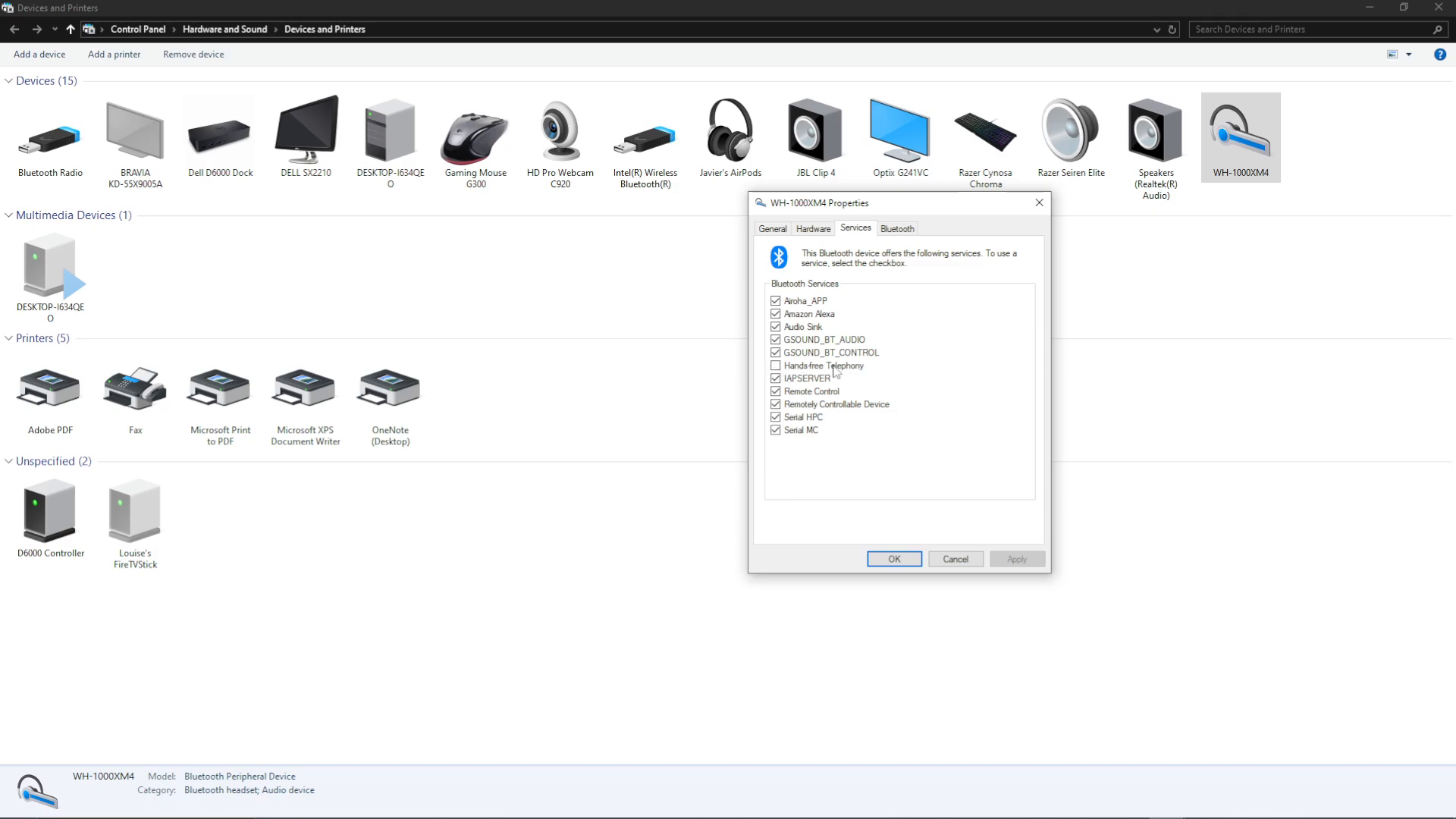
In the Devices and Printers window, locate your Bluetooth headphones in the device list at the top. For example, Sony MX4 or whatever model you are using.
Accessing Device Properties
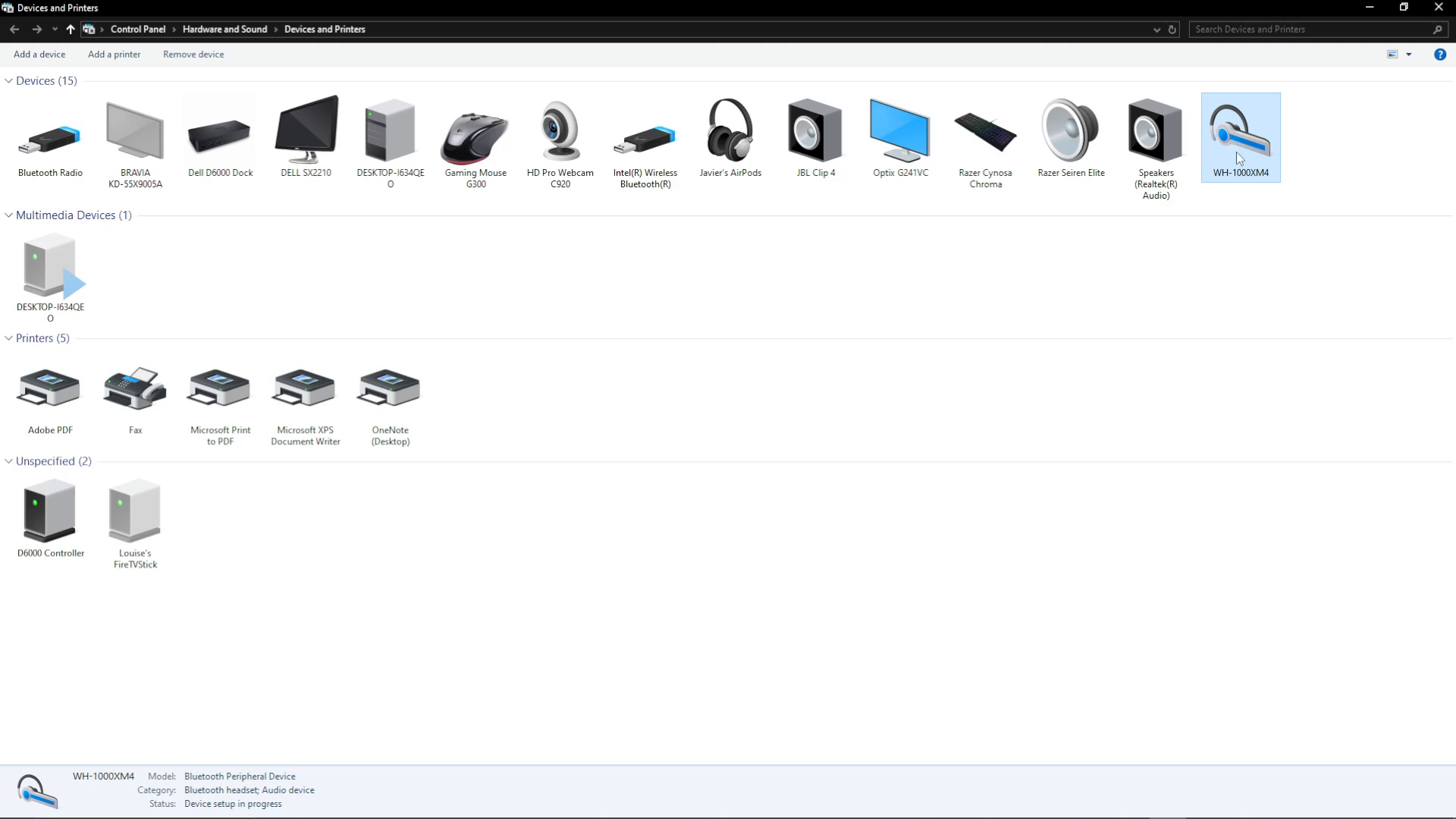
Right-click on your headphones device and select “Properties” from the dropdown menu.
Disabling Hands-Free Telephony
A properties window will open. Navigate to the “Services” tab within this window.
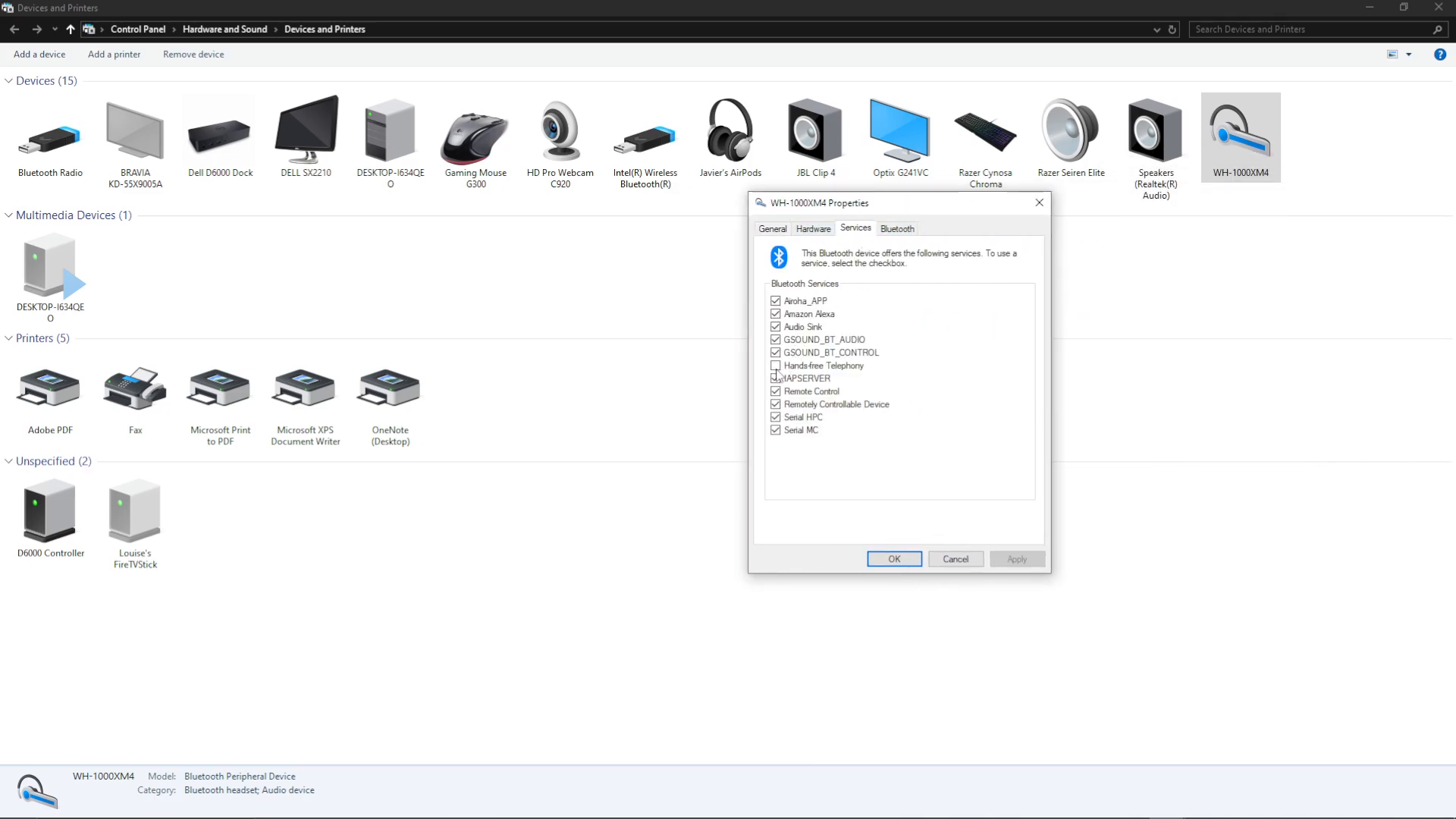
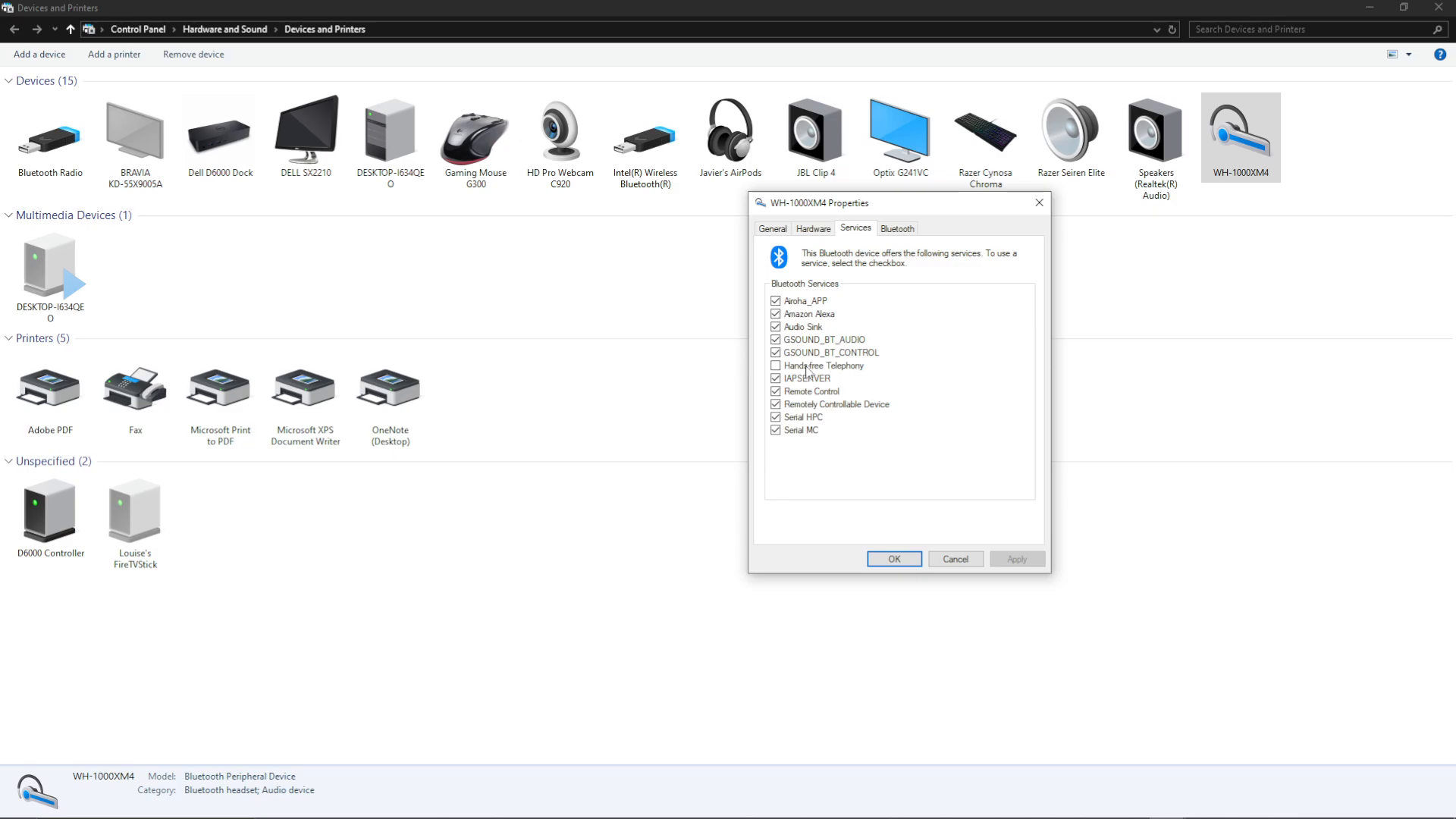
Look for the “Hands-Free Telephony” option and uncheck it. This is the key step that resolves the audio issues in Age of Mythology Retold.
Applying the Changes
Once you have unchecked “Hands-Free Telephony,” click the “OK” button to save your changes.
Testing Your Audio
Now when you launch Age of Mythology Retold, your sound, music, and all other audio should work perfectly through your Bluetooth headphones.
Summary
Fixing audio issues in Age of Mythology Retold is simple and requires just a few clicks. By disabling the Hands-Free Telephony service on your Bluetooth headphones through Windows Device Properties, you can restore full audio functionality. This quick fix ensures you can enjoy the game with crystal-clear sound and music without any distortion or playback problems.
Want to Support?
If you would like to help us continue making these guides – please consider joining our patreon here – https://www.patreon.com/c/JaviHeals
Alternatively – you can join our discord here – https://discord.gg/zD7Gjt6MHF