
How To Get Death Row Inmates In Prison Architect
How To Get Death Row Inmates In Prison Architect
Prison Architect offers various inmate types to manage, and Death Row inmates are among the most challenging to accommodate. This guide walks you through the complete process of setting up Death Row cells and enabling Death Row inmate intake in your prison facility.
Build Your Death Row Cell Block
The first step is to construct a dedicated Death Row cell block. Create cells specifically designed for Death Row inmates, similar to standard prisoner cells but designated for this high-security population.
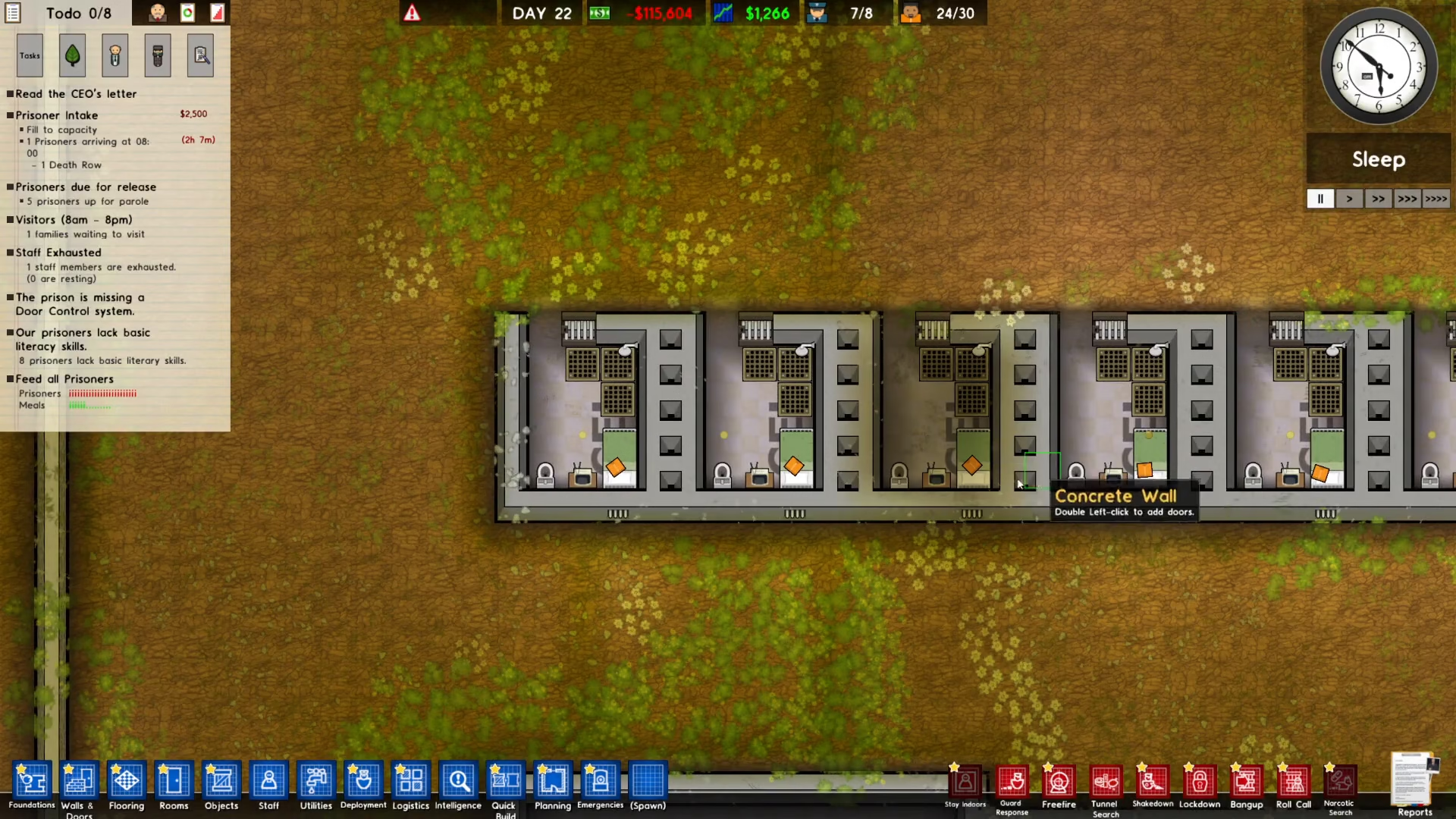
Configure Cell Deployment Settings
Once your cells are built, navigate to the deployment menu located on the bottom left of your screen. Click on the deployment option and select “Death Row only” from the available choices. Then assign this designation to your newly constructed cells by clicking inside them.
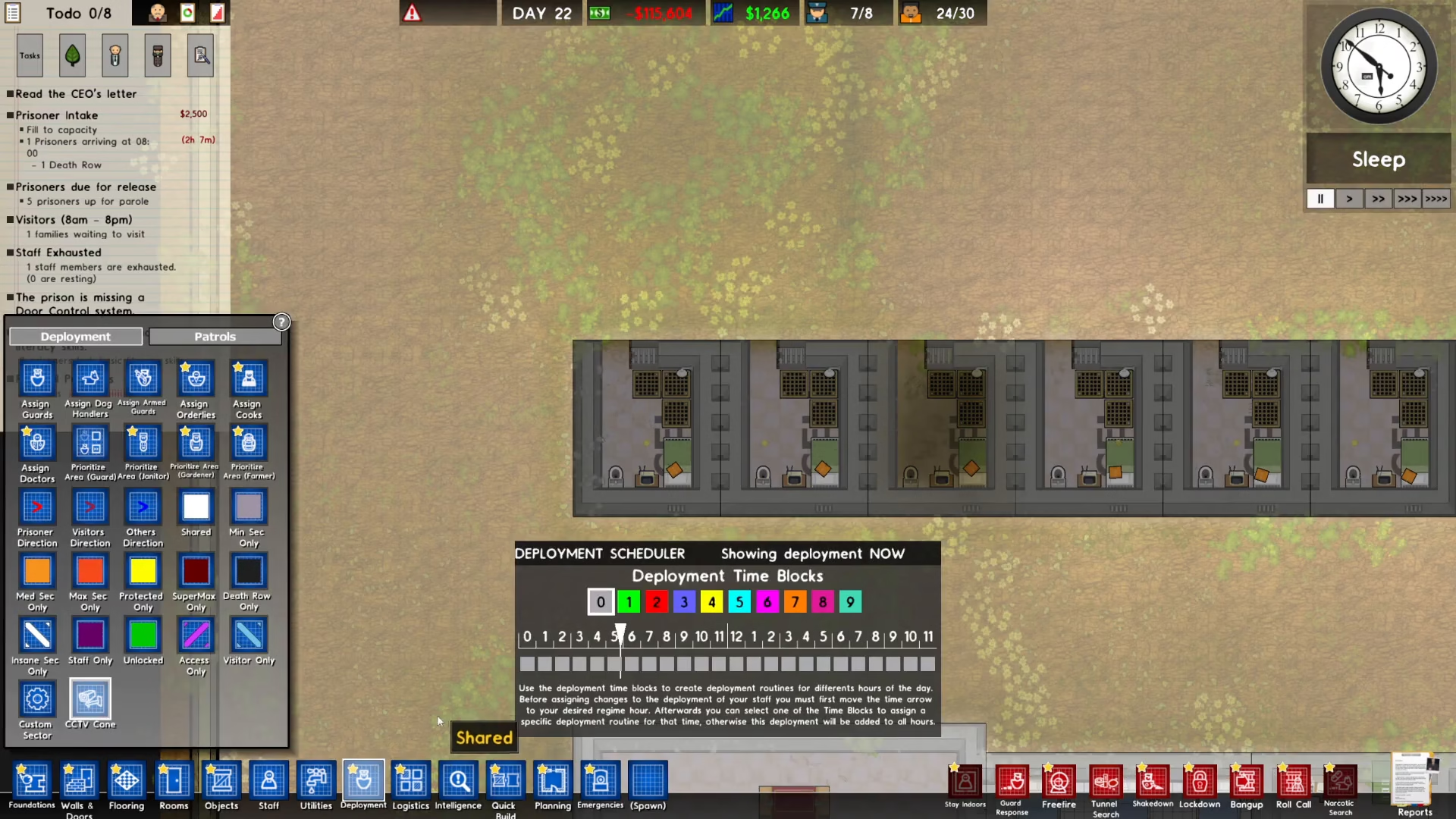
Access Reports and Intake Management
After configuring your cell deployment, move to the bottom right of your screen and click on “Reports.” From the Reports menu, select the “Intake” option to access prisoner intake controls.
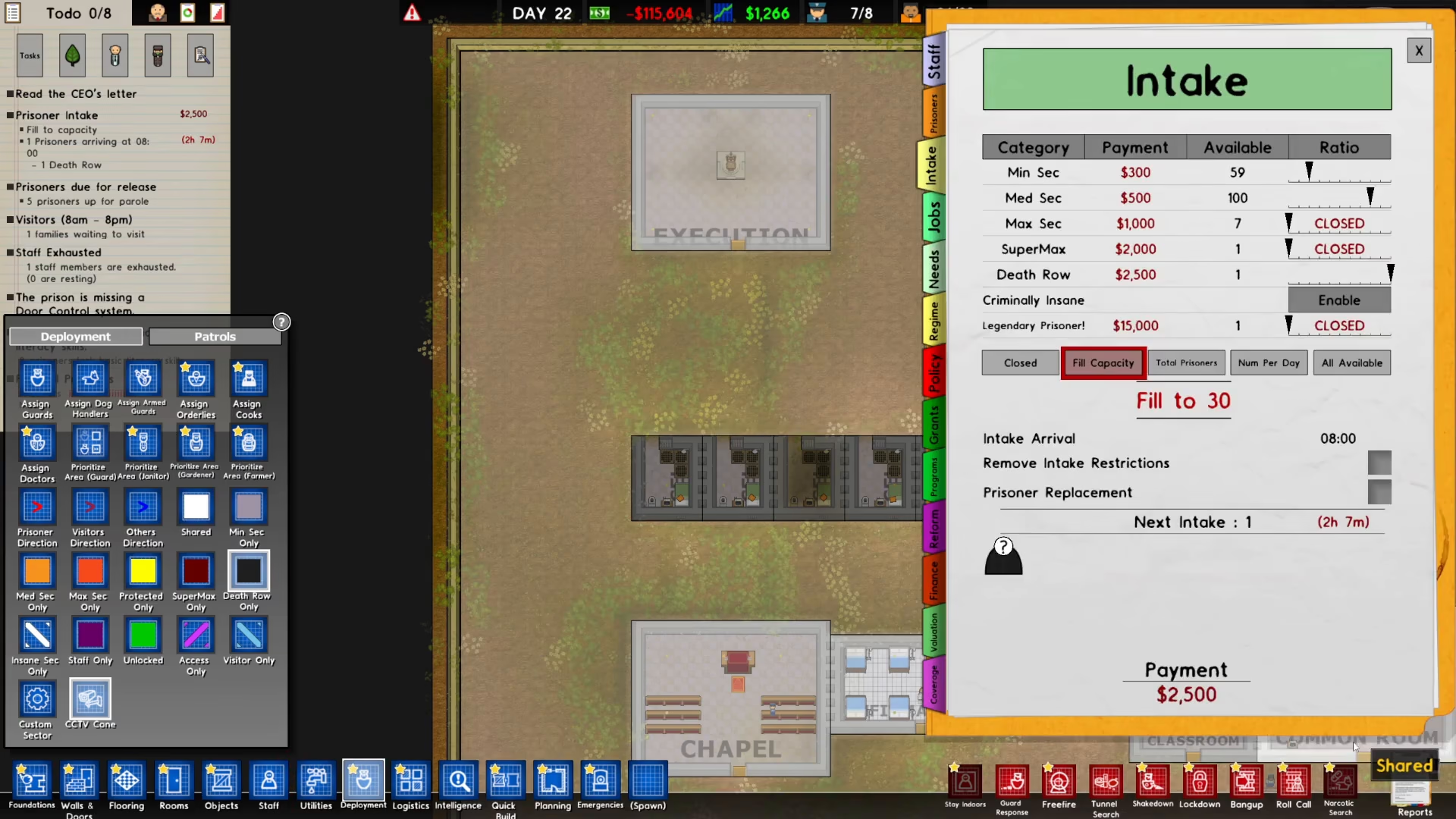
Enable Death Row Intake Ratio
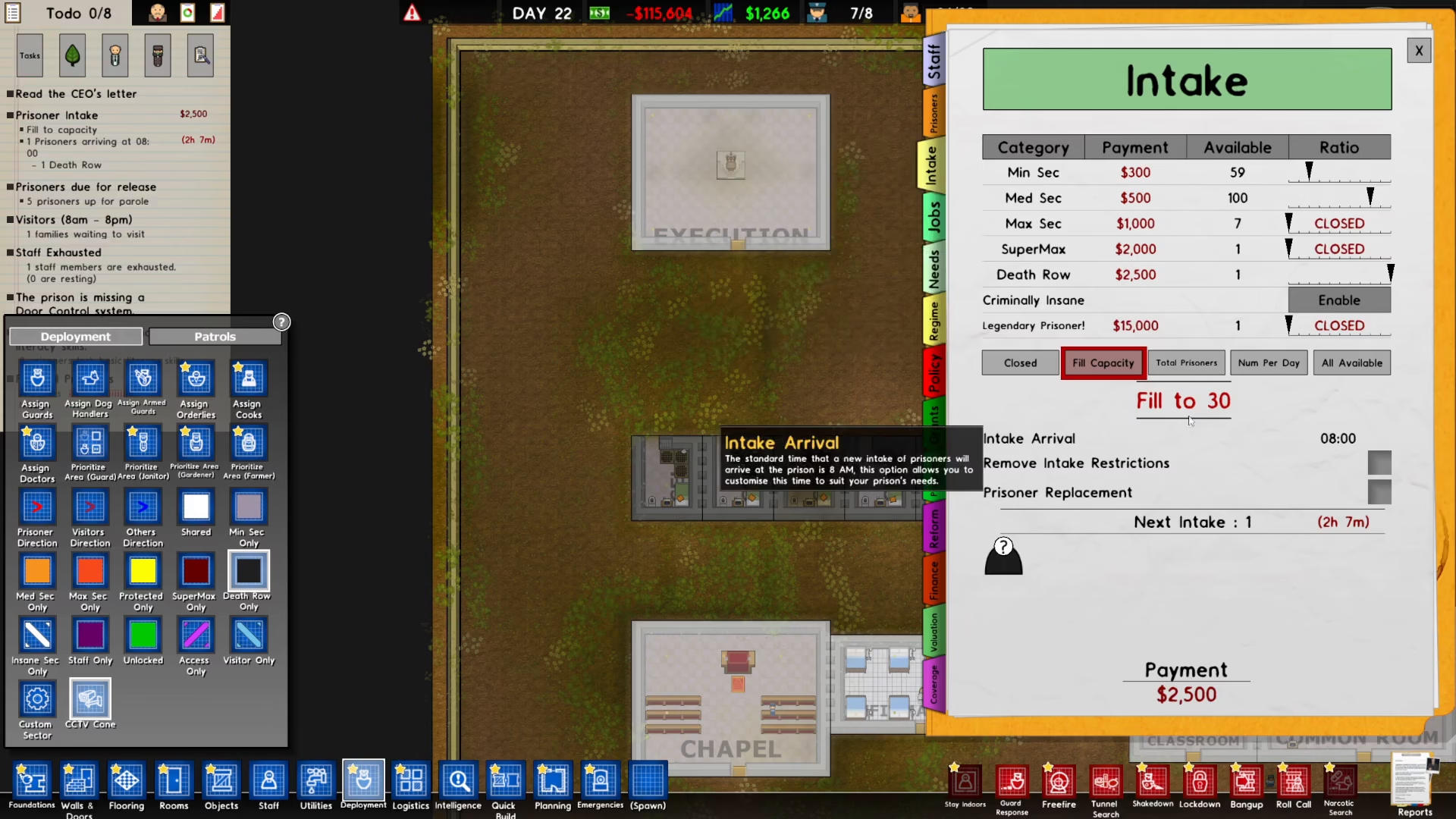
In the Intake menu, locate the Death Row option and enable the ratio settings. Set the ratio to maximum on the right side of the interface. This ensures your prison will prioritize accepting Death Row inmates.
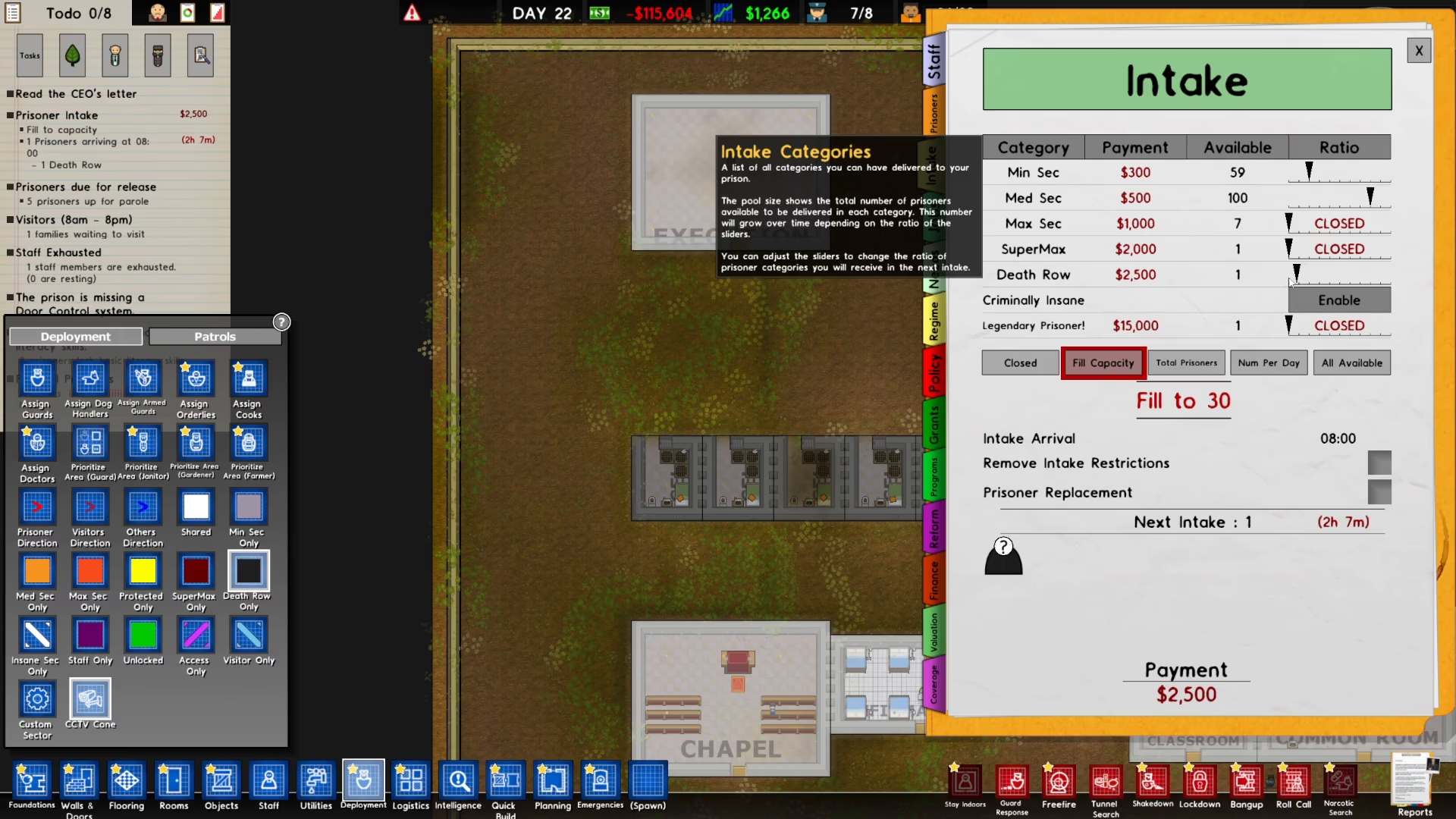
Fill Cell Capacity
Click on “Fill capacity” to activate automatic population of your Death Row cells. This action ensures that only Death Row inmates will be assigned to these specialized cells.
Wait for Death Row Inmate Arrival
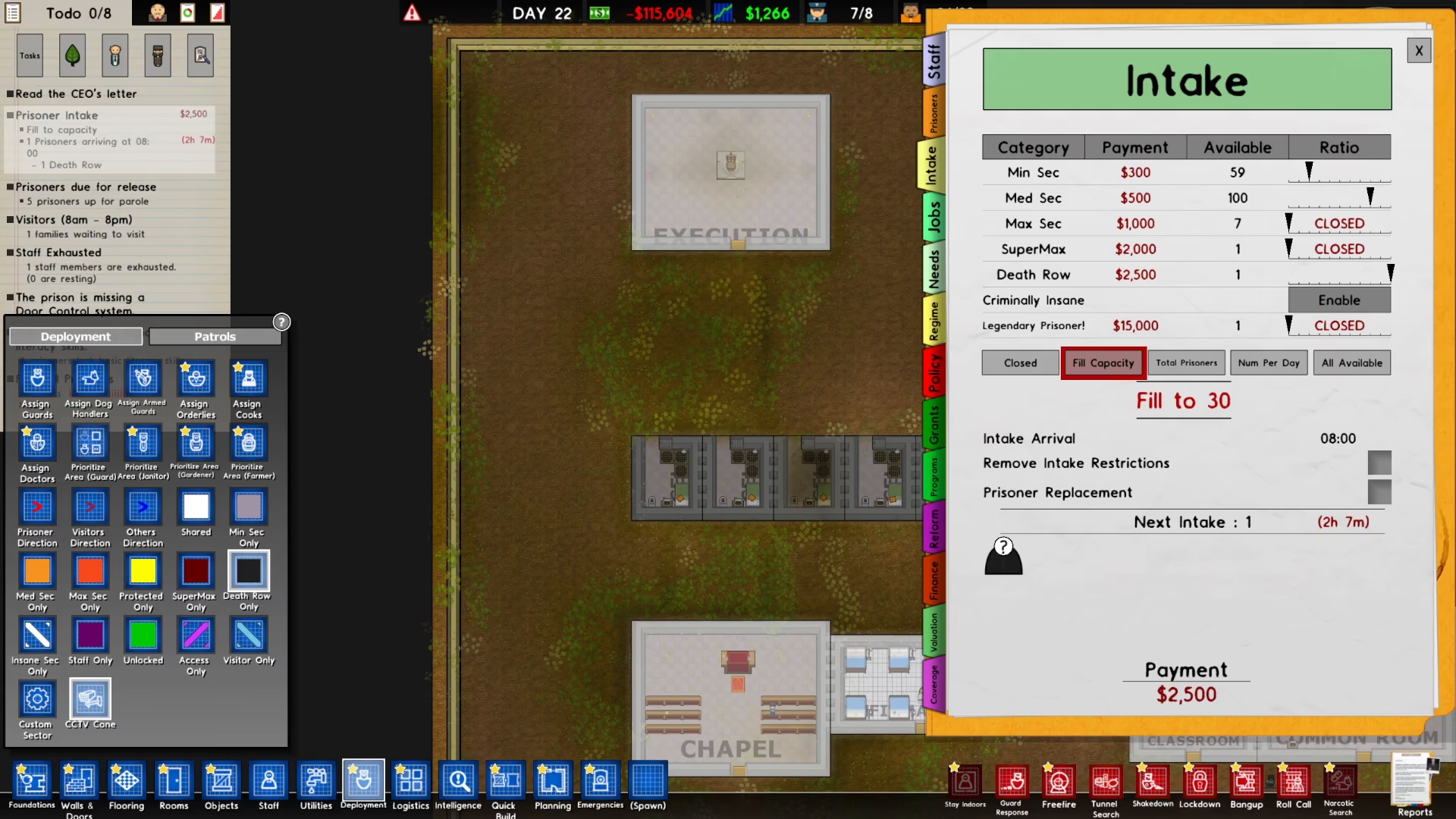
With your Death Row facilities configured and intake enabled, simply wait for inmates to arrive. Check your to-do list to monitor incoming prisoners. You’ll receive a notification indicating when a Death Row inmate is scheduled to arrive at your facility, typically within a few in-game hours.
Summary
Setting up Death Row inmates in Prison Architect is straightforward once you understand the process. Build dedicated cells, configure deployment settings to “Death Row only,” enable Death Row intake with maximum ratio in your Reports menu, and click Fill capacity. Your Death Row inmates will then arrive according to the schedule shown in your to-do list. With these steps complete, you’re ready to manage this high-security inmate population effectively.
Want to Support?
If you would like to help us continue making these guides – please consider joining our patreon here – https://www.patreon.com/c/JaviHeals
Alternatively – you can join our discord here – https://discord.gg/zD7Gjt6MHF