





How To Play Coop In Bloons TD6
How To Play Co-op In Bloons TD6
Playing co-op in Bloons TD6 is a great way to team up with other players and tackle challenging rounds together. This guide will walk you through the steps needed to unlock and access the co-op feature, including the necessary level requirements and how to play with friends.
Level Requirement
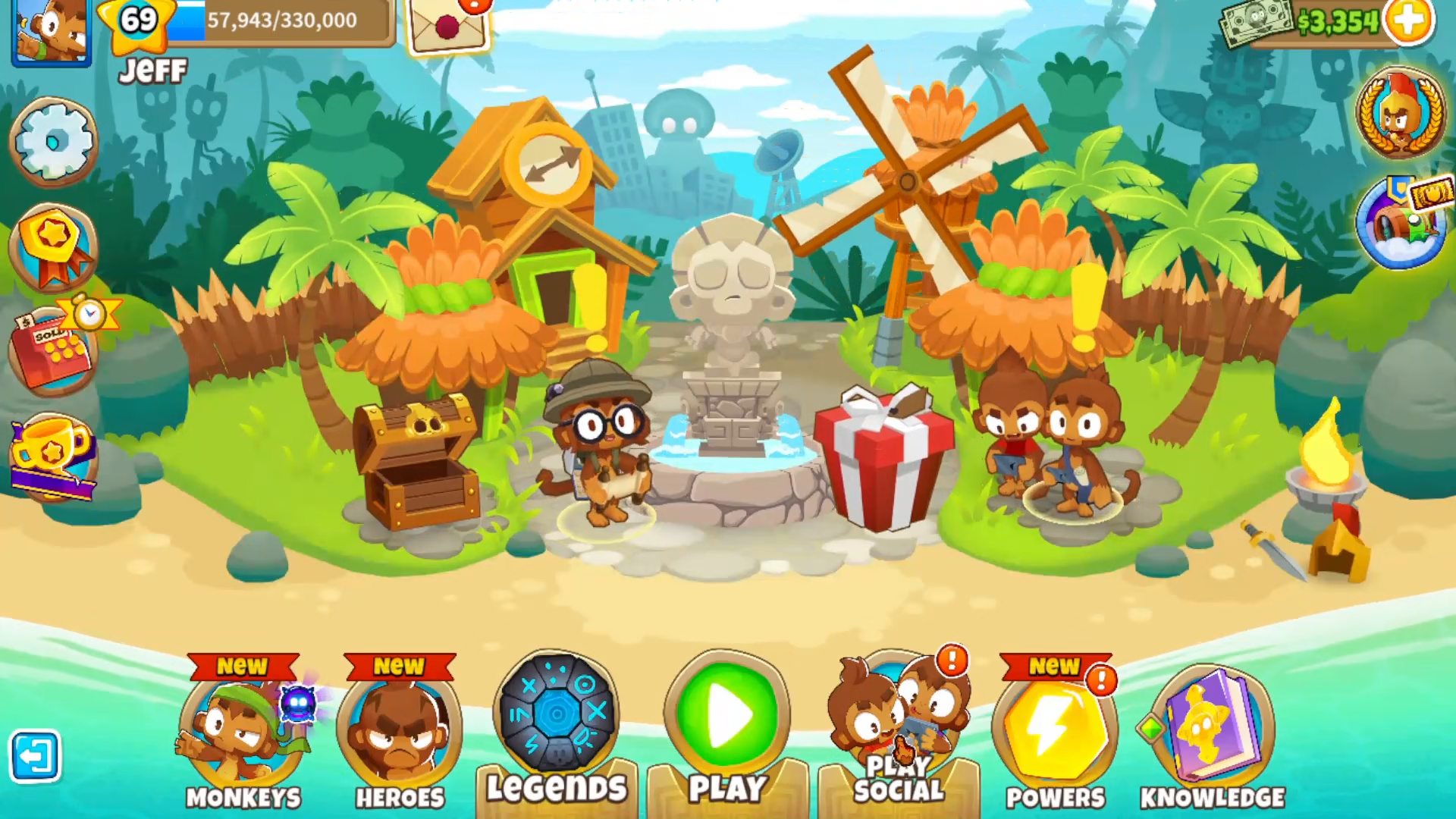
Before you can access the co-op feature in Bloons TD6, you must reach at least level 20. This is the prerequisite needed to unlock the “Play Social” button, which grants you access to all multiplayer options.
Accessing Co-op Mode
Once you’ve reached level 20, look for the “Play Social” button in your main menu. Click on this button to access the social and multiplayer features.
Quick Match Option
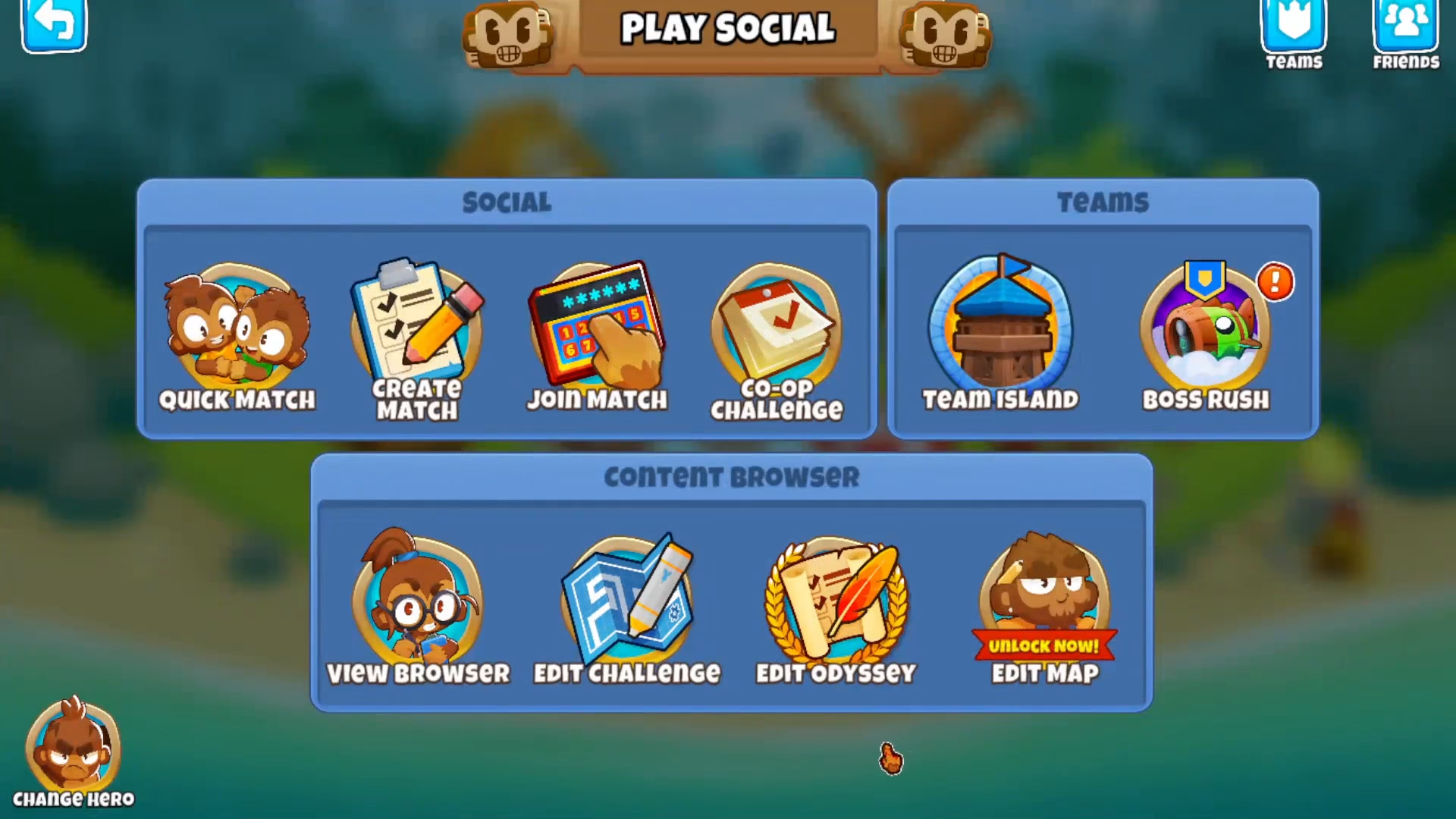
After clicking “Play Social,” you’ll see several options available. One of these is “Quick Match,” which allows you to join random co-op games with other players online.
Playing With Friends
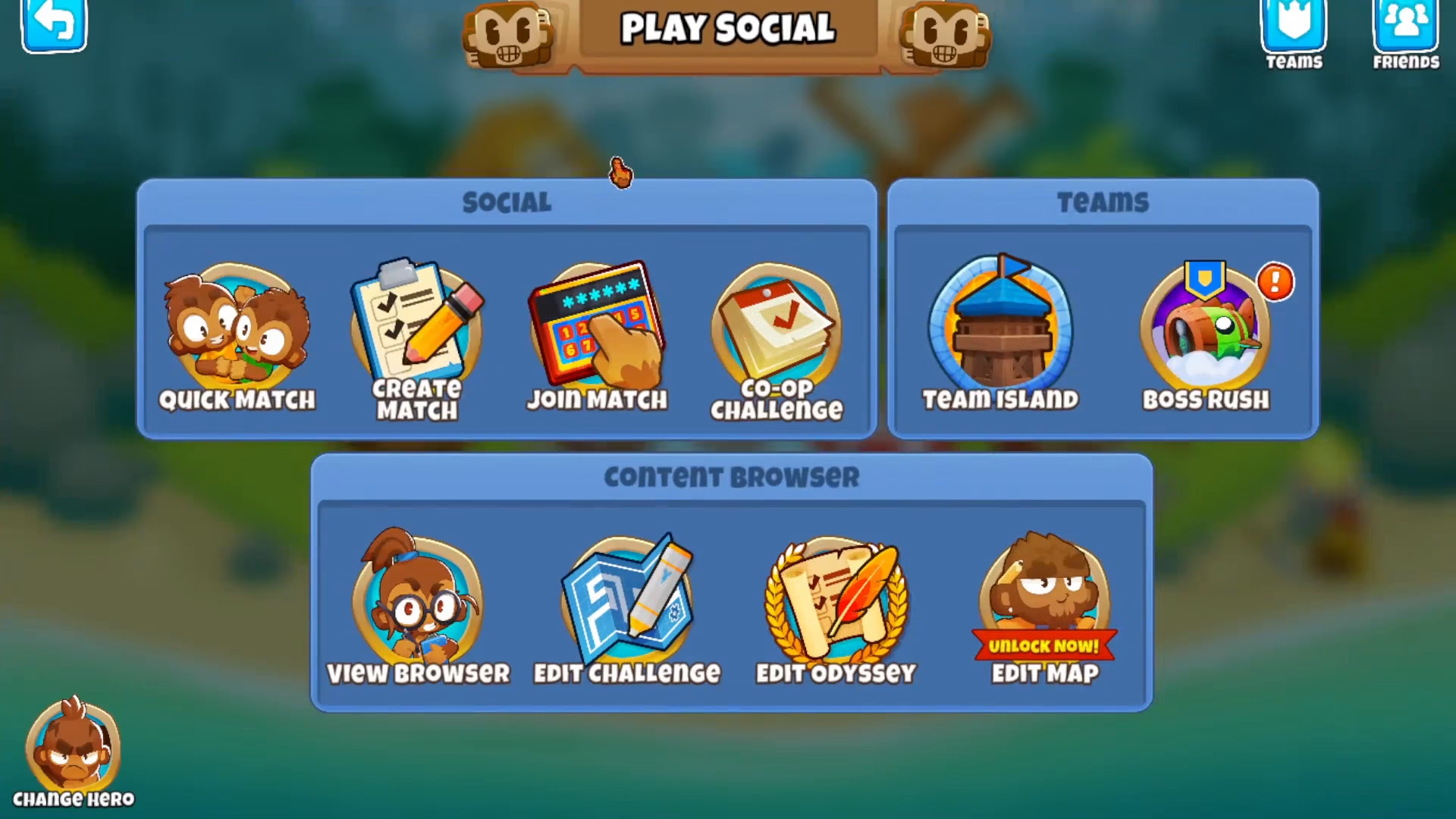
If you have friends added in Bloons TD6, you can set them up through the social menu. This allows you to play co-op matches exclusively with your friends rather than matchmaking with random players online.
Summary
Getting started with co-op in Bloons TD6 is straightforward once you reach level 20. Simply click the “Play Social” button, choose between Quick Match for random opponents or invite your friends for a private game, and you’ll be ready to cooperate with other players to complete challenging rounds together.
— Want to Support? —
If you would like to help us continue making these guides – please consider joining our patreon here – https://www.patreon.com/c/JaviHeals
Alternatively – you can join our discord here – https://discord.gg/zD7Gjt6MHF



