








How To Play With More Roles In Among Us
How To Play With More Roles In Among Us
Among Us offers a variety of exciting roles that can enhance your gameplay experience. If you want to unlock and play with these different roles, you’ll need to enable the roles feature in your game settings. This guide will walk you through the process step-by-step so you can start enjoying all the available roles.
Enabling Roles in Among Us
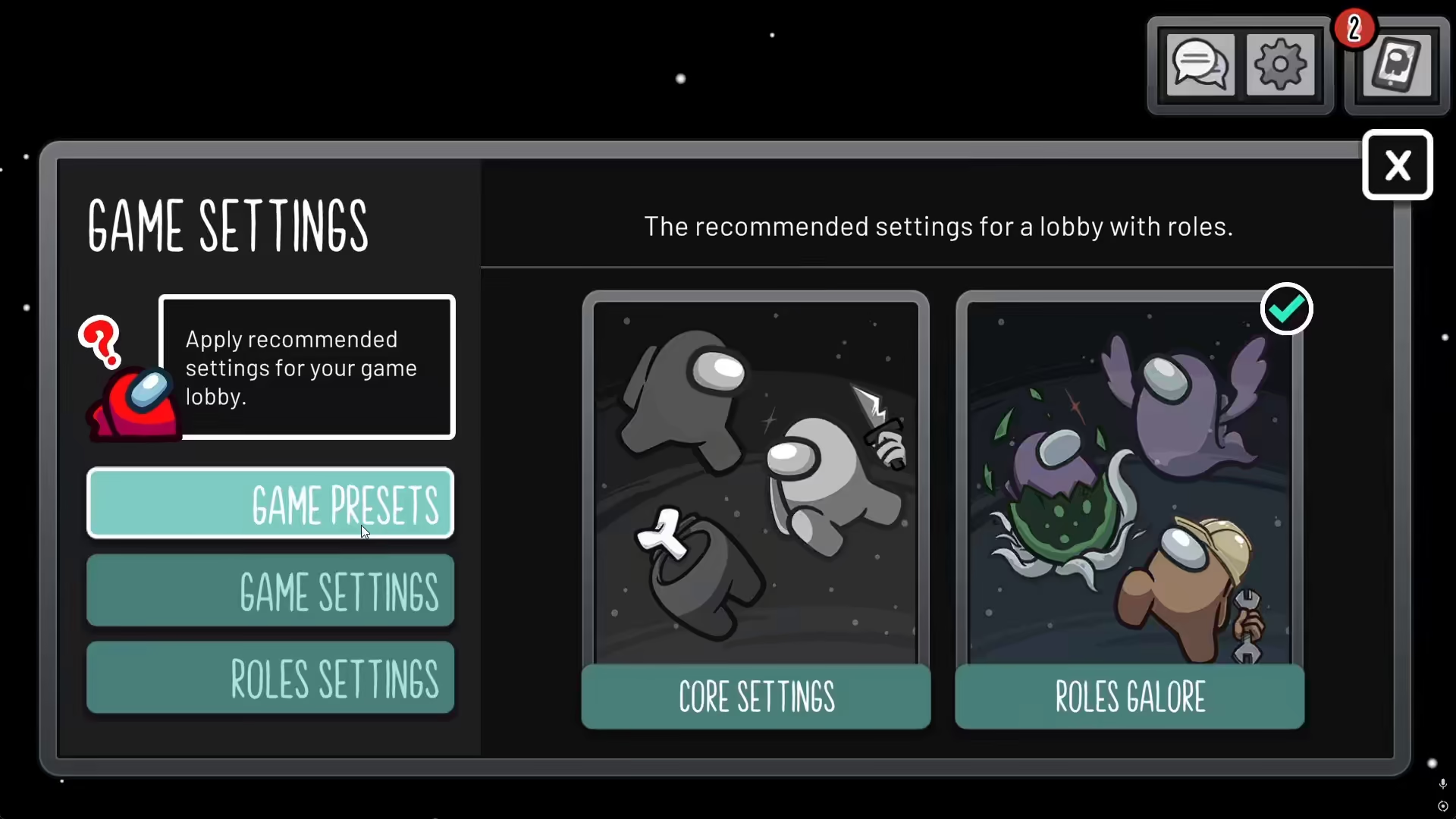
To begin playing with roles in Among Us, you must first turn on the roles-geller feature. This is the essential first step that unlocks all role-related functionality in the game.
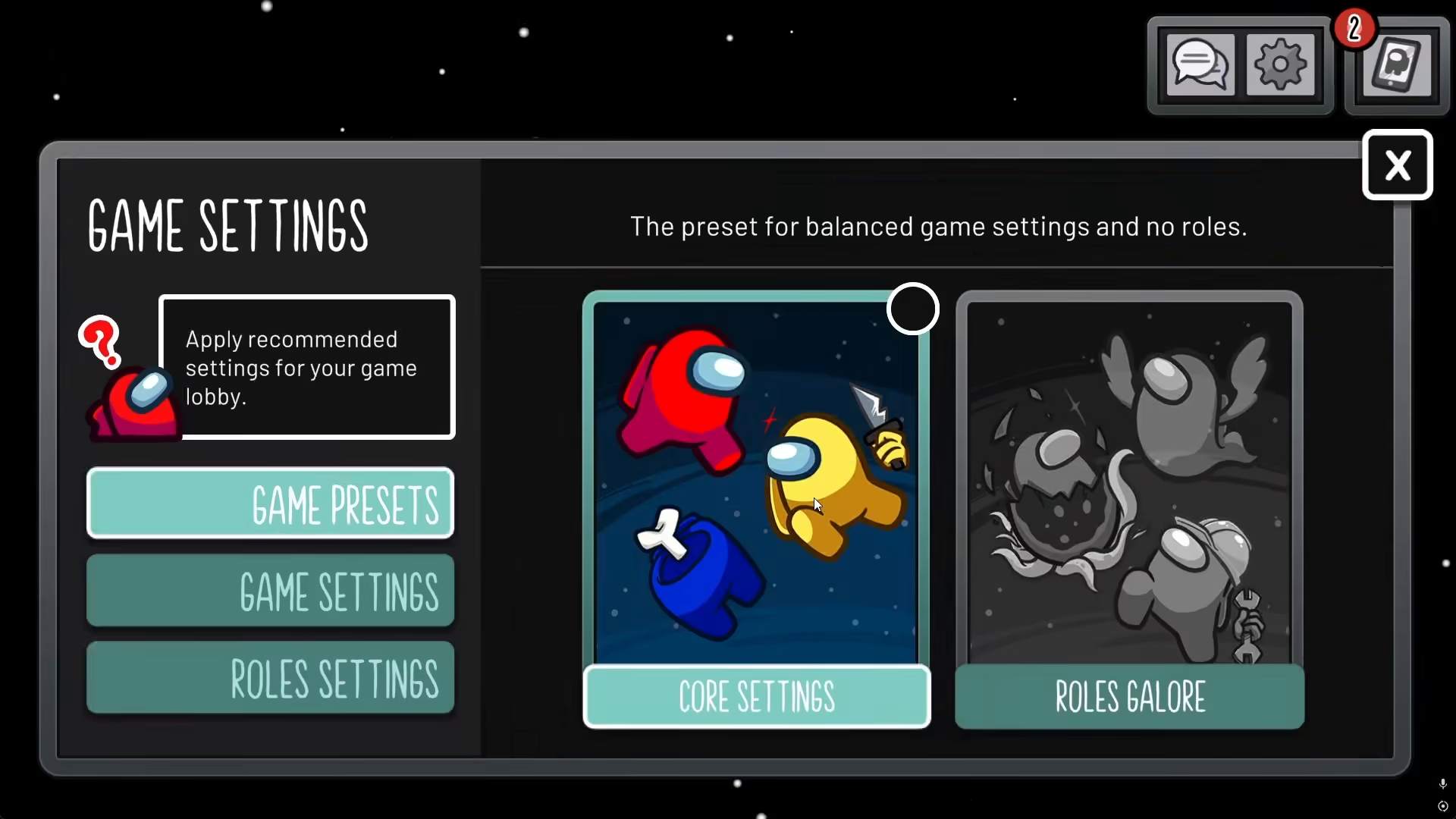
Accessing the Roles Settings
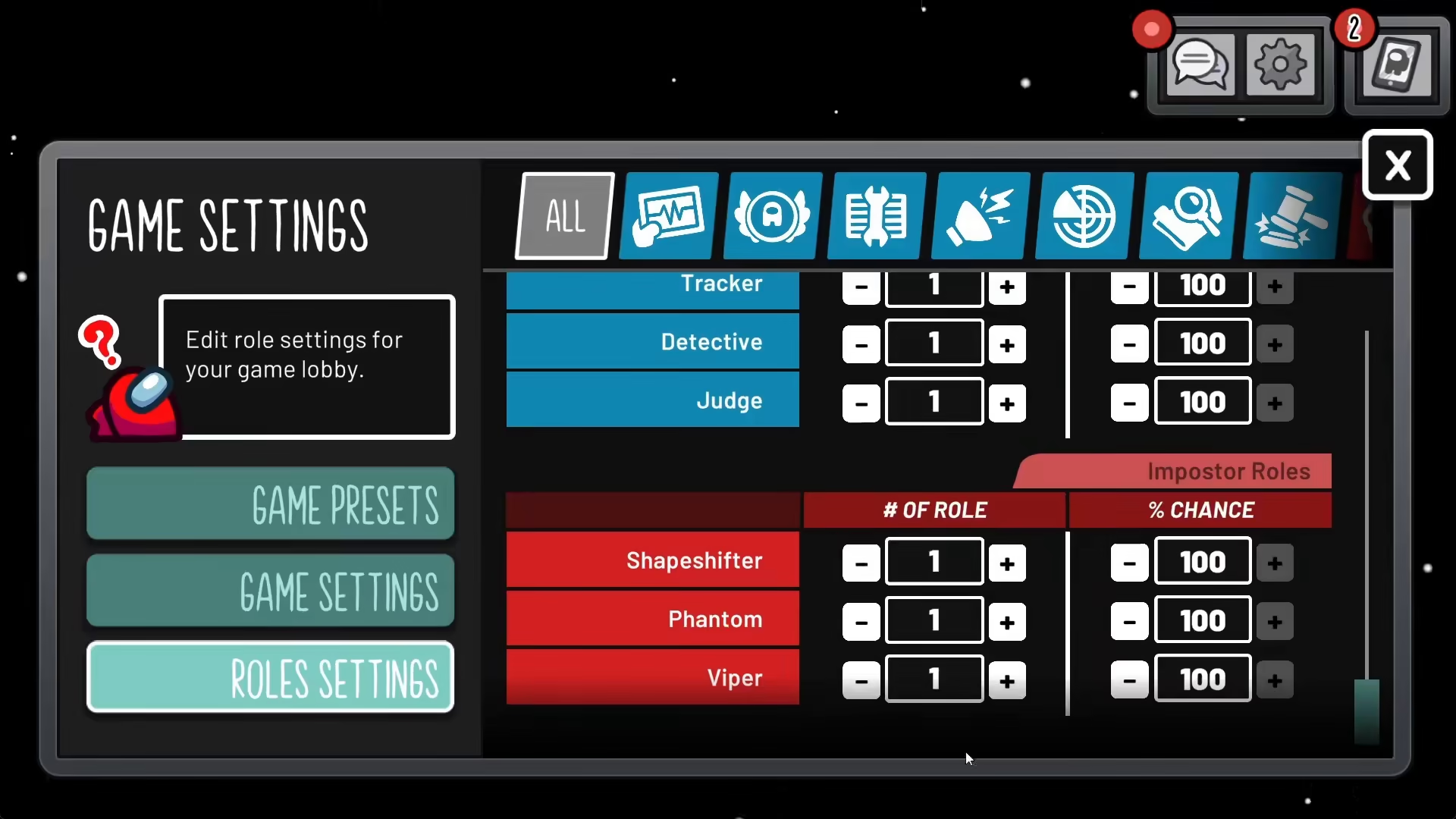
Once you’ve enabled the roles-geller, navigate to the roles setting menu. This is where you’ll find all available roles and customize which ones you want to play with.
Available Roles
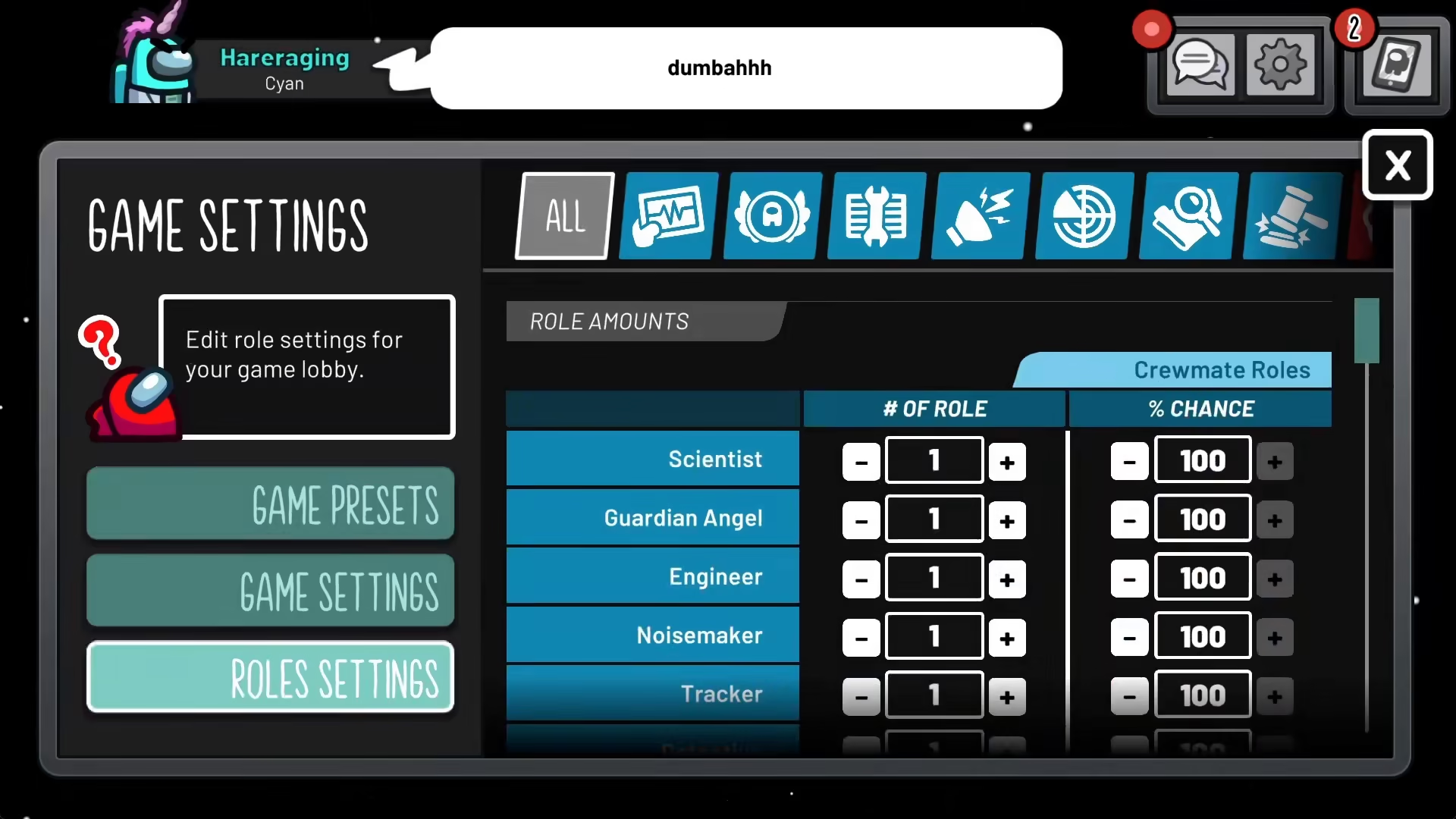
Among Us features numerous roles that you can enable for your gameplay sessions. Here are the roles currently available:
Standard Roles
Scientist
Guardian Angel
Engineer
Noise Maker
Tracker
Detective
Judge
Embossary Roles
Sheep
Deer
Phantom
Wiper
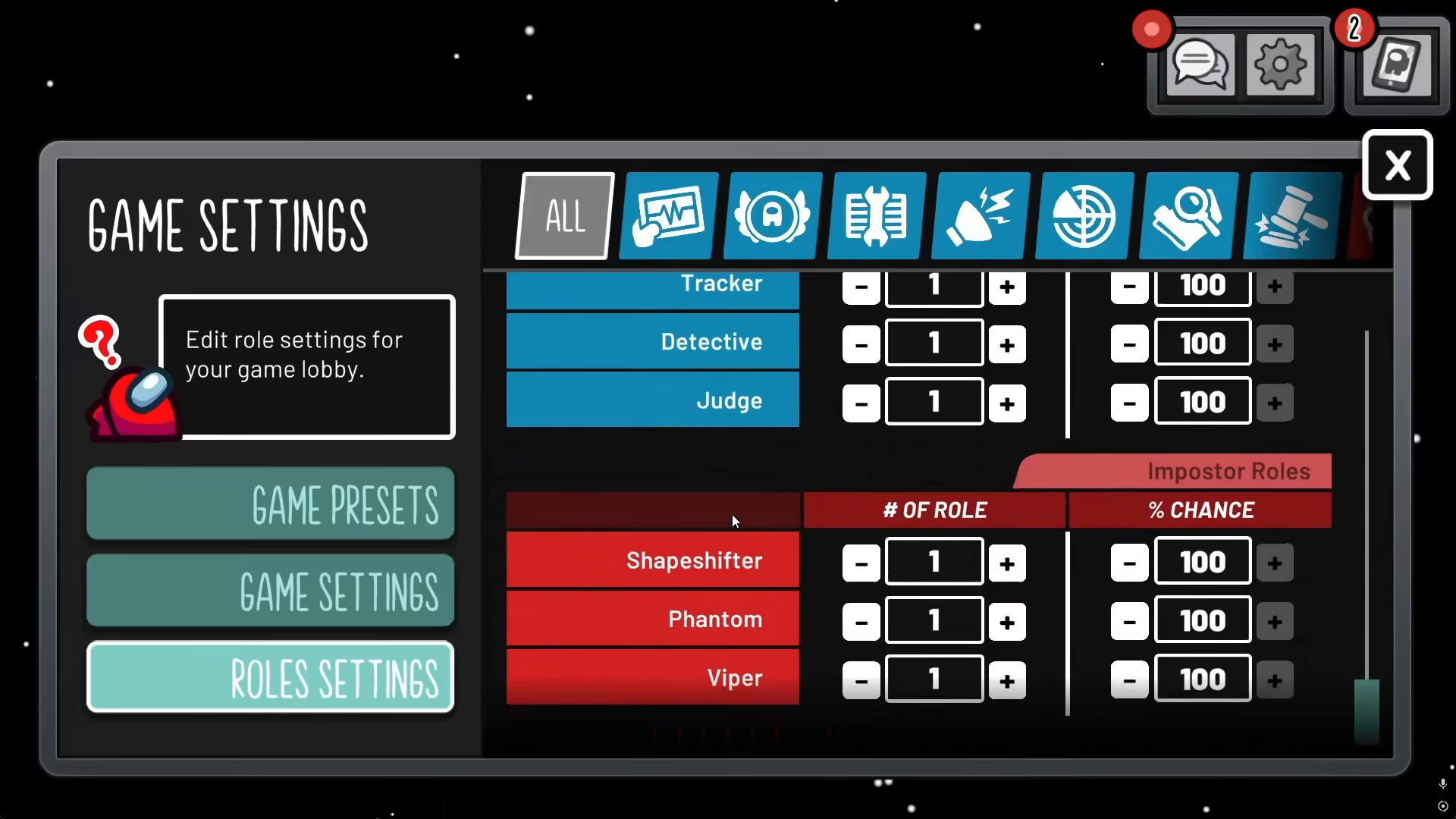
Enabling Your Preferred Roles
You can easily enable any role you want by toggling it on in the roles settings menu. Simply select which roles appeal to you, and they will be active for your next game. You have complete flexibility to enable all roles or just a select few based on your preferences.
Summary
Playing with roles in Among Us is straightforward once you know where to look. Enable the roles-geller feature, access your roles settings, and toggle on whichever roles you’d like to play with. With roles like Scientist, Engineer, Detective, Guardian Angel, and the Embossary roles (Sheep, Deer, Phantom, and Wiper), you’ll have plenty of variety to keep your Among Us sessions fresh and engaging.
— Want to Support? —
If you would like to help us continue making these guides – please consider joining our patreon here – https://www.patreon.com/c/JaviHeals
Alternatively – you can join our discord here – https://discord.gg/zD7Gjt6MHF



