





How to Read Memory Fragments In Crimson Desert
How to Read Memory Fragments in Crimson Desert
Memory fragments are an important mechanic in Crimson Desert that allow you to access stored information and lore. If you’re new to the game or need a refresher on the process, this guide will walk you through the exact steps to read memory fragments using the Visio-ne equipment piece.
Accessing the Scroll Menu
To begin reading memory fragments, start by opening your scroll menu. This is your primary interface for managing equipment and items in Crimson Desert.
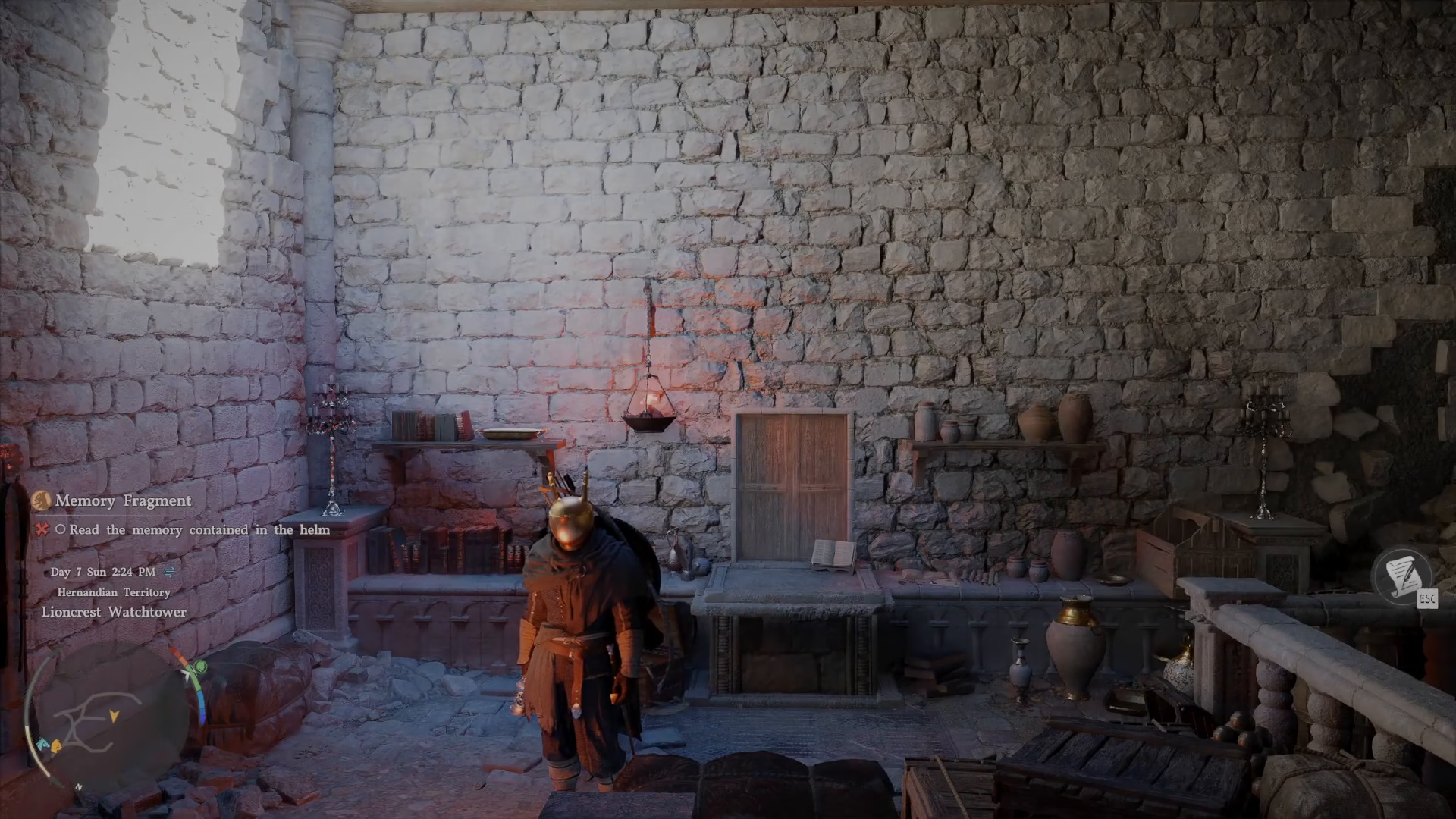
Navigating to Armor
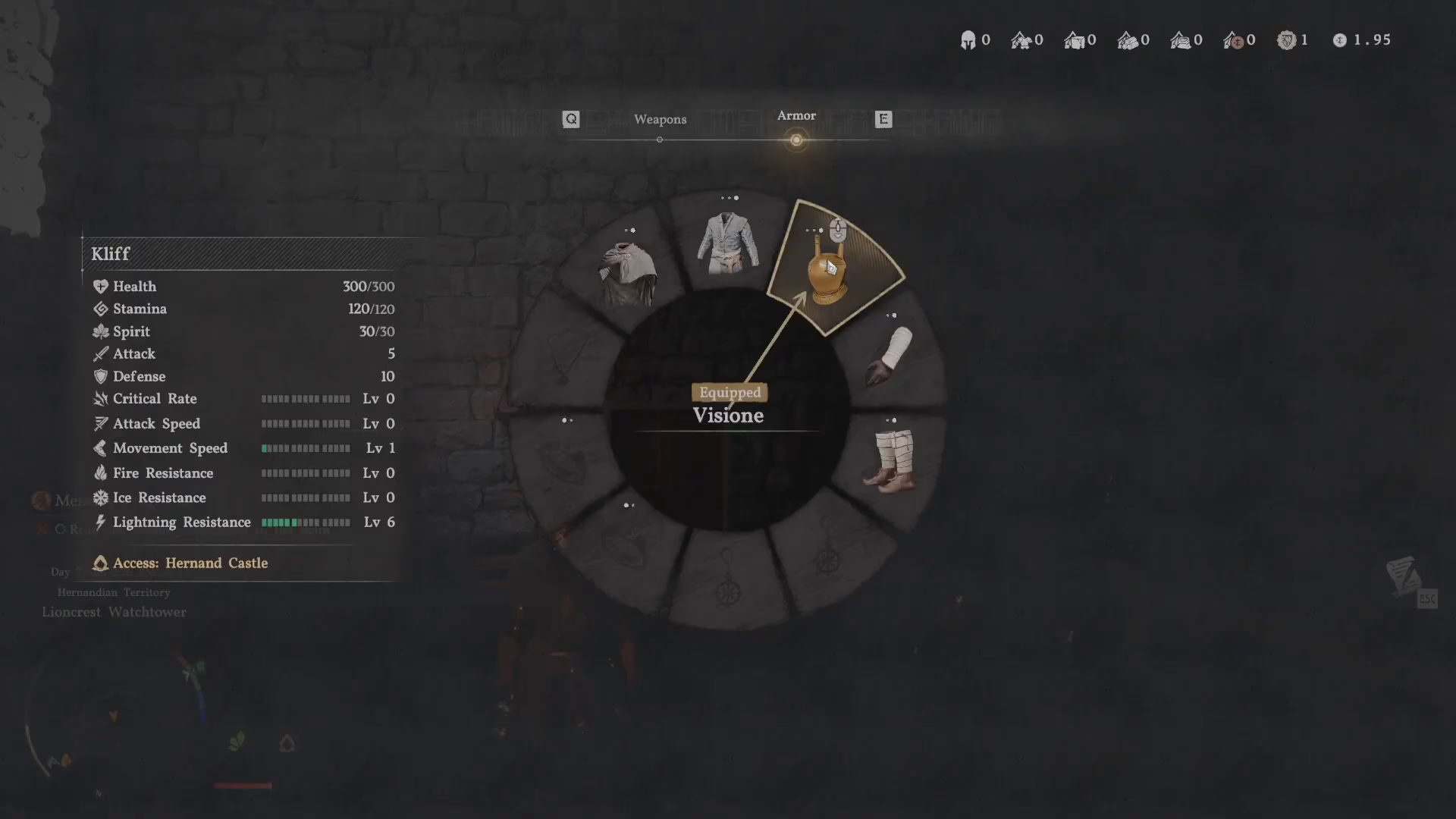
Once the scroll menu is open, navigate to the armor section. You can use the Q key to scroll over to the armor option where all your equipment pieces are displayed.
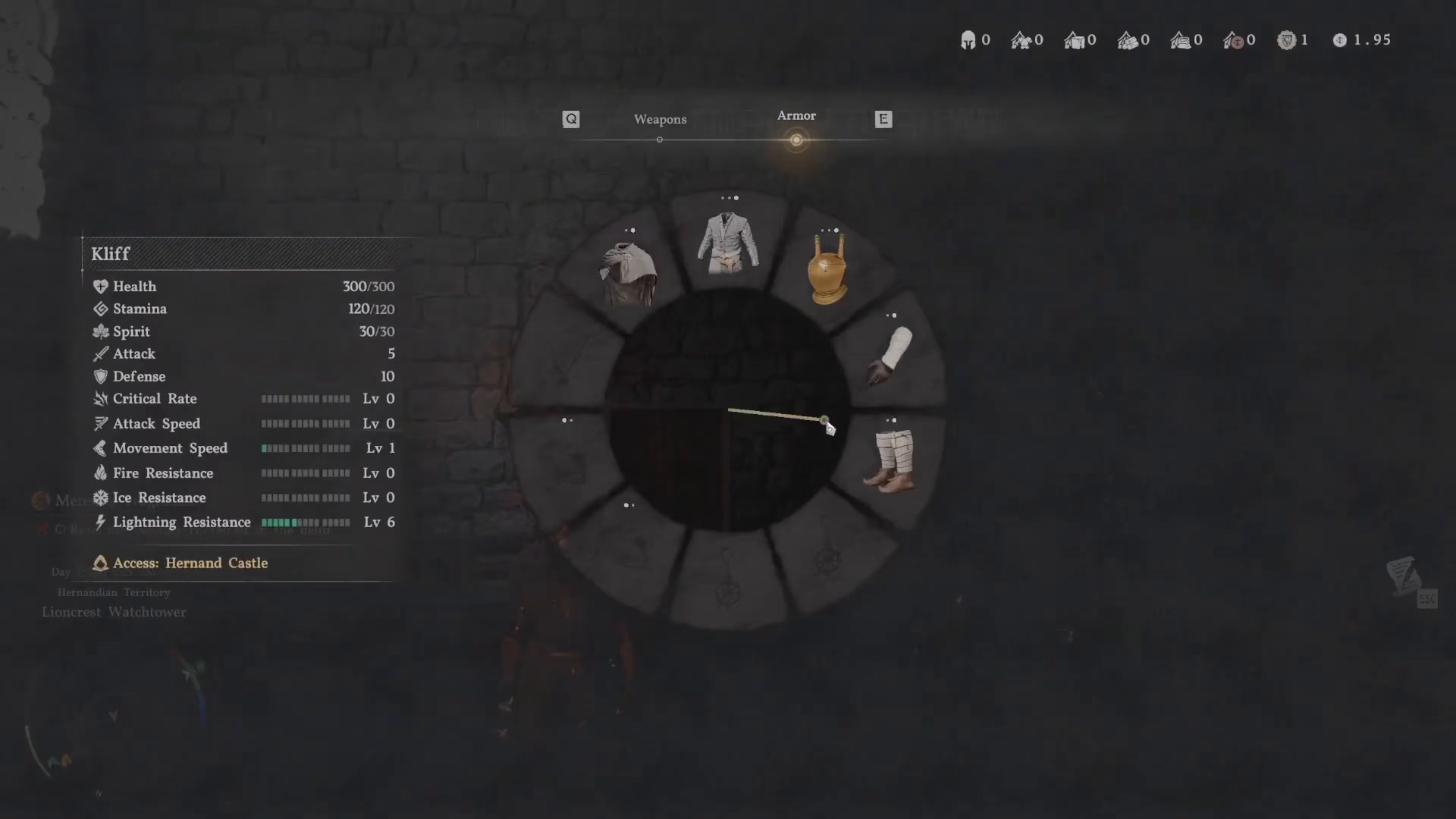
Selecting the Visio-ne Head Piece
Hover over your head piece slot. Once selected, use your scroll wheel to cycle through your available armor options until you find the Visio-ne equipment piece. This is the specific item you need to equip for reading memory fragments.
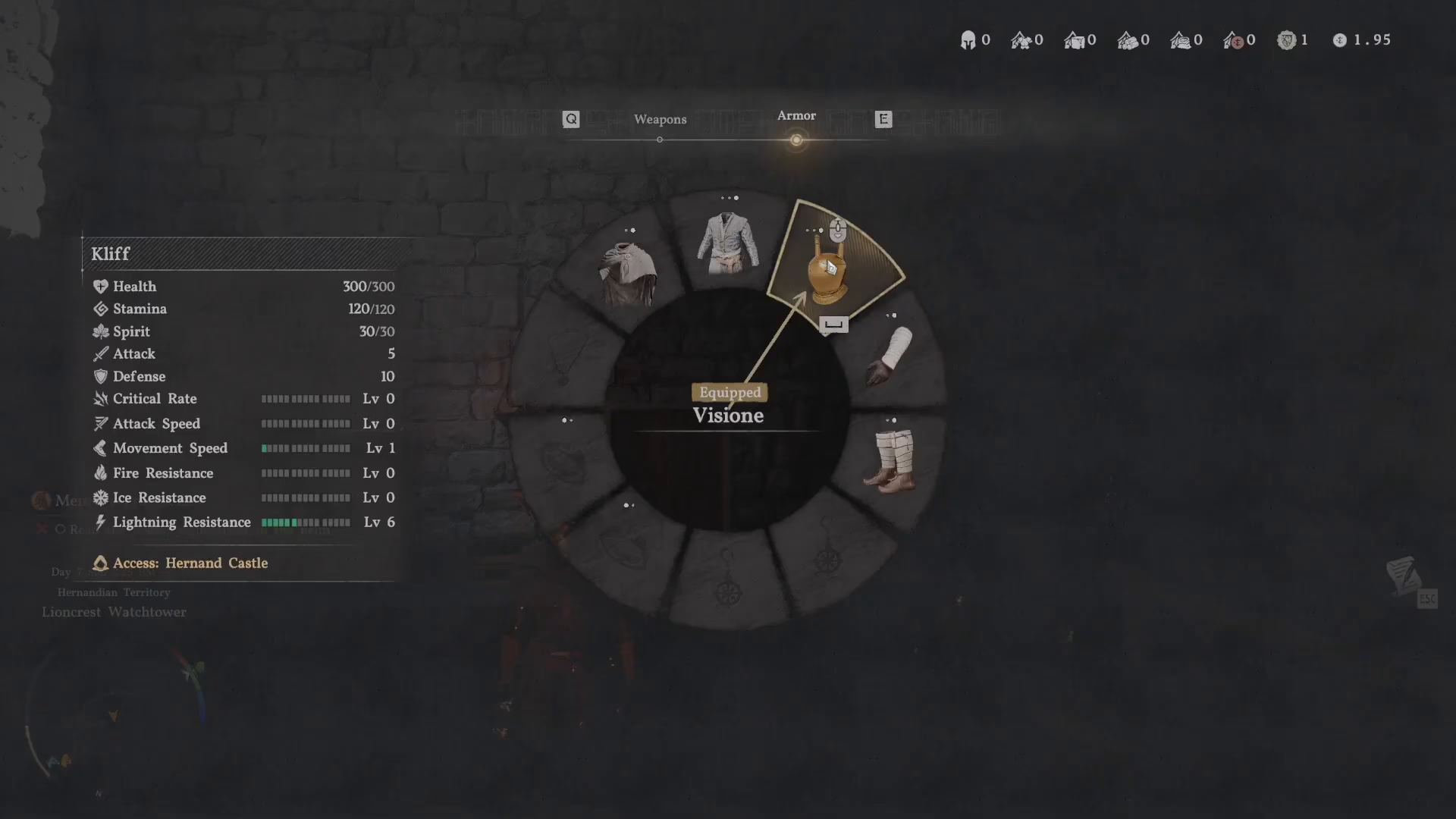
Equipping the Visio-ne
After locating the Visio-ne head piece, press the space bar to equip it. You may need to press the space bar again to confirm the action and fully activate the equipment.
Opening the Memory Fragment Interface
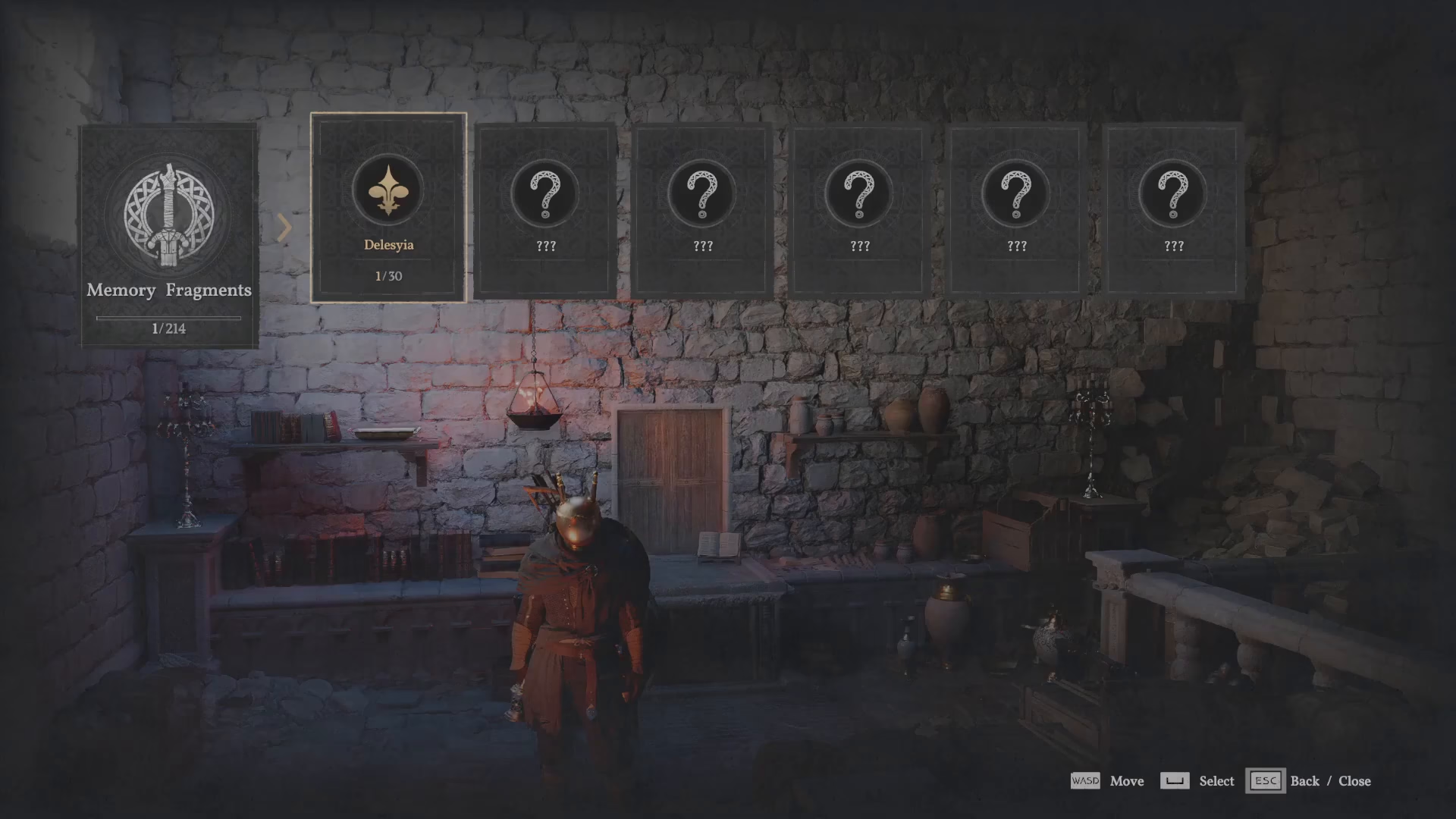
Navigate to the Play section. This will bring up the memory fragment reading interface where you can access your available fragments.
Reading Your Memory Fragments
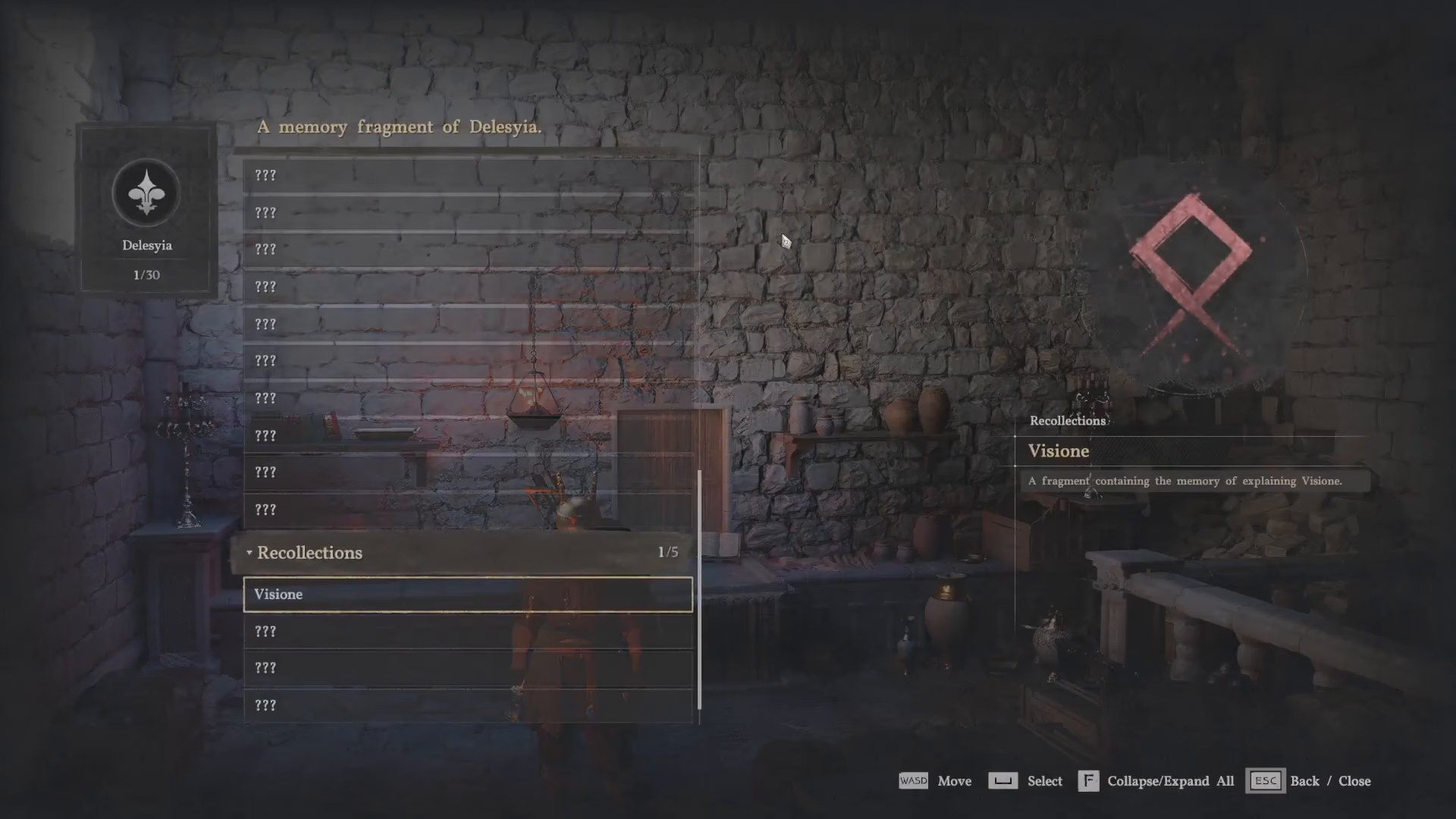
With the interface now open, press the space bar to select an option. Scroll down through the list until you find the Visio-ne memory fragment you wish to read. Once you’ve located it, select it and the reading process will begin automatically.
Summary
Reading memory fragments in Crimson Desert involves several steps, but the process becomes intuitive with practice. Remember to equip the Visio-ne head piece, access the Play menu, and select the memory fragment you want to read. While the mechanics may seem complex at first—as with many systems in Crimson Desert—you’ll master this technique quickly. For more tips, tricks, and guides to enhance your gameplay experience, make sure to follow our channel.
Want to Support?
If you would like to help us continue making these guides – please consider joining our patreon here – https://www.patreon.com/c/JaviHeals
Alternatively – you can join our discord here – https://discord.gg/zD7Gjt6MHF



