






How to Repair Weapons and Armour in Grounded
How to Repair Weapons and Armour in Grounded
Keeping your weapons and armor in top condition is essential for surviving in Grounded. This quick guide will walk you through the simple repair process so you can maintain your gear and stay ready for any challenge the backyard throws at you.
Accessing the Repair Menu
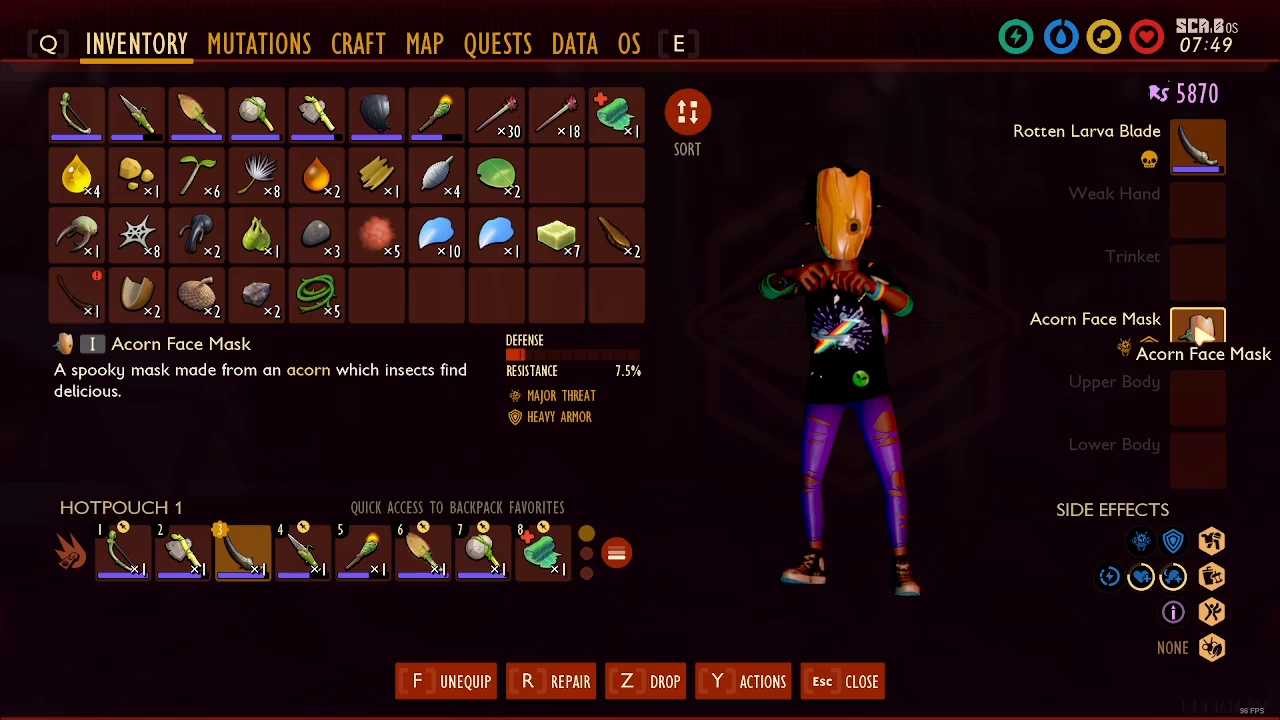
To begin repairing your equipment, hover over the weapon or armor piece you want to fix in your inventory. Once you’ve selected the item, press R to open the repair menu.
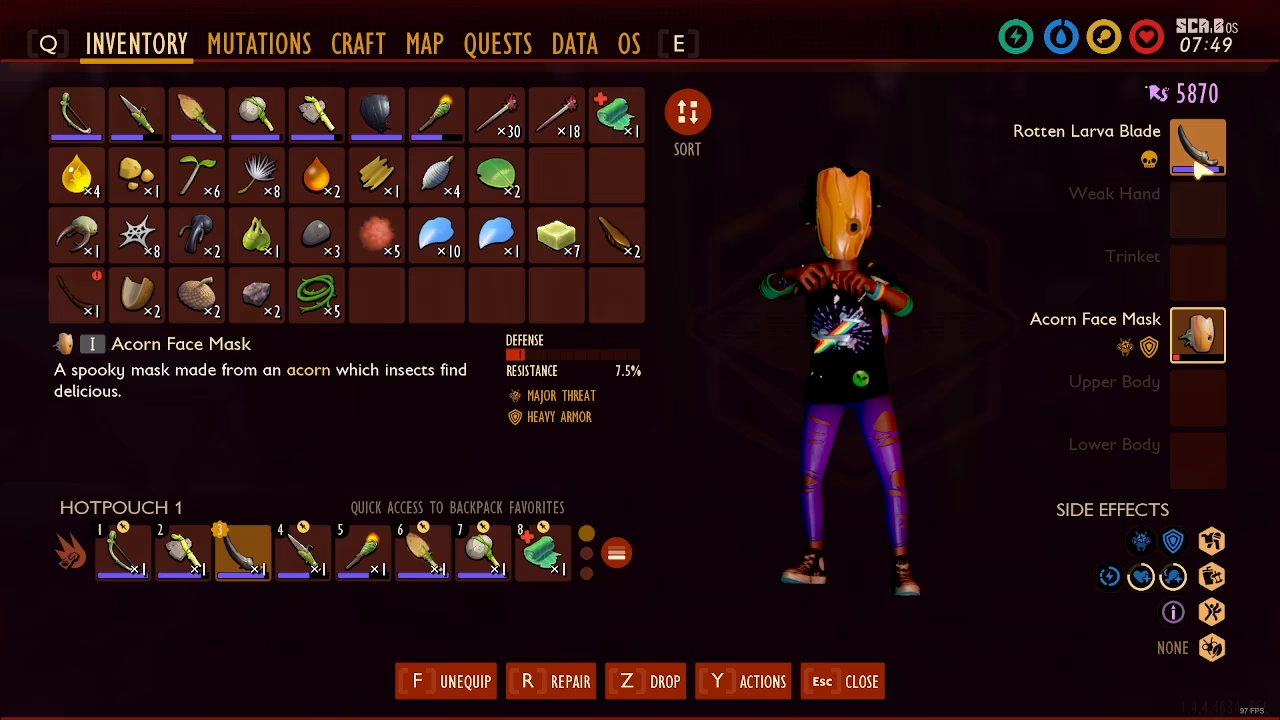
Checking Required Materials
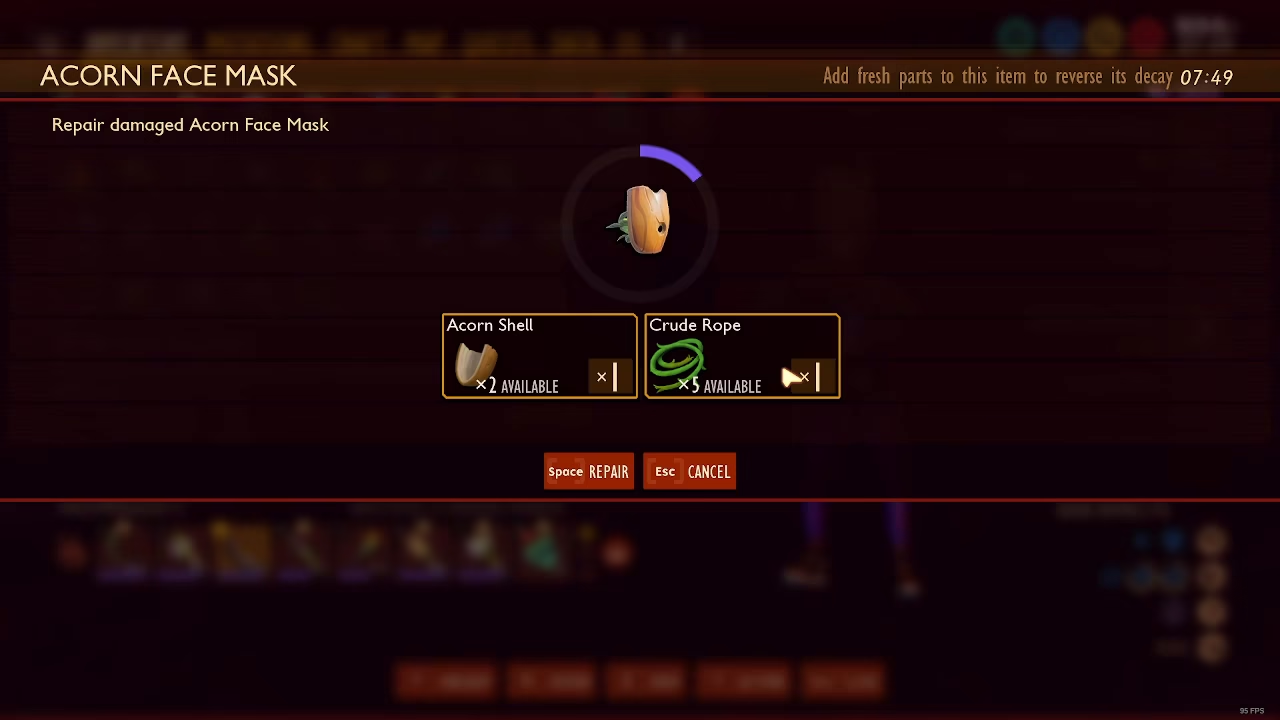
When you press R on your selected item, the game will display the exact materials you need to complete the repair. The required items will vary depending on what you’re repairing. For example, you might need acorn shell and acorn rope to repair certain armor pieces.
Completing the Repair
Once you have the necessary materials in your inventory, simply press Spacebar to repair the item. This will restore your weapon or armor to full durability instantly, as long as you have all the required materials available.
Summary
Repairing your gear in Grounded is straightforward: select your item, press R to view needed materials, gather what’s required, and press Spacebar to complete the repair. Keep your weapons and armor maintained to ensure you’re always prepared for combat and exploration in the backyard.
Want to Support?
If you would like to help us continue making these guides – please consider joining our patreon here – https://www.patreon.com/c/JaviHeals
Alternatively – you can join our discord here – https://discord.gg/zD7Gjt6MHF



