





How To Use Ouija Board Without Mic In Phasmophobia
How To Use Ouija Board Without Mic In Phasmophobia
Playing Phasmophobia without a microphone doesn’t mean you have to miss out on using the Ouija board. This tutorial shows you a simple workaround that allows you to interact with the Ouija board using text input instead of voice commands. Whether you prefer not to use a mic or simply don’t have one available, this guide will walk you through the necessary settings adjustment to enable text-based Ouija board interactions.
Enable Text Recognition Mode
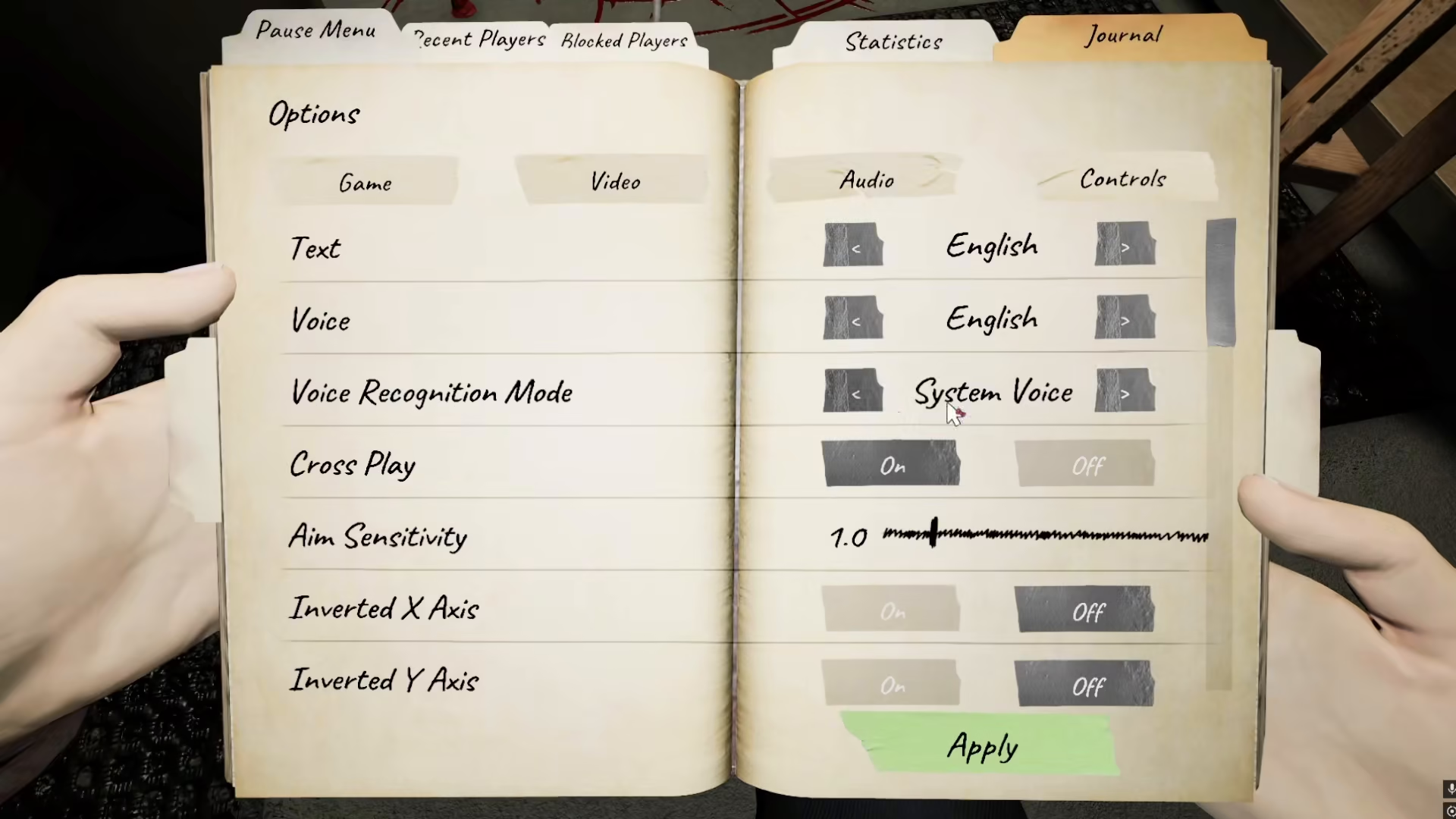
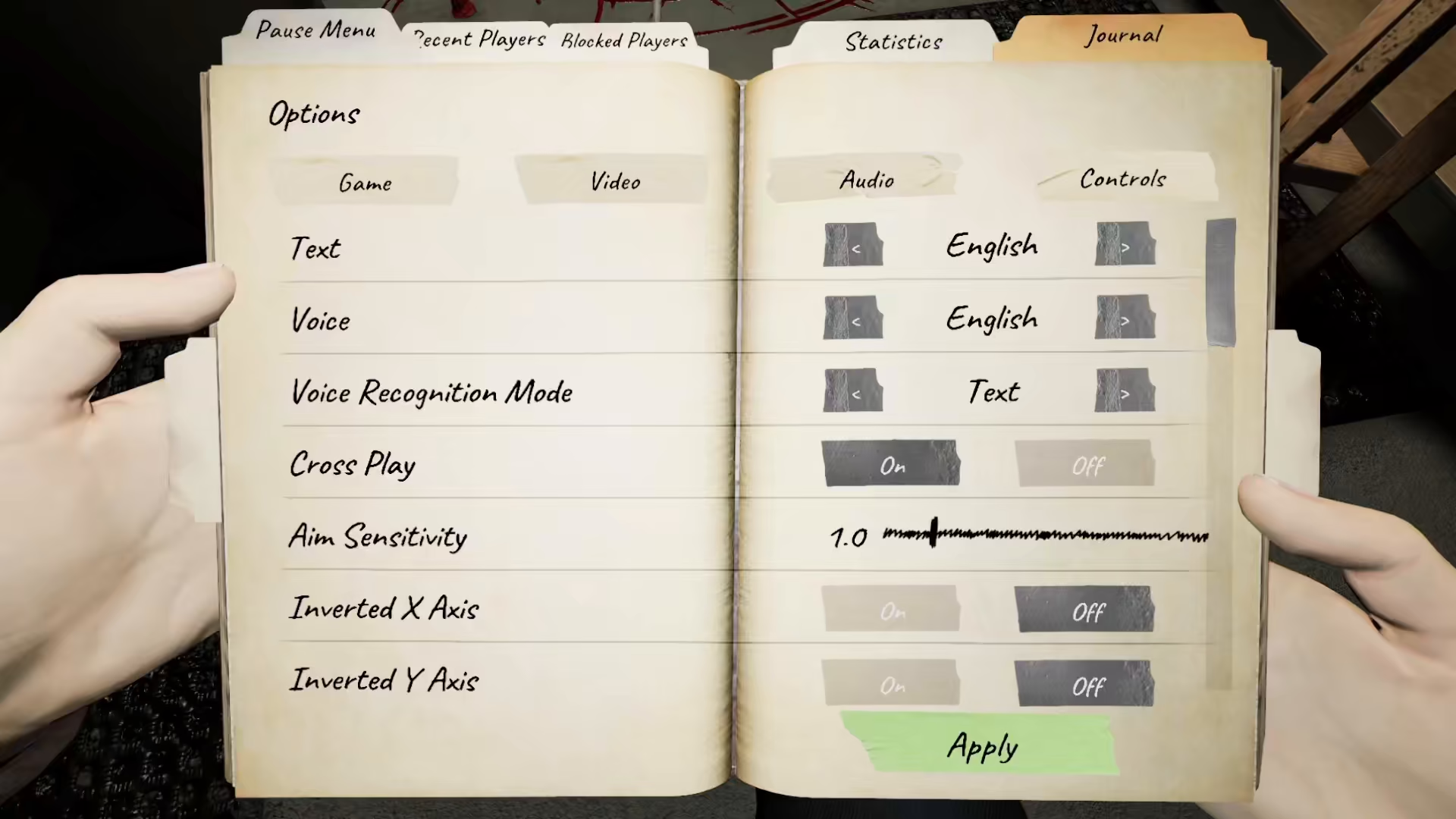
To use the Ouija board without a microphone, you need to adjust your game settings. Navigate to your settings menu and locate the voice recognition mode option. Change this setting from voice recognition to text mode.
Once you’ve switched to text mode, the game will display all available text options that you can ask on the Ouija board. This change enables you to interact with the Ouija board purely through text-based input.
Available Ouija Board Questions
Unlike some other communication methods in Phasmophobia, there is no standard text message system built into the game. However, the Ouija board provides several preset questions you can use when text mode is enabled. These questions include options like asking about insanity levels and specific inquiries such as “How did you die?” and similar investigative questions.
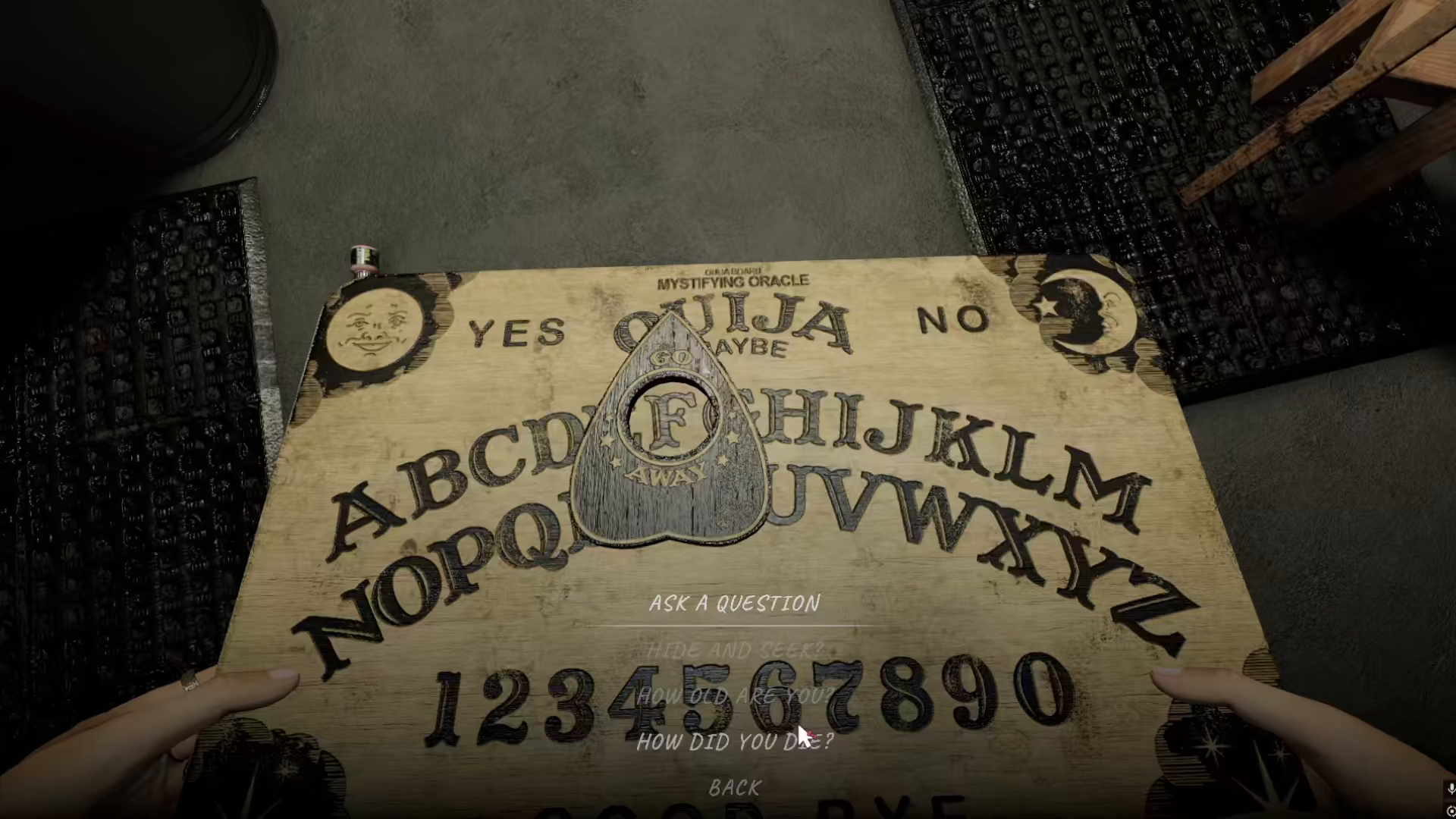
By using these predefined text options, you can effectively communicate with spirits through the Ouija board without needing to speak into a microphone.
Summary
Using the Ouija board in Phasmophobia without a mic is straightforward. Simply go to your settings, switch your voice recognition mode to text, and you’ll have access to all the text-based questions available for the Ouija board. This method provides a convenient alternative for players who prefer text input or don’t have microphone access, allowing you to maintain full functionality when investigating paranormal activity.
— Want to Support? —
If you would like to help us continue making these guides – please consider joining our patreon here – https://www.patreon.com/c/JaviHeals
Alternatively – you can join our discord here – https://discord.gg/zD7Gjt6MHF


