





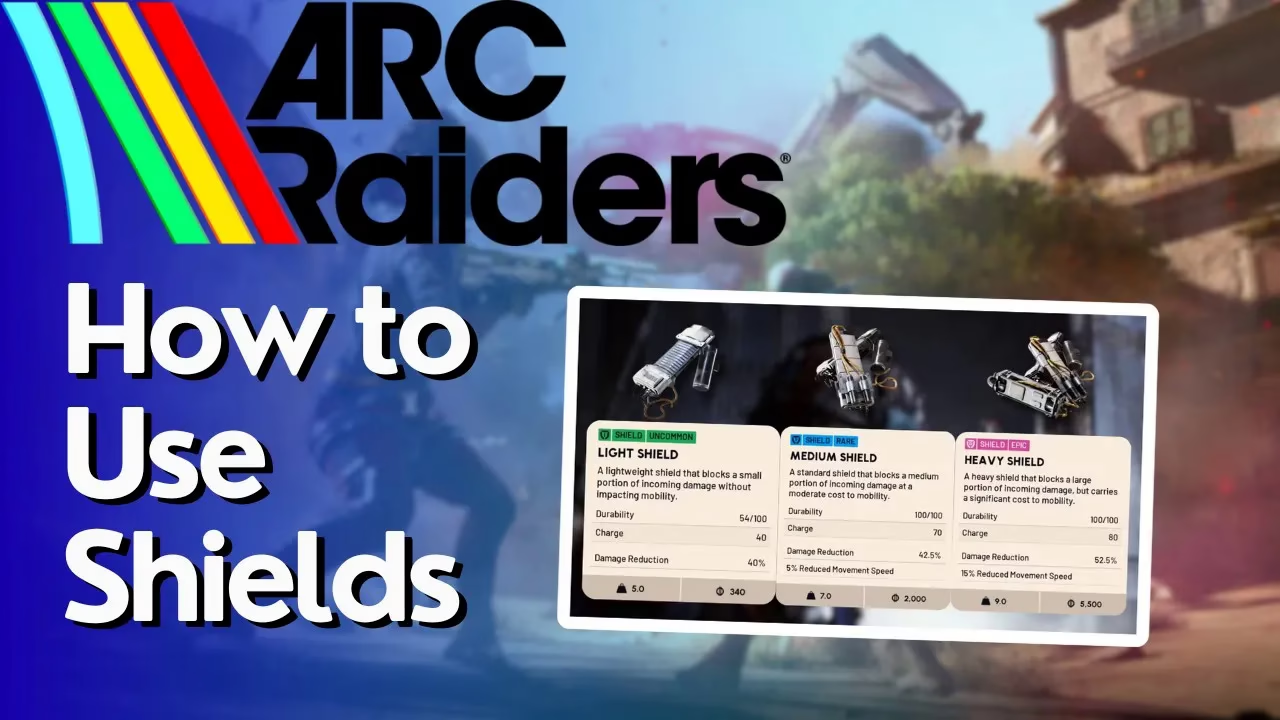
How to Use a Shield in Arc Raiders
How to Use a Shield in Arc Raiders
Learning how to equip and use a shield in Arc Raiders is essential for surviving combat encounters. Shields provide a crucial layer of defense by regenerating over time, and requesting or equipping them is straightforward once you know the process. This guide walks you through every step of getting your shield ready for battle.
Opening the Equipment Selection Wheel
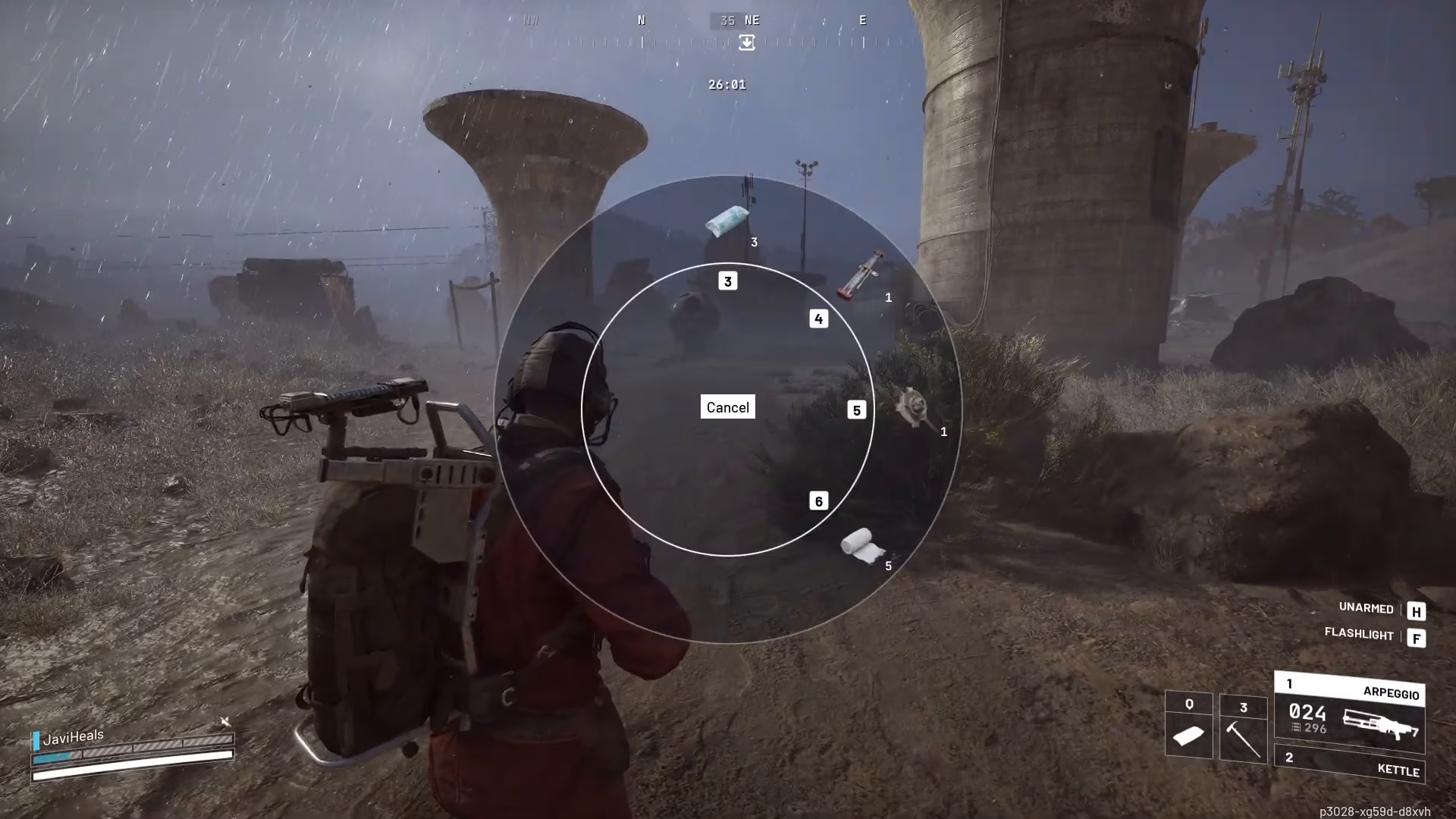
To begin using a shield in Arc Raiders, press the Q key on your keyboard. This action opens the equipment selection wheel, which displays all your currently equipped gear and available options.

Accessing Your Inventory
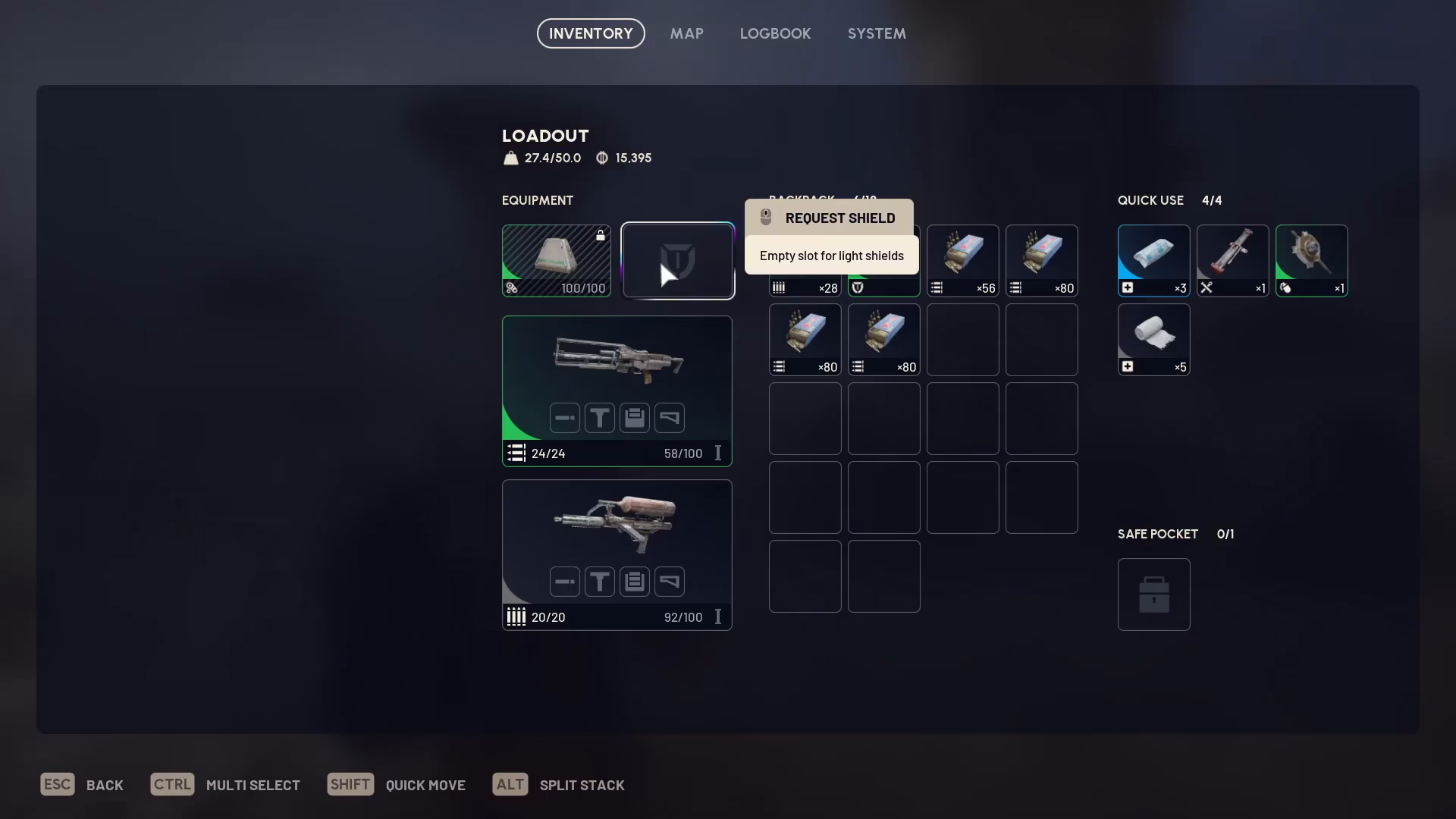
If you don’t see a shield in your selection wheel, navigate to your Inventory to find available shields. In the Inventory menu, locate the Equipment section where you’ll find a “Request Shield” option.
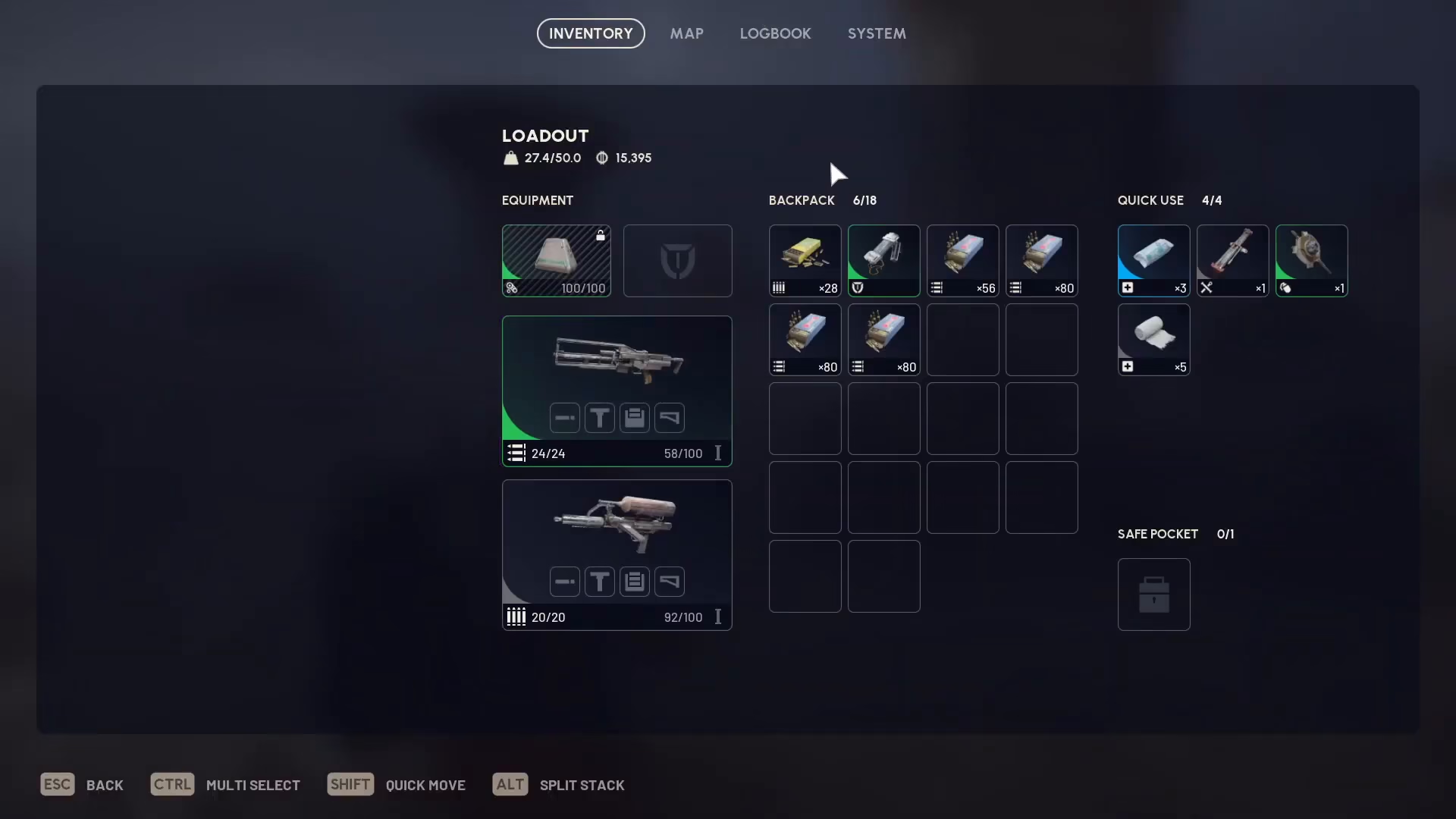
Requesting or Equipping a Shield
You have two options for getting a shield:
Option 1: Request from Allies
Press the middle button on the “Request Shield” option to request a shield from your allies. This works if you have teammates in your group.
Option 2: Equip from Your Inventory
If you have a shield in your Inventory (such as the Slide Shield), simply drag it into your equipment slot. This immediately equips the shield to your character.
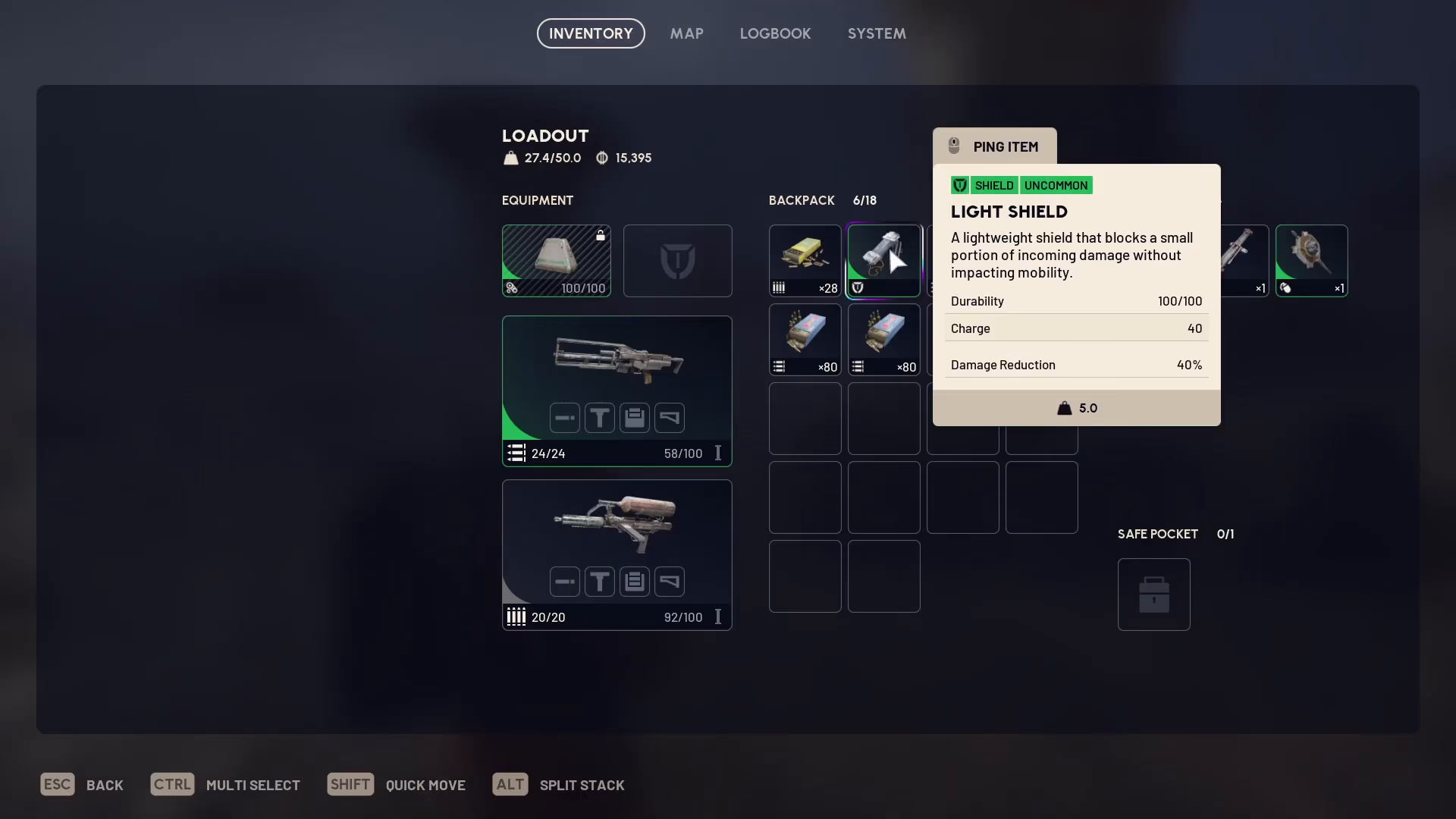
Understanding Shield Regeneration
Once your shield is equipped, it will automatically begin regenerating. You don’t need to activate it manually—the shield regenerates on its own over time. The shield’s health is displayed as a blue bar in the bottom left corner of your screen.
Restoring a Depleted Shield
If your shield’s blue bar depletes completely during combat, you can restore it by pressing Q to open the selection wheel again. Your shield regeneration option will appear here, allowing you to manually trigger the shield recovery. If you have a specific shield item equipped (like a sterilized bandage for healing), that option will also appear in this menu for quick access.

Summary
Using a shield in Arc Raiders is a simple three-step process: open your equipment wheel with Q, navigate to your Inventory, and either request a shield from allies or drag an available shield from your inventory into your equipment slot. Once equipped, your shield automatically regenerates, protecting you during combat. If it depletes, press Q again and select the shield regeneration option to restore it. With this knowledge, you’re ready to equip shields and survive longer in Arc Raiders.
Want to Support?
If you would like to help us continue making these guides – please consider joining our patreon here – https://www.patreon.com/c/JaviHeals
Alternatively – you can join our discord here – https://discord.gg/zD7Gjt6MHF

