
How To Change Prisoners Cells In Prison Architect
How To Change Prisoner Cells In Prison Architect
Managing your prison efficiently in Prison Architect requires knowing how to reassign prisoners to different cells. Whether you’re optimizing cell placement or making adjustments to your facility layout, this tutorial will walk you through the straightforward process of changing a prisoner’s cell assignment.
Accessing the Change Cell Option
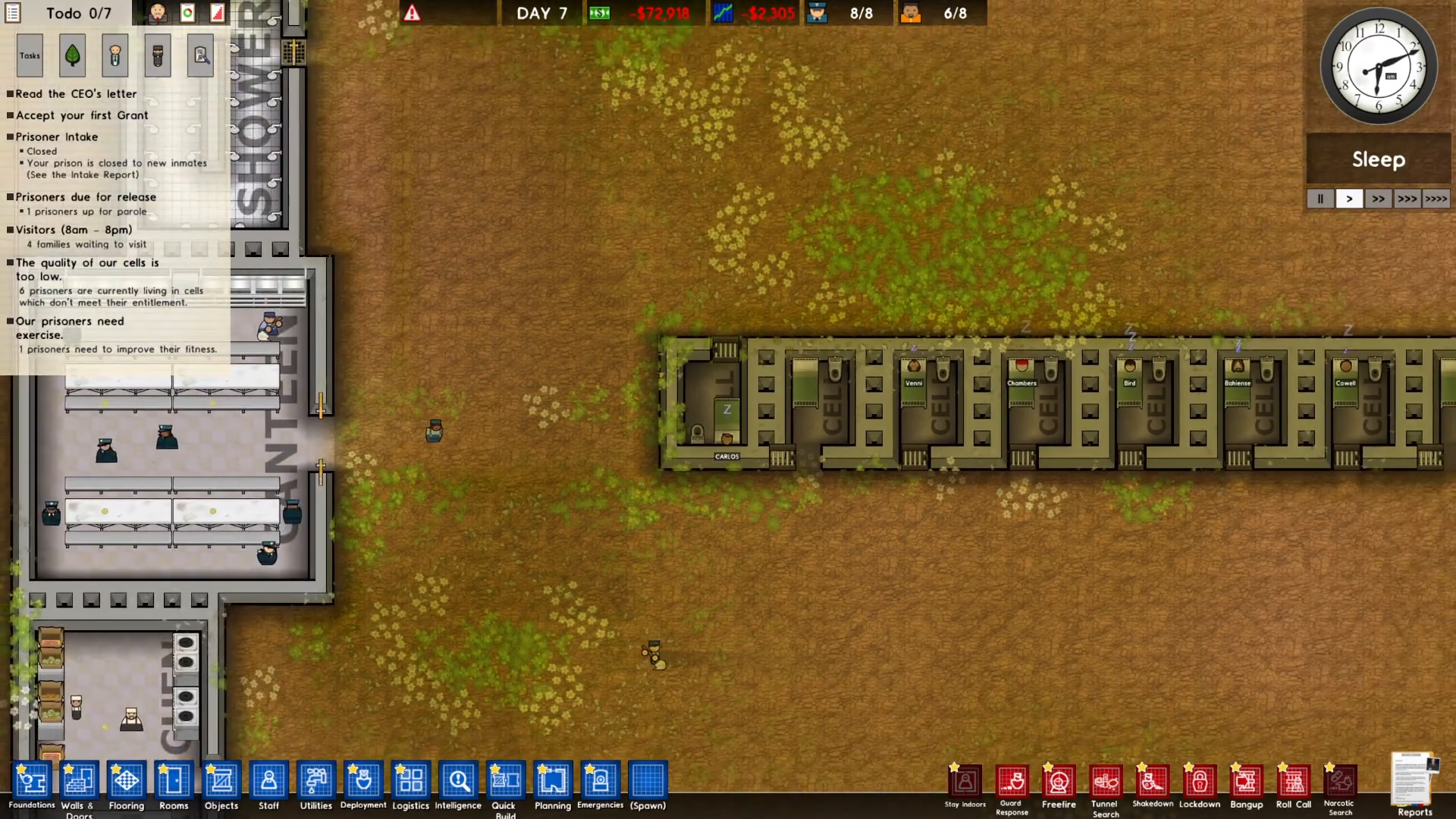
To begin reassigning a prisoner to a new cell, start by selecting the prisoner you want to move. For example, if you want to change Carlos’s prison cell, click on Carlos to select him.
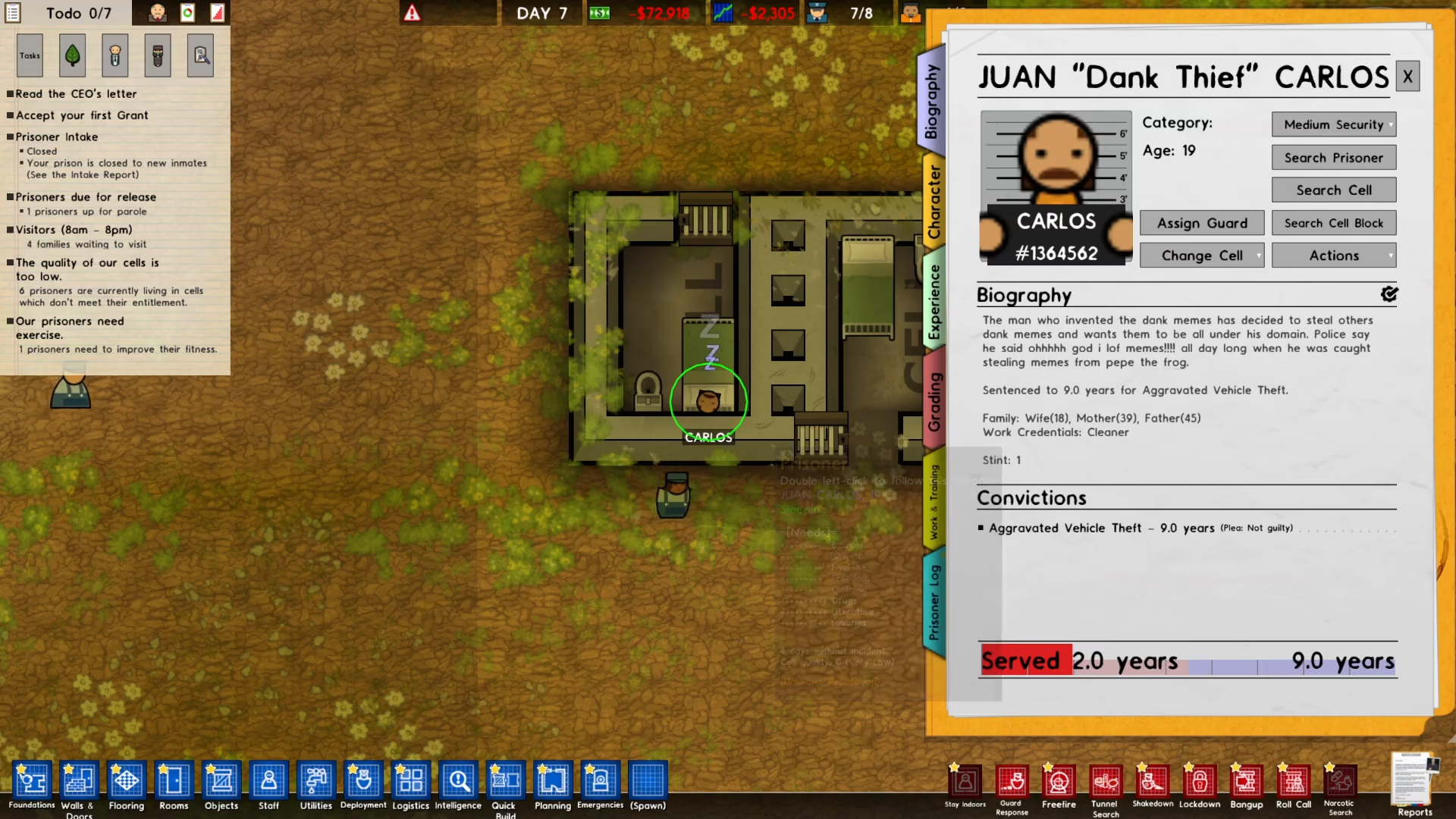
Once you’ve selected the prisoner, look at the left side of your screen. You’ll see a button labeled “Change Cell” — click on this button to access the cell reassignment interface.
Selecting a New Cell
After clicking the Change Cell button, a new option will appear: “Choose New Cell.” Click on this option to view the available cells in your prison.
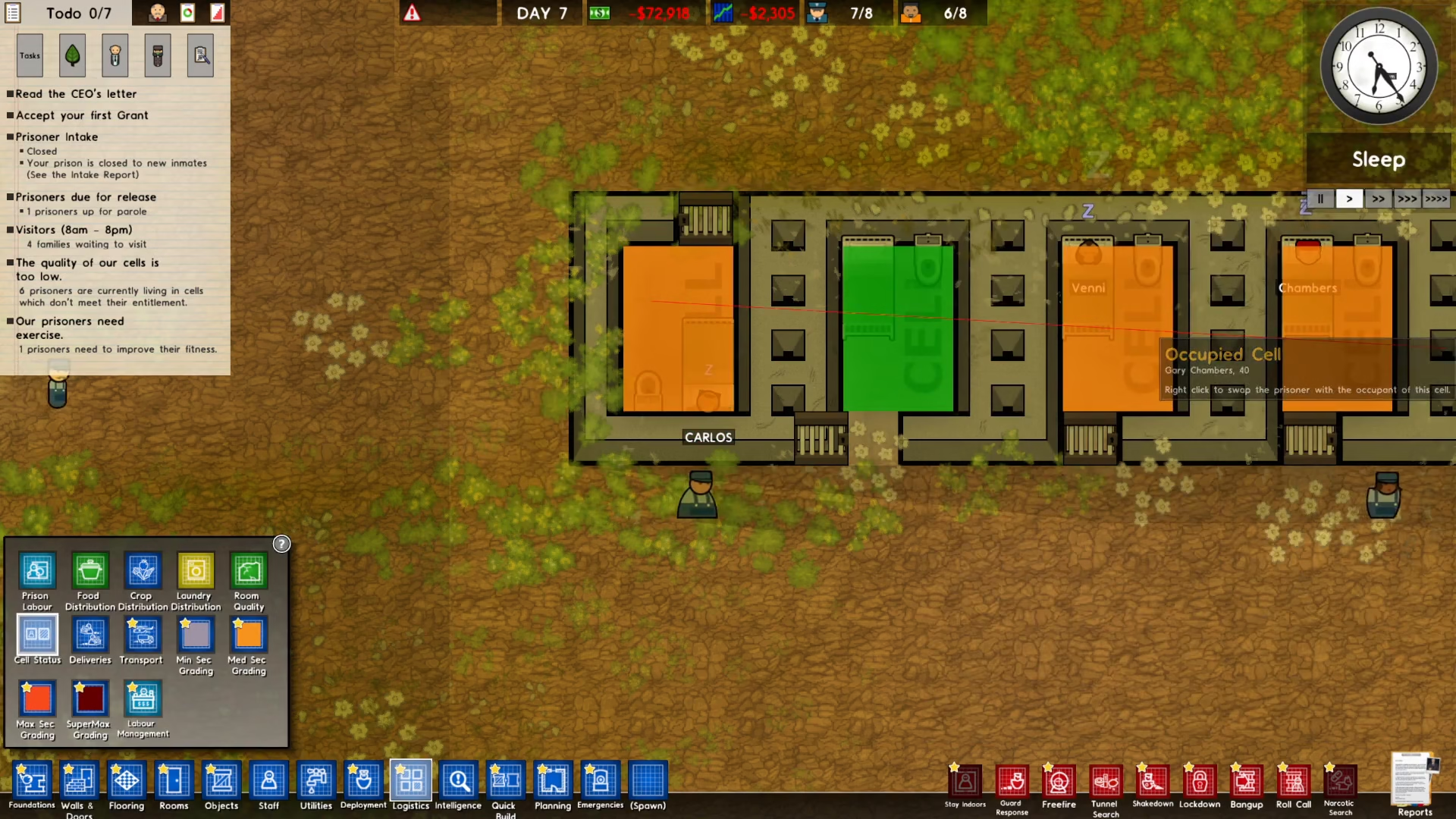
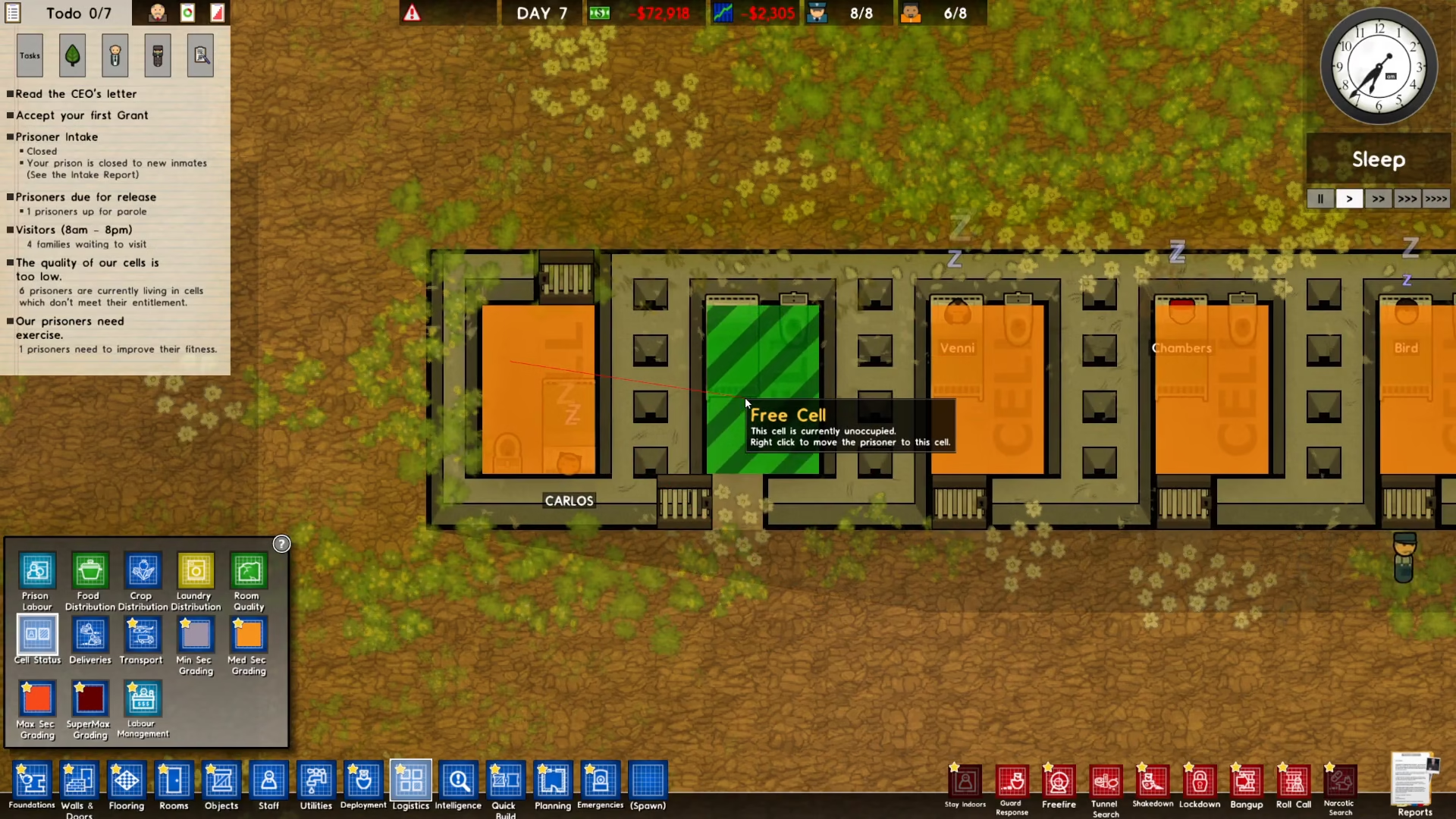
The game will display your cells using a color-coded system to help you quickly identify availability:
Green cells: Unoccupied and available for assignment
Red cells: Currently occupied by other prisoners
Assigning the Prisoner to Their New Cell
Once you can see all available cells, select the green (unoccupied) cell where you want to transfer the prisoner. For this example, let’s say you want Carlos to move to a specific empty cell.
To complete the transfer, right-click on the cell you’ve chosen. This action will immediately assign the prisoner to that cell.
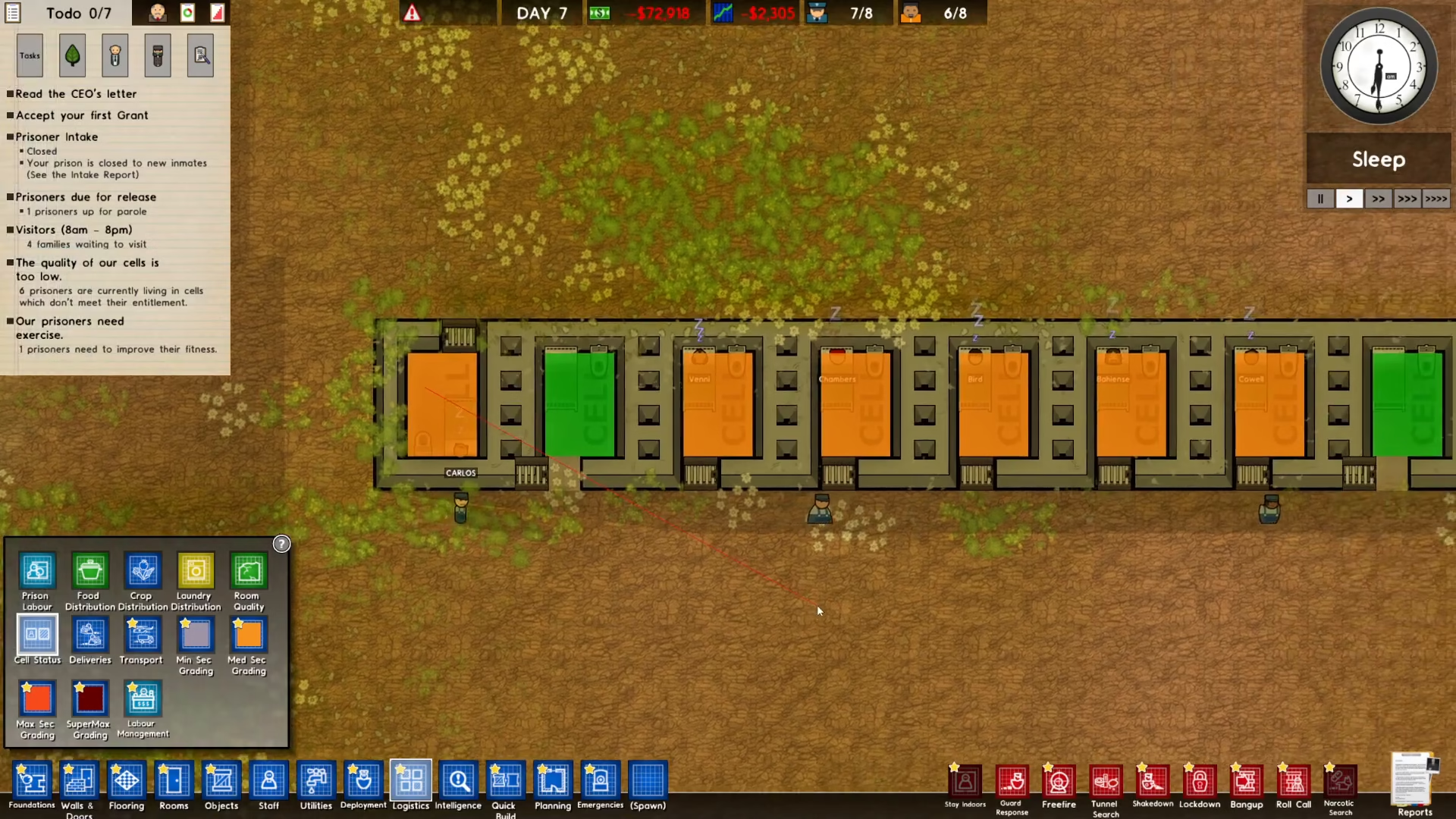
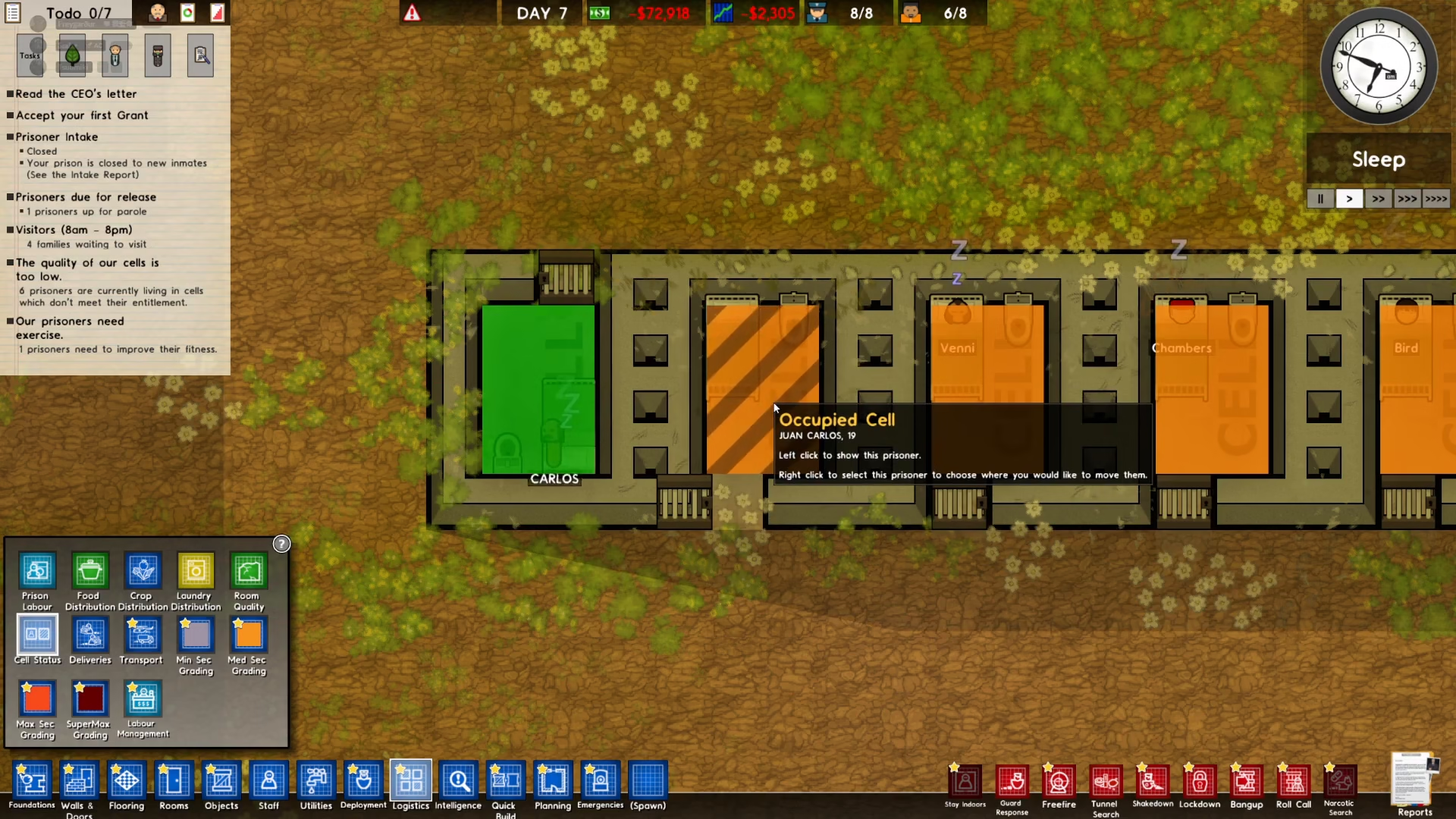
You’ll notice the visual feedback is instant: the newly assigned cell will turn red (indicating it’s now occupied), and the prisoner’s previous cell will turn green (showing it’s now unoccupied).
Confirmation of Successful Transfer
Once you’ve right-clicked on the new cell, the transfer is complete. The prisoner — in this case Carlos — is now assigned to their new cell, and the color changes on both the old and new cells confirm the successful reassignment.
Summary
Changing prisoner cells in Prison Architect is a simple three-step process: select the prisoner, click “Change Cell” followed by “Choose New Cell,” and then right-click on an available green cell to complete the transfer. This feature allows you to efficiently manage your prison layout and keep your facility organized. With this knowledge, you can now easily reassign prisoners whenever you need to optimize your prison’s configuration.
— Want to Support? —
If you would like to help us continue making these guides – please consider joining our patreon here – https://www.patreon.com/c/JaviHeals
Alternatively – you can join our discord here – https://discord.gg/zD7Gjt6MHF