
How to Fix & Repair Tractors in Farming Simulator 25
How to Fix & Repair Tractors in Farming Simulator 25
In Farming Simulator 25, keeping your equipment in good condition is essential for smooth gameplay. This guide will walk you through the simple process of repairing your tractor so you can get back to your farming operations quickly and efficiently.
Getting Started with Tractor Repair
The first step in repairing your tractor is to drive it into town. Select your tractor and begin driving toward the repair location. If you’re unsure where to go, open your map and look for the shopping basket icon. This will guide you to the shop area where the repair facilities are located.
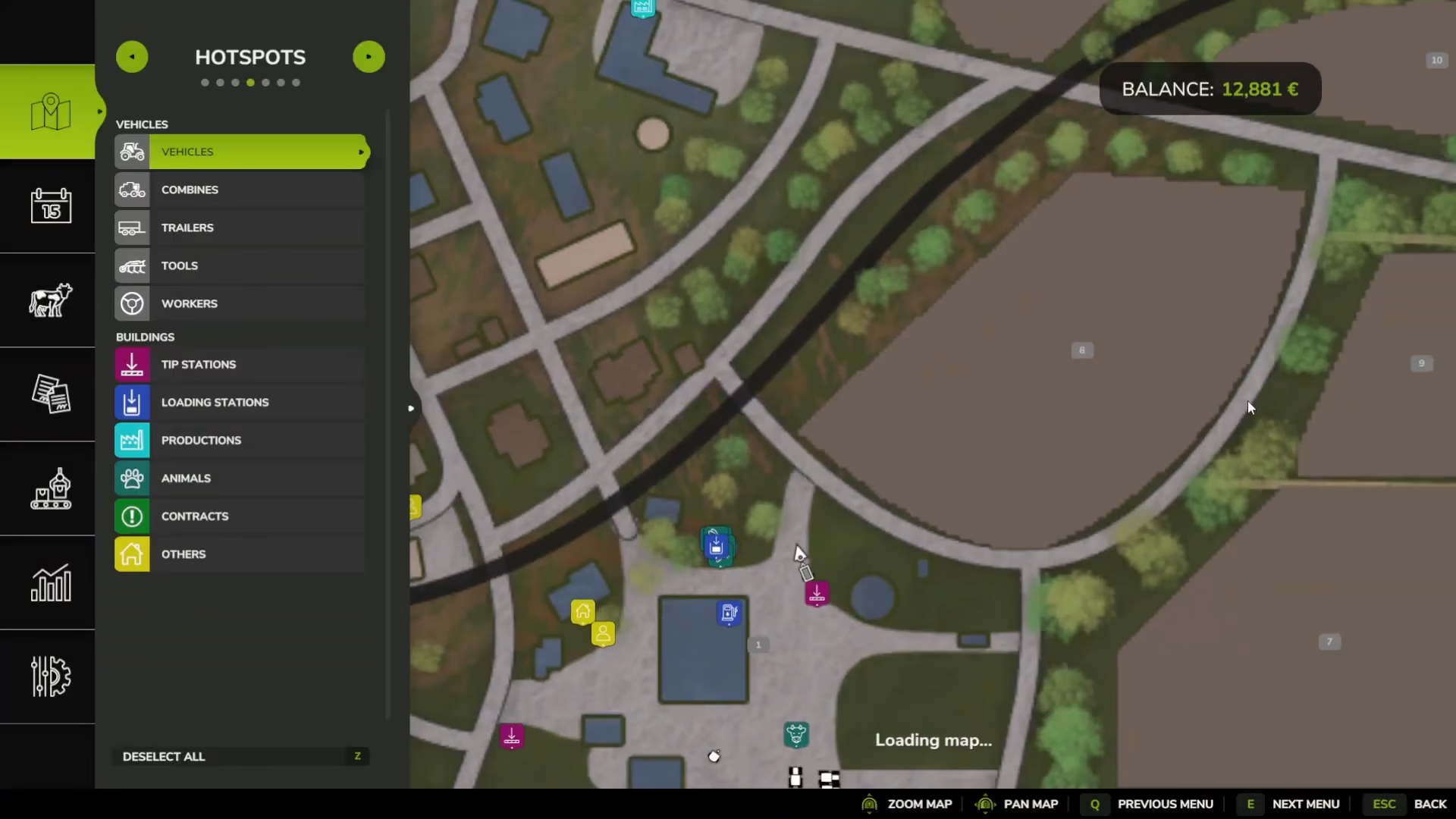
Locating the Repair Garage
Once you arrive at the store, you’ll notice there are garages positioned opposite the main shopping area. Don’t drive into the store itself—instead, navigate your tractor over to the garages on the other side. You’ll see construction or warning signs marking designated parking spaces between the lines.
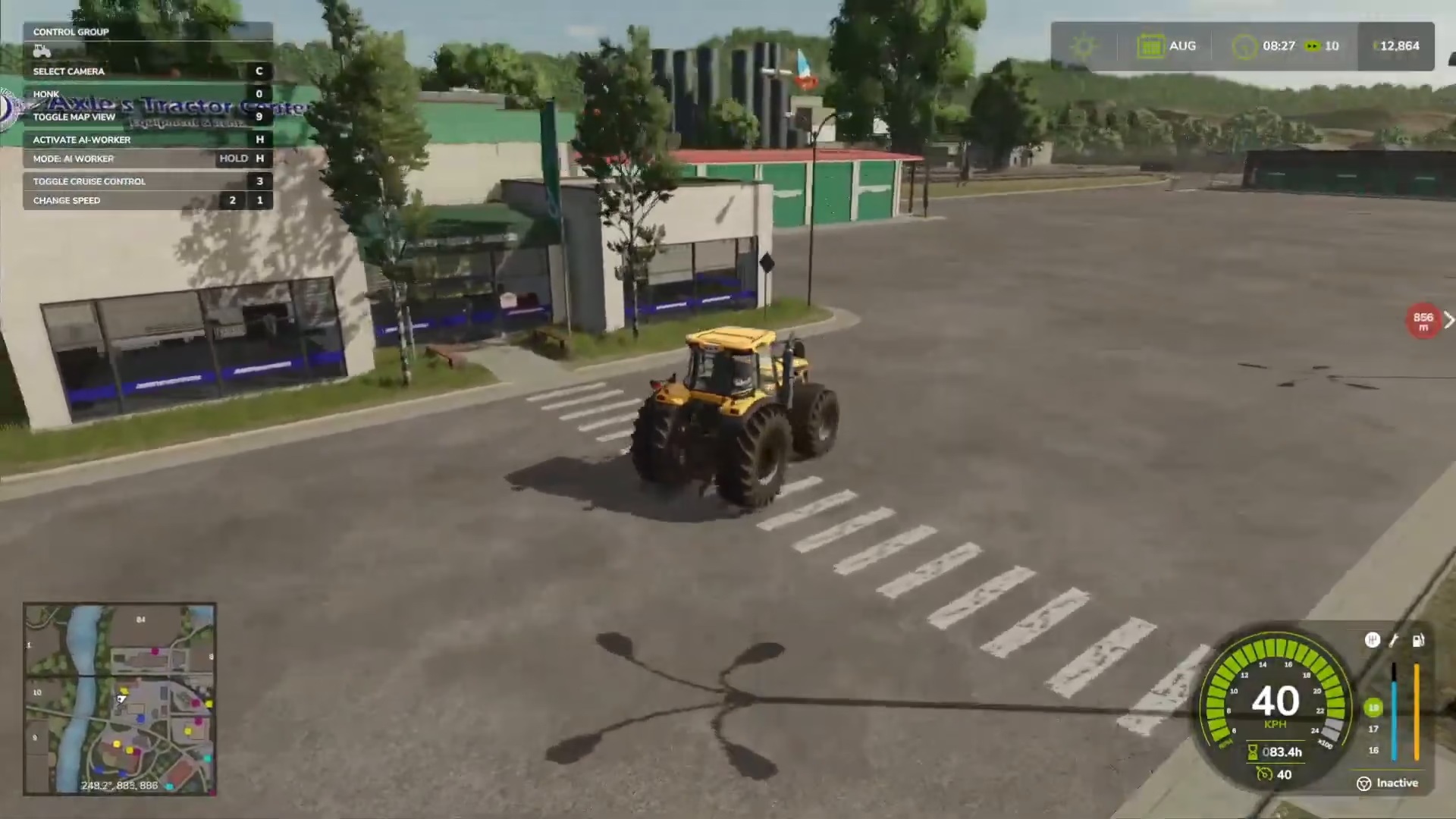
Parking Your Tractor
Park your tractor carefully between the marked lines at the repair garage. These designated spots are specifically designed for equipment repair, and positioning your vehicle correctly is important for activating the repair option.
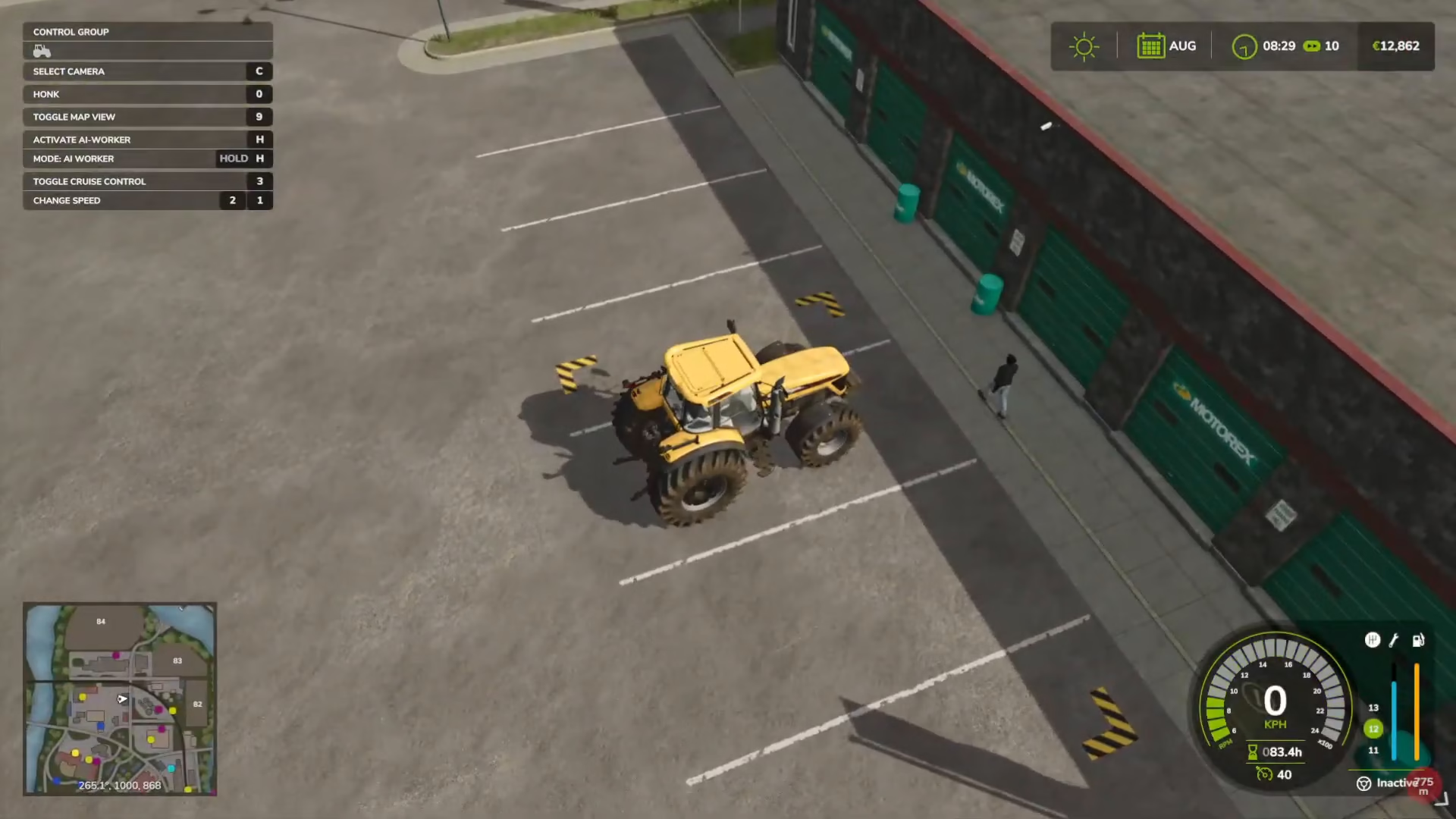
Initiating the Repair Process
Once your tractor is parked in the correct location, you’ll see a small wrench icon appear. Press the R key to interact with the repair station. You’ll notice at the bottom of your screen a prompt that says “C repair” appears. Simply click this option to begin the repair process.

Completing the Repair
After clicking the repair option, your tractor will be instantly repaired. The entire process is automatic—you don’t need to double-click or perform any additional actions. Once the repair is complete, your tractor will be back to full condition and ready for your next farming task.

Summary
Repairing your tractor in Farming Simulator 25 is straightforward: drive to the shop location marked on your map, navigate to the garages opposite the store, park between the marked lines, and press R to activate the repair prompt. Click “C repair” and your tractor will be fully restored. This quick maintenance process keeps your equipment running smoothly throughout your farming career.
— Want to Support? —
If you would like to help us continue making these guides – please consider joining our patreon here – https://www.patreon.com/c/JaviHeals Alternatively – you can join our discord here – https://discord.gg/zD7Gjt6MHF