How To Buy a Tile in Civ 6
How To Buy a Tile in Civilization 6
Purchasing tiles is a fundamental mechanic in Civilization 6 that allows you to expand your city’s territory and control valuable resources. This straightforward guide will walk you through the simple process of buying tiles in Civ 6, perfect for beginners just starting their civilization journey.
Basic Requirements
Before you can purchase any tiles, you’ll need to have a city established. Build a city first — this is the foundational step required before any tile purchases can be made.
How to Purchase a Tile
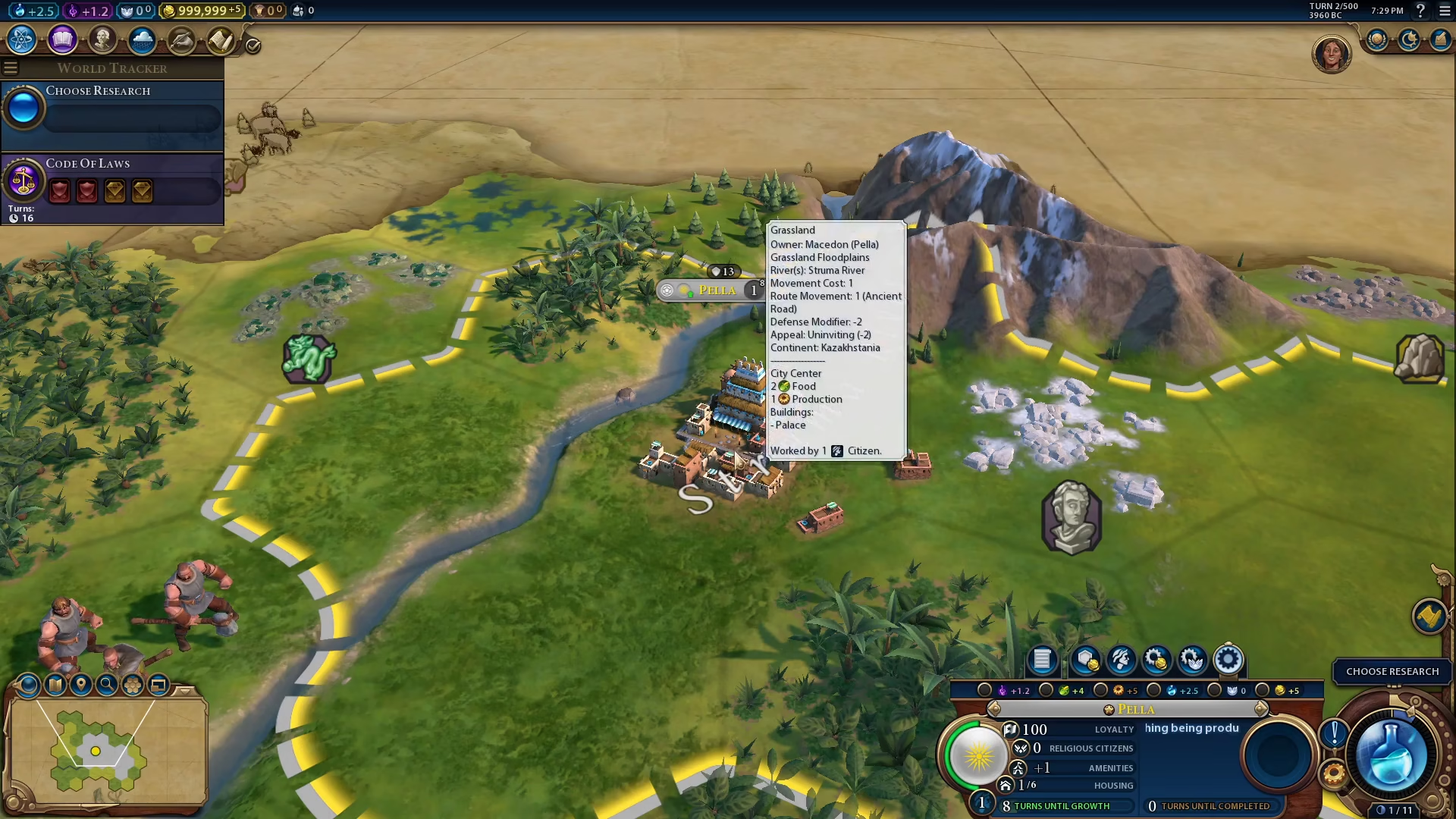
Step 1: Click on Your City
Once your city is built, click on it to open the city interface.
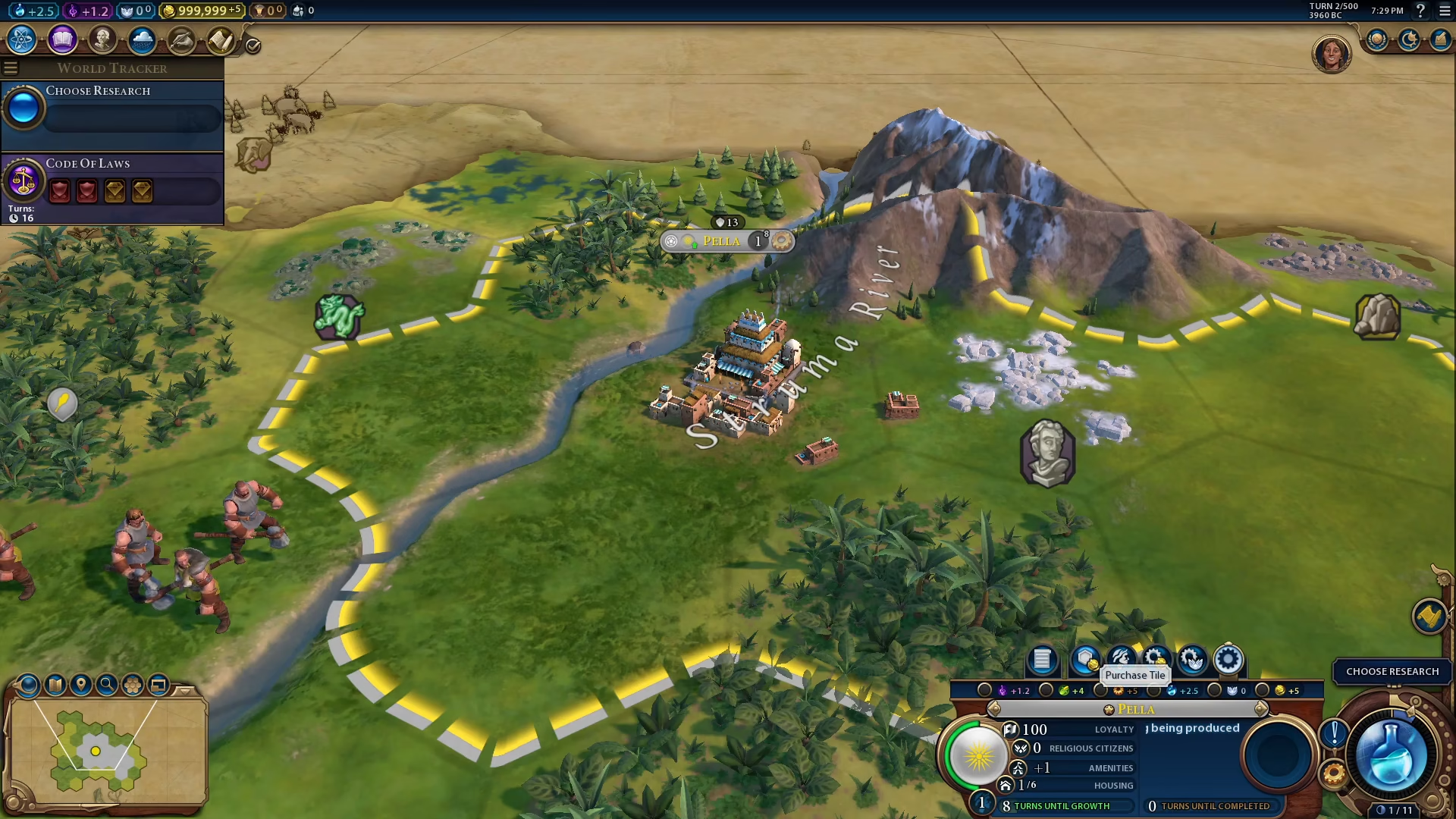
Step 2: Locate the Purchase Tile Button
Look at the bottom right corner of your screen. You’ll see the purchase tile button displayed there.
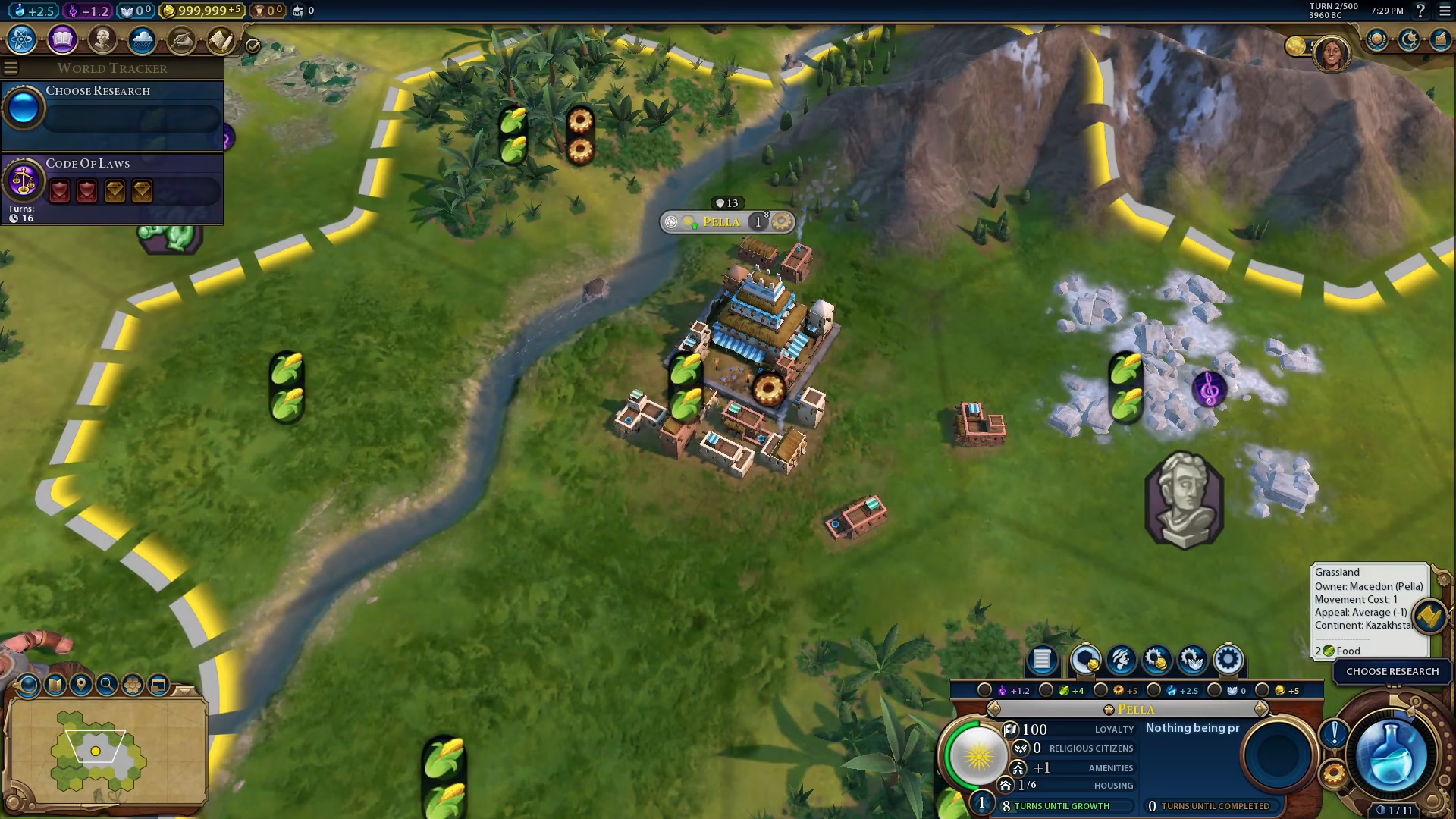
Step 3: Select and Purchase
Click on the purchase tile button, choose the tile you wish to acquire, and then confirm the purchase. Make sure you have enough gold to complete the transaction.
Summary
Buying tiles in Civilization 6 is a quick and easy process: build a city, click on it, find the purchase tile button in the bottom right corner, select your desired tile, and complete the purchase. This mechanic is essential for expanding your civilization’s territory and controlling more resources as you progress through the game.
Want to Support?
If you would like to help us continue making these guides – please consider joining our patreon here – https://www.patreon.com/c/JaviHeals
Alternatively – you can join our discord here – https://discord.gg/zD7Gjt6MHF