





How To Buy Units With Faith in Civ 6
How To Buy Units With Faith in Civilization 6
Purchasing units with Faith is a valuable mechanic in Civilization 6 that allows you to acquire special military and religious units without spending Gold. This guide will walk you through the simple steps to buy units with Faith in your cities.
Accessing the Faith Purchase Menu
To buy units with Faith, start by selecting your main city. Once selected, look for the gear icon in the city interface and click on it to open the city management menu.
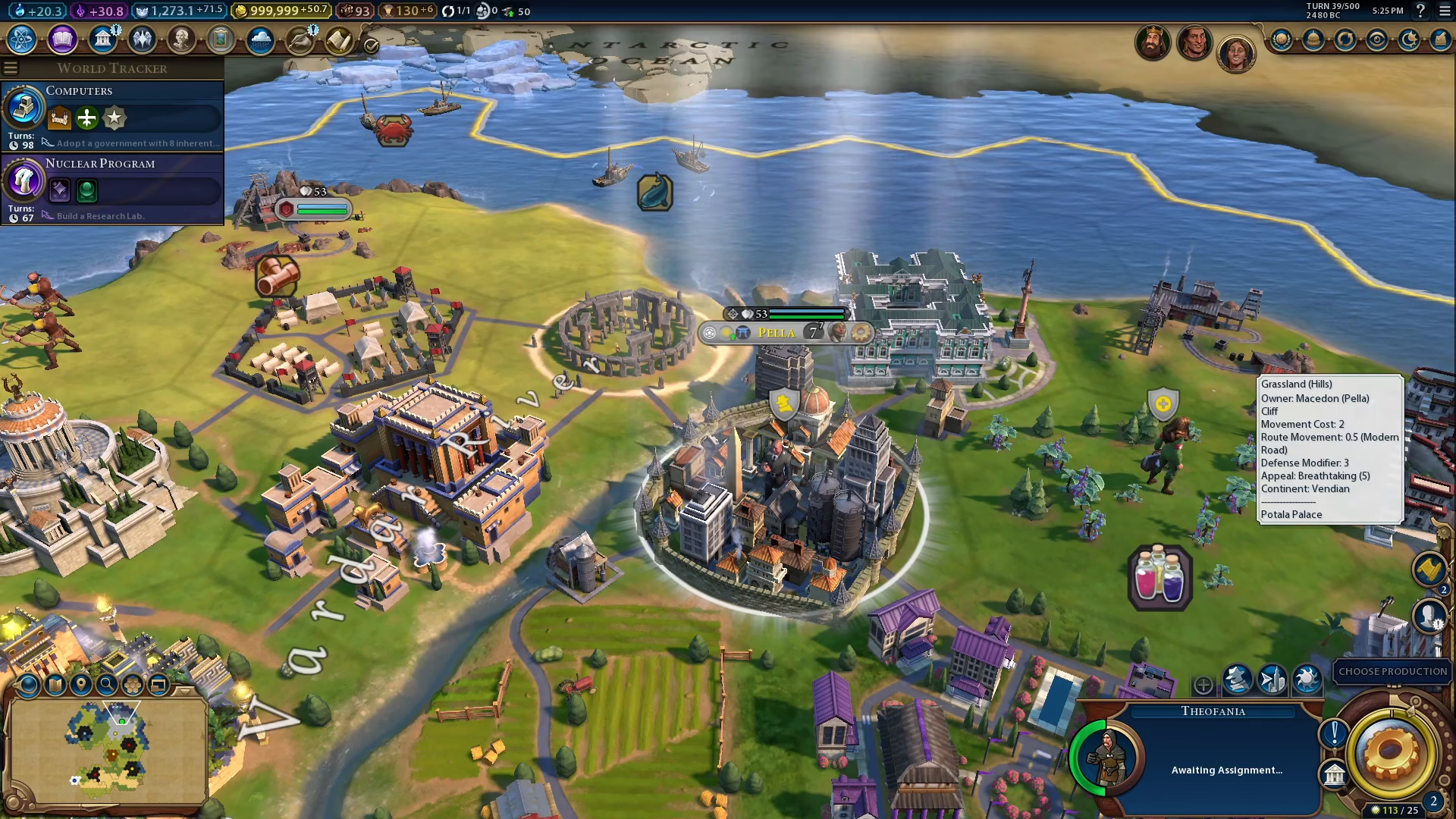
In the top right corner of the menu, you’ll see the option labeled “faith purchase.” Click on this button to view all available units that can be purchased using Faith.
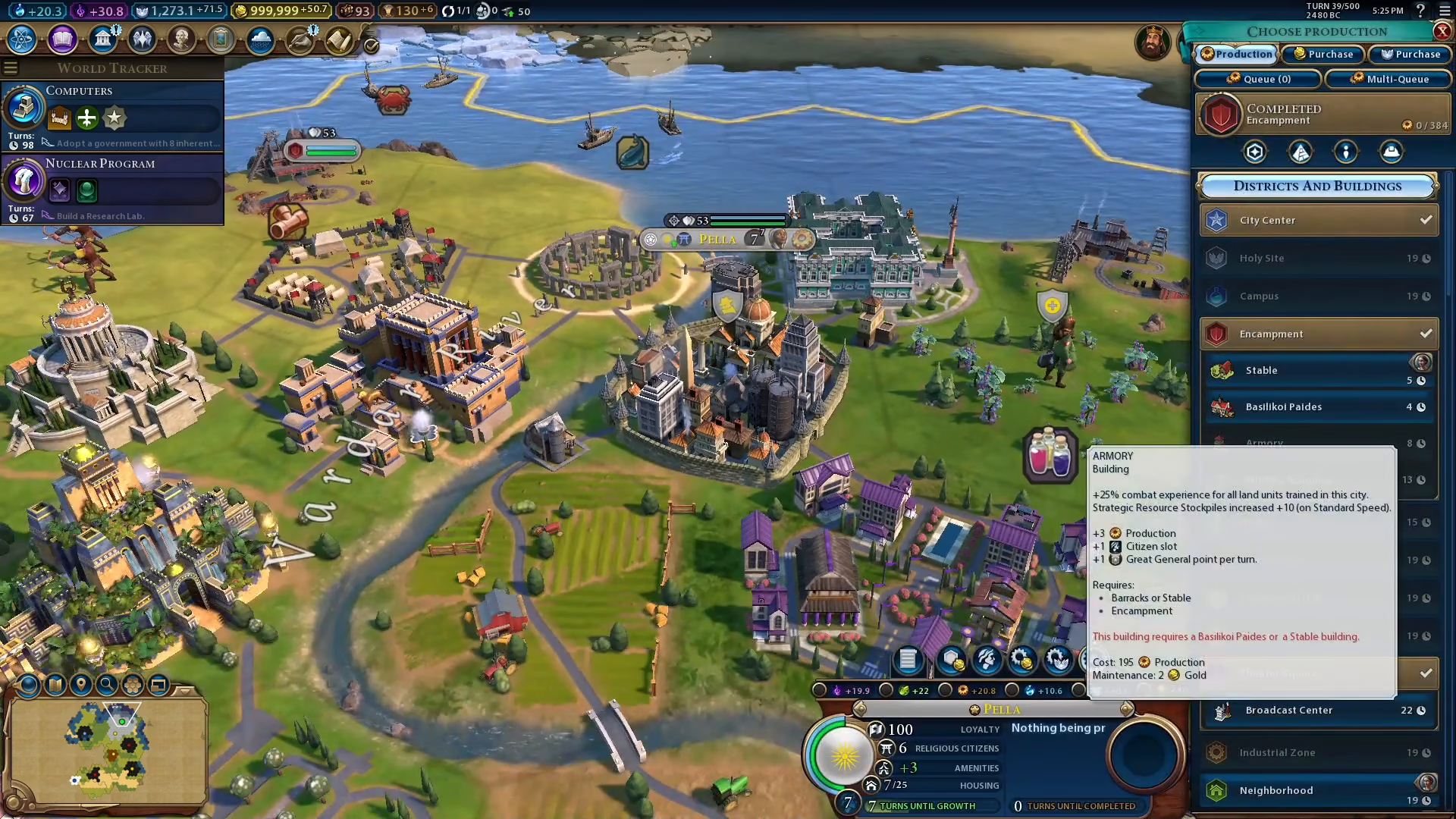
Selecting and Purchasing Your Unit
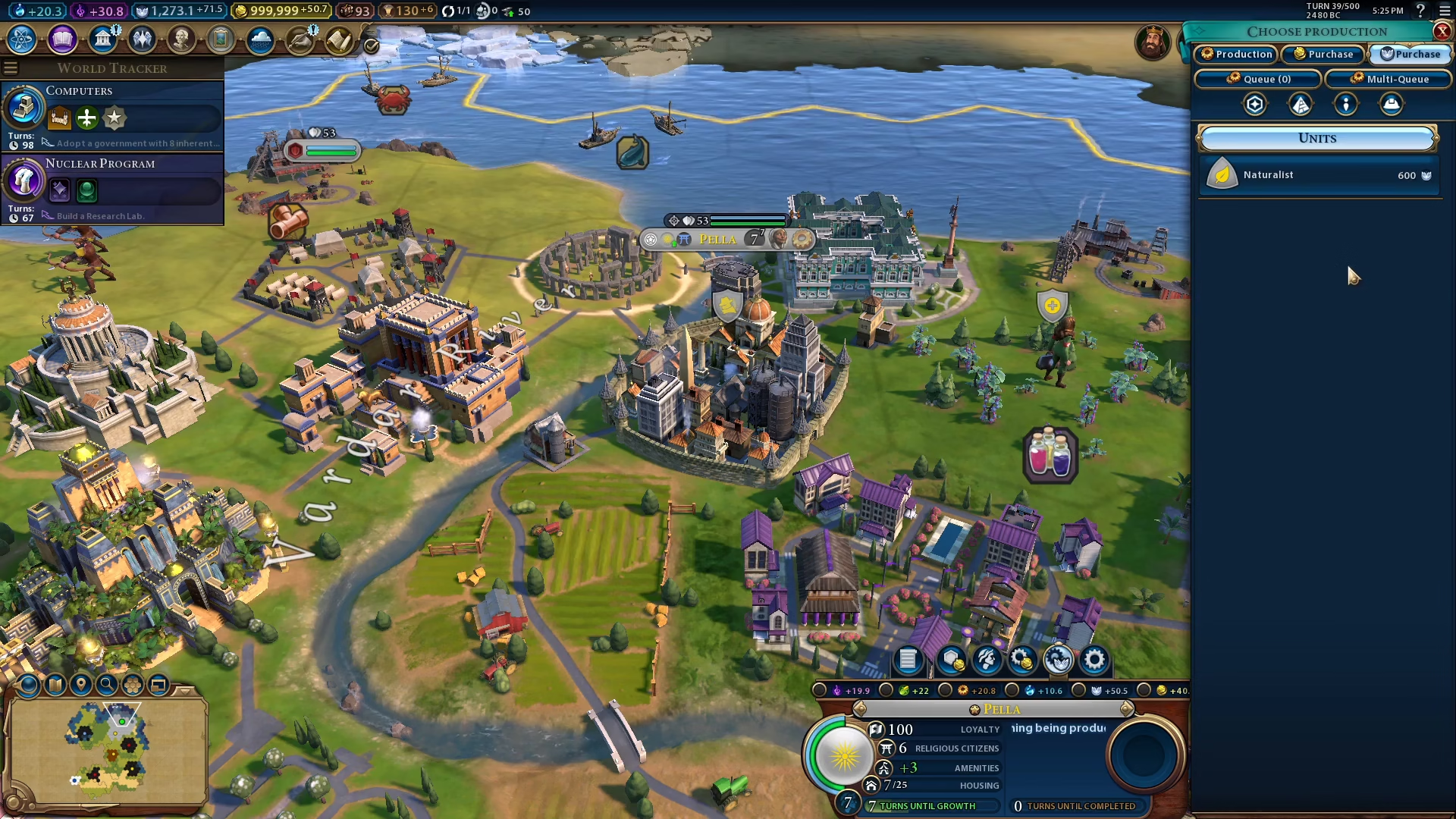
Once you’ve opened the faith purchase menu, you’ll see a list of units available for purchase. Simply click on the unit you wish to buy. For example, if you want to purchase a Naturalist, just select it from the list and the unit will be added to your city immediately, provided you have sufficient Faith.
Summary
Buying units with Faith in Civilization 6 is a straightforward process: navigate to your city, open the settings via the gear icon, select “faith purchase” from the top right, and click on any unit you’d like to acquire. This mechanic is essential for quickly building religious units and other special units without depleting your Gold reserves.
— Want to Support? —
If you would like to help us continue making these guides – please consider joining our patreon here – https://www.patreon.com/c/JaviHeals
Alternatively – you can join our discord here – https://discord.gg/zD7Gjt6MHF