
How To Change Governments in Civ 6
How To Change Governments in Civilization 6
Changing your government in Civilization 6 is a straightforward process that allows you to adapt your civilization’s policies and bonuses to your current strategy. Whether you’re shifting toward military conquest, cultural dominance, or scientific advancement, knowing how to quickly switch governments is essential for success. This guide walks you through the simple steps needed to change your government in just a few clicks.
Opening the Government Menu
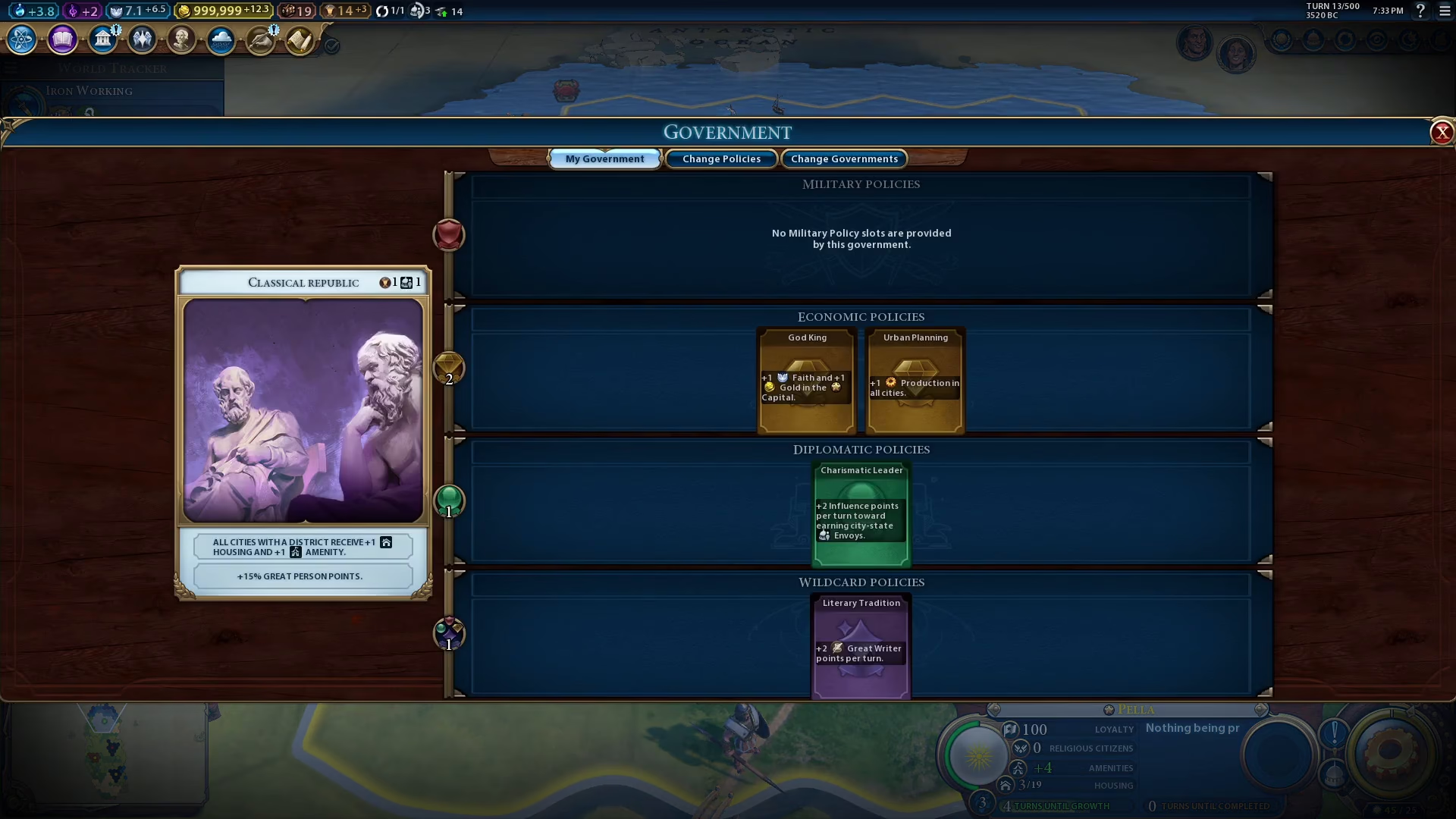
To begin changing your government, locate the government icon in the top left corner of your screen. Click on this icon to open the government panel.

Selecting a New Government
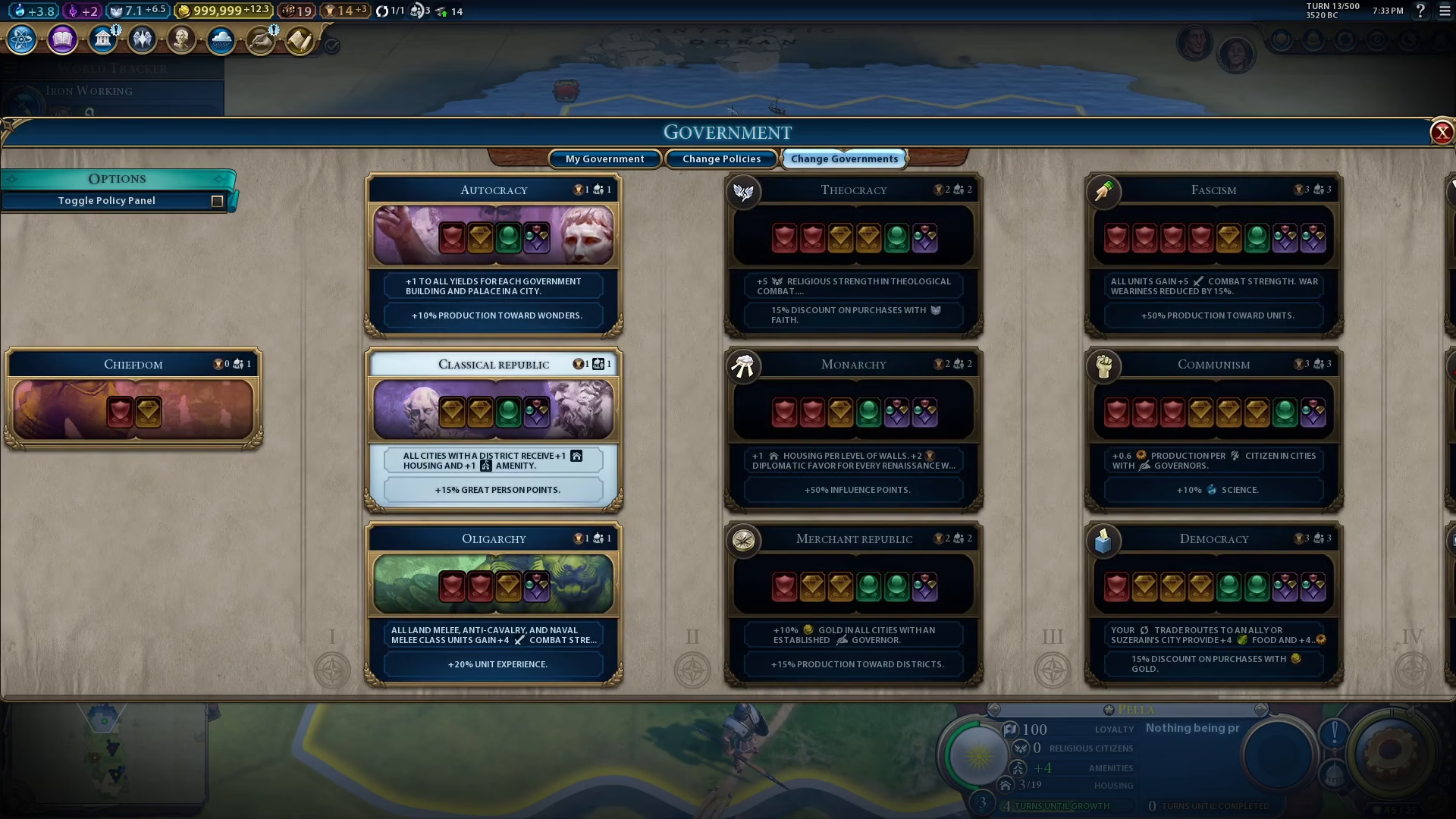
Once you’ve opened the government menu, you’ll see the “Change Government” option displayed. Click on it to view all available governments you can switch to. A list of government types will appear, each with its own unique bonuses and policy slots.
Choosing Your Government
Browse through the available governments and select the one that best fits your current strategy. For example, if you want to switch to Autocracy, simply click on it.

Confirming Your Choice
After selecting your desired government, a confirmation prompt will appear asking you to verify your choice. Click “Yes” to confirm the change and apply the new government to your civilization.
Summary
Changing your government in Civilization 6 is quick and easy. Simply click the government icon in the top left corner, select “Change Government,” choose your preferred government type, and confirm your selection. This simple three-step process allows you to flexibly adapt your civilization’s governance to match your evolving gameplay strategy.
— Want to Support? —
If you would like to help us continue making these guides – please consider joining our patreon here – https://www.patreon.com/c/JaviHeals
Alternatively – you can join our discord here – https://discord.gg/zD7Gjt6MHF